

Roblox Studio
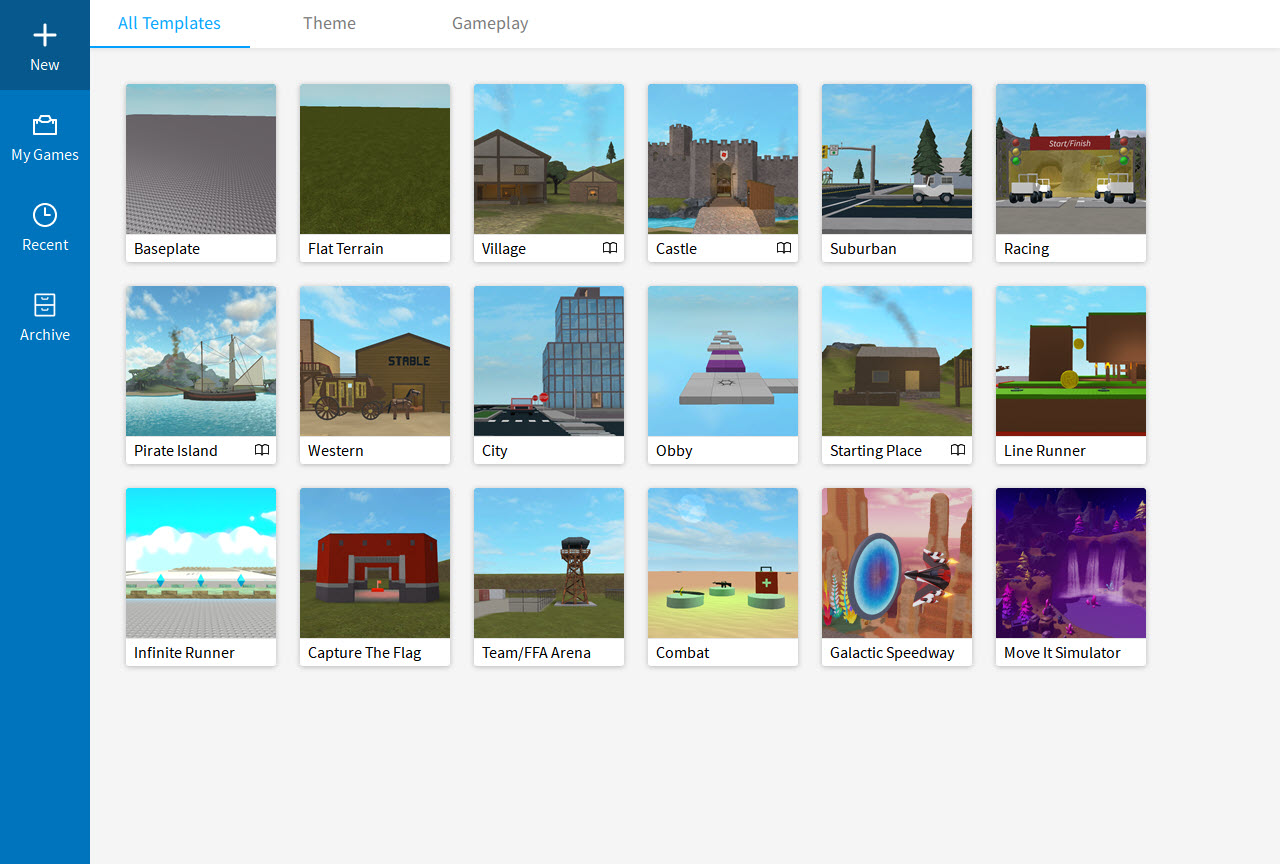
About Roblox Studio
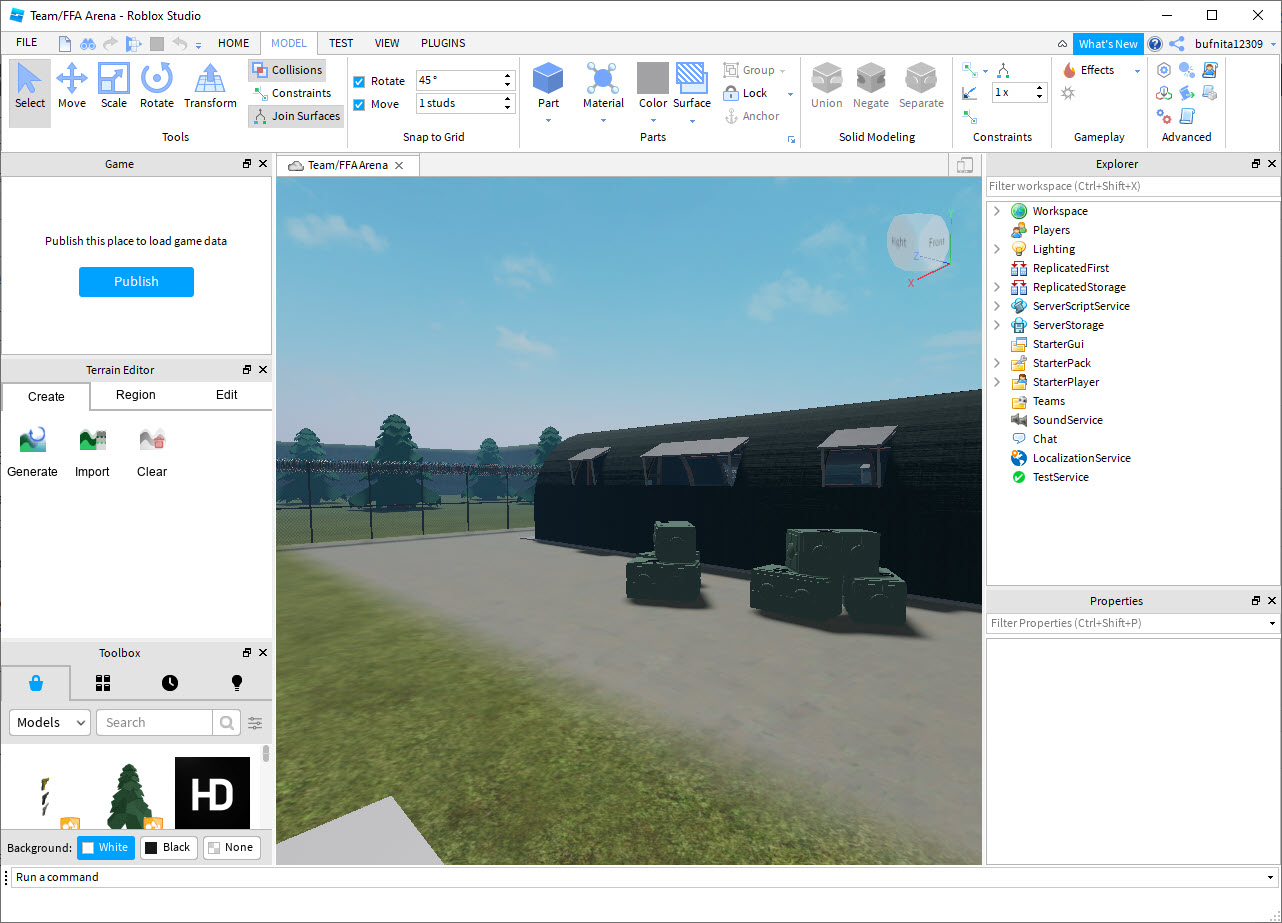
Roblox Studio is the development environment for building games and experiences on the Roblox platform. Open it and you get a 3D scene editor with a free-form viewport, an Explorer panel showing every object in your world as a tree, a Properties panel for tweaking each object’s attributes, a built-in script editor for writing Luau code, and a Test mode that runs your creation on the spot.
Whatever you build uploads directly to Roblox, where the platform’s hundreds of millions of monthly users can play it.
The pitch, compared with general-purpose engines, is that the hard infrastructure comes pre-built. Multiplayer networking, accounts, purchases through Robux, voice chat, and avatar systems all belong to the underlying engine, so you write your game’s specific logic instead of assembling backend services. The catch arrives in the same sentence. Games built here run only on Roblox, and nowhere else, ever.
Building in the viewport
World construction starts with Parts, the cubes, spheres, cylinders, and wedges that combine into practically any shape, helped by snap-to-grid alignment and dedicated Move, Rotate, and Scale tools with fine-control options.
Terrain sculpting shapes the ground itself, and specialty objects cover the recurring needs of game scenes, vehicles, NPCs, water, particle effects, lights, and sound emitters, each dropped in with its properties exposed.
When primitive parts run out of expressiveness, mesh imports accept OBJ and FBX files, so custom geometry modeled in Blender flows in cleanly.
2D work like decals and textures comes from any image editor, with Krita being a natural companion. Between parts, specialty objects, and imports, most scenes get built without producing every asset from scratch, and the marketplace fills remaining gaps with millions of community models, sounds, and animations of admittedly uneven quality.
The Explorer hierarchy, where projects live or die
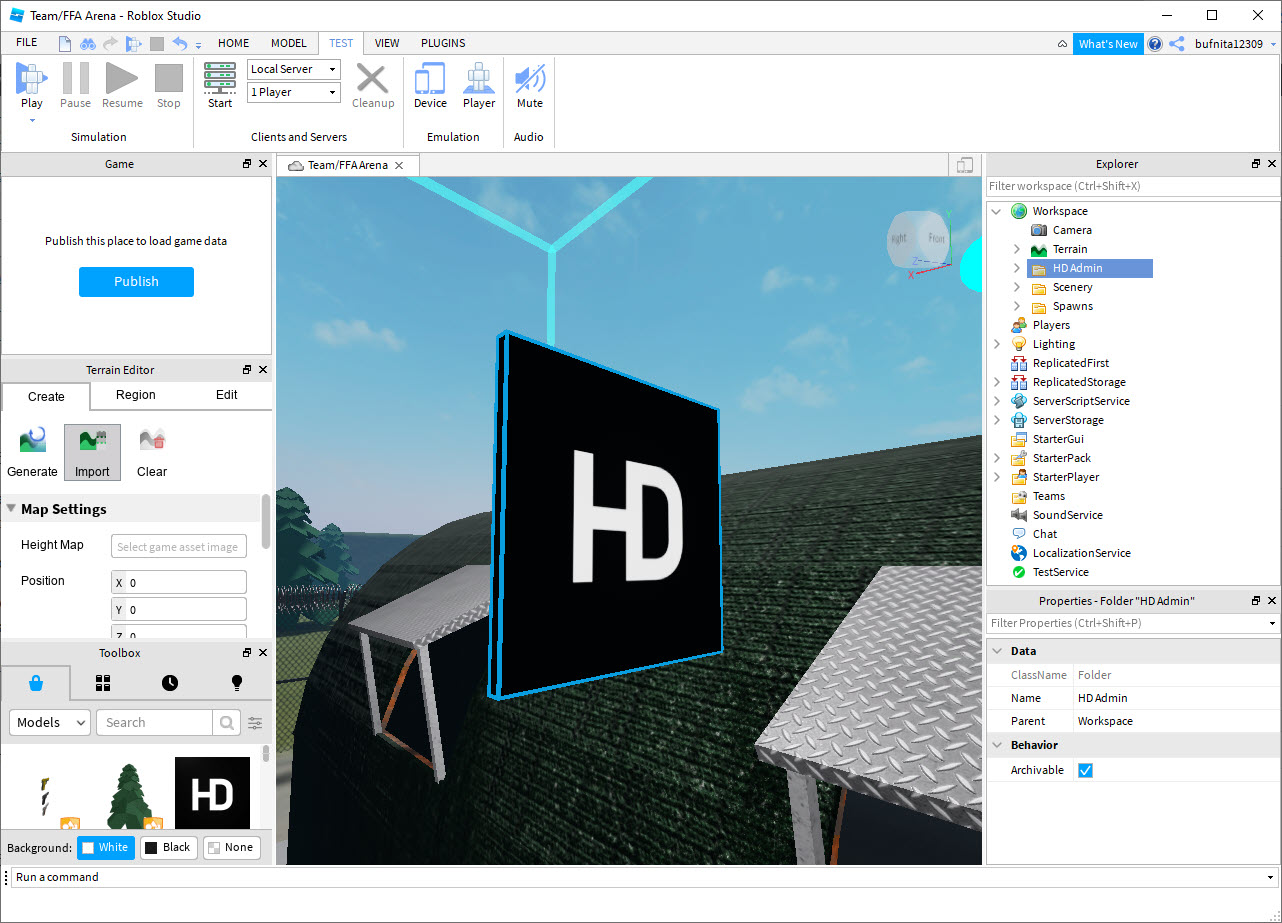
Everything in a project sits in the Explorer tree, and the tree’s top-level services define behavior. Workspace holds the physical world, Lighting the environment, ReplicatedStorage the objects shared between server and client, ServerScriptService the code that runs authoritatively, StarterPlayer the character defaults. Objects parented together move together, models group parts into single units, and scripts behave differently depending on which service contains them.
The Properties panel exposes the granular attributes of whatever is selected, a Part alone carries dozens, size, material, transparency, anchoring, collision behavior, with the viewport reflecting every change live.
Experienced creators organize projects through this hierarchy rather than through visual placement, and learning it early is the single highest-return hour a beginner spends in Roblox Studio.
Luau scripting with a real debugger
Game logic is written in Luau, the platform’s variant of the Lua language, which adds type checking and performance improvements while keeping the approachable syntax that makes it an easier first language than the C-family alternatives in other engines. The integrated editor behaves like a modern code editor, syntax highlighting, multi-cursor editing, code folding, and an autocomplete that knows the platform’s APIs, suggesting valid functions as you type.
Debugging runs through breakpoints, watch expressions, and stepping, so execution pauses where you ask and variables open for inspection, which turns bug hunts in complex logic from guesswork into procedure.
Collaboration is built into the same editor, several developers editing one project live, cursors visible, merge tools resolving conflicts, and for teams it replaces the version-control ceremony other workflows demand.
Plugins extend the whole environment, with community-built tools for advanced building manipulation, better animation editing, UI design, and project organization, and the ecosystem is mature enough that common pain points already have polished answers.
Test mode, from solo runs to simulated servers
Nothing in Roblox Studio needs uploading to be played. The Play button drops your character into the game exactly as players will experience it, while Run executes scripts without a character for testing systems, and Local Server simulates several players at once on your machine. That last mode is where multiplayer bugs surface, since problems invisible in solo testing appear the moment two simulated players interact, and catching them locally beats catching them in public.
Multiplayer itself costs surprisingly little effort. The engine’s client-server architecture replicates marked objects automatically, server scripts stay authoritative, client scripts handle input and interface, and the synchronization that normally consumes months of networking work simply happens.
The boundary is equally firm, custom networking architectures outside the engine’s replication model aren’t possible, which almost never matters and occasionally matters completely.
Publishing, Robux, and the honest economics
Publishing from Roblox Studio uploads the experience to the platform, private for invited testers or public for everyone, with versioning that rolls back a broken release. Metadata, genre tags, thumbnails, descriptions, feeds the discovery algorithms, and for a game hoping to be found by strangers, that screen merits as much care as the game.
Monetization runs through Robux, with Developer Products for one-time purchases, Game Passes for permanent perks, and the platform handling payments and fraud outright. Earnings convert to real money through the Developer Exchange program past a threshold, and successful experiences earn their creators serious income. The sober counterweight belongs right next to that.
Millions of experiences compete for attention, most never find an audience regardless of quality, and the platform’s cut plus exchange rates leave creators with a noticeably smaller share than independent distribution would, a calculation that reads differently for hobbyists than for professionals.
The constraints that define the choice
Three limits shape who should build in Roblox Studio. The platform lock is total, no exports to stores or other engines exist, and a project’s future is permanently tied to the platform’s decisions, including the API changes that occasionally break working games and demand maintenance. The audience skews young, so content guidelines and demographics both point away from mature themes. And performance tuning stops where the engine’s abstractions stop, since the internals stay closed, which ambitious technical projects eventually feel.
On the player side, the published game reaches computers, phones, consoles, and VR from the one codebase, and enthusiasts on desktop often run the client through Bloxstrap for its extra launcher controls.
Sound design, the asset class beginners forget, slots in from any audio editor, with Audacity covering the trimming and format needs the marketplace’s sounds don’t.
Conclusion
Roblox Studio suits creators who want their multiplayer idea in front of real players this month, young builders learning game development with training wheels that actually help, and small teams happy to trade platform independence for pre-built networking, payments, and an audience already at the door. Within that trade, no other environment moves a beginner from empty scene to published multiplayer game faster.
Developers who need their games to exist beyond one platform, target adult audiences, or tune engines at the internals level should start with a standalone engine and accept the infrastructure work. For everyone building for the platform’s own enormous world, this is the whole toolbox, and it costs nothing to open.
Pros & Cons
- Complete pipeline from building and scripting to testing and publishing in one tool
- Multiplayer replication handled by the engine, no networking code required
- Luau scripting with API-aware autocomplete, breakpoints, and live collaboration
- Enormous marketplace of assets and plugins fills art and tooling gaps
- Local Server mode simulates several players for real multiplayer testing
- Built-in Robux monetization with payments and fraud handled by the platform
- Games run only on Roblox, with no path to any other platform
- Young-skewing audience and content rules limit viable game categories
- Engine internals stay closed, capping deep performance optimization
- Platform API changes can break published games and force maintenance
- Discovery is brutally competitive, and most experiences find no audience
Frequently asked questions
Luau, the platform's variant of Lua, with type checking and performance improvements added. It's considerably friendlier for first-time programmers than the languages of the big standalone engines, and the editor's autocomplete knows the platform's APIs.
Yes, through Developer Products, Game Passes, and premium content that players buy with Robux, which converts to real money via the Developer Exchange program past a threshold. Reaching an audience large enough for meaningful earnings is the hard part.
The engine replicates shared objects between server and clients automatically. Server scripts run authoritatively, client scripts handle local input and interface, and no manual networking code is involved for standard multiplayer designs.
Use the Local Server mode, which simulates several players on your machine at once. Interactions between the simulated players expose the synchronization bugs that solo testing never shows.
No. Experiences exist only within Roblox, playable on the devices the platform reaches, and cannot be exported to stores or other engines. Platform independence requires a standalone engine instead.
Builders reach for advanced manipulation tools like F3X Building Tools, animators for Moon Animator, and larger projects for code-organization frameworks. The plugin marketplace covers essentially every specialty, with the developer forum steering current recommendations.


