

F-Secure Freedome
About F-Secure Freedome
F-Secure Freedome is a VPN that grew out of security software rather than out of the VPN trade, and it shows in what it bundles. The connection itself is the usual encrypted tunnel to a server in a country you pick, with a kill switch on the desktop that cuts traffic if the tunnel drops.
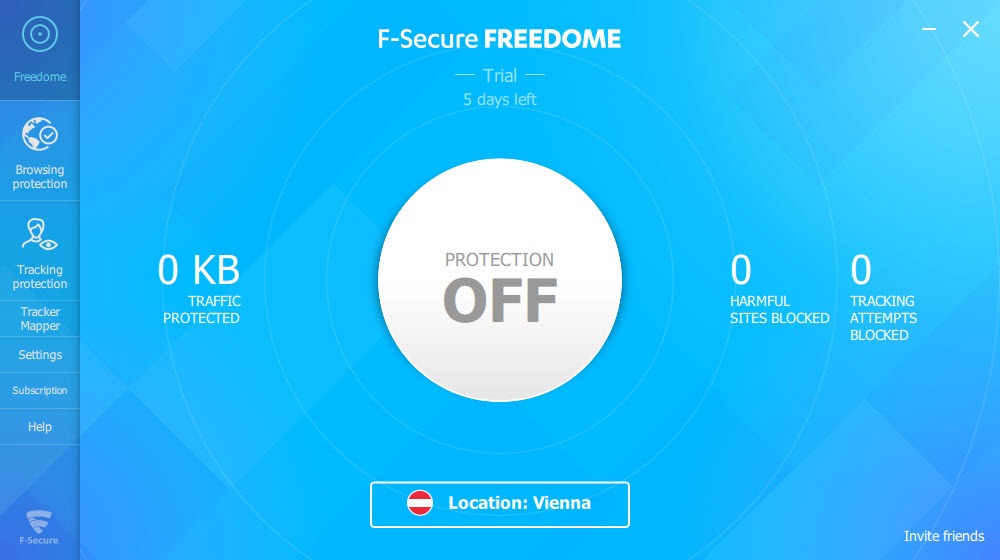
Around it sit two things the plain VPNs leave out. A tracking blocker stops the trackers that follow you between sites, and a browsing protection layer blocks known malicious pages before they load. Both are counted on the main screen so you can see them working. A Tracker Mapper draws the trackers that tried to follow you as a web of connections, which is more instructive than useful.
The product now carries a shorter name, F-Secure VPN, and the two names refer to the same service. F-Secure Freedome is built for people who want privacy on public networks with nothing to configure. Reviewers consistently rate it as easy, fast on nearby servers and thin on the advanced features the specialist VPNs carry. Its server network is small, torrent traffic is blocked on many of its servers, and it has no obfuscation for networks that detect VPNs.
The sections below cover the connection, the blockers, the Tracker Mapper, the kill switch and leak protection, and where the specialists go further.
Connecting
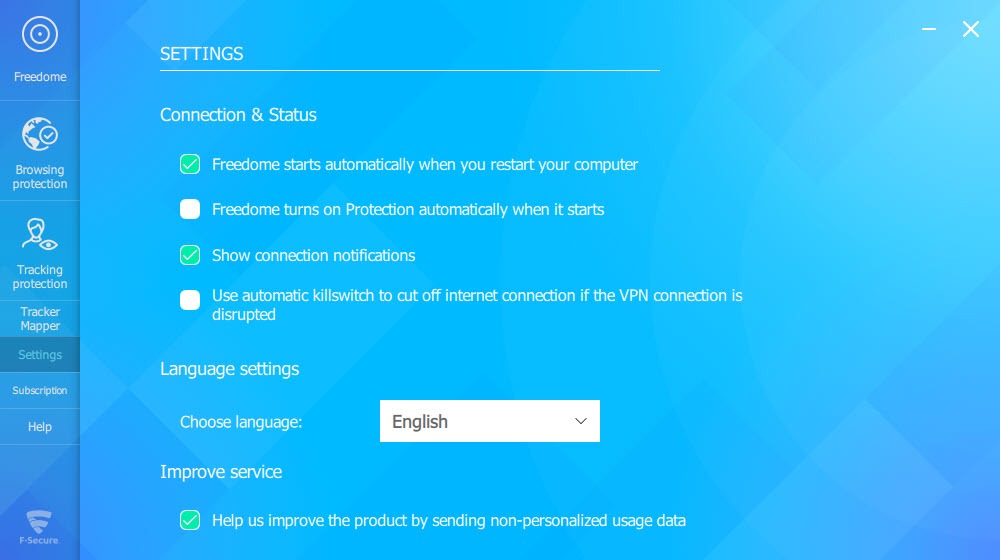
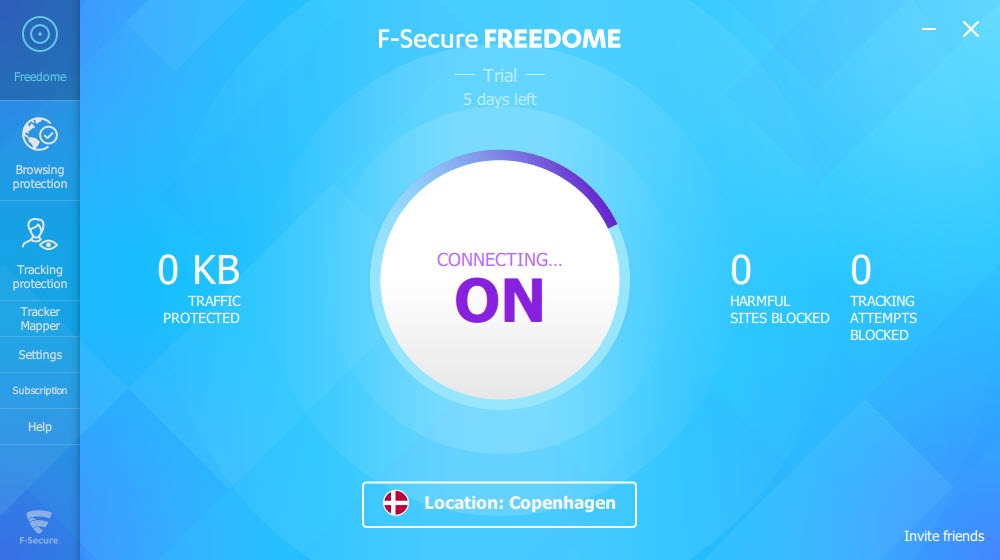
The main F-Secure Freedome screen is a single large button. Press it and the app connects to the nearest server, or pick a country from a short list first. Servers are chosen by location rather than by individual machine, since the network is small, with a few dozen locations rather than the hundreds the large services list. The app can connect automatically when the system starts, and a notification confirms each connection.
Speed on a nearby server is good, with little loss against the bare connection, and it drops over longer distances as it does on any VPN. Streaming services are a mixed result, with some unblocked and others detecting the tunnel, which the service does not treat as its purpose.
The encryption is the standard AES-256, and the protocols are the ordinary established ones with nothing exotic to choose between.
Tracking and browsing protection
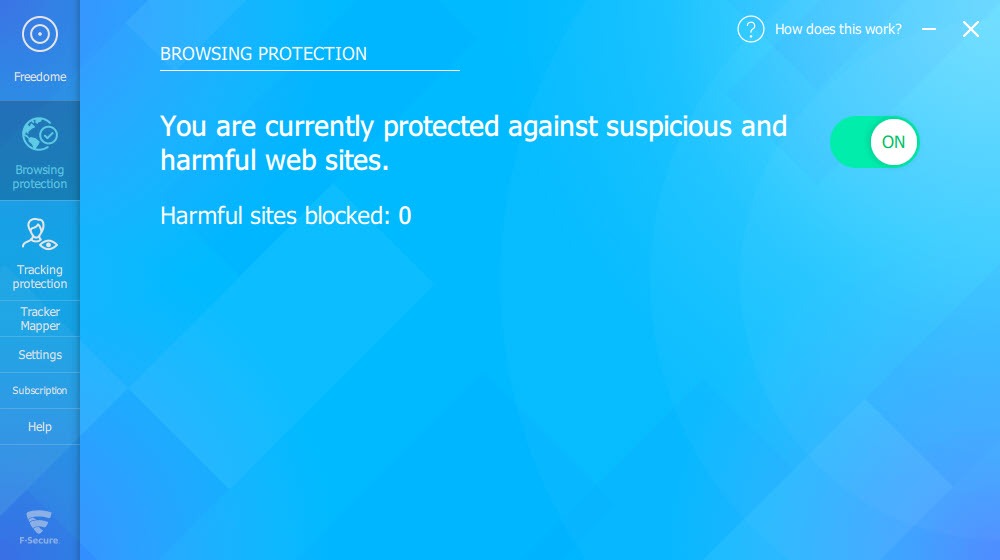
The F-Secure Freedome tracking blocker is on by default and stops the trackers that advertising networks place across sites, which the main screen counts as they are blocked. The browsing protection checks pages against the maker’s list of harmful sites and blocks the ones that match, with a count of its own. Both work inside the tunnel without a browser extension, which is why the counters climb on any browser.
Those two features are the service’s argument against the plain VPNs. For someone whose worry is the café network and the sites they visit on it, a tunnel that also strips trackers and refuses known bad pages covers more than a tunnel alone. Both can be switched off, which matters when a legitimate site misbehaves behind the blocker.
For a VPN that does the same blocking at the DNS level with a far larger server network, Windscribe is the comparison.
The Tracker Mapper
Switch on the Tracker Mapper in F-Secure Freedome and the app records, for a day, every tracker that tried to follow you. It draws them as a graph, sites on one side and the trackers behind them on the other, with lines showing which tracker watched which visit. It is a window onto what the blocker normally hides, and it makes the scale of tracking visible to someone who never thought about it.
It is also a record of your browsing kept on the device while it runs, which is why reviewers suggest leaving it off unless you want the lesson. The data stays local and the mapper switches itself off after a day.
The kill switch and leak protection
The F-Secure Freedome kill switch stops traffic leaving the machine if the tunnel drops, so a moment without the VPN does not expose the real address. It is a setting on the desktop apps and must be switched on, since it ships off. The mobile apps on one platform lack it entirely. Leak tests run by reviewers found no address or DNS leaks, and the app blocks the alternative IPv6 route by default.
The privacy policy draws the line that matters. The service says it keeps no logs of what you do, but it does record the address and device details at the first connection, which is more than the strictest services keep. For a VPN whose no-logs claim has been independently audited and whose network runs to thousands of servers, ProtonVPN is where the comparison lands.
Where the specialists go further
The F-Secure Freedome gaps are the ones reviewers name every time. There is no obfuscation, so networks that detect and block VPN traffic block this one. There is no port forwarding and no dedicated address.
App bypass, the ability to send chosen programs outside the tunnel, arrived late and is thinner than the split tunnelling of the specialists. Torrent traffic is blocked on many servers and the service will temporarily cut access where it detects it. The network is small, and the no-logs claim stands on the policy rather than an audit.
What the service does well is the simple case. One button, a tunnel that holds, a kill switch that works, trackers and bad pages stopped inside the tunnel, and an app that a beginner understands at once. For a hands-on client that exposes every setting and works with any provider, the open-source VPN client is the other end of the scale.
Conclusion
F-Secure Freedome suits people who want a VPN they can switch on and forget, mostly for public networks, and who value the tracking blocker and the browsing protection bundled inside the tunnel. The one-button connection, the kill switch and the live counters make it the easy choice for someone who has never used a VPN.
It has a small network, no obfuscation, blocks torrents on many servers and keeps a first-connection record the strictest services do not. Switch the kill switch on, leave the Tracker Mapper off unless you want the lesson, and reach for a specialist when the network blocks VPNs or the job is torrents.
Pros & Cons
- One-button connection with automatic start and a kill switch on the desktop
- Tracking blocker and browsing protection inside the tunnel, with live counts
- Tracker Mapper that shows which trackers watched which sites
- No address or DNS leaks in reviewers' tests, with IPv6 blocked
- AES-256 encryption and good speed on nearby servers
- Simple enough for a beginner to use without reading anything
- Small server network with a few dozen locations
- No obfuscation, port forwarding or dedicated address
- Torrent traffic blocked on many servers
- Address and device details recorded at first connection, and no independent audit
Frequently asked questions
Yes, on the desktop apps, as a setting that ships off and must be switched on. It cuts traffic if the tunnel drops.
It records for a day the trackers that tried to follow you and draws them as a graph linking sites and trackers. The record stays on the device, and the mapper turns itself off after a day.
Torrent traffic is blocked on many of its servers, and the service cuts access temporarily where it detects it, so it is not the VPN for that.
Yes. The service was renamed, and the two names refer to the same product.


