

HP SoftPaq Download Manager
About HP SoftPaq Download Manager
HP SoftPaq Download Manager is the enterprise driver and software management utility that IT departments running fleets of HP business PCs use to keep those machines updated systematically. Unlike consumer-grade driver updaters that target one machine at a time, this tool is built for managing dozens, hundreds, or thousands of HP commercial models with a unified workflow. Query HP’s update catalog, identify what’s available for each model in your environment, download the relevant SoftPaq packages once, and deploy them across the fleet through your existing management infrastructure.
The application is free, has been part of HP’s commercial PC support program for years, and integrates with broader enterprise deployment tools like Microsoft Endpoint Manager (formerly SCCM) and similar fleet management systems.
The audience is narrow but specific. If you’re an IT administrator at a company that buys HP EliteBooks, ZBooks, ProBooks, or HP commercial desktops, this is part of how you manage those machines. If you’re an individual home user with one HP laptop, the tool isn’t the right fit and HP Support Assistant covers that use case more appropriately.
What a SoftPaq actually is
HP’s term for an update package is a SoftPaq, which is a self-contained installer that includes drivers, firmware, software updates, BIOS updates, or other components specific to particular HP hardware. Each SoftPaq targets specific model families and has its own version number, release date, applicability rules, and installation requirements. A given EliteBook model might have dozens of available SoftPaqs covering its graphics drivers, audio drivers, chipset drivers, fingerprint reader software, docking station support, BIOS firmware, and various other components.
The SoftPaq Download Manager queries HP’s update servers to retrieve the current catalog, which lists every SoftPaq HP has published. The catalog includes metadata about each package (what model it applies to, what component it updates, version information, dependencies, supersession relationships) without including the actual installer files. From the catalog, you select which SoftPaqs you want to download for which models, and the tool retrieves the actual packages and stores them locally.
This catalog-and-download approach is what makes the workflow scale to fleet management. Instead of visiting HP’s support site for each model and manually downloading drivers, you query the entire catalog once, filter by what your environment needs, and download everything in one operation. The local repository of downloaded SoftPaqs then becomes the source for fleet deployment.
Filtering and selecting what you need
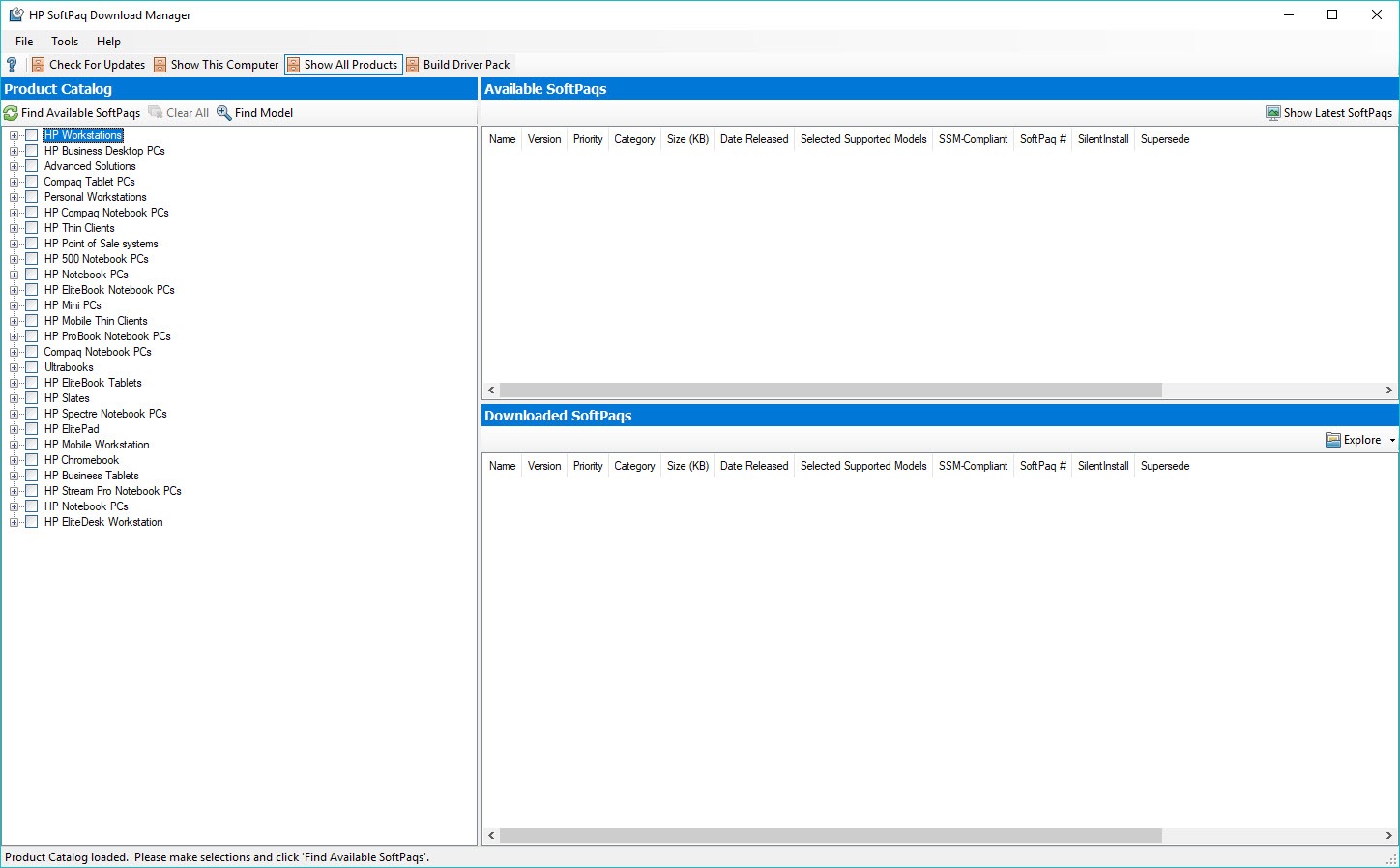
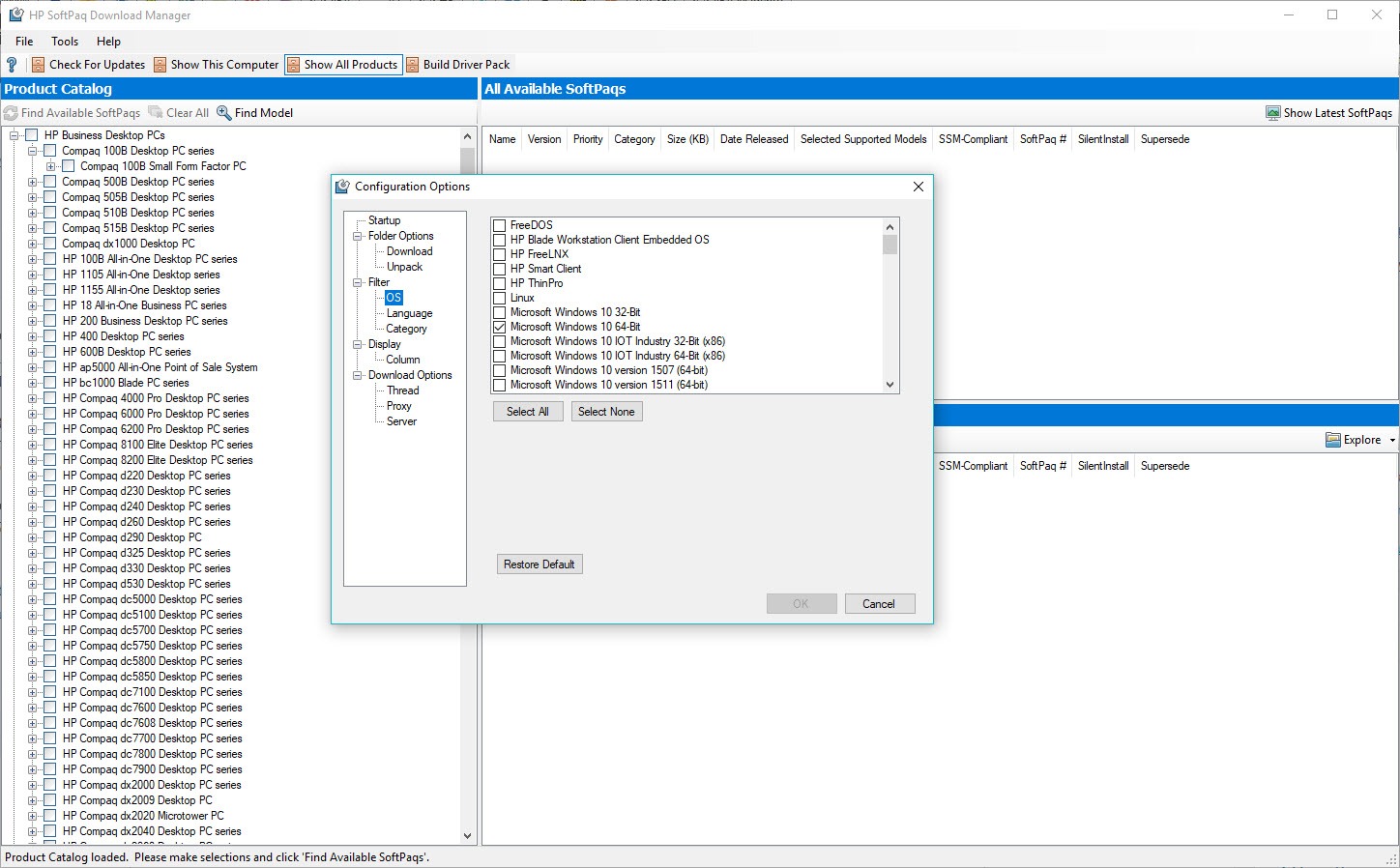
The main interface presents the SoftPaq catalog with extensive filtering options. Filter by HP model (EliteBook 840 G10, ZBook Fury 16 G10, ProDesk 600 G9, etc.), by category (BIOS, driver, firmware, software), by operating system version (Windows 10 22H2, Windows 11 23H2, etc.), by release date, and by other attributes. The filters can be combined to narrow down to exactly what’s relevant for your environment.
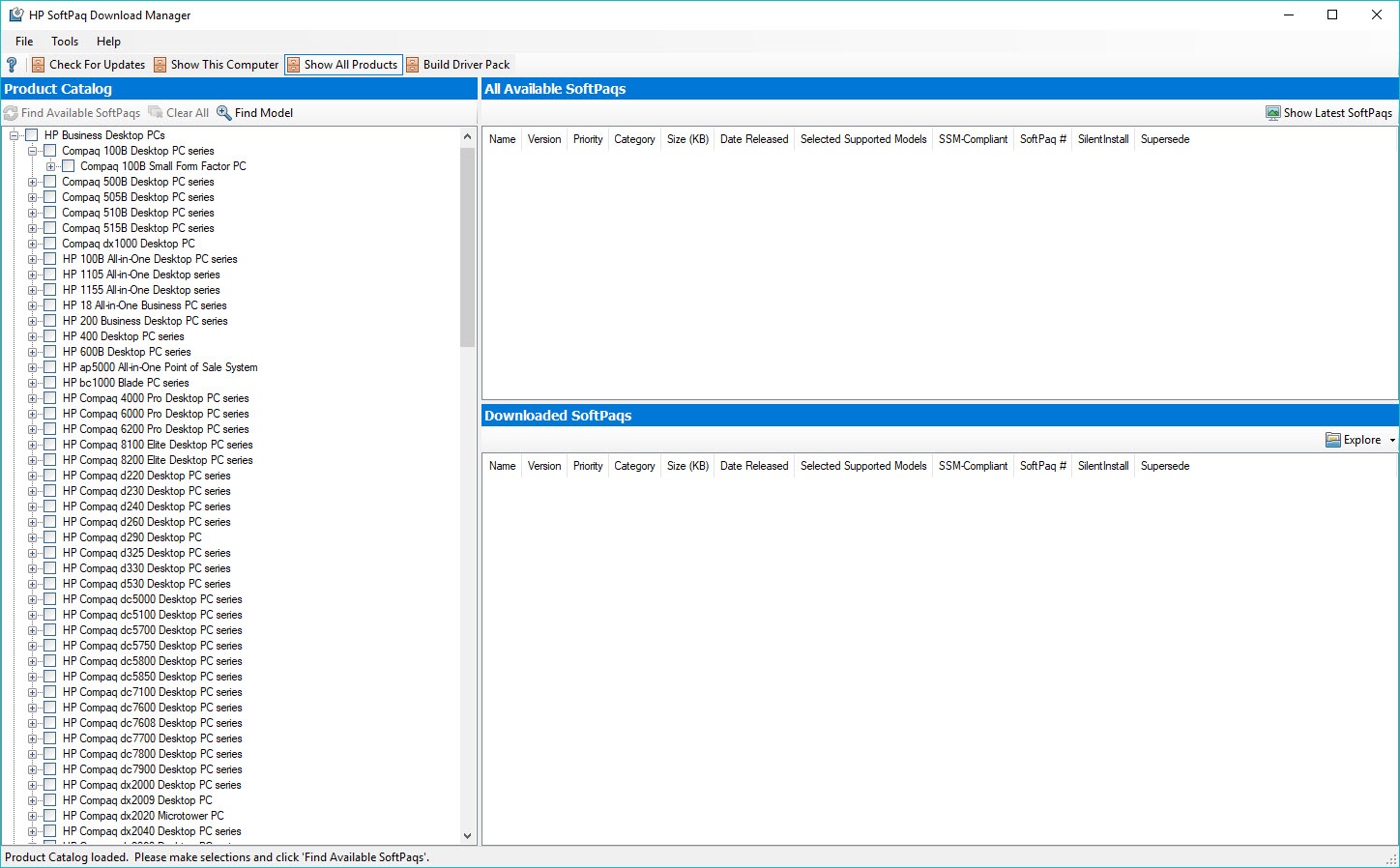
For organizations managing multiple HP models, the model filter is what makes the tool practical. Select the specific models in your fleet, and the catalog view shows only SoftPaqs that apply to those models. If you have five different EliteBook models in production, you’ll see updates relevant to those five rather than the entire HP commercial catalog.
The OS filter is similarly important. SoftPaqs are typically released for specific Windows versions, with separate packages for Windows 10 and Windows 11 even when the underlying driver is the same. Filtering by your current OS deployment standard prevents downloading packages you can’t use.
The download and storage workflow
Once you’ve selected SoftPaqs, the download process retrieves them to a configurable local repository. The default location is a folder on the machine running the tool, though network share locations are typically used for enterprise deployments so the SoftPaqs are accessible from anywhere in the management infrastructure.
The repository structure organizes downloaded SoftPaqs by various attributes including model, category, and release date. Each SoftPaq includes both the installer executable and an XML metadata file describing what it does. The XML format is important because it allows automated deployment tools to read SoftPaq attributes programmatically and make installation decisions based on them.
Re-running the download for updates fetches only new or updated SoftPaqs rather than re-downloading what’s already in the repository. This incremental update behavior matters for ongoing maintenance, since the alternative (full catalog re-download every time) would consume substantial bandwidth and time.
Integration with enterprise deployment tools
The standalone application is one use case. The more common enterprise pattern is integrating SoftPaq downloads with broader deployment infrastructure. Microsoft Endpoint Manager (the current name for what was System Center Configuration Manager or SCCM) integrates with the SoftPaq workflow through HP’s Configuration Manager integration kits, which let the central management console treat HP-specific updates the same way it treats Microsoft Windows updates.
In this integrated model, HP SoftPaq Download Manager runs on a management server, downloads SoftPaqs to a shared repository, and exposes them to the deployment tool through standard interfaces. End-user machines then receive updates through whatever client agent the deployment tool uses, with HP-specific updates flowing through the same pipeline as everything else.
For organizations using third-party patch management tools like Ivanti, ManageEngine, or various other enterprise deployment platforms, similar integration patterns exist. The standard XML metadata that SoftPaqs include is what makes this integration possible across different tools.
For smaller environments without full enterprise deployment infrastructure, BatchPatch handles update management across network workstations through a simpler interface. The two tools serve adjacent use cases, with the HP-specific tool focused on HP commercial PC updates and BatchPatch handling broader Windows update orchestration.
BIOS and firmware update handling
One of the practical reasons the tool exists is handling BIOS and firmware updates for HP commercial PCs at fleet scale. BIOS updates have different deployment requirements than regular driver updates. They require specific boot states, sometimes require AC power for laptops, often require multiple reboots, and need careful error handling because failed BIOS updates can render machines unusable.
The SoftPaq packages for BIOS and firmware include the logic for these special requirements. The metadata indicates that a package is a BIOS update, what state the machine should be in for installation, what reboot behavior to expect, and how to verify successful installation. Enterprise deployment tools reading this metadata can schedule BIOS updates appropriately, deploy them during maintenance windows, and handle the staged installation pattern these updates require.
For organizations managing many HP commercial PCs, having BIOS updates flow through the same management pipeline as other updates is genuinely valuable. The alternative (visiting each machine manually to apply BIOS updates) doesn’t scale to hundreds or thousands of devices.
Reporting and inventory features
The application can report on what SoftPaqs are available for which models, which versions are currently downloaded, what supersession relationships exist between packages, and other inventory information. For documentation purposes and for planning update rollouts, these reports provide the data needed to make informed decisions about which updates to deploy and when.
For organizations with compliance requirements that mandate documented update management, the reports serve as evidence that update planning happens systematically. Auditors looking at IT controls can see that HP commercial PCs have a defined update workflow rather than ad-hoc patching that may or may not happen.
The integration with the broader deployment tool typically provides more sophisticated reporting on actual deployment status (which machines have received which updates, which have failed, which are pending).
The SoftPaq Download Manager itself focuses on the catalog and repository side rather than on per-machine deployment status, which is appropriate for the layered architecture this approach uses.
Compatibility scope and what’s not covered
The tool is specifically for HP commercial PCs. The model list includes business-class machines like EliteBook, ProBook, ZBook, EliteDesk, ProDesk, and similar product lines. HP consumer products (Pavilion, Envy, HP Stream consumer-grade machines) generally aren’t part of the commercial PC update catalog and aren’t covered by SoftPaq packages.
For consumer HP laptops and desktops, HP Support Assistant is the appropriate tool. That application handles consumer-grade machines with a simpler interface aimed at home users rather than IT administrators. The distinction between commercial and consumer HP products matters for support, warranty, and update management, and HP SoftPaq Download Manager is firmly on the commercial side of that line.
For non-HP machines, the tool doesn’t apply at all. Other manufacturers have their own equivalent fleet management tools (Dell Command | Update for Dell commercial PCs, Lenovo System Update for Lenovo ThinkPads and ThinkCentre desktops). Organizations with mixed-vendor fleets typically run all of these tools or use a unified third-party patch management platform that handles each vendor’s update sources.
Setup and initial configuration
Initial setup involves installing the application, configuring the repository location (typically a network share for fleet use), defining which HP models are in your environment, and setting up the initial catalog download. The first catalog query takes some time because it retrieves metadata for thousands of SoftPaqs across HP’s commercial PC lineup. Subsequent updates fetch only changes.
Authentication for catalog access uses HP’s standard infrastructure. Most operations work without HP account credentials, though some specific enterprise features may require account configuration. For organizations with HP commercial support agreements, the support relationship provides access to certain enterprise-specific functionality through the tool.
The application installs as a standard Windows application on the management workstation. It doesn’t need to run on every managed machine, which is part of the architectural model. One installation per management environment handles the catalog and repository functions, and end-user machines receive updates through whatever deployment infrastructure the organization uses.
Conclusion
HP SoftPaq Download Manager is the right tool for organizations managing HP commercial PC fleets that need systematic update management. The catalog-based workflow, the XML metadata enabling enterprise tool integration, the BIOS and firmware update handling, and the model and OS filtering all add up to a utility built specifically for IT administrators rather than for end users. For environments with dozens to thousands of HP business machines and existing deployment infrastructure, this tool integrates into the standard IT workflow appropriately.
For home users with individual HP machines, HP Support Assistant covers the consumer use case better. For organizations with non-HP hardware, equivalent vendor tools handle their respective fleets. For mixed-vendor environments, third-party patch management platforms unify the workflow across multiple hardware sources.
The specific value of this application is its purpose-built focus on HP commercial PCs at fleet scale, and within that scope it earns its place in the IT toolkit by removing the manual driver-hunting work that managing many HP business machines would otherwise require.
Pros & Cons
- Purpose-built for managing HP commercial PC updates at fleet scale
- Catalog-based workflow handles thousands of SoftPaq packages efficiently
- Standard XML metadata enables integration with enterprise deployment tools
- Filtering by model, category, OS, and date narrows the catalog to relevant items
- Incremental updates avoid redundant downloads of already-retrieved packages
- BIOS and firmware updates flow through the same pipeline as other updates
- Free for use with HP commercial PCs that the organization owns
- Integrates with Microsoft Endpoint Manager and similar enterprise deployment platforms
- Targets HP commercial PCs specifically, not consumer machines or non-HP hardware
- Initial catalog setup and ongoing maintenance require IT administrator time and expertise
- Reporting and per-machine deployment status come from integrated deployment tools rather than from this application directly
- Workflow assumes existing fleet management infrastructure that smaller organizations may not have
- Some advanced features require additional HP enterprise support relationships
- Interface design is functional but not particularly modern
Frequently asked questions
The application is a fleet management tool for HP commercial PC drivers, firmware, and software updates. It queries HP's update catalog, lets administrators filter and select relevant packages, downloads them to a local repository, and supports integration with broader enterprise deployment infrastructure.
A SoftPaq is HP's term for an update package containing drivers, firmware, software, or BIOS updates for HP commercial PCs. Each SoftPaq targets specific HP models and includes metadata describing what it does, what it applies to, and how it should be installed.
No. For individual consumer HP laptops, HP Support Assistant is the appropriate tool. This application is built for IT administrators managing fleets of HP commercial machines (EliteBook, ProBook, ZBook, EliteDesk, ProDesk, and similar product lines) rather than home use.
No. The application is specifically for HP commercial PCs and uses HP's update catalog. Other manufacturers (Dell, Lenovo, etc.) have their own equivalent fleet management tools that handle their hardware similarly.
The standard XML metadata included with each SoftPaq enables integration with enterprise deployment platforms. Microsoft Endpoint Manager has direct HP integration through configuration kits. Other patch management tools (Ivanti, ManageEngine, and similar) can ingest SoftPaqs through standard interfaces and deploy them as part of their broader workflows.
Yes. BIOS and firmware updates flow through the same SoftPaq mechanism as other updates, with metadata that indicates the special requirements for BIOS deployment (specific boot states, AC power requirements, expected reboot behavior). Enterprise deployment tools reading this metadata can schedule BIOS updates appropriately.
The repository location is configurable, defaulting to a folder on the management machine but typically configured as a network share for fleet use. The repository structure organizes packages by model, category, and date for easy navigation and integration with deployment tools.


