

lessmsi
About lessmsi
Needing one file from inside an installer is a common enough situation, and the usual answer is installing the whole program, hunting for the file, then uninstalling and hoping nothing is left behind. lessmsi removes all of that by opening the package and letting you take out what you want.
Nothing is executed in the process. An installer package is a database describing what should be created plus the payload as compressed streams, and reading that database is not the same as running it.
The program comes in two forms that suit different situations, and the second is what distinguishes it from a graphical viewer.
The command line is the point
lessmsi extracts from a single command taking the package and a destination folder, which turns this from a utility you open into something you can call from a script.
That matters for anybody handling packages in quantity. Extracting from twenty installers, pulling a specific file out of each build in an automated process, or including the step in a deployment routine are all possible because there is no interface in the way.
Anybody who has tried to automate around a graphical tool will recognise the difference. A tool with a command line is a component, and a tool without one is a destination.
Right-click and extract
The other lessmsi route is integration into the file browser, which adds an extraction option to the context menu of a package.
Selecting that pulls the contents into a folder next to the package, with no window opening and nothing to configure. For the occasional single extraction that is faster than any other method, including opening the program.
The integration is optional and toggled in the preferences, which is the correct arrangement for something that modifies the context menu.
The interface, and the table viewer
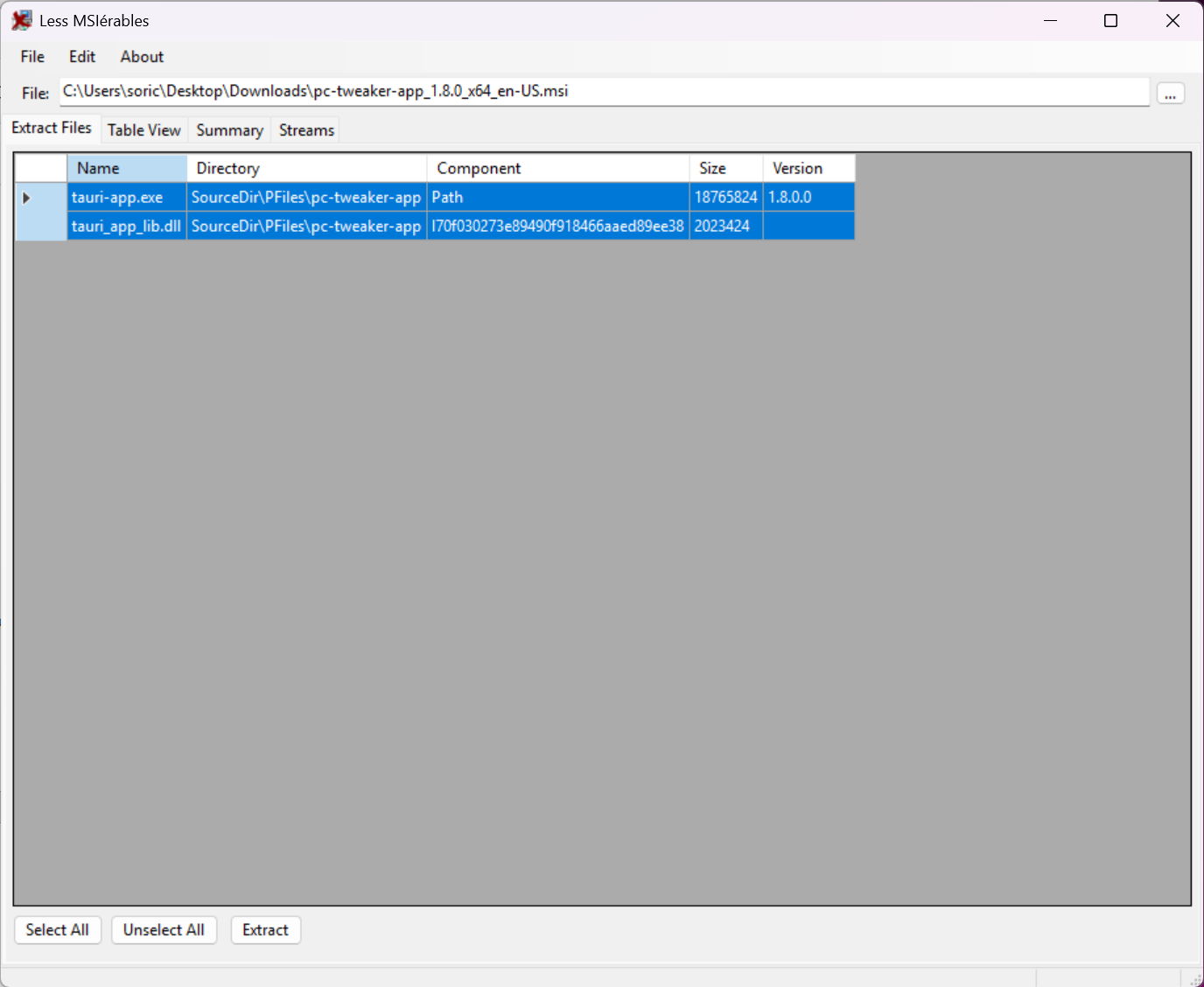
The lessmsi interface lists what a package contains, with the files presented for selective extraction rather than as an all-or-nothing operation.
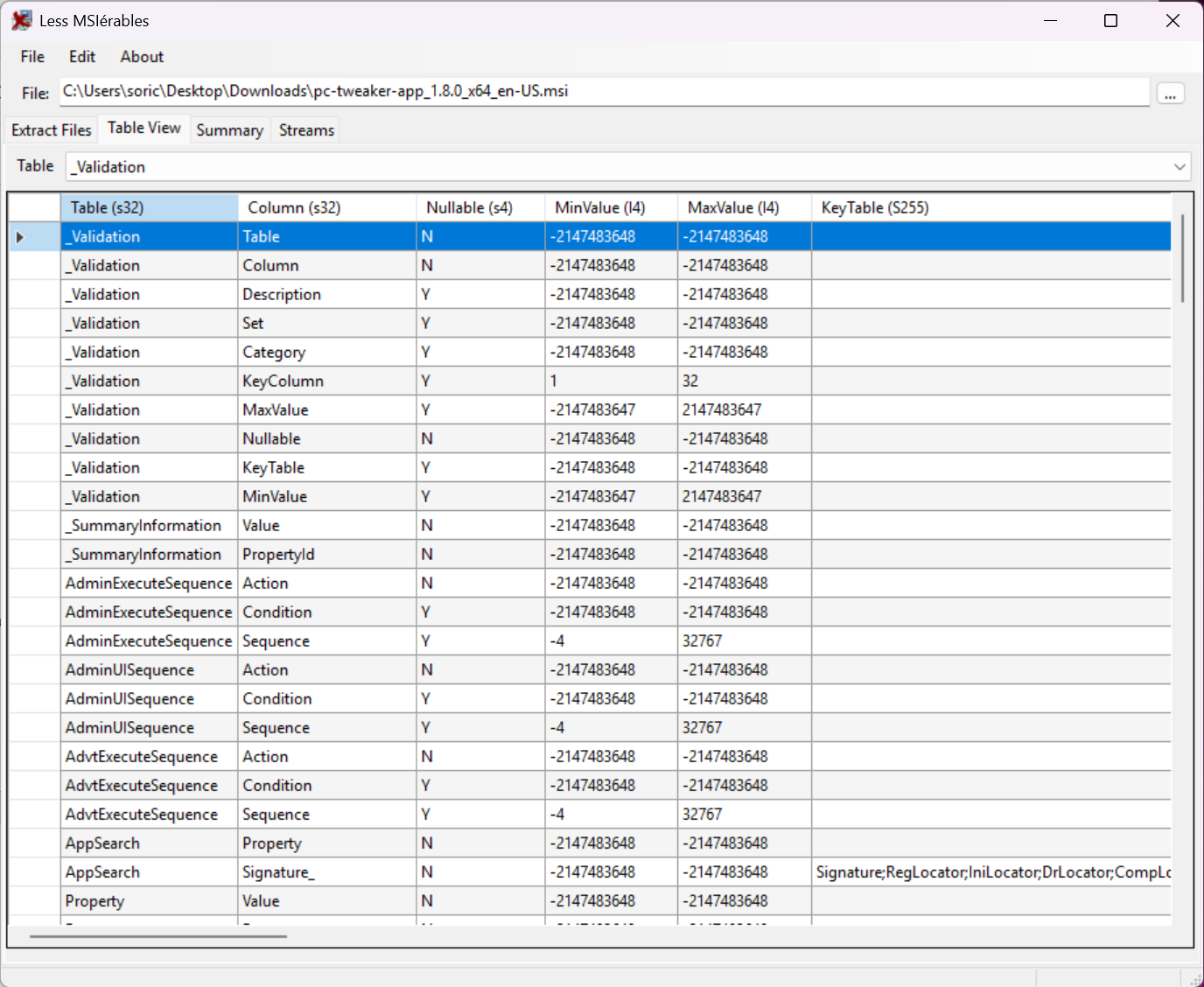
Behind that sits a viewer for the internal database tables, which is aimed at people who build or audit installers rather than at somebody after a single file. Those tables hold the installation logic, meaning which components install under which conditions, what is written where, and the custom actions a package runs during installation.
That last point is why this class of tool turns up in security work. An installer can execute arbitrary code while installing, and reading the actions before allowing it to run is straightforward diligence rather than paranoia.
Applying the same instinct to a compiled program rather than a package leads to a tool that opens the dialogs, icons and menus stored inside an executable, which answers a neighbouring question.
What else opens these packages
A general archiver extracts the payload that lessmsi does, and 7-Zip handles these packages among many other formats, presenting the files without the database view that explains what the installer intended.
For the many other installer formats that are not this one, meaning the various self-extracting and scripted installers in circulation, Universal Extractor recognises a considerably wider range and pulls the contents out of most of them.
Going the other direction, turning an ordinary executable installer into a package for managed deployment, is a separate job handled by MSI Wrapper.
Conclusion
lessmsi does one job thoroughly and, unusually for a small utility, does it three ways. A right-click for the single file you need now, an interface for looking properly at what a package contains, and a command line for when the same operation has to happen fifty times without supervision.
The table viewer deserves attention beyond the extraction it is known for. Seeing what an installer would create, and particularly what code it would run, is information available before installation rather than after, and very few people take advantage of that.
Pros & Cons
- Extracts files without running the installer or writing anything to the system
- Command line makes it scriptable, so batches and automated routines are possible
- Right-click extraction from the file browser for the occasional single file
- Selective extraction rather than all or nothing
- Table viewer exposes installation logic, including the code a package would run
- Open licence, with nothing withheld behind a paid tier
- Handles this one packaging format, not the many others in circulation
- Reads and extracts without editing or repackaging anything
- The table viewer assumes familiarity with how these packages are structured
- A general archiver extracts the payload too, for anybody who only wants the files
Frequently asked questions
Yes, and that is its purpose. The package is read rather than executed, so files can be pulled out with nothing written to the system and nothing to uninstall afterwards.
Automation. Extraction runs as a single command, which means it can be scripted, applied across many packages, or built into a deployment routine rather than being driven by hand.
They hold the installer's logic, covering which components install under what conditions, what gets written where, and the custom actions a package executes. Reading them shows what an installer intends before you permit it.
No. It views and extracts. Modifying installer databases and building packages are separate disciplines needing tools built for them.


