

DLL Analyzer
About DLL Analyzer
A library file is a black box until something opens it. It sits in a folder, an application refuses to start because of it, and nothing about the file itself explains why. DLL Analyzer opens it and reads what is inside without running any of it, which is the distinction that makes static inspection safe on a file you do not trust.
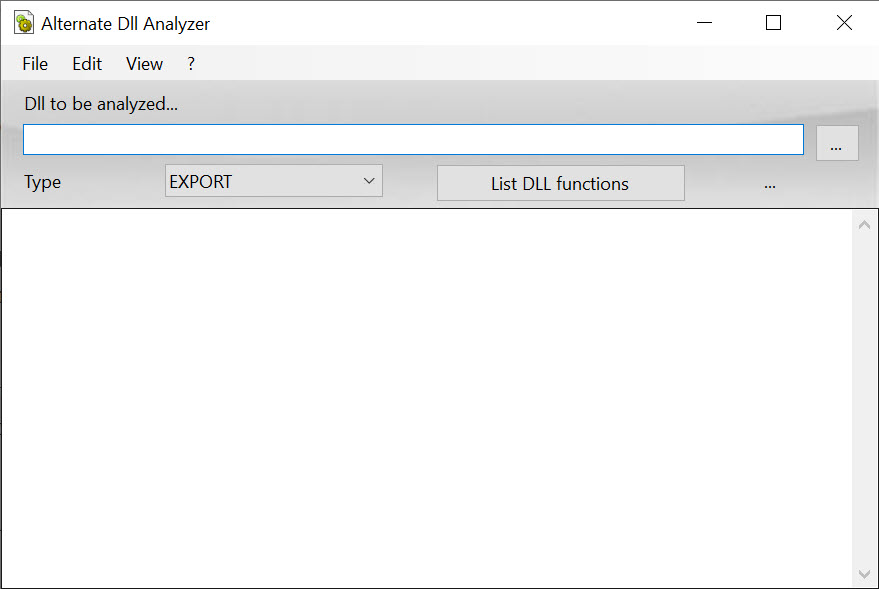
The export list is the quickest summary of a file
A library exists to offer functions to other programs, and DLL Analyzer reads that offering from the export table. Reading it gives you function names, their entry points and the order they were published in.
That list is more informative than it sounds. The exported names are the public surface of the file, so scanning them tells you roughly what the library is for in about ten seconds. It is the first step in examining any unfamiliar binary.
Dependencies, and the error everybody has seen
The other half of the picture is what the file needs rather than what it provides. DLL Analyzer lists the libraries this one imports, which is the information behind the most familiar error message in computing, the one naming a file that cannot be found.
That message tells you which library is missing. It does not tell you why, and the reasons vary. The file may be absent altogether, or present in the wrong folder, or present in the wrong architecture, or a version that no longer exports the function being asked for. Reading the import list narrows that down before you start copying files around.
Static inspection has a limit here. It shows what a file declares it needs, not what a running program actually loaded, and those differ whenever something loads on demand. Process Explorer shows the live picture instead.
Header details, and the mismatch that catches everyone
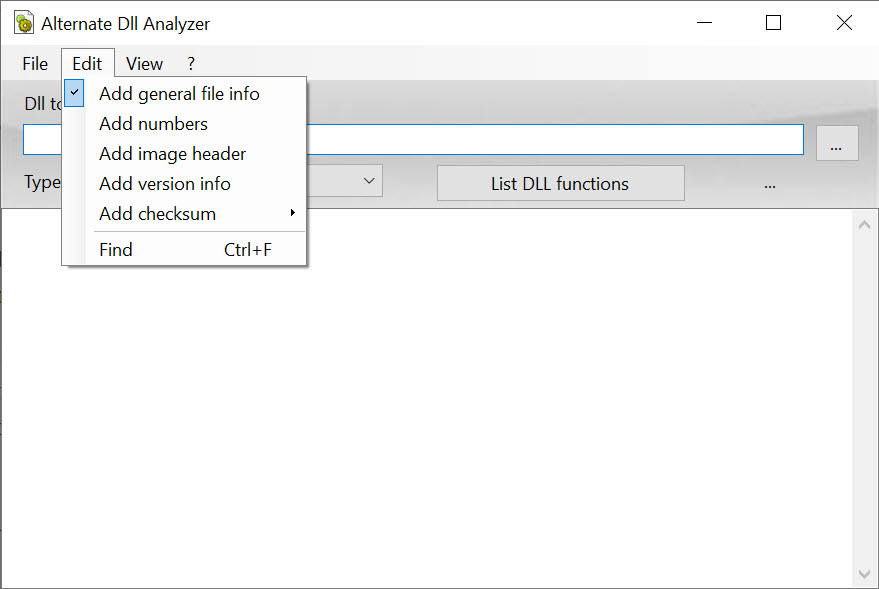
Beyond the two lists, DLL Analyzer reads the descriptive metadata in the file header. Architecture, entry point, base address, and the version and origin strings embedded at compile time, alongside the resources packaged inside the file.
Architecture is the field to check first and the one people skip. A sixty-four bit process cannot load a thirty-two bit library and the reverse is equally true, and the resulting failure looks exactly like a missing file even though the file is sitting right there. One glance at that field settles it.
Version strings settle the other common confusion, two copies of the same library in different folders, by showing which is which.
Reading resources is where this stops. To change an icon, a dialog or a string inside a file, Resource Hacker is the tool that edits them.
What it will not do
Three boundaries are worth establishing. It does not modify or repair anything, so a file that is corrupt stays corrupt and the program simply reports what it can read. It does not decompile, so you learn the names of functions and nothing about what they do internally. And it has no view of a live process.
There is also a file type distinction that confuses people. Managed assemblies from the frameworks that compile to intermediate code are a different animal, and their contents are read by dnSpy rather than by a tool built for native libraries.
When the question descends below the structure into the actual bytes, a hex editor is the last resort and shows everything without interpreting any of it.
Conclusion
DLL Analyzer does one small job and does it without ceremony. Opening a library, reading what it offers and what it needs, and checking whether its architecture matches the program trying to load it will resolve most dependency failures faster than any amount of copying files between folders.
Its limits are equally clear. It reads and never writes, it sees a file rather than a running process, and it assumes you already know what an entry point and an import table are. For a programmer chasing a linking error or a technician working out why an application will not start, that is exactly enough. For anybody hoping a tool will fix the problem for them, it is not that kind of program.
Pros & Cons
- Reads a library without executing it, which is safe on files of unknown origin
- The export list summarises what a library offers in a few seconds
- Import list narrows down which dependency is actually causing a load failure
- Header fields reveal architecture mismatches that look like missing files
- Version and origin strings distinguish between duplicate copies in different folders
- Handles both thirty-two and sixty-four bit libraries
- Read-only, with no repair or modification of any kind
- Shows declared dependencies rather than what a running process actually loaded
- Native libraries only, so managed assemblies need a different tool
- No decompilation, so function names are as deep as it goes
- Little help for anyone who does not already know what the fields mean
Frequently asked questions
No. It reads and reports, and nothing in it modifies a file. A corrupt library needs replacing from a legitimate source rather than repairing, and a missing one needs the application that owns it reinstalling.
No. It inspects a file on disk and reports what that file declares. Anything loaded on demand while a program runs is invisible to it, and a process viewer is the tool for that live picture.
Not usefully. Assemblies compiled to intermediate code store their contents differently from native libraries, and reading them properly needs a decompiler built for that format.
Most often an architecture mismatch, where a sixty-four bit process meets a thirty-two bit library or the reverse. Checking that field takes seconds and explains a failure that otherwise looks like the file is missing.


