

APK Easy Tool

 (18 votes, average: 4.33 out of 5)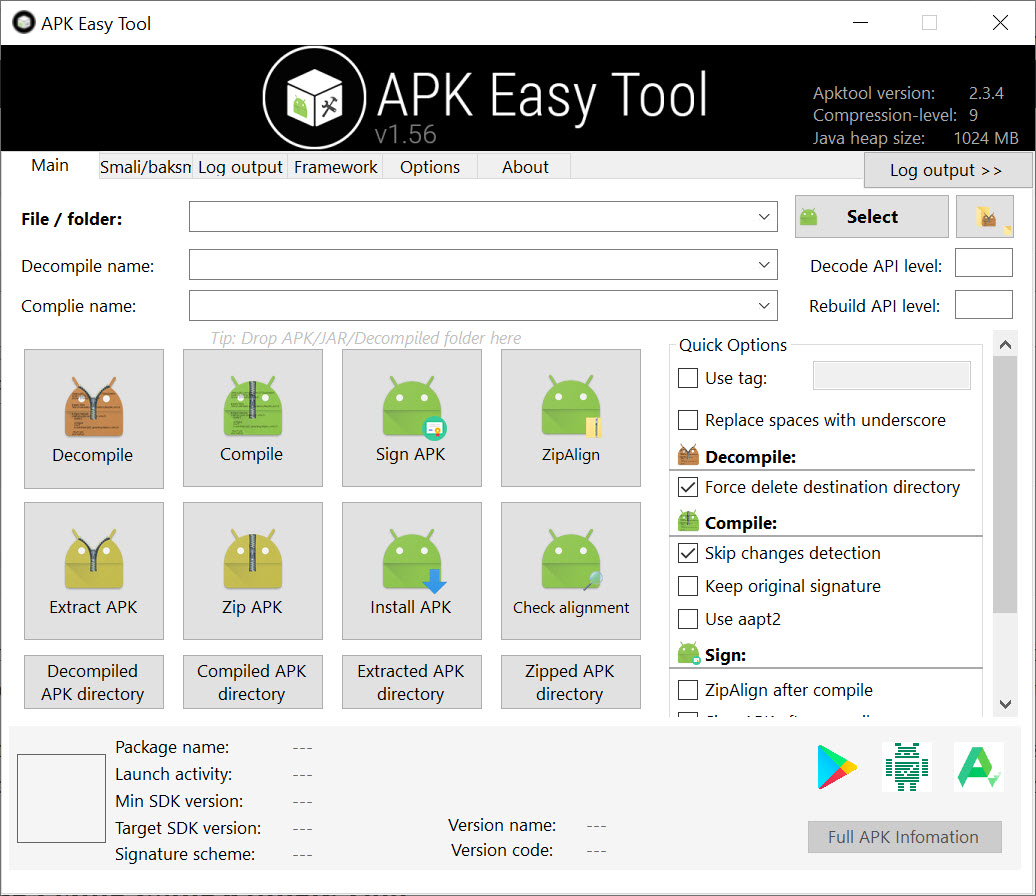
About APK Easy Tool
APK Easy Tool is a graphical front-end that takes the command-line pain out of working with Android APK files. Instead of typing apktool commands into a terminal and remembering the right switches for decompiling, recompiling, signing, and zipaligning, you get a single window where each operation is a button. Drop an APK on the interface, pick what you want done, hit go.
The application is essentially a wrapper around apktool, the apksigner toolchain, and zipalign, with a settings panel that lets you point to your own copies of each binary. Java has to be installed for it to work, which trips up plenty of first-time users.
Once that’s sorted, the workflow is genuinely fast: decompile, edit, recompile, sign, install on a device. The whole thing fits how reverse-engineering and modding actually happen, where you spend ninety percent of your time inside a text editor and want the surrounding plumbing to disappear.
What you can actually do with it
The four core operations are decompile, compile, sign, and zipalign, exposed as separate buttons. Decompile pulls an APK apart into its smali code, AndroidManifest.xml, res/ folder with drawables and layouts, and the assorted META-INF files. From there you edit whatever you want in Notepad++ or any other text editor, then hit compile to put it back together. Signing uses either the bundled debug keystore or one you supply yourself, which matters because Android refuses to install unsigned APKs. Zipalign optimizes the resource alignment so the package installs cleanly.
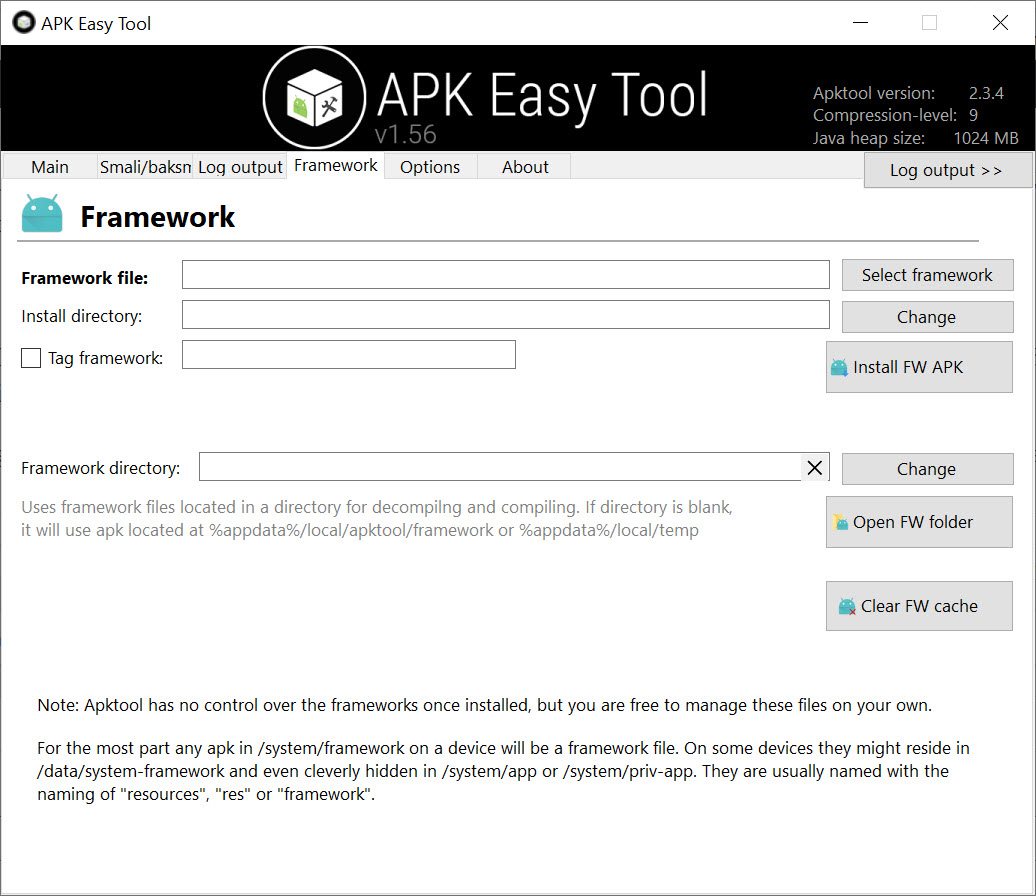
There is also a framework installation option for working with system APKs. If you try to decompile something like SystemUI.apk without first installing the matching framework, apktool will spit out resource errors.
APK Easy Tool exposes the framework install as a one-click action so you do not need to remember the if flag.
Settings panel that actually gives you control
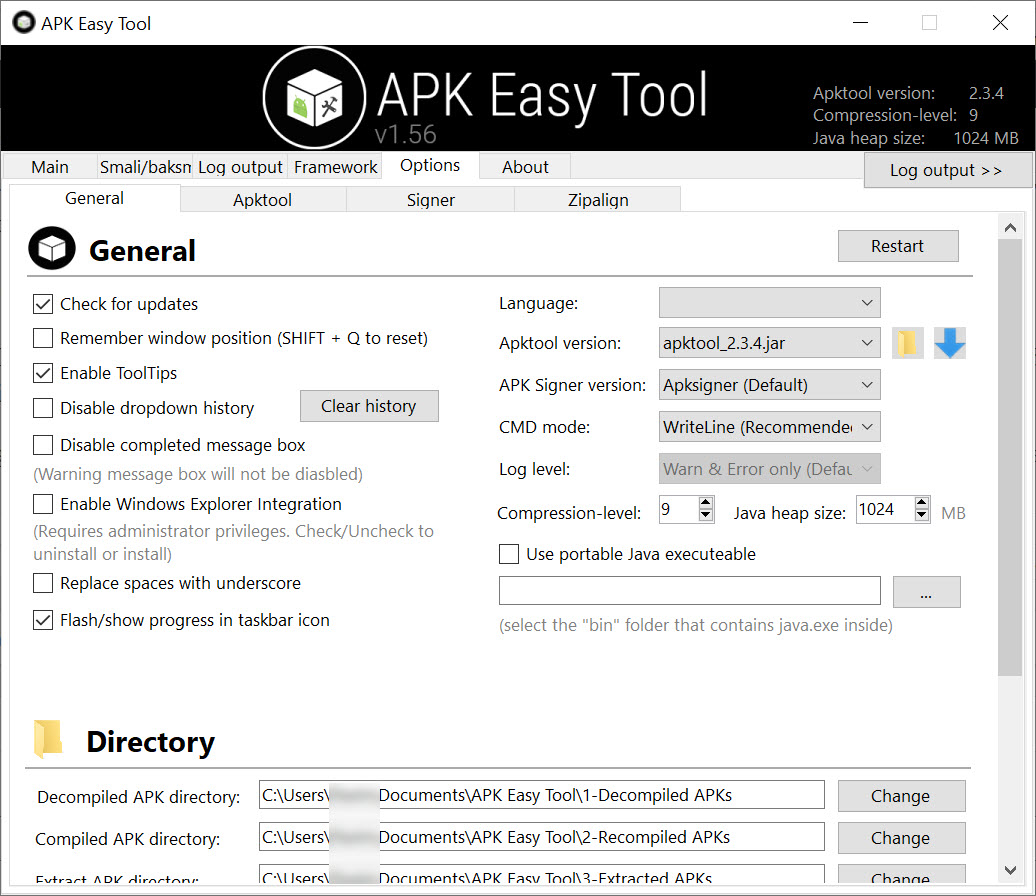
Most GUI wrappers hide their dependencies, but the settings here let you swap in your own apktool.jar, baksmali, smali, aapt, and zipalign binaries. This matters more than it sounds. New Android targets break apktool until the maintainers ship an updated jar, and being able to drop in the latest build the same afternoon it appears keeps you from getting stuck on a project.
You can also point at custom signing keys, change the working directory where decompiled projects land, and toggle between aapt and aapt2 if you are compiling for newer target SDKs.
The default project folder is the bit people change first. The application drops decompiled APKs into a fixed directory by default, which fills up fast if you mod regularly. Pointing it at a dedicated working drive or SSD partition makes the round trip from compile to install noticeably faster on large APKs.
Log window and what it tells you
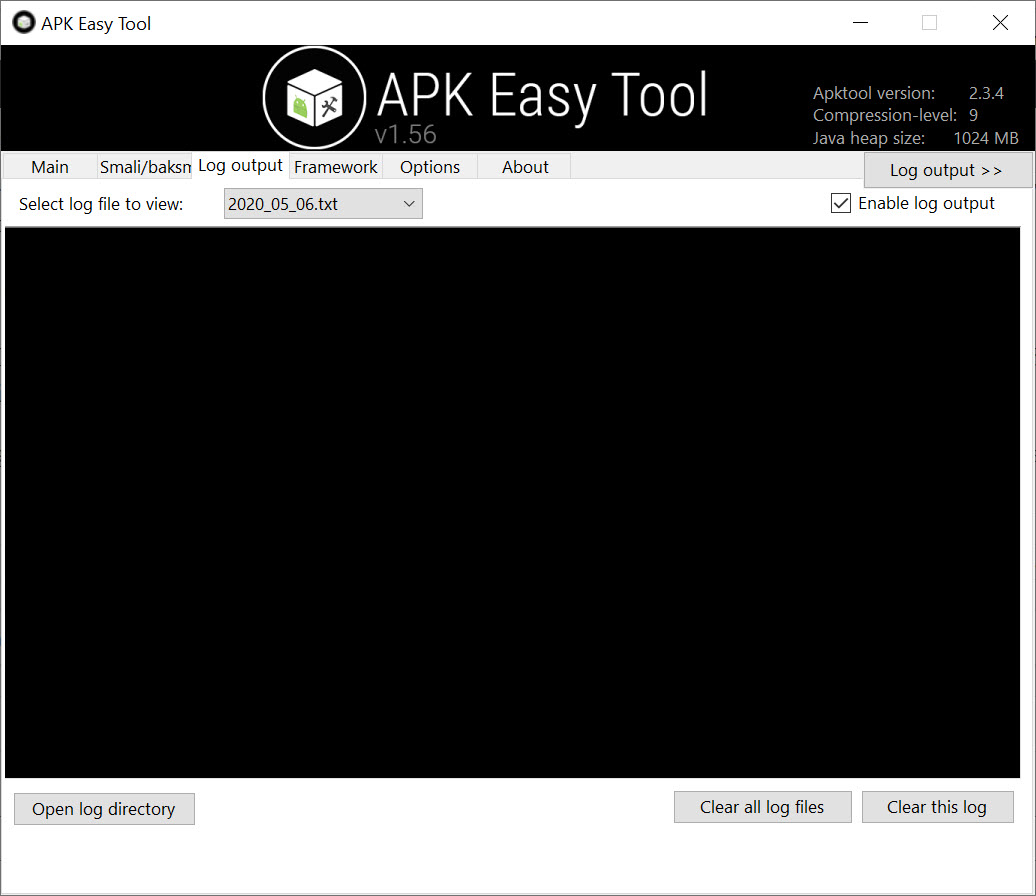
When apktool fails, it fails verbosely. The log window inside APK Easy Tool captures the entire stdout and stderr from each operation, so when a resource refuses to compile or smali throws a syntax error on line 4218 of some autogenerated file, you can actually see what went wrong.
This is the difference between fixing the problem in five minutes and abandoning the project. Common failures show up here: missing framework resources, unsupported AndroidManifest attributes when the target SDK is newer than your apktool version, signing key passphrase mismatches.
The logs are plain text and copy-pasteable, which means you can drop them into a search engine or forum thread without screenshotting. Anyone who has dealt with apktool errors knows that exact error string matching is how you find the GitHub issue that explains what to do.
Workflow for actual modding work
The realistic loop with APK Easy Tool is decompile once, then edit and recompile many times. You decompile an app, dig into the smali to find the method you want to patch, change a return value or remove a license check, recompile, sign, install, test. If it crashes, you read logcat, decompile again or just go back to your edited folder, fix the smali, recompile. The application keeps the decompiled project on disk between sessions, so you can close it and pick up where you left off the next day.
If you need to inspect the original Java rather than smali to figure out what to patch, you pair it with a Java decompiler like JD-GUI on the classes.dex output, or with dnSpy for any embedded .NET components in Xamarin-built APKs. The application itself does not decompile to Java, only to smali, which is the honest constraint of the apktool foundation it sits on.
Drag and drop and the small ergonomic wins
You can drag an APK file directly onto the window to load it. Recently opened APKs persist in a dropdown so you do not have to navigate the file picker every time you come back to the same project. The interface is dense but laid out so the four main operations stay visible at all times, which is the right call for a tool you use repetitively.
What the application does not give you is any kind of project explorer or smali-aware editor. You are expected to bring your own editing environment, and for binary resources you will want something like HxD on the side. The scope stays narrow on purpose.
Where it sits next to other Android tooling
This is not an emulator, not a downloader, not an installer. If you want to pull APKs off the Play Store without a device, that is a job for something like APK Downloader. If you want to push the signed APK to a phone, you use adb or a separate sideload tool. If you are actually building an Android app from source rather than reverse-engineering one, Android Studio is where you live, not here.
APK Easy Tool is the bench tool in the middle of that pipeline. You arrive at it with an APK in hand and leave it with a modified, signed APK ready to install.
Conclusion
APK Easy Tool is built for one specific user: someone who already knows what decompiling, signing, and zipaligning an APK means and wants the surrounding ceremony to take three clicks instead of three command lines. For reverse engineers, modders, and developers patching third-party APKs, the application removes friction without hiding the underlying toolchain. You still see the log output, you still control which binaries get called, you still bring your own editor.
It is the wrong choice for anyone expecting a polished IDE experience or smali-to-Java translation built in. The application does not pretend to be either of those things. What it does, it does cleanly, and the ability to swap in your own apktool jar is what keeps it useful as Android itself keeps moving.
Pros & Cons
- The four core operations decompile, compile, sign, align are exposed as clear buttons with no command memorization needed
- Settings let you swap in your own apktool, aapt, smali, and signing binaries, so you can update the toolchain without waiting for an app update
- Log window captures full apktool output so failures are diagnosable rather than mysterious
- Framework installation for system APKs is a single click instead of a flag you have to remember
- Decompiled projects persist on disk between sessions, supporting multi-day modding work
- Drag and drop loading plus recent-files dropdown remove repetitive navigation
- Java has to be installed separately or the application refuses to do anything, and the error message is not always obvious to newcomers
- Decompiles only to smali, not to Java, so reading complex logic still requires a separate Java decompiler
- No built-in editor for smali, AndroidManifest, or resources, so you bring your own text editor
- Default working directory fills up quickly and needs to be reconfigured for heavy use
- Some failures are inherited from apktool itself and cannot be worked around inside the GUI
Frequently asked questions
It is used to decompile, modify, recompile, sign, and zipalign Android APK files through a graphical interface instead of command-line tools.
Yes. The application is a wrapper around Java-based tools like apktool, so a Java installation is required for any operation to succeed. The Java Runtime Environment covers the dependency.
No. It decompiles to smali, the assembly-like representation of Android bytecode. To read Java you need a separate decompiler that operates on the classes.dex file.
Yes, provided you sign and zipalign it through the application before transferring it. Unsigned or unaligned APKs are rejected by Android.
Yes. The settings panel accepts a path to your own keystore along with the key alias and passphrases, which is needed if you want the signature to match a previous build.
Install the matching framework through the framework option in the application first. System APKs reference resources from the platform framework, and apktool needs that framework registered to resolve them.
Newer Android target SDKs occasionally introduce manifest attributes or resource formats that older apktool versions do not understand. Updating the apktool.jar in the settings to a newer build usually fixes it.


