

SHAREit
About SHAREit
Moving a few gigabytes of video from a phone to a computer over a cable is slow, over email impossible, and through a cloud account a round trip through somebody else’s servers. SHAREit does it directly between the two devices over local wireless, at speeds a cable struggles to match, with the files never leaving your house.
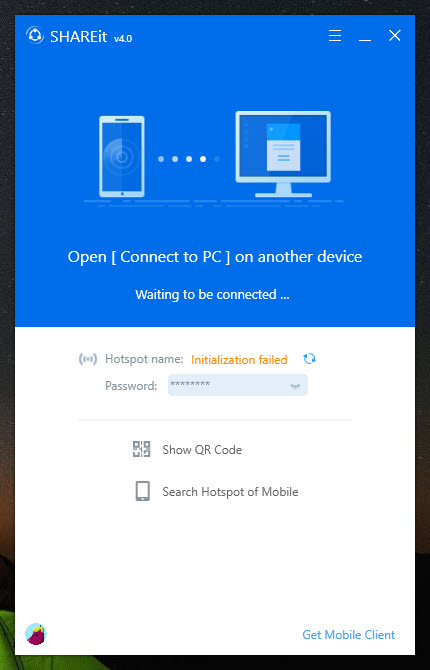
SHAREit is a desktop application on the computer plus an application on the phone. They find each other, you scan a code, and files move in either direction. Two computers pair the same way, which covers moving a library between machines without a drive in the middle.
Nothing needs an internet connection. That is the part that separates it from the cloud approach, and it is also where the practical trouble lives.
It can create its own network
The SHAREit capability that works where nothing else does is not needing existing wireless infrastructure.
Where both devices sit on the same network, it uses that. Where they do not, it establishes a direct wireless link between them using Wi-Fi Direct, so two devices in a basement with no signal still transfer at full speed.
That covers situations the alternatives cannot. Moving holiday video off a phone in a hotel with unusable wireless, transferring between machines in a building with no network, or shifting a large file where mobile data would be ruinous.
There are no size limits either, which matters because the cloud services and messaging applications all impose them at exactly the size that matters.
For a transfer that goes through the internet with a one-time key instead, a tool where a six-digit code replaces any pairing covers devices nowhere near each other.
Why the devices cannot see each other
Here is the SHAREit failure that generates most of the complaints, and the cause is the network rather than the software.
Office and hotel wireless frequently isolates devices from each other deliberately, so that guests cannot reach one another’s machines. That protection is sensible and it prevents exactly the connection this needs, so pairing simply fails with no useful explanation.
The answer in that situation is to let the application create its own connection rather than using the network, which sidesteps the isolation entirely.
Two other causes account for most of the rest. The desktop application needs permission through the firewall, and the network has to be treated as a private one rather than a public one, since the stricter public setting blocks the discovery.
Those three between them explain nearly every case of two devices sitting a metre apart and refusing to acknowledge each other.
Applications transfer as a list, not as data
The limitation people meet using SHAREit to set up a new phone rather than to move files.
Applications can be sent, and what arrives is the application rather than what was inside it. Settings, progress, logins and anything stored privately start empty, exactly as they do with the manufacturers’ own transfer tools.
The paid tier changes some of this, and the free one covers media, documents and reinstalling applications.
So it is a file transfer tool that also moves applications, not a phone migration tool. For that job, Samsung Smart Switch is built around the whole-device case and accepts a source of almost any kind.
The desktop half is the better half
Being specific about what divides opinion on SHAREit sharply, because the two halves are not the same experience.
The desktop application is plain and largely gets on with the job. A code to scan, a transfer list, a history and notifications when something finishes.
The phone application is where the complaints come from. It has grown a content feed, promotional material and advertising to the point where users describe it in blunt terms, and the community rating reflects that rather than the transfer capability, which works well.
That gap matters when deciding. Somebody who wants a fast local transfer gets it, and the phone half is the part they will grumble about.
For phone and computer management with no advertising at all, a manager that also reconciles contacts and calendars directly covers transfers alongside that.
Sending to a device without the application
One SHAREit capability answers the obvious objection, and most descriptions bury it.
A transfer can be served through a local web page instead, so the receiving device opens a link in its browser and downloads from there. Nothing is installed on that end at all, which covers handing files to somebody else’s machine or a computer you have no rights on.
It runs slower than the direct link and both devices have to be on the same network, so it is the fallback rather than the main route. Knowing it exists is the point.
The transfer history is the other underused part, listing everything sent and received, with incoming files landing in a folder you can point wherever you like. Finding what somebody sent last week stops being a hunt.
Pairing, and why the code is better than the list
SHAREit offers two ways to connect, and one is reliably quicker.
Scanning the code the application displays pairs the devices immediately. Picking the other device from the discovery screen works and needs retries when several devices are nearby, since the list takes a moment to settle and occasionally shows the wrong one.
Use the code where there is one. It is the difference between a transfer starting at once and a minute of watching names appear and disappear.
Sending to several devices at once
One capability suits a specific situation and nothing else handles it as directly.
A single transfer can go out to several receiving devices simultaneously rather than being repeated for each one. The sender advertises once and each receiver joins the same link.
That is the classroom and meeting-room case, where the same set of files has to reach a group of people who are all in the room and none of whom should have to wait their turn. Doing it by repeated individual transfers takes as many passes as there are people.
The practical ceiling is bandwidth rather than a device count, since everybody is sharing one wireless link, so a large file to five devices takes longer per device than the same file to one.
Only locally
SHAREit is local only. There is no sending a file to a computer in another city, because the whole design assumes the two devices are close enough to reach each other directly.
For reaching a phone from a computer over the internet as well as locally, AirDroid covers both, in exchange for an account and routing through a service.
Conclusion
SHAREit does one thing that nothing built into either device does as well, which is moving a large amount of data between a phone and a computer quickly, without a cable, without an account and without the files travelling through anybody’s servers. Being able to create its own connection where no network exists is what makes it properly useful rather than merely convenient.
Know the two things that will annoy you. Managed networks in offices and hotels block the device-to-device connection it needs, so the fix there is to let it make its own, and the phone half of the arrangement has accumulated advertising and content that the desktop half mercifully has not.
Pros & Cons
- Transfers directly between devices with no internet connection needed
- Creates its own connection where no usable network exists
- No size limits, unlike cloud services and messaging applications
- Speeds that match or beat a cable on a decent wireless connection
- Files stay on your devices rather than passing through a service
- Desktop application is plain and stays out of the way
- Office and hotel networks isolate devices, which blocks pairing entirely
- Needs firewall permission and the network treated as private
- The phone application carries a content feed and heavy advertising
- Applications transfer without their data, only reinstalling
- Contacts and media libraries transfer, though application data does not
- Local only, with no way to reach a distant machine, and the browser fallback is slower
Frequently asked questions
Usually the network isolating devices from each other, which office and hotel wireless do deliberately. Letting the application create its own connection avoids that. Otherwise check the firewall permission and that the network is set as private rather than public.
No, and that is its main argument. Transfers run directly between the devices over local wireless, and where no usable network exists the application creates a connection itself.
No. What transfers is the application, which reinstalls empty, so logins and saved progress start fresh. Whole-device migration is a different job with different tools.
Yes, through the browser option, which serves the transfer as a local web page the other device opens in a browser. It is slower than the direct link and needs both devices on the same network, and it installs nothing on the receiving end.
No. The desktop application is plain and functional, and the complaints about content feeds and promotion are about the phone half, which is where the community's poor opinion comes from.


