

BiglyBT
About BiglyBT
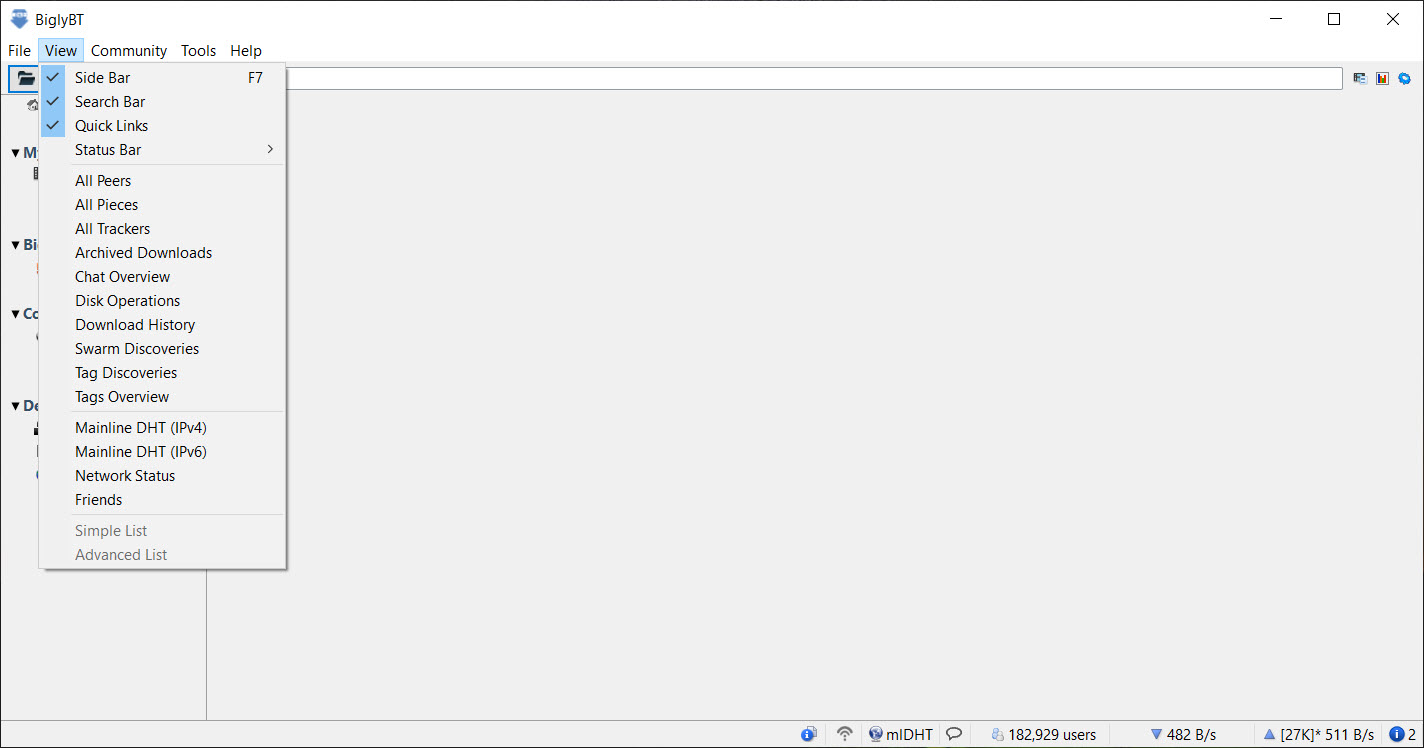
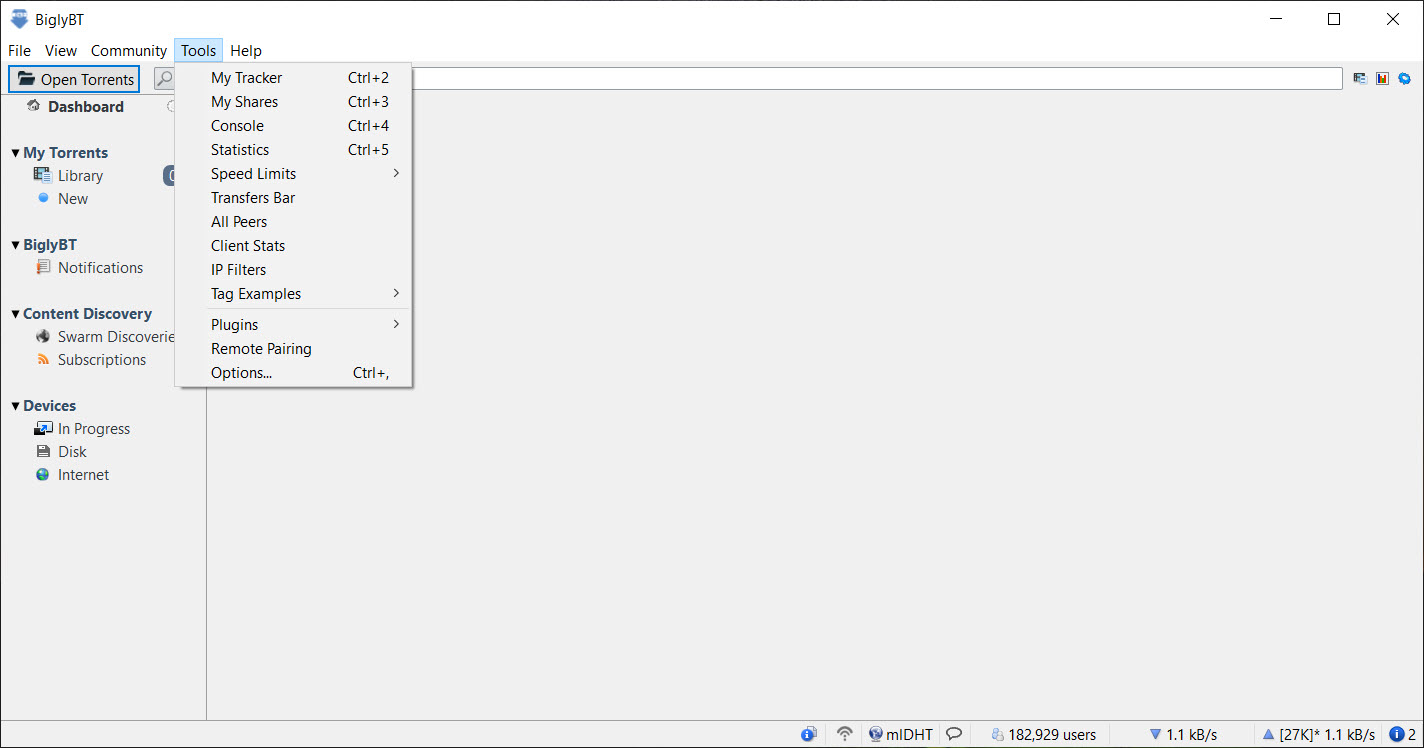
The BitTorrent client landscape has settled. Most users run qBittorrent or one of a handful of similar options that prioritize a clean interface and the core download/seed loop. BiglyBT is for the smaller audience that wants something different. Power users who like swarm merging, automated tag rules, RSS subscription handling, I2P integration, meta-search across trackers, and the kind of plugin architecture that lets the client do things its developers never anticipated. The interface is dense, the feature list is long, and the people who love it tend to be the same people who never wanted Vuze to get simpler.
The project began in July 2017 when parg and TuxPaper, two of the core developers behind Vuze (formerly Azureus, which dates to 2003), left that project and forked the open source codebase to continue it without the layers Vuze had accumulated over the years.
The advertising overlay, the content network, the game promotions, the DVD burning module, the installer offers. All of it stripped out of the fork. What remained was the underlying BitTorrent engine and the feature set Vuze had built around it, now licensed cleanly under GPLv2 with no proprietary code mixed in.
What separates this client from qBittorrent
The mainstream comparison most users will make. qBittorrent is the default recommendation in any “best torrent client” discussion, and for most users it is the right answer. BiglyBT does not compete on that ground. It competes on what happens after you have outgrown the basics.
Take swarm merging, the feature most other clients lack entirely. The application scans your active torrents and looks for files with matching hashes across different torrents. If it finds the same file appearing in two torrents (a common situation with re-released content packs, season collections that overlap with individual episode torrents, or duplicate uploads), it merges the peers from both swarms into a single download pool. The file downloads faster because more peers are contributing, and incomplete torrents can sometimes finish even when their original seeders disappear, as long as the same file exists in a healthy parallel swarm.
For users with one or two active downloads at a time, this feature does nothing visible. For users running large queues with hundreds of torrents in various states of completion, swarm merging actively repairs the kind of dead torrents that other clients just abandon. It is the clearest example of what kind of user the project is aimed at, the kind for whom qBittorrent covers the basics but does not cover the edges.
The tag system and automation rules
Tags are the organization unit. Every torrent can have any number of tags applied manually or automatically based on rules. Rules can match on tracker, file size, file extension, peer count, age, completion state, or arbitrary combinations of these. A tag can have its own download location, upload limit, download limit, queue priority, and ratio target. The result is a categorization system that doubles as an automation engine.
A common configuration. Set up a “Music” tag with an extension filter for FLAC and MP3 files, a destination folder pointing to your music library, an upload limit of 200 KB/s, and a seed-to-ratio target of 2.0. Anything that downloads matching those file types gets automatically tagged Music, moved to the right folder, throttled appropriately, and seeds until it hits the ratio. You set it up once and torrents sort themselves indefinitely.
The complexity scales as far as you want to take it. Some users have dozens of tags with intricate rule sets. Some users have a handful with simple matching. The system rewards investment without requiring it. Compared to the basic category system in Deluge, this is a different tier of automation.
I2P integration for anonymous transfers
I2P is an anonymous network similar in concept to Tor but designed specifically for high-bandwidth peer-to-peer applications rather than general web browsing. BiglyBT includes I2P plugin support that lets you run torrents over the I2P network entirely, where peers see each other only as I2P destinations rather than real IP addresses.
The plugin installs from within the client itself and configures the necessary tunnels. Once active, you can subscribe to I2P-only trackers, participate in I2P-only swarms, and share files in a network that does not expose your IP to peers, your ISP to what you are downloading, or copyright trolls to anything they can trace back to you.
The throughput is lower than clearnet torrents because the traffic routes through multiple I2P nodes, but for users prioritizing anonymity over speed, this is among the few mainstream BitTorrent clients with first-class I2P support.
The functionality is opt-in. Standard torrents continue to use clearnet, I2P torrents use I2P, and you can run both simultaneously without one affecting the other. For users who use a paid VPN service alongside torrent clients, I2P is a different category of protection rather than a replacement, and the two can coexist if you want layered anonymity.
Meta-search across torrent sites
The built-in search aggregates results from multiple torrent search engines and indexers simultaneously. Type a query, get results from various sources displayed in a unified interface with columns for seeders, leechers, file size, age, and source. Click a result to see details or initiate the download directly.
The search providers are pluggable. The default set covers the major public indexers, and users can install additional plugins for specific sites including private trackers (with appropriate authentication configured). For users who currently bounce between browser tabs on multiple torrent sites to find the best version of something, having that aggregation inside the client itself is a significant workflow improvement.
The plugin architecture for search providers means the search system stays current even when individual sites change their layouts or APIs. Plugin authors update their specific providers, and the unified search interface continues to work without changes from the core developers.
VPN integration and the binding feature
Network binding is the underrated safety feature. You can configure the application to bind exclusively to a specific network interface, typically your VPN’s virtual adapter. If the VPN connection drops, the application sees no available network interface and stops all transfers immediately. No data leaks to your real IP, even briefly during a reconnection.
This is more reliable than the “kill switch” features advertised by some VPN providers, which work at the firewall level and depend on the VPN client running correctly. The application’s binding works at the socket level inside the client itself, so even if the VPN client crashes entirely, the torrent client cannot transmit through any other interface.
For users who treat IP exposure during torrenting as a real concern, this configuration is straightforward to set up and the application makes the binding state visible in the status bar. You can see whether you are actively bound to the expected interface, and warnings appear if that interface becomes unavailable.
Plugins and the extension architecture
The plugin system is inherited from Vuze and remains one of the deepest in the BitTorrent client space. Plugins can add new protocol support, integrate with external services, automate workflows, modify the user interface, or extend the client in ways the core developers never anticipated.
The plugin catalog covers a wide range. Auto-shutdown when downloads complete. RSS feed parsing for automatic downloading of new torrents matching specific criteria. UPnP/DLNA media server functionality so the client can stream completed downloads to TVs and other devices on your network. Country-based peer filtering. Antivirus integration. Format conversion. Cloud sync. The catalog is curated and most plugins are open source.
This breadth comes with the trade that some plugins are abandoned or poorly maintained. The architecture is permissive, which means plugin quality varies. Sticking with plugins from the official catalog that have recent updates is the practical filter.
Streaming and progressive download
Some torrents support streaming, where the client downloads file pieces in sequential order rather than the BitTorrent default of rarest-first. This lets you start watching a video file before the download completes, with the playback head staying ahead of the download progress.
The application supports this mode explicitly. Right-click a torrent and choose Stream to start playback in your default media player while the download proceeds. The piece selection algorithm switches to sequential, the file is opened in the player, and you watch while it downloads. For large media files where you want to preview before committing to the full download, this is genuinely useful.
UPnP/DLNA serving extends this further. With the appropriate plugin, the client appears as a media server on your local network, and TVs, game consoles, and other DLNA clients can browse and stream completed downloads directly without needing a separate media server application.
Performance, resource use, and the Java reality
This is the part that affects how the client feels day to day. The application is written in Java, which means it runs on the Java Virtual Machine and has the resource characteristics that implies. Startup is slower than native clients. Memory usage is higher, typically 200-400 MB for a moderate queue. CPU usage spikes during indexing, hashing, and disk operations are more pronounced than in C++ clients.
For users on modern hardware with sufficient RAM, this is mostly invisible. The application performs the actual torrent work efficiently, the JVM overhead is fixed cost rather than scaling, and the trade is reasonable for what you get in features. For users on resource-constrained systems or those who notice the difference between a client using 50 MB versus one using 300 MB, a lighter client like Tixati makes more sense as the daily driver.
Migration from Vuze and Azureus
The shared codebase ancestry means the application can import settings, downloads, and plugin configurations from Vuze installations on first run. The migration tool detects existing Vuze profiles, copies the relevant data, and presents the same view the user had in the old client, minus the proprietary features that did not carry over.
This matters specifically for users who have been running Vuze for years and have accumulated extensive tag rules, plugin configurations, and torrent queues. Switching clients in that situation is normally a significant disruption. Here it is mostly seamless, which is the kind of detail that suggests the developers understood their target audience because they were that audience.
Conclusion
BiglyBT is the right choice for users who want the depth of features Vuze had at its peak without the advertising and proprietary lock-in it ended up with. Power users running large torrent queues, users who depend on automation through tags and rules, users who want first-class I2P integration, and former Vuze loyalists who want continued development of the codebase will all find what they need here. The two original developers carrying the project forward have kept the feature set growing while removing what did not belong.
The case against the client is mostly about scope. Users who download a few torrents per month and seed them until their ratio is acceptable do not need swarm merging, advanced tag rules, or I2P plugins. For that audience, a lighter client is the better fit.
For users whose torrent workflow is itself a hobby or a regular part of how they manage media collections, the depth available here is hard to match elsewhere, and the absence of ads or paid tiers means that depth comes without ongoing cost.
Pros & Cons
- Swarm merging automatically combines peers across torrents sharing the same files, repairing dead torrents and accelerating downloads
- Advanced tag system with rule-based automation handles categorization, queue management, and ratio targets without manual intervention
- I2P integration provides first-class anonymous torrenting on the I2P network with simple plugin installation
- Network interface binding offers reliable IP leak protection that works at the socket level rather than depending on external firewall rules
- Plugin architecture supports extensive customization including RSS automation, media serving, country filtering, and format conversion
- Built-in meta-search across multiple torrent sites with pluggable providers
- Open source under GPLv2 with no proprietary code, supported by donations rather than ads or paid tiers
- Direct migration from Vuze and Azureus preserves settings and downloads without disruption
- Java runtime requirement means higher memory use (typically 200-400 MB) and slower startup than native clients
- Interface density and feature breadth create a steeper learning curve than mainstream alternatives
- Plugin quality varies, with some legacy plugins abandoned or poorly maintained
- Project depends substantially on two original developers, raising long-term continuity questions for an actively developed product
- Target audience is power users, which means casual users may find the feature volume overwhelming rather than empowering
- Updates ship less frequently than some competing clients, with major releases on a six-month to yearly cadence
Frequently asked questions
The application includes swarm merging (automatic combination of peers across torrents with shared files), a more powerful tag system with rule-based automation, native I2P integration, meta-search across torrent sites, and a deeper plugin architecture. qBittorrent covers the core torrent download and seed workflow more simply, this client extends that workflow with advanced automation.
The application is a direct fork of Vuze created in 2017 by two of the original Vuze developers. It uses the same underlying codebase but removes the advertising, proprietary modules, and installer bundles that Vuze accumulated. Active development continues here while Vuze itself has slowed substantially.
Yes, through I2P integration with an installable plugin. Torrents over I2P route through the anonymous network and peers do not see your real IP address. The application also supports binding to specific network interfaces, which provides reliable VPN-based IP protection by stopping transfers immediately if the VPN drops.
No, the application is completely ad-free. The original fork from Vuze specifically removed the advertising layer and installer offers that the parent project had added. Funding comes from donations rather than advertising or paid features.
The application scans active torrents for files with identical hashes across different swarms. When it finds the same file appearing in two or more torrents, it combines peers from both swarms into a single download pool. The result is faster downloads and the ability to complete torrents where the original seeders have disappeared, as long as the files exist in healthy parallel swarms.
The application runs on Java and typically uses 200-400 MB of RAM for a moderate torrent queue, with startup times slower than native C++ clients. On modern hardware this is unnoticeable, on resource-constrained systems it can matter.
Yes, the application supports sequential piece downloading for streaming. Right-clicking a torrent and choosing Stream switches the piece selection to sequential order and opens the file in your default media player. The client also includes UPnP/DLNA plugin support for streaming completed downloads to TVs and other devices on the local network.


