

LG Bridge
About LG Bridge
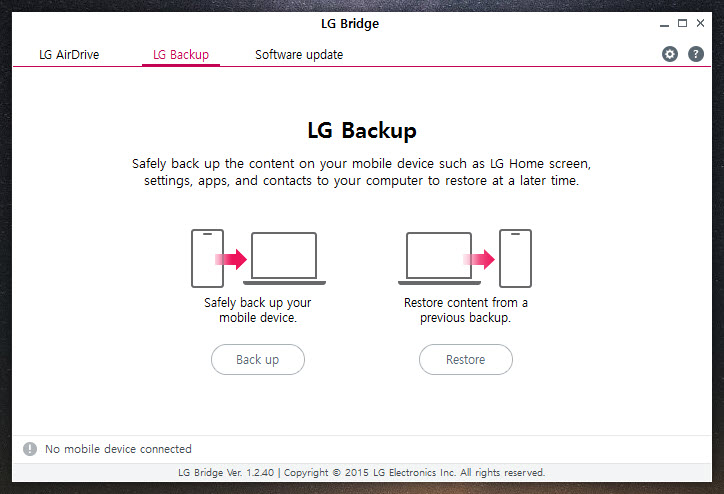
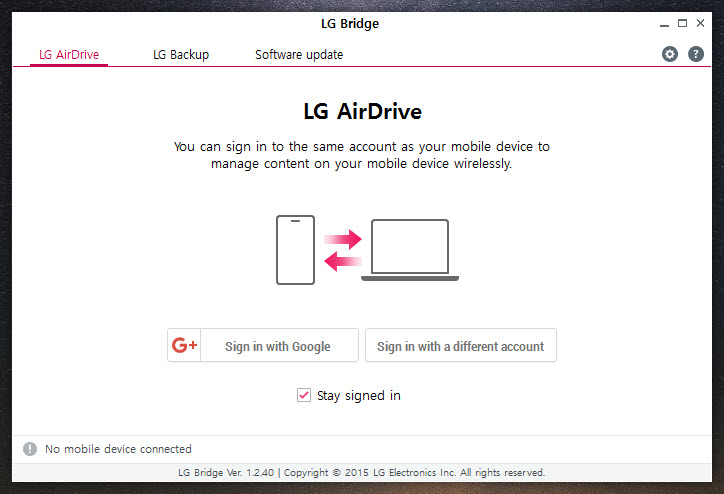
LG Bridge is the desktop companion for LG phones and tablets, and it puts three jobs in one window. LG Backup copies your phone’s content to the computer over USB and restores it later. Software update pushes firmware to the handset from the computer rather than over the air. LG AirDrive lets you browse the phone’s storage wirelessly once the two are signed into the same account.
The third job is the interesting one and the first two are the reasons people actually install it. When a phone refuses to take an over-the-air update, when a handset has been left half-flashed and will not boot, or when you want a copy of everything before a factory reset, this is the tool that talks to the device directly.
It works only with LG hardware, so owners of anything else can stop here.
Backup and restore over the cable
Connect the phone, open the LG Backup tab and pick what to save. Contacts and messages, call logs, photos, video, music, documents and application data are all selectable individually, so a backup can be everything or just the parts you care about. The result lands on the computer as one timestamped backup set.
Restoring reverses it, and the important detail is that you choose which parts of a backup to put back. Restore contacts and messages onto a freshly reset phone, leave the photos behind, and the handset stays tidy. Backups accumulate rather than overwriting each other, so you can keep one from before a risky update and another from after.
What it will not do is restore onto a device from another maker, and it will not read a backup made by a different program. That is the problem with maker-specific tools, and a cross-brand phone manager suits anyone switching brands.
Software update, and the recovery button in the corner
The update tab checks the connected handset for firmware and installs it over the cable. Doing it this way matters when the phone has no space for the download, or when a carrier has been slow to push a release.
The feature that earns its place sits in the bottom right corner, labelled Update error recovery. If the cable is knocked out mid-update, or the process freezes, this reinstalls the firmware from scratch and brings the handset back.
Phones left unbootable by a failed flash have been recovered this way, which is more than most owners expect. Boot the phone into download mode first, then let it run. Enthusiasts reach for flashing tools here, but the plain route works more often than they admit.
The limitation is real. If the tool reports the phone as up to date, recovery has nothing to reinstall and you are stuck. That happens to handsets whose firmware is no longer served, and no button in this window changes it.
AirDrive over the network
AirDrive mounts the phone’s storage as a drive letter over your wireless network, so you can drag files across without a cable. Both devices need the same account signed in and the phone needs the screen unlocked. It is convenient for photos and slow for anything large.
When the phone refuses to appear
The complaint that fills forums is a phone LG Bridge refuses to see. The causes repeat. The connection mode on the handset needs to be MTP rather than charging only, which is set from the notification that appears when you plug in.
USB 3.0 ports cause enough trouble that moving to a 2.0 port is standard advice. The driver installs separately and has to be present before the phone will appear, and the prompt on the handset itself offers to install it. Anyone comfortable at a command line can confirm the phone is visible with the standard debug bridge first.
If the computer sees the phone in File Explorer but LG Bridge does not, the driver is the culprit, not the cable.
Conclusion
LG Bridge is for LG owners doing one of three specific things. Taking a full copy before a reset, forcing a firmware update the phone will not take by itself, or rescuing a handset that a failed flash has left dead. For those jobs it is the right tool and often the only one.
It is not a daily file manager, and the connection problems will test your patience the first time. Sort out the MTP setting and the driver before you need it in an emergency, and keep a backup made while everything still worked.
Pros & Cons
- Selective backup and restore down to individual content types
- Update error recovery revives handsets left unbootable by a failed flash
- Multiple timestamped backups kept side by side rather than overwritten
- Firmware updates over USB when the over-the-air route refuses
- AirDrive mounts phone storage over the network with no cable
- Works only with LG handsets and tablets
- Backups cannot be read by any other program
- Recovery is useless once firmware is no longer served for the model
- Frequent connection failures traced to USB 3.0 ports and driver issues
Frequently asked questions
Switch the handset's USB mode to MTP from the notification, try a USB 2.0 port instead of a 3.0 one, and make sure the driver is installed. The phone appearing in File Explorer does not mean the driver is present.
Often yes. Put the handset in download mode, connect it, and use Update error recovery in the bottom right of the window. It reinstalls the firmware from scratch.
Yes. After selecting a backup you tick which content types to restore, so contacts and messages can go back without the photos.
No. Backup, restore and firmware updates need USB, but AirDrive browses the phone's storage over the network once both devices share an account.


