

NokiaCooker
About NokiaCooker
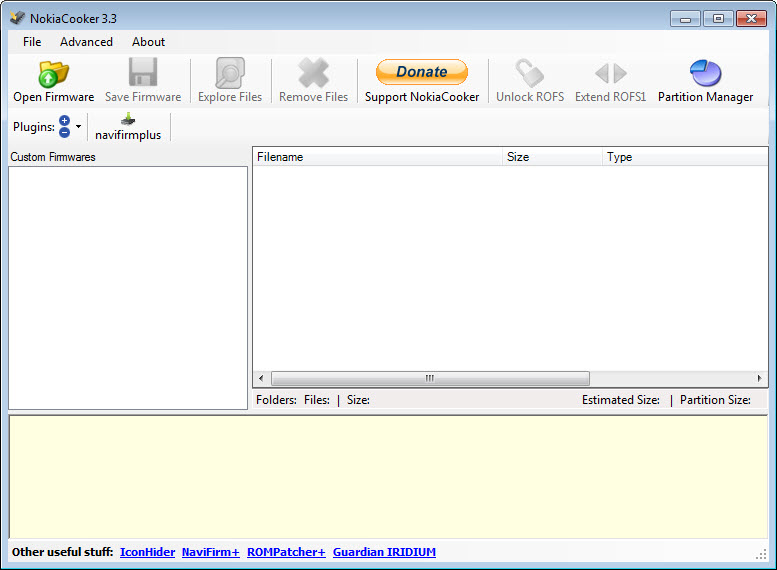
NokiaCooker opens the firmware files of Nokia Symbian phones and lets you change what is inside them. Load a firmware image, and its contents appear as a folder tree, the files that make up the phone’s built-in drive, its language packs, its preinstalled applications, its wallpapers and its themes.
Drag files in to add them, select files and delete them to remove them, then repack the image, and the result is a customised firmware, what the modding community calls a cooked firmware, ready to be flashed back to the phone with a flashing tool. The work that once meant command-line extractors and hex editors happens in one window.
Symbian phones are long out of production, so the audience today is collectors and tinkerers, and anyone keeping an old handset in daily use who wants it leaner, faster or in a language the original firmware no longer carries. NokiaCooker covers the third and fifth editions of the S60 platform and the Symbian generation that followed, and it carries one warning that matters more than any feature.
Modifying some parts of the firmware is safe and modifying others can leave the phone unable to start, and the difference is explained below before anything else.
What can be modified, and what is risky
Symbian firmware is split into images. The UDA image holds the phone’s user drive as it comes from the factory, the files a user would see on the phone memory, and modifying it is a safe operation, since a mistake there is fixed by flashing the original UDA again. ROFS and the further ROFx images hold the read-only drive with the system applications, language files and resources, and the CORE holds the operating system itself, of which only the ROFS1 part can be edited.
Not every ROFS or ROFx image can be modified. Some are protected, and changing a protected image risks a phone that will not boot, which the community calls bricking.
The program’s own documentation says so plainly, and the practical rule is to begin with the UDA, keep a copy of every original image, and only touch ROFS once you have confirmed that your model’s images are known to be safe to change.
Editing and repacking an image
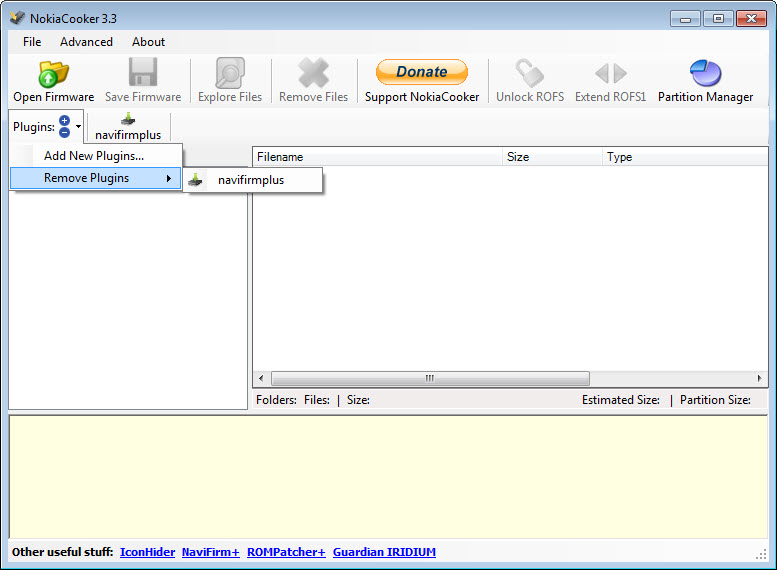
Open a firmware file in NokiaCooker, the FPSX image or the VPL package that lists a model’s set of images, and the extracted contents appear in the left and right panes. Removing unneeded language files from ROFS is the classic first job, since it clears room for other additions, and the program can resize a ROFS image to make room. Adding a theme, a font, a patched system file or an application means dragging it into the right folder, and the repack button rebuilds the image with its block layout recomputed.
The repack can target FAT, ROFS or raw data layouts, and an option extracts the whole ROM to a single file for analysis. Errors on opening a corrupted firmware are reported rather than silently accepted. For inspecting a file at the byte level before or after a change, a hex editor reads the image directly.
Downloading the original firmware
A NaviFirm+ module inside the program browses the firmware server for a chosen model, lists its products and releases with their variants, exports a list and downloads the firmware files, which is how a cooker obtains the original images to start from.
Variants matter, since the same phone shipped with different language sets in different regions, and choosing the right variant is the first decision of any cook. Keeping the downloaded originals in their own folder, untouched, is what makes every later mistake recoverable.
Plugins and old backups
NokiaCooker plugins extend the program with tools written by others. A plugin receives the selected file, the extraction folder, the firmware name and its type as command-line parameters, so a script or a small program can process files automatically during a cook. A skeleton plugin ships with the program for anyone writing one.
For simply browsing an old Nokia backup rather than modifying firmware, NbuExplorer opens those files and pulls messages and contacts out.
Where it stops
NokiaCooker edits firmware files and nothing else. Flashing them back to a phone needs a separate flashing tool and a cable, and that step carries its own risks. Symbian development ended long ago, so the community knowledge that makes cooking safe lives in old forum threads rather than in current documentation, and a model that was never popular may have no record of which images are safe.
A protected ROFS remains a trap however carefully the tool itself behaves, and day-to-day file management on a working phone belongs to Nokia Suite rather than to a firmware editor.
Conclusion
NokiaCooker suits Symbian enthusiasts who want a leaner, translated or customised firmware for a phone they still use or collect, and who want to do it with drag and drop rather than command-line extractors. The tree view, the repack and the built-in firmware download put the whole cook in one window.
It demands respect for the protected images and a copy of every original, and it does nothing about flashing, which is a risk of its own. Start with the UDA, read the forum record for your model before touching ROFS, and keep the original files safe, and an old Nokia gets a second life.
Pros & Cons
- Opens Symbian firmware images and shows their contents as a folder tree
- Drag and drop to add files and select to delete, then repack in one click
- Resizes ROFS images to make room for additions
- NaviFirm+ module downloads original firmware by model and variant
- Plugin system passes files and paths to external tools during a cook
- UDA modification is safe and reversible
- Modifying a protected ROFS or ROFx can leave the phone unable to start
- Flashing the result needs a separate tool and carries its own risk
- Symbian is long discontinued, so guidance lives in old forum threads
- Only the ROFS1 part of the CORE can be edited
Frequently asked questions
The UDA image, since flashing the original UDA undoes any mistake. Some ROFS and ROFx images are protected, and changing them can leave the phone unable to start.
Yes. The NaviFirm+ module browses the firmware server by product and release, picks the variant and downloads the files.
Remove unneeded language files from ROFS, which is the usual first step, and use the resize option to adjust the image before adding new files.
No. It edits and repacks firmware files. A separate flashing tool is needed to write them to the phone.


