

FreeFileSync
About FreeFileSync
FreeFileSync compares two folders and makes them match. Point it at a working folder and a backup drive and press Compare. It shows every file that differs, is missing on one side or has been deleted on the other, with an arrow saying what it intends to do about each.
Press Synchronize and it does it. That two-step model, look first and act second, is the whole personality of the program, and it is why people trust it with folders they cannot afford to lose.
Around that core it has grown the features that used to mark the paid tools. Mirror, two-way and custom sync rules, and versioning of anything it overwrites or deletes. Detection of moved files, so a renamed folder is not deleted and recopied.
Filters, batch jobs, a watcher that syncs the moment a file changes, and connections to SFTP, FTP and Google Drive. SyncBack covers similar ground with a friendlier face. FreeFileSync covers it with a denser one and a reputation for doing exactly what the preview said.
Compare first, then decide
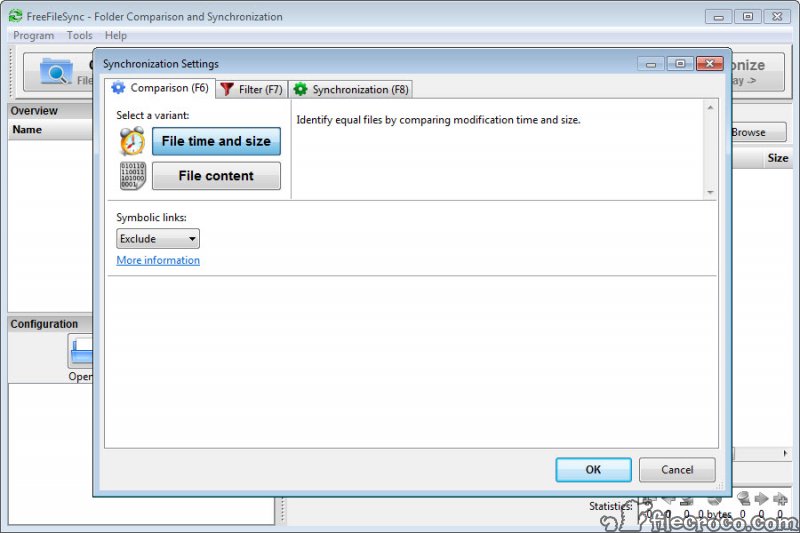
The FreeFileSync main window is two columns, a left side and a right side, each holding one or more folder pairs. Compare scans both sides and lists the differences. By default it decides that two files are the same when their size and modification time match, which is fast and correct almost always.
A content comparison reads every byte instead, catching files with identical dates but different insides, which means reading the whole tree. A third mode compares by size alone for file systems with unreliable timestamps.
The result is a grid with a category column showing whether a file is new on the left, newer on the right, different, or a conflict where both sides changed since the last run. Each row carries an action arrow, and every arrow can be overridden by clicking it, so a single file can be excluded, reversed or set to delete before the run.
Nothing moves until you press the second button.
Mirror, two-way, update, custom
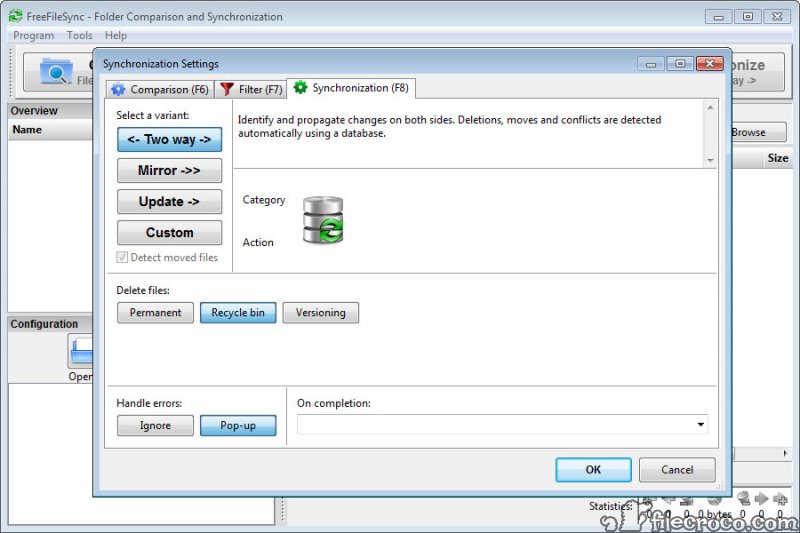
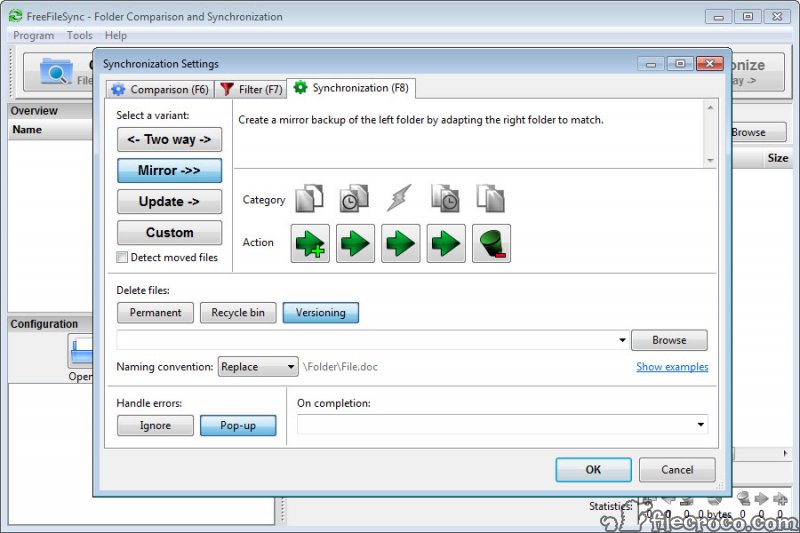
Four sync variants decide what the arrows mean. Mirror makes the right side identical to the left, including deletions, which is a backup. Two-way propagates changes in both directions. It uses a small database file stored in each folder to remember what it saw last time, so it can tell a deletion from a file that was never there.
Update copies new and changed files to the right and never deletes, which is the safe choice for an archive that only grows. Custom lets you set the rule for each category by hand.
Two-way is where the database files matter. A pair of hidden sync.ffs_db files appear in the synced folders, and deleting them makes the next run treat every difference as a conflict. People who tidy their folders find them, remove them and then wonder why FreeFileSync asks about everything. Leave them alone.
Versioning and what happens to deleted files
Deletion handling in FreeFileSync has three settings. Permanently delete, move to the recycle bin, or move to a versioning folder. The third is the one to use. Every file the sync overwrites or removes is placed in a folder you name, either replacing the previous version or with a timestamp appended so that several generations survive.
A limit on count or age keeps the folder from growing without end.
It turns a mirror into something closer to a real backup, since a file wrecked at noon and mirrored at one can be pulled from the versioning folder at two. It is not encrypted and not deduplicated. For an offsite copy that has to be private, a backup tool that encrypts and deduplicates does that job and this program does the local mirror.
Moved files, filters, variable drives
When you rename a folder holding ten gigabytes, most sync tools delete the old one on the target and copy the new one across. FreeFileSync notices the move by tracking file identities between runs and simply renames the target folder too, in a second. The trick works even on file systems that lack stable identities, such as FTP and FAT, by falling back to size and time.
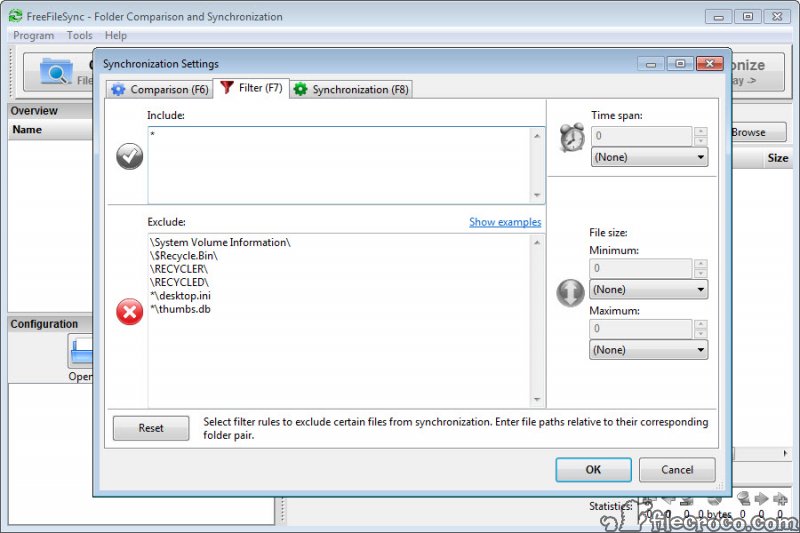
Filters include or exclude by path patterns, name patterns, size range and date range, per folder pair or for the whole job. A few exclusions for temporary and system files come pre-set. Paths can also be written with variables, and a target can be addressed by volume name rather than drive letter. A backup drive that comes up as a different letter on the next laptop is still found. That single feature is the reason many people with rotating external drives never left.
RealTimeSync and batch jobs
Once a job is set up, it saves as a batch file that runs the whole comparison and sync without the window, and that file is what a scheduler runs. There is no scheduler built in. You hand the batch file to the system’s own task scheduler and set the time, which is a five-minute detour the documentation walks through and a common complaint from people who expected a checkbox.
The companion program, RealTimeSync, watches a set of folders and runs a batch job a few seconds after any change, or whenever a particular drive appears. Plug in the backup stick and the mirror runs. Save a document and the copy follows.
It sits in the tray, uses almost nothing, and is the closest the program comes to a continuous backup.
Beyond the local disk
FreeFileSync folder pairs can point at network shares, at SFTP and FTP servers with saved credentials, and at Google Drive through a sign-in the program handles itself. Files over the remote links are compared by size and time only, since reading them all for content would be slow, and the moved-file detection still applies. For a dozen cloud services beyond that one, a command-line tool that speaks to most cloud storage providers is the deeper option.
Long paths, symbolic links, file permissions and access to locked files through a shadow copy are all handled, the last of those in the donation build described below.
The Donation Edition and the installer
The program is funded by donations, and a donor build unlocks a set of conveniences. Parallel file operations that copy several files at once over slow links, a portable build and a silent installer. Automatic updates, email notification when a job finishes and shadow copy access to files a program has open. The standard edition has everything else, and for a home backup it lacks nothing that matters.
The installer asks for a donation and, in the standard edition, has over the years offered bundled extras during setup. Read each screen. The donation prompt reappears in the program from time to time, which comes with software that shows no ads and phones nowhere.
Conclusion
FreeFileSync is for anyone who backs up to a second drive or a stick, keeps two machines’ folders aligned, or maintains a mirror on a server. It suits people who want to see exactly what will happen before it does. The preview grid, the versioning folder and the moved-file detection make it careful in the places that matter, and RealTimeSync makes it nearly automatic.
People who want a one-click backup with a friendly wizard, or a scheduler inside the program, will find the density annoying and should look at a gentler tool. Everyone else should learn the two buttons, save the batch file, and stop worrying about the backup drive.
Features & benefits
Pros & Cons
- Preview of every action before anything is copied or deleted
- Mirror, two-way, update and custom rules with per-file overrides
- Versioning folder keeps overwritten and deleted files with timestamps
- Moved and renamed folders are renamed on the target, not recopied
- Volume-name addressing survives changing drive letters
- RealTimeSync runs jobs on file change or when a drive appears
- No built-in scheduler, so timed runs need the system task scheduler
- Dense interface with a real learning curve
- Database files in two-way folders confuse people who delete them
- Parallel copying and portable build are donor-only
- Installer and program prompt for donations
Frequently asked questions
Two-way sync stores a record of the last run in those files so it can tell a deletion from a new file. They are needed for that mode. Deleting them makes the next comparison report every difference as a conflict.
Save the job as a batch file, then create a task in the system's scheduler that runs the program with that file as its argument. For continuous syncing, use RealTimeSync instead, which watches the folders and runs the batch file on change.
Yes. Mirror makes the target identical to the source, including deletions. Use Update if the backup should only grow, or enable a versioning folder so deleted files are kept.
It does not have to. Address the drive by its volume name in the folder path instead of a letter, and the job finds the drive whatever letter it receives.
Yes. Folder pairs can point at Google Drive, SFTP and FTP as well as network shares. Comparison over those links is by size and time rather than content.


