

TagScanner
About TagScanner
TagScanner is a powerful and versatile software application designed to help users easily manage their music collections. From batch ID3 tag editing to automatic cover art fetching, it simplifies the process of organizing, renaming, and cataloging audio files.
Despite its somewhat complex interface, the tool offers robust features that cater to casual listeners and audiophiles looking to maintain a meticulously organized library.
Comprehensive Tag Editing
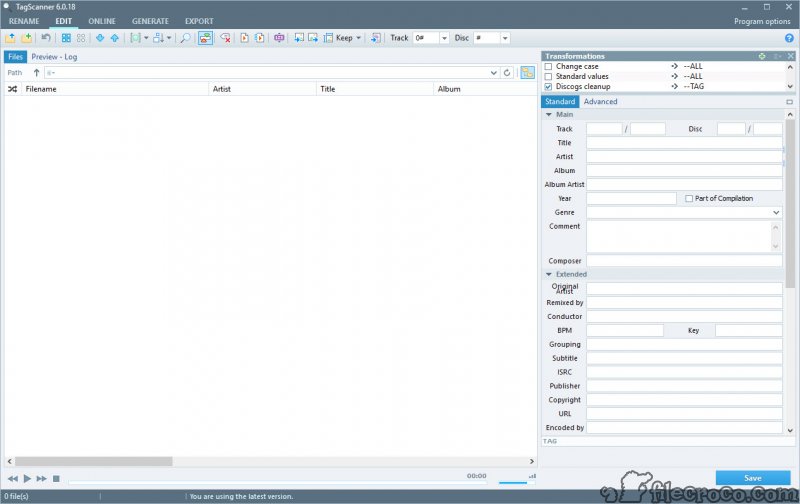
One of the standout features of TagScanner is its advanced tag editing capabilities. The software supports a wide range of audio formats and allows users to perform batch edits on ID3 tags.
Attributes such as artist, album, genre, song title, and year can be edited effortlessly across multiple files, saving time and ensuring consistency throughout your music collection.
Automatic File Renaming
TagScanner offers a smart renaming feature that uses ID3 tag data to rename audio files. By pulling metadata from the tags, the software ensures that file names are structured logically, often using a format like Artist – Song Title.
This feature is particularly helpful for maintaining a clean and searchable music library, as it eliminates inconsistencies and cryptic file names.
Cover Art Fetching
To enhance the visual appeal of your music collection, TagScanner can search for and apply album cover art to your tracks. The tool connects to reliable databases such as MusicBrainz, Amazon, and FreeDB to retrieve cover art and metadata.
While cover art accuracy may vary depending on the source, this feature is invaluable for users who want their libraries to look complete and professional.
Playlist Creation
TagScanner makes it easy to create playlists based on specific attributes. Users can generate playlists for individual artists, albums, or genres, ensuring their favorite tracks are grouped logically.
The software also names playlists appropriately, often including artist, album, and release year information in the playlist title for better organization.
Export Options
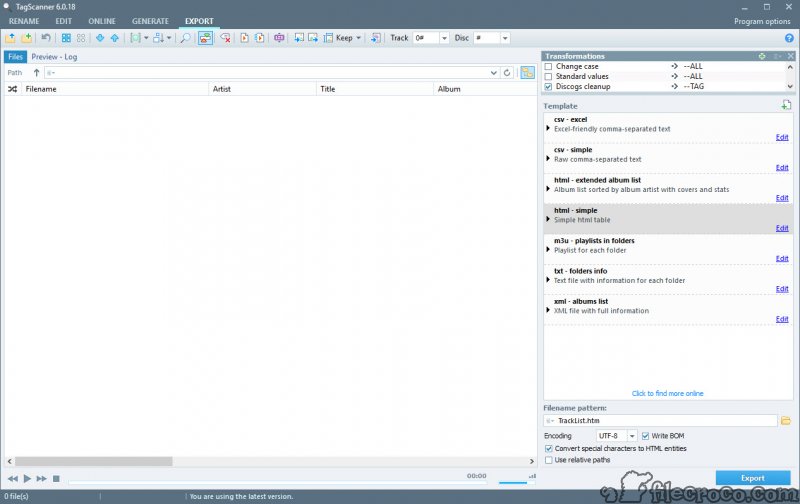
The software allows users to export song lists in various formats, including HTML, Excel, and plain text. This feature is particularly useful for creating catalogs of your music collection for sharing or personal reference.
Advanced Features with a Learning Curve
While TagScanner offers advanced functionality, its user interface may initially feel overwhelming. However, with a bit of practice, users can master its features and unlock its full potential.
The tool’s complexity is a tradeoff for its extensive capabilities, which outshine many competitors like MP3Tag and Tag Rename.
Pros and Cons
Pros:
- Supports batch editing of ID3 tags across multiple audio formats.
- Smart file renaming based on tag metadata.
- Automatic album cover art fetching from reliable databases.
- Playlist creation based on user-defined attributes.
- Export options to HTML, Excel, and text formats.
- Highly customizable for organizing large music collections.
Cons:
- The user interface may feel overwhelming to new users.
- Cover art fetching isn’t always accurate.
- Requires time to understand and utilize advanced features fully.
Conclusion
TagScanner is an excellent choice for organizing, managing, and enhancing their music collection. Its batch editing, smart renaming, and cover art fetching features make it a powerful tool for maintaining a polished library.
While the user interface may present a learning curve, the time investment is well worth the tool’s capabilities. For users serious about keeping their music collections well-organized, TagScanner is a standout solution that outshines many of its competitors.
Frequently asked questions
It supports popular audio formats like MP3, FLAC, OGG, WMA, and AAC, among others.
Yes, the software connects to databases like MusicBrainz, FreeDB, and Amazon to fetch metadata and cover art.
Yes, in addition to automatic tagging, users can manually edit tags for individual or multiple files.
Absolutely. The batch editing and organizational features are designed to handle extensive music collections efficiently.
Yes, playlists can be generated based on specific attributes like artist or album, and they are named logically for easy identification.
While the interface may seem complex initially, most users adapt quickly to its layout and functionality.


