

SoftPerfect Network Scanner
About SoftPerfect Network Scanner
Ask most scanners what is on your network and you get a list of addresses that answered a ping. SoftPerfect Network Scanner treats that list as the starting point, then interrogates each device for its shares, its open ports, its logged-on user, its uptime, its installed software and whatever else you decide to ask for, arranging the answers as columns in a table you can sort, filter, export.
That difference in ambition is the whole story. Against something like Advanced IP Scanner, which does discovery cleanly and stops there, this one is closer to an auditing tool that happens to begin with a ping sweep.
It is also a tool that will tell you things about machines you do not administer, which is a capability to use deliberately rather than casually.
The scan itself, and what it does not need
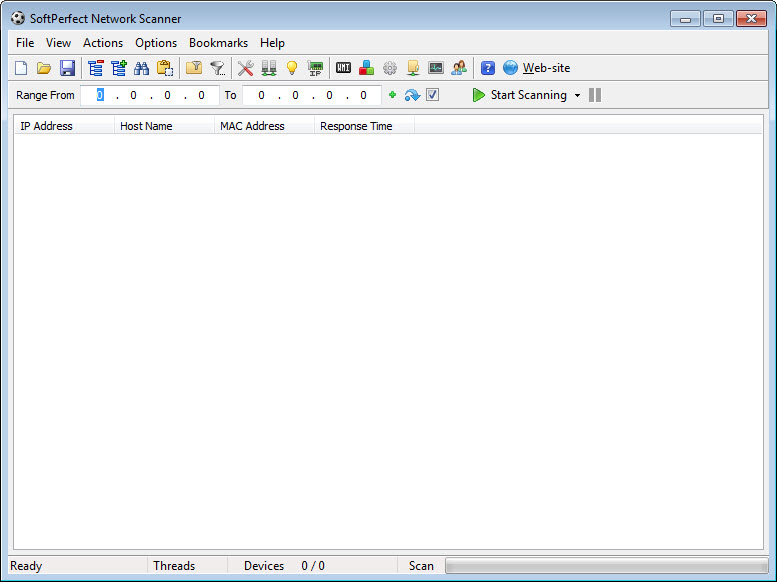
Both address families are supported, and the local range is detected automatically along with your external address, so a first scan takes one click rather than a subnet calculation. Hosts that answer appear immediately, and hardware addresses are resolved even for devices sitting behind a router, with the manufacturer identified from the address prefix so an unfamiliar entry can at least be attributed to a maker.
The detail that gets overlooked is that a basic scan needs no elevated rights. Discovery, ping, ports, shares all work as an ordinary user. Elevation only becomes relevant for the deeper queries later on, which makes this usable on a machine where you are not the administrator.
Shared folders, including the ones you are not meant to see
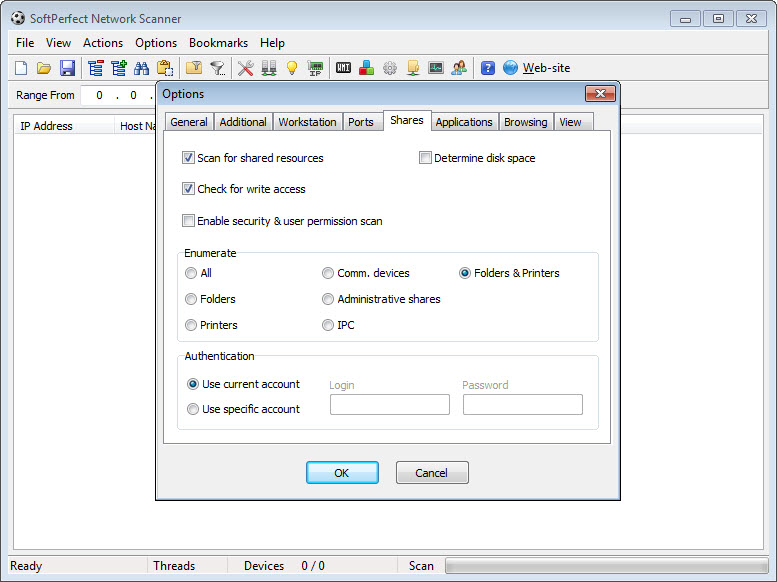
Share enumeration is where the program earns its reputation. It lists shared folders, printers, drives across the network, and it does not restrict itself to the shares advertised openly. Hidden shares, the ones that do not appear when browsing normally, are reported too, and each one is flagged according to whether it is writable rather than merely readable.
Optional analysis goes further, reporting the permissions on a share and how much space is left on it. Anything found can be mounted as a network drive and opened in the file browser directly from the results list.
Put plainly, this is the feature that turns SoftPerfect Network Scanner into an audit instrument. Running it across an office and finding three writable hidden shares nobody remembered creating is a common outcome, and exactly why it deserves care about where you point it.
Ports, banners, certificates
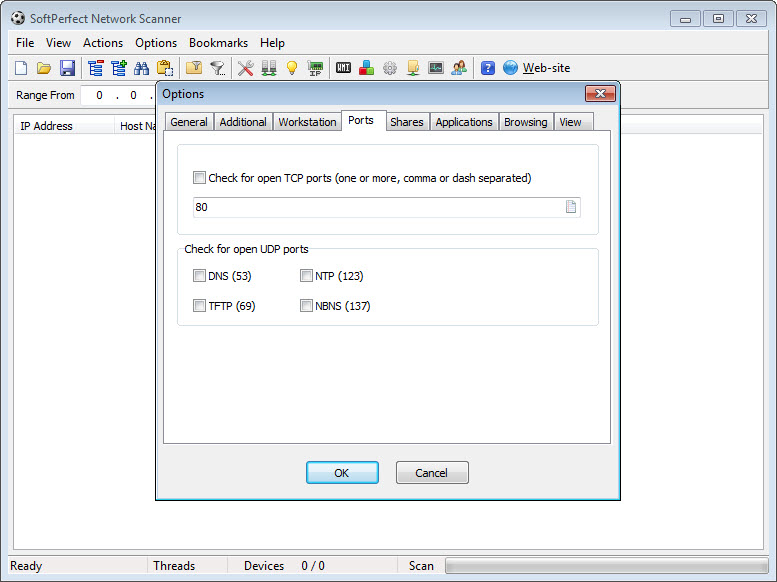
Port scanning in SoftPerfect Network Scanner covers listening TCP ports, a subset of UDP, and SNMP services, with the port list configurable rather than fixed. That much is ordinary. What follows is not.
Banner grabbing reads what a service announces about itself, so an open port stops being a number and becomes a named web server, file server or database with a version behind it. Certificate details are pulled as well, including issuer, subject, expiry date, which means a single scan across a subnet produces a certificate inventory with expiry dates in a column. Anyone caught out by a certificate quietly lapsing on an internal service will see the value.
For deeper work there is integration with the established open-source scanner, bringing operating system fingerprinting, service version probing and its scripting engine into the same results table. If that side is what you actually want, Zenmap gives you the same engine with its own interface and rather more control.
Pulling data out of the devices themselves
This is the part that separates it from every simple scanner. Rather than only observing devices from outside, SoftPerfect Network Scanner queries them directly through management instrumentation, the remote registry, the remote file system, the service manager, SNMP, SSH, HTTP, structured data endpoints, PowerShell and scripting.
What that produces in practice is a table where each row is a machine and each column is something you asked for. Logged-on user, configured accounts, uptime, installed applications, operating system build, a specific registry value, whether a particular file exists, whether a service is running. Custom queries can be built and saved, and example queries ship with it so you are not starting from documentation you have never read.
Now the caveat that generates most of the confusion. Those queries need the corresponding service running on the target and the firewall there permitting inbound administrative connections. When a column comes back empty across every machine, the scanner is almost never the problem. The remote configuration is.
Discovery beyond a ping sweep
Several protocols get their own discovery pass in SoftPerfect Network Scanner. Address servers announce themselves, as do devices speaking the universal plug-and-play, multicast naming, web services discovery and camera control protocols, which between them cover printers, media boxes, cameras and the general population of appliances that never show up in a hostname list.
The quiet hero here is duplicate address detection. Two devices claiming the same address produce intermittent, maddening faults that look like anything except what they are, and having a scanner simply tell you is worth the download on its own.
If all you want is a list of what is connected, without columns or queries, a lighter tool that only reports what is on the network does that job in a much smaller window.
Watching continuously, and acting remotely
Background scanning turns SoftPerfect Network Scanner from something you run into something that runs. It rescans on a schedule and notifies you when a device joins or leaves, through a popup, a sound, an email or a webhook into whatever system you already use for alerts. On a network where an unexpected device appearing matters, that is the feature to configure first.
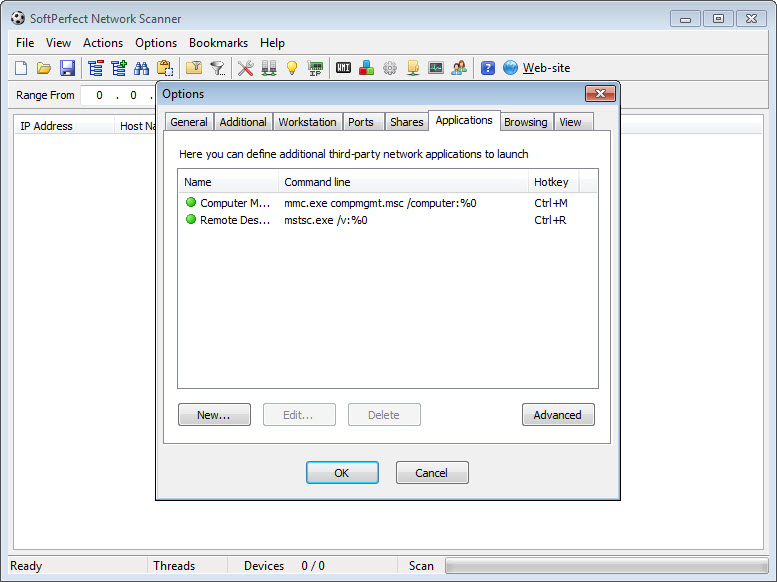
Acting on what it finds is equally direct. Machines can be woken, shut down, restarted, suspended or hibernated from the results list, and network messages can be sent to them. Remote command execution runs over SSH, PowerShell, VBScript and Python, and external applications can be launched against a selected row with its details passed as parameters, which is how people bolt their own tooling onto it.
For wake-on-LAN as a standalone job rather than as part of a scan, Wake On LAN handles that one task with less around it.
Output and naming, plus the responsibility that comes with it
Results export to HTML, comma-separated text, XML, structured data formats, plain text, or straight into a database, which makes recurring inventory work practical rather than a screenshot exercise. Friendly names can be mapped to devices by address, hardware address or host name, and those mappings import and export, so the printer in accounts stops appearing as a bare number every time you scan.
Columns are selectable, filters are saved, and repeated values fold together so a wide table stays readable. None of it is exciting, and all of it separates a tool people keep from one people try.
One closing point that belongs in a review of software like this. Everything described above works just as well against a network you have no business examining, and enumerating shares on somebody else’s network is not made acceptable by the software making it easy. Point it at what you are responsible for. If the question is what traffic is actually crossing the wire rather than what devices exist, a packet analyser answers a different question entirely and answers it properly.
Conclusion
SoftPerfect Network Scanner is built for somebody who has to answer questions about a network rather than merely see it. Auditing shares across an office, building a device inventory with real detail in it, catching a certificate before it expires, or finding the two machines fighting over one address are all jobs it does in a single pass, and the query system means the columns you need probably already exist.
What comes with that is a program that assumes competence. Empty columns mean firewall and service configuration you have to fix elsewhere, the settings run deep enough to be a project, and nothing in the interface teaches you what management instrumentation is. Learn what the queries need, keep the exports for comparison between scans, and be deliberate about which networks you aim it at. Handled that way it replaces several narrower tools with one table.
Features & benefits
Pros & Cons
- Discovery, ports, share enumeration all work without elevated rights
- Hidden shares are reported, with writable ones flagged separately
- Banner grabbing names the software behind an open port instead of just the number
- Certificate issuer and expiry appear as columns, producing an inventory in one scan
- Device queries cover management instrumentation, registry, SSH, SNMP, PowerShell and scripting
- Duplicate address detection finds a fault that is otherwise painful to diagnose
- Background scanning notifies by popup, sound, email or webhook when devices come and go
- Exports to files or directly into a database, with saved friendly names per device
- Deeper queries depend on services and firewall rules on the target, so columns often return empty
- The volume of options makes the settings dialog a project in itself
- Share enumeration and remote querying are as useful for reconnaissance as for administration
- Remote actions assume credentials and permissions that a scan alone does not establish
- Little guidance for newcomers, so the learning happens through the manual
Frequently asked questions
Not for the basics. Ping sweeps, port scanning and share enumeration all run as an ordinary user. Rights and credentials become necessary for management queries, remote registry access and any of the remote power or command actions.
Because the target is not answering, rather than because the scan failed. Management instrumentation has to be running on the remote machine and its firewall has to permit inbound administrative connections. Check both there before adjusting anything in the scanner.
Yes, including the ones that never appear when browsing the network normally, and it marks which of them accept writes. That combination is the single most useful thing it does on an audit.
Yes. Wake, shutdown, restart, suspend and hibernate are all available against selected devices, along with sending messages and running commands over SSH, PowerShell, VBScript or Python.
It can. Background scanning rescans on a schedule and raises a popup, a sound, an email or a webhook when a device appears or disappears, which suits watching for equipment that should not be there.
To HTML, comma-separated text, XML, structured formats, plain text, or directly into a database. Combined with saved friendly names, that makes repeated inventory scans comparable rather than disposable.


Great tool for network devices identification.