

WinNc
About WinNc
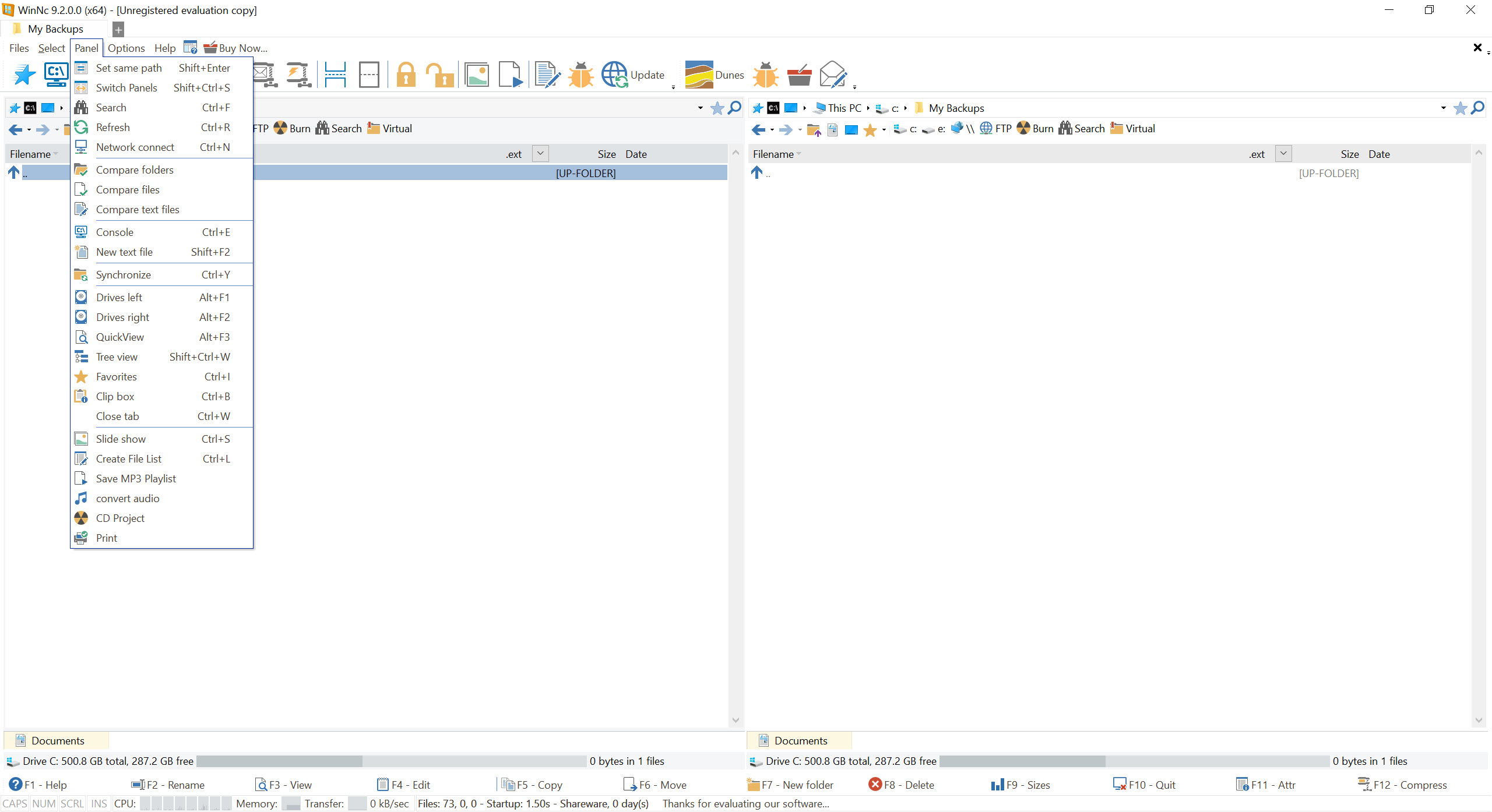
The dual-pane file manager is a design from the era of text screens that never went away, because for anybody moving files all day it is simply faster. WinNc carries that model forward, with two directory listings side by side and a row of commands mapped to the function keys.
Every file operation has a source and a destination, and having both permanently visible removes the step everybody else performs constantly, arranging two windows so a drag between them is possible.
Copying becomes selecting on one side and pressing a key, with no dragging and no wondering which folder the other window is showing.
Two panes and a row of keys
The WinNc function key row is the part people either love or never learn. View, edit, copy, move, create folder and delete each sit on a key, in the order they have held since the model was invented, so muscle memory transfers from every program built on it.
Tabs sit above each pane, so a session holds several locations per side and switching between them is a keystroke rather than a navigation.
Whether it suits you comes down to one question. If you regularly move files between two known places, it is faster than anything else. If your problem is finding a file you misplaced, an instant search across every filename on the drive answers that better than any file manager will.
Archives and servers behave like folders
This is where WinNc stops being a layout and becomes useful. Compressed archives open as though they were directories, so copying two files out of a zip is the same operation as copying them out of a folder, with no extraction step and no temporary directory to clean up afterwards.
Remote servers work the same way. The built-in transfer client puts a server in one pane and your disk in the other, and moving files between them is the same keystroke as moving them locally.
That uniformity is the real argument for the format. One set of operations covers local, archived and remote files rather than three applications with three interfaces. For heavy transfer work, FileZilla remains more capable at that specific job.
The tools that come with it
WinNc includes the set that has become standard in this category, and each removes a reason to open something else.
Folder comparison and synchronisation match two locations and show what differs. Multi-rename applies patterns across a selection, turning a folder of camera files into sensibly named ones. Content search looks inside files rather than at names, and split and merge handles files too large for wherever they are going.
Checksums verify a copy against its source, and a viewer and editor open on the traditional keys so reading a file needs no other application.
The synchronisation keeps two folders roughly aligned and is not a backup tool. For scheduled work with rules and a preview, FreeFileSync is built for it and shows its intentions before acting.
What it competes against
The honest WinNc comparison is with the established name in this field, and it is close. Total Commander has been refined for decades, has an enormous plugin ecosystem, and looks every bit its age.
WinNc offers a more modern interface with contemporary styling and touch-friendly options, which is the main reason somebody would choose it over the older alternative. The underlying model is the same, so skills transfer in both directions.
Both are paid, and both need trying properly rather than judging in ten minutes, because the keyboard model takes a week to feel faster rather than stranger.
Conclusion
WinNc is for people who already want a dual-pane manager, or who watched somebody use one and wondered why it looked quicker. The model works, the archive and server handling turn it into one interface for three kinds of storage, and the included tools cover most of what you would otherwise open separately.
The choice within the category is taste rather than capability. The established alternative has more history and more plugins, this one has a more modern interface, and both ask a week of learning a keyboard layout designed before graphical file managers existed. That investment is the actual decision, and everything else follows from it.
Pros & Cons
- Source and destination stay permanently visible, removing window arranging
- Function key commands transfer from every other manager built on this model
- Archives open as folders, so extracting is never a separate step
- The built-in transfer client makes a remote server behave like a local pane
- Comparison, synchronisation, multi-rename, content search all included
- Checksums confirm a copy against its source
- More contemporary interface than the older alternative in this category
- The keyboard model takes a week to feel natural rather than awkward
- Synchronisation is basic beside a tool built for that job
- The bundled transfer client is outclassed by dedicated clients
- Paid, in a category with capable options at both ends
- Nothing here finds a file you have completely lost track of
Frequently asked questions
Every copy or move has a source and a destination, and showing both permanently removes the arranging of windows that other file managers require constantly. Once the layout is familiar, moving files becomes a selection and a keystroke.
Yes, compressed archives behave as folders, so files can be copied in or out directly without an extraction step or a temporary directory left behind.
It includes a transfer client, so a remote location occupies one pane while your disk occupies the other and the same operations apply to both. For heavy transfer work a dedicated client offers more.
The model is identical and the interface is not. This one looks contemporary with touch-friendly options, while the older name carries decades of refinement and a large plugin ecosystem behind a dated appearance.


