

Serato DJ Lite
About Serato DJ Lite
DJ software has historically been divided between professional tools that assume you’ve already bought a controller and free tools that limit you to keyboard-and-mouse mixing in a way that doesn’t really teach the craft. Serato DJ Lite sits between those extremes.
It’s the stripped-down free edition of a long-standing DJ platform, designed as both a learning tool for beginners and a functional mixing application for anyone using a compatible entry-level controller without needing the deeper features of the paid tier.
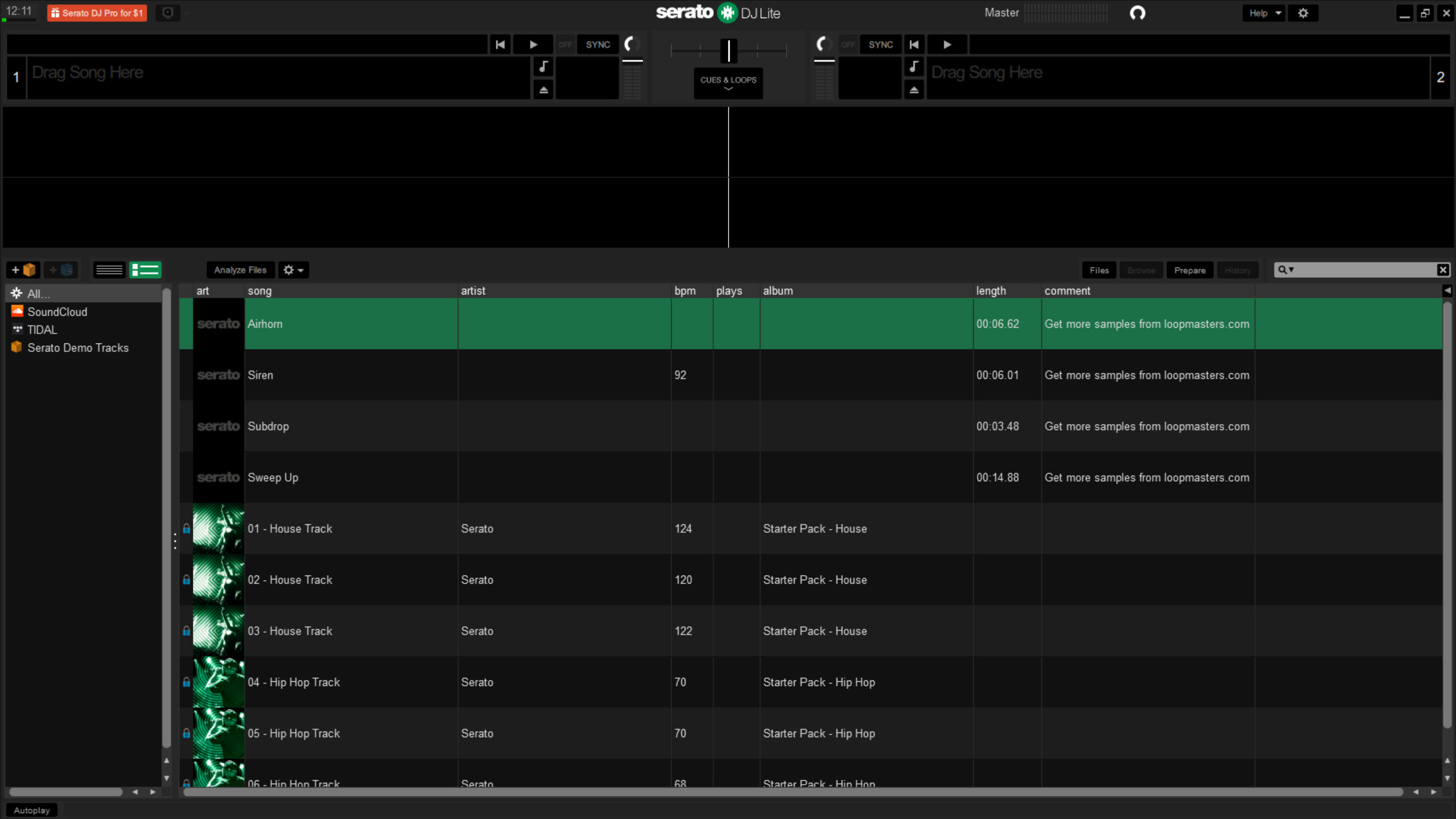
The application runs as a two-deck mixer with a library browser, waveform displays, transport controls, EQ knobs, and a crossfader laid out in the same general layout you’d expect from any current DJ software. What’s deliberately absent is the depth that comes with the Pro edition.
Four-deck mixing, advanced effects routing, vinyl emulation, key detection, sampler banks, and the broader hardware compatibility list are all behind the upgrade. What’s present is enough to mix two tracks together cleanly, with reasonable tools for the kind of mixing most newcomers want to do.
What you can actually do in the free tier
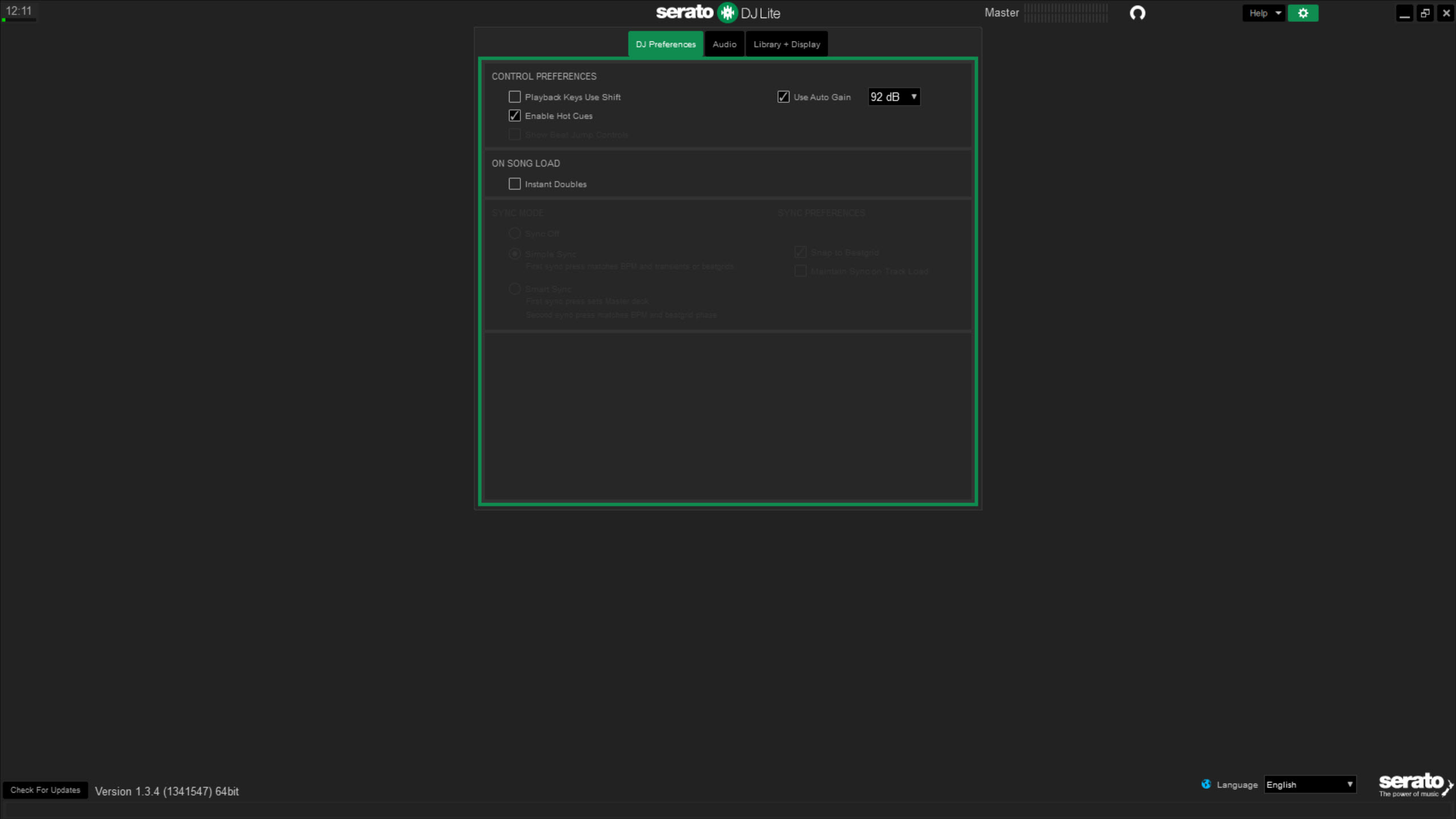
Two decks, each loading a track from the library, with independent transport controls (play, pause, cue), an EQ section (low/mid/high), a filter, gain trim, and basic effects. The crossfader between the decks moves audio between them in standard DJ fashion. Beat matching happens automatically via the Sync button if the track BPMs were analyzed correctly during library import, or manually through pitch adjustment and beat alignment.
The library imports from your local file system, organizes by folder, and supports the major audio formats including MP3, AAC, WAV, AIFF, FLAC, and OGG. Track analysis runs in the background when you add new content, detecting BPM and generating the waveform display. Cue points let you mark specific positions in a track for instant jumps, with the Lite edition limited to four cues per track rather than the eight available in Pro.
Looping works but in a more restricted way than the Pro tier. Auto-loop sizes are limited, manual loop entry/exit works, and the saved loops travel with the track in your library. Effects cover a handful of basics including reverb, echo, and a flanger, applied through a button-based interface rather than the full chain that Pro offers.
For broader effect processing alongside DJ mixing, Mixxx offers a different open source approach with more effects available without payment.
Practice Mode and mixing without a controller
The free tier’s standout feature for newcomers is Practice Mode, which lets you mix without owning a controller. Both decks become operable through mouse and keyboard, the crossfader drags with the cursor, the EQ knobs respond to scrolling, and you can practice the mechanics of beat matching, transitioning, and cue point usage without spending hundreds on hardware first.
The mode is genuinely meant for practice rather than performance. The mouse-and-keyboard control is precise enough to learn the workflow but never as fluid as physical controls. Crossfading with click-and-drag, while functional, lacks the immediacy of a physical fader.
For users coming to the application to evaluate whether DJing is something they want to invest in further, Practice Mode answers that question before any hardware purchase commits you.
Controller support and the hardware ecosystem
The Lite edition’s compatible hardware list is shorter than Pro’s, focused on entry-level controllers from the major manufacturers. Plug in a supported controller and the application unlocks features that aren’t available in Practice Mode, including jog wheel scratching, performance pad triggering, and per-deck effect controls mapped to physical knobs.
Some features in the Lite tier require a controller to function at all. Sample triggers and certain advanced cue point operations don’t appear in the interface until controller hardware is detected. That’s a deliberate design choice that ties the application’s full feature set to the assumption you’ll eventually buy a compatible piece of hardware. For users wanting a more controller-agnostic experience, DJUCED supports a broader range of hardware brands within its own free tier.
The hardware-tier model also produces an upgrade pressure point. Buy a higher-end controller from one of the supported manufacturers and the application sometimes ships with a Serato DJ Pro license bundled, which is the typical path to Pro for serious users.
The Lite edition is positioned as the entry point that funnels paying customers toward both better hardware and the paid software tier over time.
Recording your mixes
The application can record your mix to a file directly, capturing both decks plus any microphone input through the master output. Recording starts and stops through a button in the interface, with the output saved as AIFF by default to a configurable directory. For DJs wanting to capture sets for review, sharing, or release, this is built-in functionality rather than requiring a separate recording tool.
The recording quality is good, capturing the master output at the same fidelity the audience would hear. Post-production work on a recorded mix (mastering, EQ correction, format conversion) happens outside the application in a tool like Audacity, since the application’s recording is purely a capture rather than an editing environment.
Streaming service integration
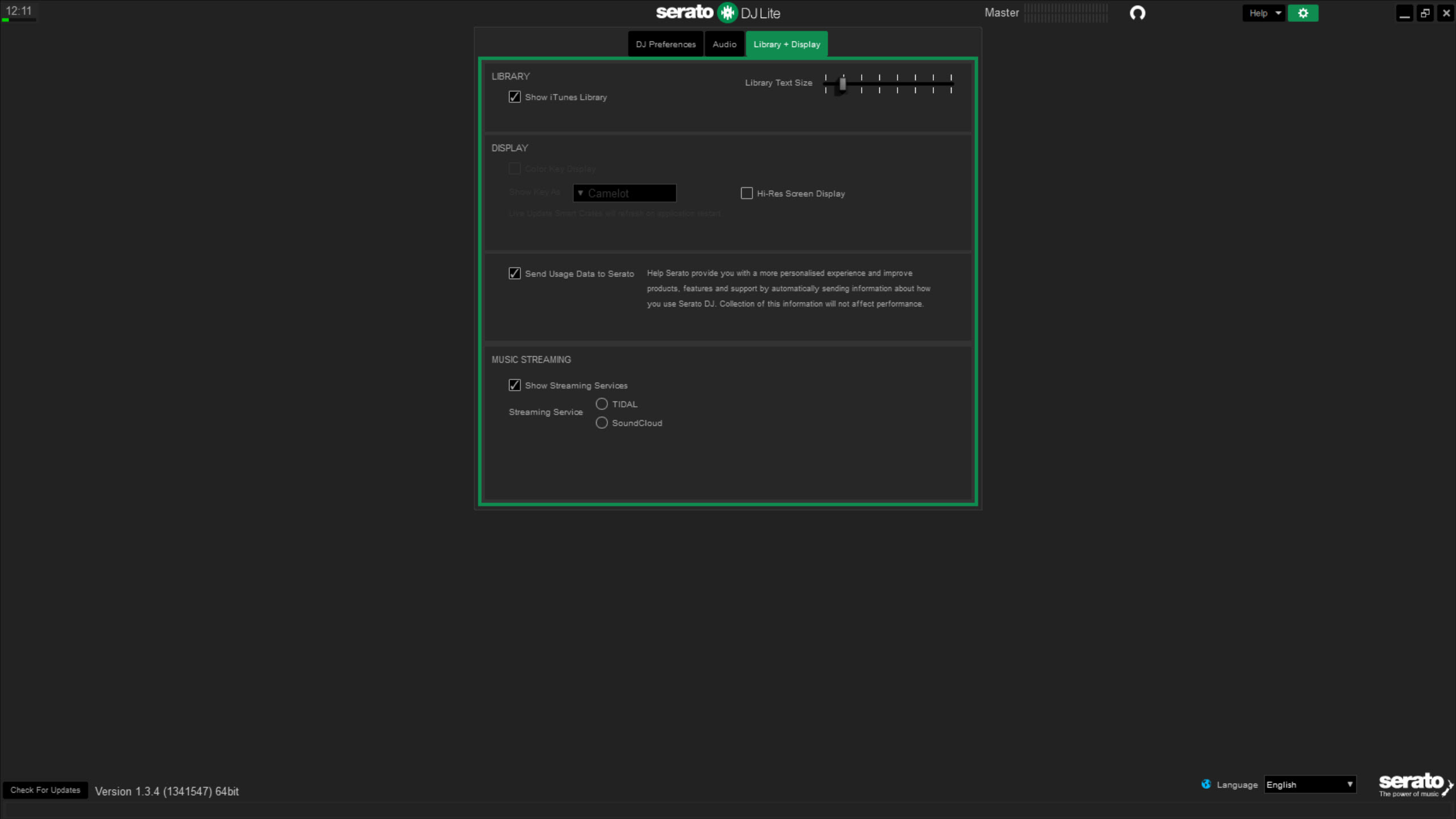
Streaming integration in the Lite tier is more limited than in Pro. Some streaming services are supported with active subscriptions, but the catalog of supported services and the specific features within each one are narrower than what the paid tier provides. Local file libraries remain the most reliable source for DJing, since streamed content depends on continuous network connectivity that’s risky in a live performance context.
The general advice for users serious about DJing is to maintain local copies of the tracks you actually mix with, treating streaming integration as a supplemental option rather than a primary workflow.
The application supports this expectation in its design, with the local library always taking priority in the interface.
Where the free tier hits its ceiling
The four-cue-point limit is the first wall most users hit. Real DJing workflows often involve setting eight or more cues per track for different intro points, drop locations, breakdown markers, and outro signals. Four covers basic mixing but not the kind of structured cue-based performance that more advanced users develop.
Key detection isn’t included. The application can analyze BPM accurately, but musical key analysis (used for harmonic mixing where you only mix tracks in compatible keys) requires the Pro tier. For harmonic mixing workflows, this is a significant functionality gap that often pushes serious users toward upgrading or to alternative applications. Virtual DJ includes key detection in its free tier, which is one of the trade-offs to consider.
Advanced effects, four-deck mixing, sampler banks, slicer mode, and the more sophisticated cue point types are all locked behind Pro. The Lite tier hits a clear ceiling once you’ve outgrown beginner mixing, and the upgrade path is the application’s business model.
Where the application falls short
Performance with very large libraries can lag. The application is built around the assumption of moderately-sized DJ libraries, and users with tens of thousands of tracks may see slow library load times and laggy scrolling. The analyzed BPM and waveform data is cached, so subsequent loads improve, but the initial import of a large library is a slow process.
Crashes happen, especially during mid-set hardware controller disconnections. Unplugging a USB controller during active mixing can cause the application to lock up or close unexpectedly, taking the current mix with it. Using a stable USB connection (ideally through a powered hub for high-power controllers) reduces but doesn’t eliminate the issue.
The user interface, while functional, is dense for beginners. Two waveform displays, dozens of small buttons, a library panel, multiple EQ rows, and various indicators compete for screen space on smaller displays. The visual learning curve is real, even with Practice Mode encouraging experimentation.
The hardware-tier dependency also frustrates users with controllers that aren’t on the supported list. The application detects supported hardware specifically rather than reading any class-compliant MIDI controller, which means a perfectly capable generic controller may not unlock features that a supported entry-level model would. The hardware compatibility list is the practical reference before buying.
Conclusion
Serato DJ Lite is the entry point for users learning DJ mixing within an established commercial platform’s ecosystem, with a clear path from free practice mode through entry-level controller hardware to the Pro tier. The application covers the core mixing workflow well enough that beginners can develop real skills before committing to either hardware purchases or paid software, which is the application’s primary value proposition.
The natural audience is aspiring DJs starting from zero, hobbyists looking for a more polished alternative to fully free options, and users planning to buy or already owning controller hardware that bundles with the platform. Established DJs already working in another ecosystem have no real reason to switch, since the equivalent free tiers from other platforms cover similar ground.
For learners specifically, the combination of Practice Mode, automatic library analysis, and the upgrade pathway makes it one of the more practical starting points in a category that historically required substantial up-front commitment.
Pros & Cons
- Free entry point for learning DJ mixing without immediate hardware investment
- Practice Mode genuinely supports mouse-and-keyboard mixing for learners
- Two-deck mixing with EQ, filters, basic effects, and crossfader covers core workflow
- Library management with BPM analysis and waveform display for imported tracks
- Recording function captures complete mixes to file without external tools
- Upgrade path to Pro is well-defined for users who outgrow the free tier
- Compatible entry-level hardware controllers often bundle Pro licenses for free upgrades
- Four-cue-point limit caps advanced cue-based performance workflows
- No key detection for harmonic mixing, present in some competitor free tiers
- Hardware compatibility limited to a specific list of supported controllers
- Streaming service support narrower than Pro tier and less reliable for live use
- Large libraries can produce slow load times and laggy interface response
- Mid-set controller disconnections can crash the application
Frequently asked questions
It's a desktop DJ application with two-deck mixing, automatic beat matching, basic effects, library management, and recording. The free tier covers the core mixing workflow that beginners and intermediate users need, with advanced features available through the Pro upgrade.
Yes, through Practice Mode. Both decks become operable through mouse and keyboard, which lets you learn the workflow before investing in hardware. Some features remain locked until a compatible controller is connected, but core mixing operations work without hardware.
The supported hardware list focuses on entry-level controllers from the major manufacturers. The list is shorter than the Pro edition's compatibility coverage. Checking the specific controller against the supported list before purchase avoids compatibility surprises.
No. BPM detection and waveform analysis run during track import, but musical key analysis (for harmonic mixing) is a Pro-tier feature. Users who need harmonic mixing capabilities either upgrade to Pro or pre-analyze tracks in another tool before importing.
Yes, the recording function captures the master output to file directly, including both decks and any microphone input. Recordings save to AIFF format by default, with the output directory configurable.
The applications target overlapping audiences with different strengths. Virtual DJ includes key detection and video mixing in its free tier. Mixxx is fully open source with broader effects coverage but a less polished interface. Serato DJ Lite prioritizes a familiar workflow for users planning to upgrade to Pro or use Serato-supported hardware in a club setting.
The application can read music from local file system folders including iTunes media folders. Direct iTunes library database integration varies, but in practice pointing the application at the relevant folders gives you access to your music collection.
Several features in the Lite tier are tied to compatible hardware detection, which is a deliberate design choice that connects the software experience to the hardware ecosystem. Practice Mode covers core mixing workflows, but features like sample triggers and certain cue point operations only appear with a supported controller connected.


