

Bfxr
About Bfxr
Bfxr makes the beeps and explosions of a retro video game in one click. Press Pickup and you get a coin sound. Press Laser and you get a shot. Explosion, Powerup, Hit, Jump and Blip each produce a fresh random sound of that kind every time you press them, and the one you like is saved to a list with another click.
When none is quite right, Mutate nudges the current sound into a variation and Randomize starts over. The result exports as a WAV file that any game engine imports, ready to drop into a project.
It grew from sfxr, a much-loved little generator. Bfxr brings more waveforms, filters, a mixer that layers several sounds into one, parameter locks that hold the settings you like while the rest change, and a library that keeps your sounds between sessions. It is built for game makers who need sounds fast and do not want to record them, and it is especially at home in game jams, where a weekend leaves no time for sound design.
The sections below cover the generators, the parameters, the mixer and exporting, and where a fuller tool takes over.
The generators
The preset buttons are the fast route. Each one knows the shape of a classic sound category and randomises within it. Pickup always sounds like a reward and Explosion like a blast, yet every press gives a different variation. Click through a few, keep the ones that fit, and a small game’s sounds are done in minutes.
Mutate and Randomize are the exploration tools. Mutate makes a small change to the current sound, which is how a good sound becomes a family of similar ones for a rapid-fire weapon that should not repeat exactly. Randomize ignores everything and starts again.
The program plays each new sound automatically, so the loop of pressing and listening is quick. For pixel art to go with the sounds, a sprite editor is the matching tool.
Shaping a sound with the parameters
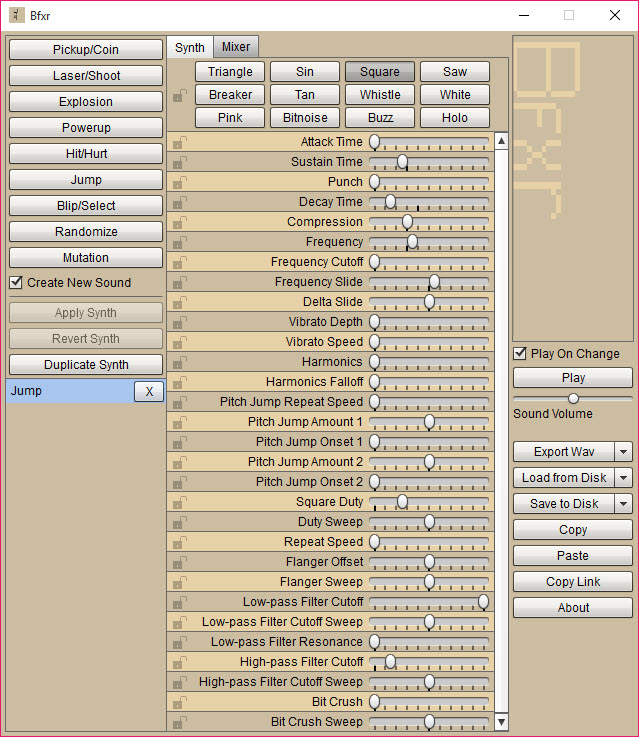
Under the buttons sits a panel of sliders, and every one changes the current sound as you drag it. The waveform comes first, with square, triangle, sine and saw for the classic tones, stranger shapes for odd ones, and several kinds of noise for explosions and static. An envelope sets how the sound starts and how it fades. Frequency sets the pitch, a slide bends it up or down, and vibrato makes it wobble.
Filters and effects colour the result. A low-pass and a high-pass shape the tone, a bitcrusher roughens it toward an older machine’s sound, and compression and harmonics thicken it. A pitch jump creates the arpeggio effect of an old game’s power-up.
Each slider can be locked, so Mutate and Randomize leave it alone, which is how you keep a pitch you like while exploring the rest.
The mixer and the library
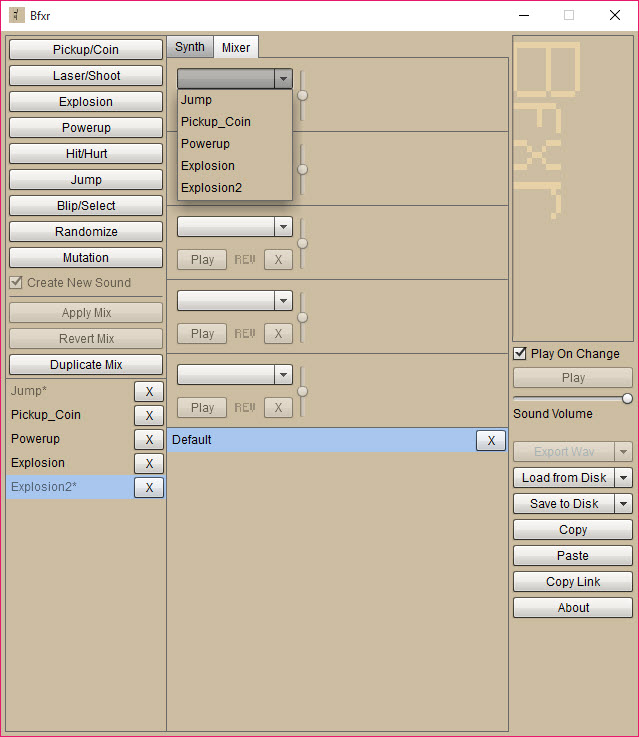
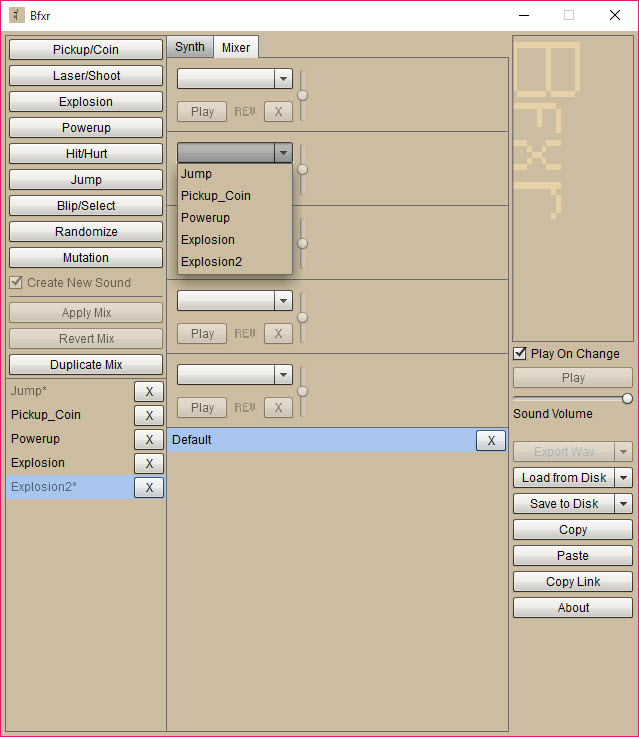
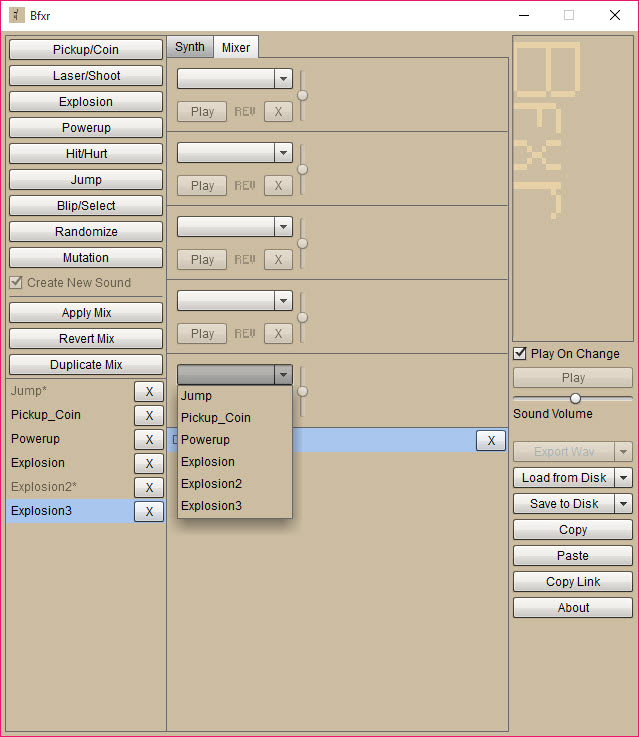
The mixer layers up to five sounds into one, each on its own track with an offset in time, a volume and an option to play backwards. A laser over a small explosion makes a better hit than either alone, and a reversed sound adds a rising whoosh. The finished mix exports like a single sound.
Every sound you keep goes into a list that persists between sessions, so a library builds up over a project. Sounds can also be shared as compact text strings or saved as files, which is how a team passes a sound around without sending audio.
For editing an exported WAV further, trimming it, joining it or adding effects the generator lacks, Audacity is the next stop.
Exporting, and where a fuller tool takes over
Export writes the current sound or mix as a WAV, the format every game engine accepts, and the file is ready to use as it is. The sounds are deliberately retro and synthetic. Bfxr makes the style of early consoles and arcade machines, and it is not the tool for realistic footsteps, voices or orchestral effects.
For music in the same chiptune style, rather than single effects, Bosca Ceoil composes whole tunes with a gentle interface. A rewrite with many more synths has since extended it, but this edition does the core job it was loved for.
Conclusion
Bfxr suits anyone making a game who needs retro sound effects fast, from a jam team with a weekend to a solo maker who would rather not record anything. The preset buttons, the mutation and the mixer turn a missing sound into a finished one in minutes.
It makes one style of sound and makes it well. Press the buttons until something fits, lock what you like, mutate the rest, and export a WAV your engine will take without complaint.
Pros & Cons
- One-click generators for pickups, lasers, explosions and other classic sounds
- Mutate and Randomize for fast variation, with parameter locks
- Wide set of waveforms and filters, all live as you drag
- Mixer that layers up to five sounds with offsets and reversal
- Library that persists between sessions and shares sounds as text
- Exports WAV that any game engine imports
- Sounds are deliberately retro and synthetic, not realistic
- No built-in editing of the exported audio
- Desktop edition has been superseded by a fuller rewrite
- The parameter panel can overwhelm a first-timer
Frequently asked questions
WAV, which every common game engine imports directly. Sounds can also be shared as compact text strings.
Yes. The mixer layers up to five sounds, each with its own time offset and volume, and can play any of them backwards.
Use Mutate, which makes a small change to the current sound. Lock the parameters you want to keep so Mutate leaves them alone.
No. It makes retro, synthetic sounds in the style of early consoles and arcade games.


