
Monkey's Audio
FREE 100% SAFE

Monkey's Audio

(10 votes, average: 3.70 out of 5)
3.7 (10 votes)
Updated May 14, 2026
01 — Overview

About Monkey's Audio

The world of lossless audio compression has narrowed considerably over the past two decades. What was once a genuine ecosystem of competing formats fighting for dominance has consolidated around FLAC as the de facto standard, with most other lossless codecs relegated to niche use cases or specific platforms.

Monkey’s Audio is one of the older formats still actively maintained despite this consolidation, with its distinctive .APE file extension and consistent track record of producing slightly smaller files than FLAC at the cost of more demanding decoding.

For users who value compression efficiency above all else, particularly those with extensive lossless audio libraries where storage space adds up, this format remains a defensible choice.

Created by Matt Ashland and freely distributed for many years, this software has been continuously developed since the late 1990s. The codec produces lossless compression, meaning the encoded file can be perfectly reconstructed back to the original PCM audio without any quality loss whatsoever.

The trade-off positioning has remained consistent across the years: better compression ratios than alternatives like FLAC, but with higher CPU demands during both encoding and decoding. For users who treat their audio archives as cold storage and don’t care about decode-time efficiency, the format’s appeal is genuine.

What lossless compression actually means here

The defining feature of Monkey’s Audio is that it’s truly lossless. Encode an uncompressed PCM audio file (essentially what’s on a CD before any compression) into the APE format, then decode that APE file back to PCM, and you get exactly the same data you started with. Bit-for-bit identical, no quality reduction, no audible difference, no audible artifacts.

This is the same guarantee FLAC provides, the same guarantee ALAC provides, and the same guarantee any lossless codec must provide to call itself lossless.

The compression mechanism takes advantage of mathematical patterns in audio data that allow the same information to be represented in fewer bits without discarding anything. Because audio waveforms have predictable structure, mathematical models can describe portions of them very efficiently, with the encoded file containing the model parameters rather than the raw waveform data. Decoding reverses the process, reconstructing the original waveform exactly.

For users who care about preserving original audio quality across format conversions, archival storage, or transfer between systems, this lossless property is the entire point. MP3 and other lossy formats permanently discard data that can’t be recovered; lossless formats preserve everything for situations where that preservation matters.

Compression efficiency compared to FLAC

The competitive positioning of Monkey’s Audio has always centered on compression ratio. Across most audio content, APE files typically run 5-15% smaller than equivalent FLAC files at maximum compression settings. For a single album the difference might be a few hundred megabytes, which seems trivial. For libraries of thousands of albums, the cumulative difference adds up to substantial storage savings.

The trade-off is encoding and decoding speed. APE files are more computationally expensive to work with than FLAC files. Encoding takes longer, decoding consumes more CPU, and seek operations within tracks can feel less responsive than equivalent FLAC operations. On modern hardware, these performance differences often don’t matter; on older or constrained systems, they can be noticeable.

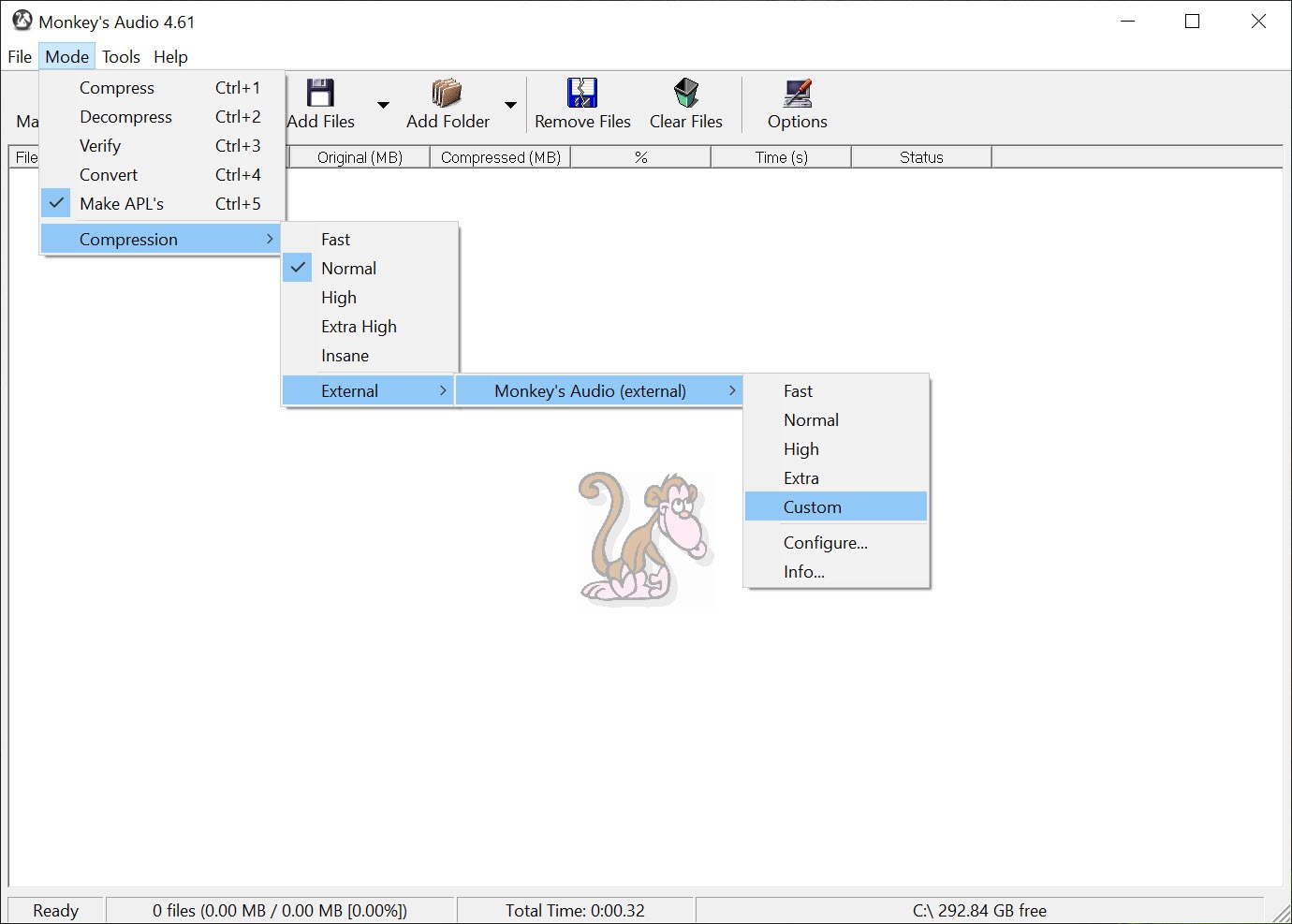
The compression levels available let you balance these trade-offs. Faster modes produce APE files closer in size to FLAC equivalents but with substantially better encode/decode speeds. Higher compression modes maximize space savings at the cost of substantially more computation.

Users typically settle on a level that fits their hardware capabilities and storage priorities.

Verification ensures encoded files actually match originals

A genuinely useful feature of the encoder is built-in verification that confirms encoded APE files decode back to exactly the original audio data. After encoding, the application can decode the result and compare against the original PCM data, ensuring the lossless property has been preserved without bit-level errors.

This matters more than it sounds like it does. Lossless compression that produces almost-but-not-quite identical output isn’t lossless at all; it’s a particularly inefficient lossy format. Verification provides certainty that what came out of the encoder actually matches what went in, with no silent corruption from buggy code or hardware errors during encoding.

For users archiving valuable audio collections, this verification is exactly what you want. The CPU cost of the verification step is real but reasonable, and the confidence it provides about archive integrity justifies the additional time during the encoding process.

Tag editing and metadata management

Beyond encoding and decoding, the application includes tag editing capabilities for managing the metadata embedded in APE files. Track titles, artist names, album information, genre, year, and various other categorization data can be edited through the integrated interface rather than requiring separate metadata tools.

The APE tag format is reasonably standardized within the lossless audio community, with most APE-aware players reading and respecting tags consistently. For libraries primarily managed in this format, having tag editing integrated with the encoder/decoder eliminates the friction of using separate applications for different aspects of file management.

For users who maintain their primary library in FLAC or another format and only occasionally work with APE files, the metadata handling is functional but not necessarily a primary draw. The real value comes for users who specifically prefer APE for their main archive and want unified management of files in that format.

Player support and the practical compatibility question

The honest comparison with FLAC requires acknowledging the compatibility difference. FLAC is supported essentially universally across modern audio players, hardware devices, software, and platforms. APE support is substantially narrower, with most major desktop players handling it but many portable devices, car audio systems, and various other playback environments either lacking native support or requiring specific configurations.

Foobar2000, Winamp, MPC-HC, and various other dedicated audio players support APE natively. Mainstream consumer playback software has more variable support, with some applications requiring plugin installation or third-party codecs to handle the format. Hardware compatibility is even more constrained, with many DAPs (Digital Audio Players) supporting FLAC but not APE.

For users whose audio playback happens primarily on a desktop computer with a capable player like foobar2000, the compatibility constraints don’t matter much. For users who need their audio library to work across various devices and applications, the broader compatibility of FLAC often makes it the more practical choice despite the slightly larger file sizes.

Compression theory and the technical foundations

For users curious about how the compression actually works, the underlying technique uses adaptive prediction combined with entropy coding, similar in approach to FLAC but with different specific parameters and modeling choices. The adaptive prediction observes the audio signal and builds a mathematical model that predicts future sample values based on previous ones, then encodes only the difference between predictions and actual values.

When predictions are accurate (which they usually are for typical audio), these difference values are small and can be encoded very efficiently. The entropy coding stage then represents these small values using fewer bits than would be needed for the original raw samples, producing the overall compression.

The mathematical sophistication of the prediction model directly affects compression efficiency, which is part of why APE achieves slightly better ratios than FLAC at the cost of more computation.

For most users, these technical details are invisible during normal use. The application handles all the mathematical complexity transparently, with users just choosing compression levels and letting the software do its work. Understanding the underlying approach helps users make informed decisions about format choice but isn’t required for actually using the software.

Considerations and limitations

The most significant practical limitation is compatibility. FLAC has won the lossless format competition in terms of mindshare and software support, with most modern audio ecosystems treating FLAC as the default choice. Choosing APE means accepting some compatibility friction in exchange for slightly better compression, which is the right trade for some users but not others.

The CPU cost during decoding can matter on older hardware or in scenarios where many simultaneous streams are being decoded. Modern desktop CPUs handle APE decoding without strain even at high compression levels, but battery-powered devices, embedded systems, and various other constrained environments may struggle.

Conversion to and from APE works reliably through the application or various third-party tools, but the conversion process itself takes time. Libraries already in FLAC that are being considered for APE migration require substantial encoding time across all the files, with the question of whether the resulting space savings justify the conversion effort being one each user has to answer for their specific situation.

Conclusion

Monkey’s Audio has earned its long-running place in the lossless audio ecosystem by delivering on a specific value proposition: slightly better compression than FLAC at the cost of higher computational demands and narrower compatibility.

For users whose priorities align with this trade-off, particularly those building extensive archive libraries on desktop systems with capable software support, the format remains a legitimate choice that has continued evolving across many years of development.

It’s not the right choice for most users. FLAC’s near-universal compatibility makes it the safer default for libraries that need to work across various playback environments, with the small compression difference rarely justifying the practical friction of less compatible alternatives.

But for the audience that specifically values compression efficiency, archives audio for long-term storage rather than active cross-device playback, or simply prefers the format for personal reasons, Monkey’s Audio continues to deliver what it always promised, with the kind of focused capability that has kept it relevant despite the broader consolidation around FLAC.

02 — Verdict

Pros & Cons

The good
  • True lossless compression preserves audio quality exactly across encode/decode cycles
  • Compression ratios typically 5-15% better than FLAC at maximum settings
  • Built-in verification ensures encoded files decode back to identical originals
  • Integrated tag editing for managing metadata within APE files
  • Free distribution with no premium tiers or commercial restrictions
  • Long active development history dating back to the late 1990s
  • Recent transition to permissive open-source licensing
  • Multiple compression levels balance file size against encoding/decoding speed
The not-so-good
  • Compatibility narrower than FLAC across players, devices, and platforms
  • Higher CPU demands during encoding and decoding compared to FLAC
  • Hardware portable devices often lack APE support that they have for FLAC
  • Conversion from existing FLAC libraries takes substantial time without dramatic benefit
  • Mainstream audio applications often require plugins for APE support
03 — FAQ

Frequently asked questions

This software is a lossless audio compression codec that produces .APE files from uncompressed audio sources. The compression preserves the original audio data exactly, allowing perfect reconstruction back to the original samples without any quality loss. The application includes encoding, decoding, verification, and tag editing functionality for working with APE files comprehensively.

Both formats are lossless and produce identical playback quality from the same source material. APE typically achieves 5-15% better compression ratios than FLAC, producing slightly smaller files. The trade-off is that APE requires more CPU power for both encoding and decoding, and has narrower software and hardware support compared to FLAC's near-universal compatibility.

Yes, APE is a true lossless format. Encoding audio into APE and then decoding back to PCM produces output that's bit-for-bit identical to the original input, with no quality loss whatsoever. The included verification feature confirms this property by automatically comparing decoded output against original input during encoding.

For most users, FLAC is the more practical choice due to broader compatibility across players, devices, and platforms. APE makes sense specifically when you're optimizing for storage space and your playback environment supports the format reliably. Users who play music exclusively through dedicated players like foobar2000 on desktop computers can use either format effectively; users who need cross-device compatibility benefit from FLAC's broader support.

Support varies. Dedicated audio players like foobar2000, Winamp, and MPC-HC support APE natively. Mainstream consumer applications often require plugins or codec packs to handle the format. Many portable audio devices and car audio systems lack APE support entirely while supporting FLAC. Verifying support in your specific playback environment matters before committing to APE for your library.

Yes, since APE is lossless, conversion to FLAC, ALAC, or any other lossless format produces identical audio quality regardless of which format you use. The application can decode APE files back to uncompressed PCM, which can then be encoded into any other format. Conversion to lossy formats like MP3 also works through the standard intermediate decoding step, with the lossy compression then applied to the recovered PCM data.

Specifications

Technical details

Latest version12.93
File nameMAC_1293_x64.exe
MD5 checksum1EF74751D81699D4D8EEFFF1AF43029B
File size 2.23 MB
LicenseFree
Supported OSWindows 11 / Windows 10 / Windows 8 / Windows 7
Author Matt Ashland
Alternatives

Similar software

Community

User reviews

guest
0 Comments
Oldest
Newest Most Voted
Inline Feedbacks
View all comments