

Active KillDisk
About Active KillDisk
Active KillDisk destroys the data on a drive so that nothing recovers it. Not the files, not the file system, not the traces in unused sectors. It overwrites every sector of a chosen disk or partition with a pattern from a list of two dozen published sanitisation standards, then verifies that the pattern landed and writes a certificate saying so. It can do that to several disks at once from a boot disk that never touches the operating system on them.
It also wipes only the empty space on a drive you are keeping, so that files already deleted cannot be brought back.
This is the category that Eraser occupies for individual files and free space, and that the bootable wipers occupy for whole machines. Active KillDisk covers both ends and adds what a business needs to prove it was done, a signed log, a certificate with your own logo and a report by email.
The edition without a licence does the whole-disk erase with one pass of zeros on one disk at a time, which is enough to defeat any recovery tool. The multi-pass standards, the parallel erasing and the certificates need the licence.
Erase or wipe, and the difference
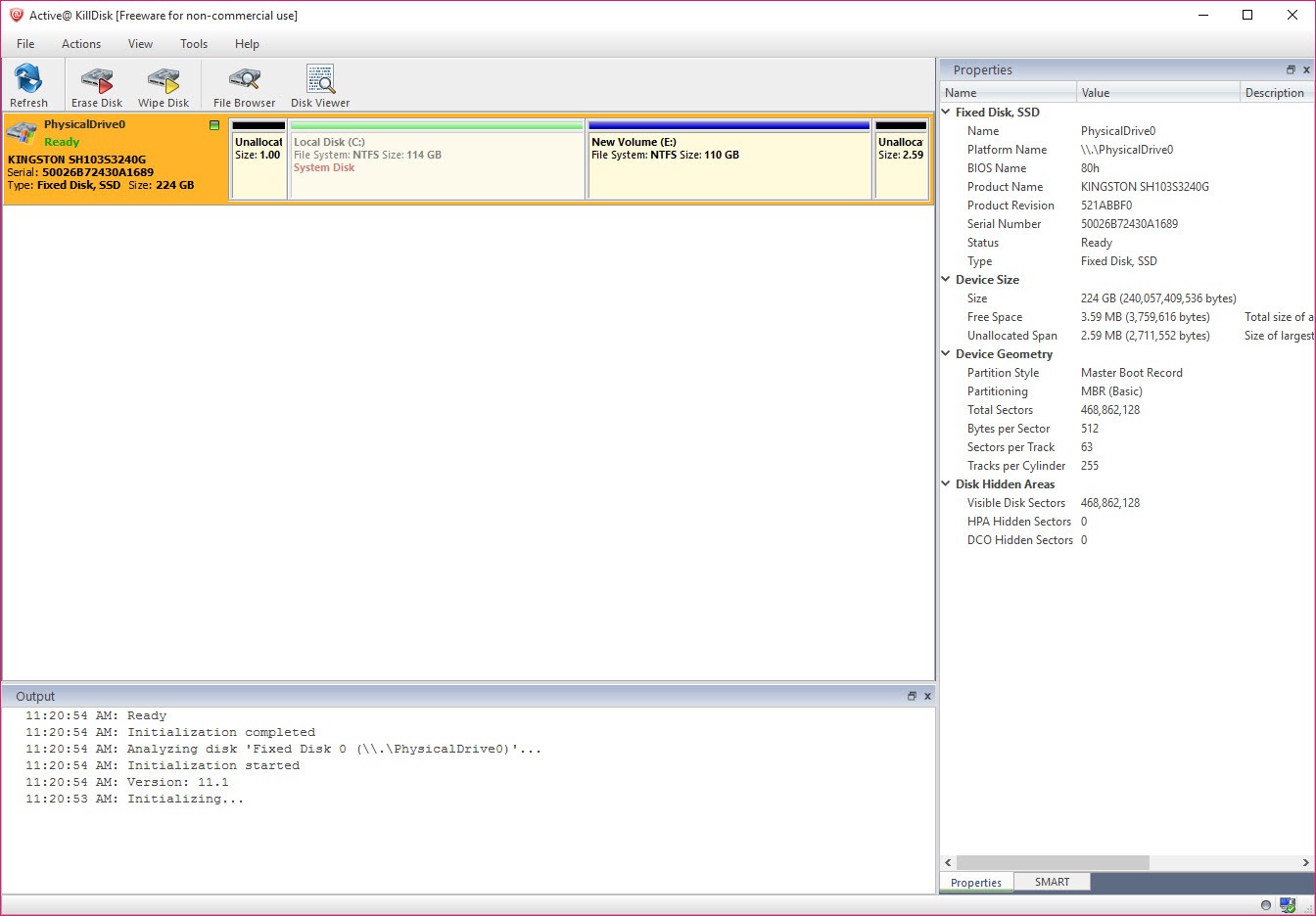
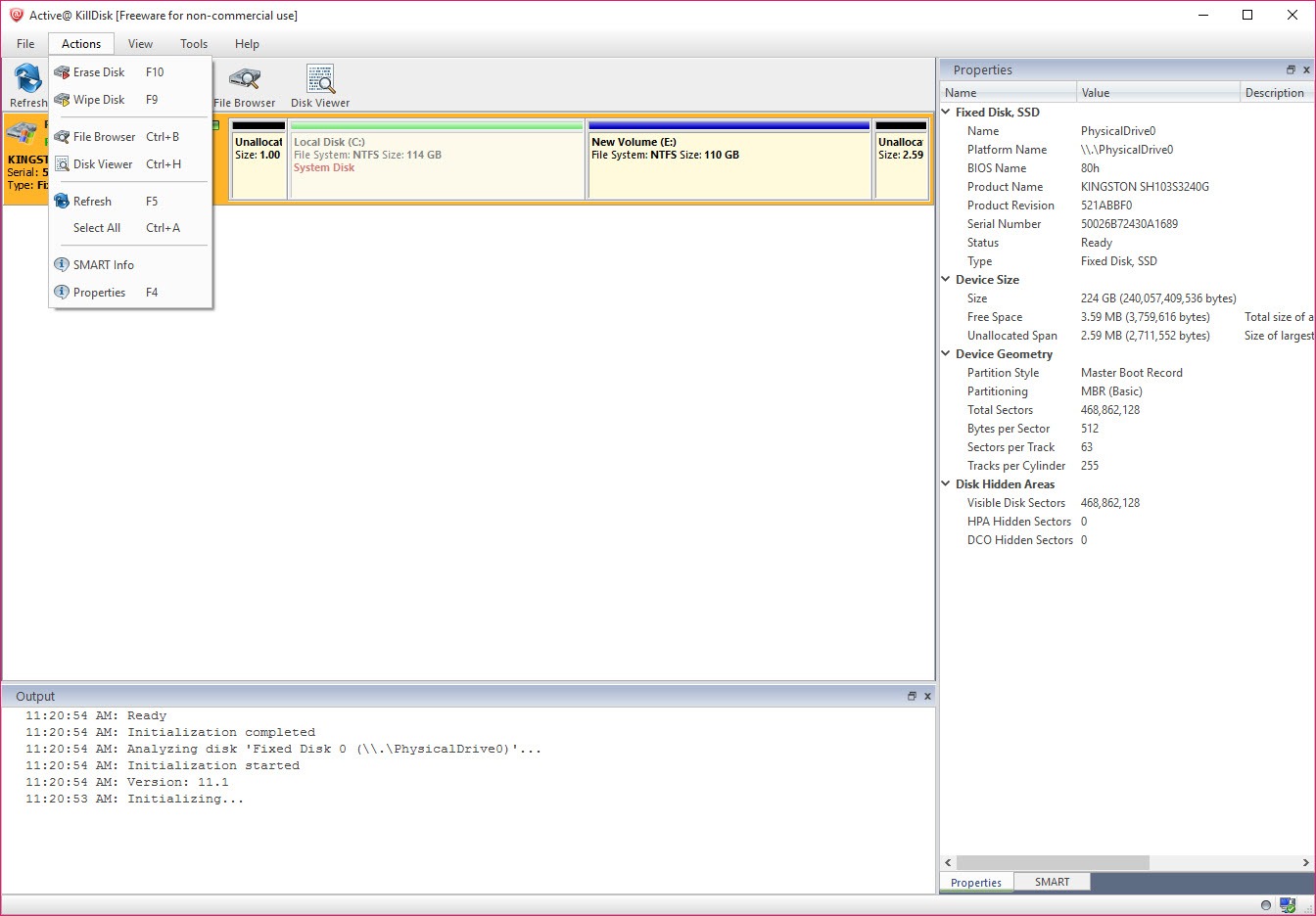
Two operations sit at the top. Erase Disk takes a physical disk or a partition and overwrites all of it, partition table included, leaving a blank drive. Wipe Disk takes a partition that still holds files you want and overwrites only the unused space, the slack at the ends of files and the file system records that name deleted files.
The visible data survives and the deleted data does not. The first is for a drive leaving the building. The second is for a drive staying in service.
Both show every attached disk with its model and size, serial number and health. Both make you confirm twice before anything is written, once with a checkbox and once by typing a word. Active KillDisk treats the moment before the erase as the dangerous one, which it is, and the interface slows you down there on purpose.
Twenty-four standards and a custom pattern
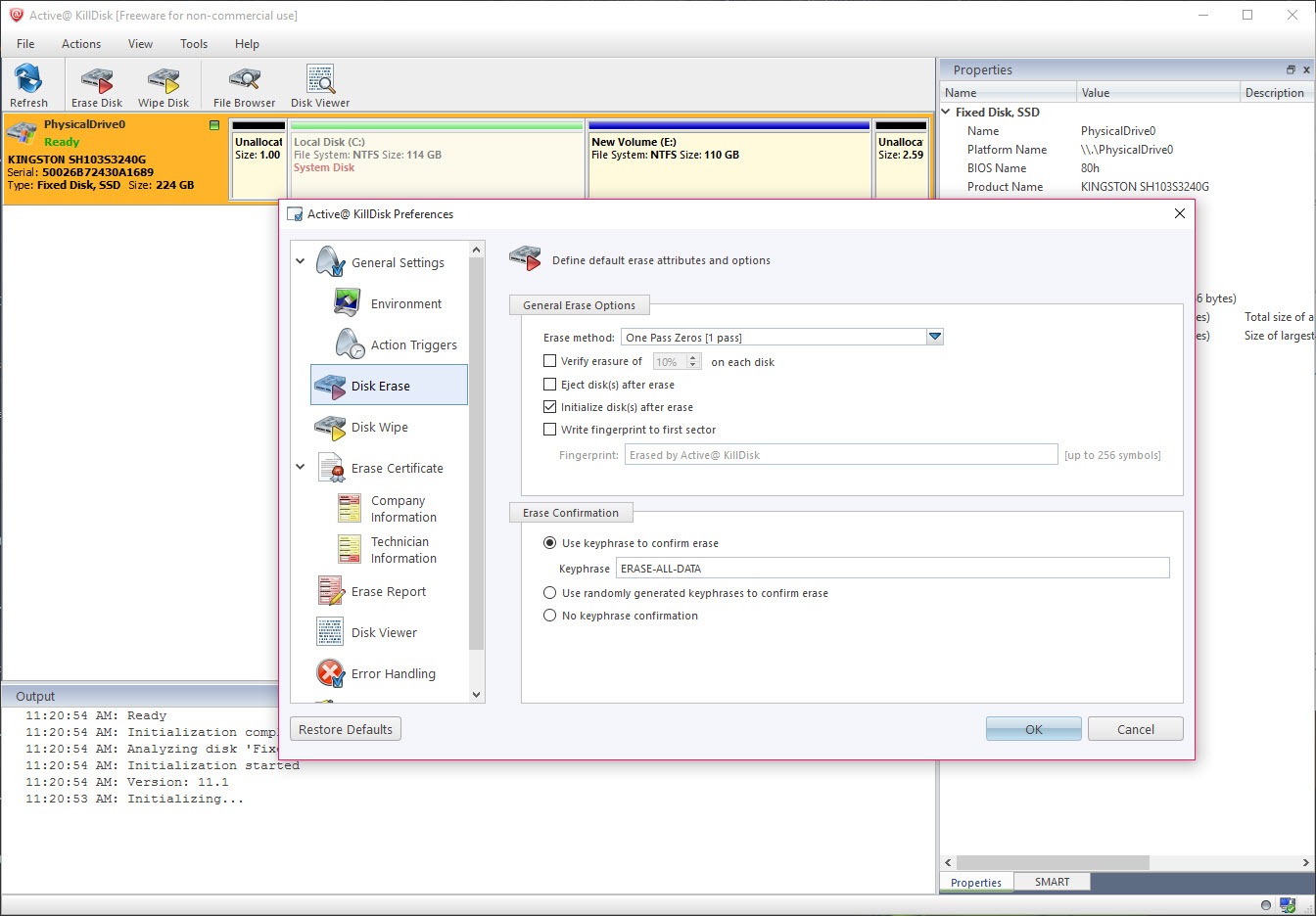
The Active KillDisk method list runs through the standards that agencies and industries have published. It starts at a single pass of zeros, moves through the three-pass US Department of Defense method and the seven-pass variants, and ends at the thirty-five-pass Gutmann sequence.
A user-defined method lets you set the number of passes and the pattern for each, in hexadecimal if you like. Verification reads back a percentage of the disk you choose after the last pass and reports any sector that did not take the pattern.
The maker’s own guidance is that three passes are enough and that the thirty-five-pass method is a historical artefact from a different kind of drive, and the guidance is right. The single zero pass in the unlicensed edition defeats software recovery on any modern drive.
The longer methods exist because policies require them, not because the bits need them, and the program does not pretend otherwise.
Solid state drives and the hidden zones
Overwriting a solid state drive works, but the drive’s controller may hold copies of data in spare blocks the overwrite never reaches. The answer is the Secure Erase command built into the drive’s firmware.
The console boot disk can issue it and the desktop application cannot, since the operating system blocks it. The manual carries a warning in capitals that an interrupted Secure Erase can destroy the drive. It recommends the multi-pass overwrite instead for anything you intend to keep using. NVMe drives are not covered by that command here at all.
Hidden zones are the other trap. Some drives carry a host protected area or a reduced capacity setting that hides sectors from the operating system. A normal erase never sees them. Active KillDisk detects both and can reset them before the erase, so the whole drive is overwritten rather than the part the system was allowed to see.
Boot disks and parallel erasing
The system drive cannot erase itself while running. The Active KillDisk bootable media builder writes a stick or a disc that starts the machine into the eraser without the installed operating system. It comes in a graphical environment or a compact console version, both supporting secure boot on 64-bit firmware. From there every disk in the machine is a target, including the one that held the system. The console version scripts in batch mode for a technician wiping a pallet of machines.
Parallel erasing runs several disks at once, each with its own progress and its own certificate, limited by the bus rather than the program. A resume option picks up an erase that was interrupted by a power failure rather than starting over.
A fingerprint written to the first sector records the date and method. A drive pulled from a drawer a year later announces at boot that it was sanitised and how.
Certificates, logs and the disk viewer
Every erase in Active KillDisk produces a log and, with a licence, a PDF certificate. It lists the disk’s identity, the method, the passes, the verification result and the time, with your own logo and comments if wanted.
Results export as XML and can be emailed from the program, and sticky labels for the drive can be printed. For anyone disposing of equipment under a data protection policy, the certificate is the point of paying, since it is what the auditor asks for.
A disk viewer opens any drive or partition in hexadecimal and, for supported file systems, browses the folder tree including deleted entries. That is how you confirm before the erase that the disk is the right one and after the erase that nothing is left.
The health page reads the drive’s self-monitoring attributes so a failing disk is spotted before an erase is attempted on it.
Conclusion
Active KillDisk is for the technician disposing of drives who needs a certificate and the small business meeting a data policy. It is also for the individual selling a laptop who wants the old drive truly blank. The boot disk, the hidden zone reset and the verification pass make it thorough, and the certificates make it provable.
The unlicensed edition erases one drive properly and stops there, which is all a home user needs. Anyone erasing in volume or to a standard will want the parallel mode and the paperwork. They should read the warning about Secure Erase twice before touching it.
Pros & Cons
- Whole-disk erase and free-space wipe from one program
- Twenty-four sanitisation standards plus a user-defined pattern with verification
- Bootable media erases the system drive and any other disk in the machine
- Detects and resets hidden protected areas so the entire drive is overwritten
- Parallel erasing with a certificate and log per disk
- Resume after interruption and a fingerprint in the first sector
- Unlicensed edition is limited to one zero pass on one disk at a time
- Secure Erase for solid state drives only from the console boot disk, with a real risk if interrupted
- No firmware erase for NVMe drives
- Certificates and email reports need the licence
Frequently asked questions
Yes for software recovery on any modern drive. The multi-pass methods exist to satisfy policies that require them. The maker's own guidance says three passes cover every practical case.
Not from the desktop. Build the bootable media, start the machine from it, and every disk including the system drive becomes a target.
Use a multi-pass overwrite from the desktop or the boot disk, which works and leaves the drive usable. The firmware Secure Erase is available only from the console boot disk and can destroy the drive if interrupted, so use it only on a drive you can afford to lose.
Yes. Wipe Disk overwrites the unused space and the file system records of deleted files on a partition while leaving the existing files untouched.


