

Video Cutter Joiner
About Video Cutter Joiner
Most video editing isn’t editing at all. It’s cutting the boring minute off the front of a clip, saving the one good segment from a long recording, or gluing three phone videos into a single file for the family chat.
Video Cutter Joiner exists for exactly that layer of the job, two purpose-built tools in one small program, a cutter that extracts the piece you want and a joiner that merges clips into one file, with a direct mode that finishes in seconds because it never re-encodes the video at all.
That last detail is the one worth understanding before anything else, because it’s the difference between this category and real editors. Skipping the re-encode means no quality loss and no long export, the output is the same pictures the input had, minus the parts you cut. For the daily trim-and-share errand, that trade wins outright.
Cutting, with a slider and a decision
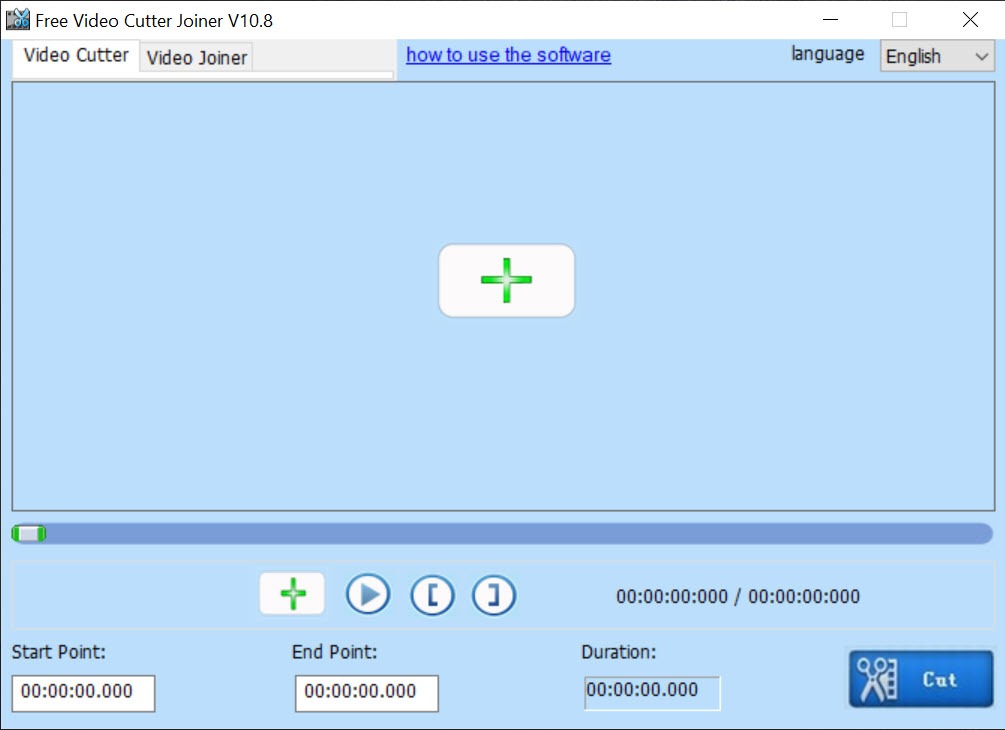
The cutter works the way intuition expects. Load a clip, play it in the preview, drag the start and end markers around the segment you want, and save. The decision is the mode. Direct cutting copies the chosen span untouched, nearly instantaneous even on big files, with one physical limitation, cuts snap to the nearest keyframe, the periodic anchor points video compression builds on, so the edit may land a moment away from your exact frame.
Re-encode mode trades time for precision, hitting the exact frame at the cost of a conversion pass.
The honest guidance is simple. Trimming dead air, splitting a long recording, clipping a highlight, use direct mode and accept the keyframe’s small say in the matter. Cutting to a beat or a punchline where the exact frame matters, pay the re-encode. Knowing which job is which is the whole skill this program asks of you.
Joining, and the same-format rule
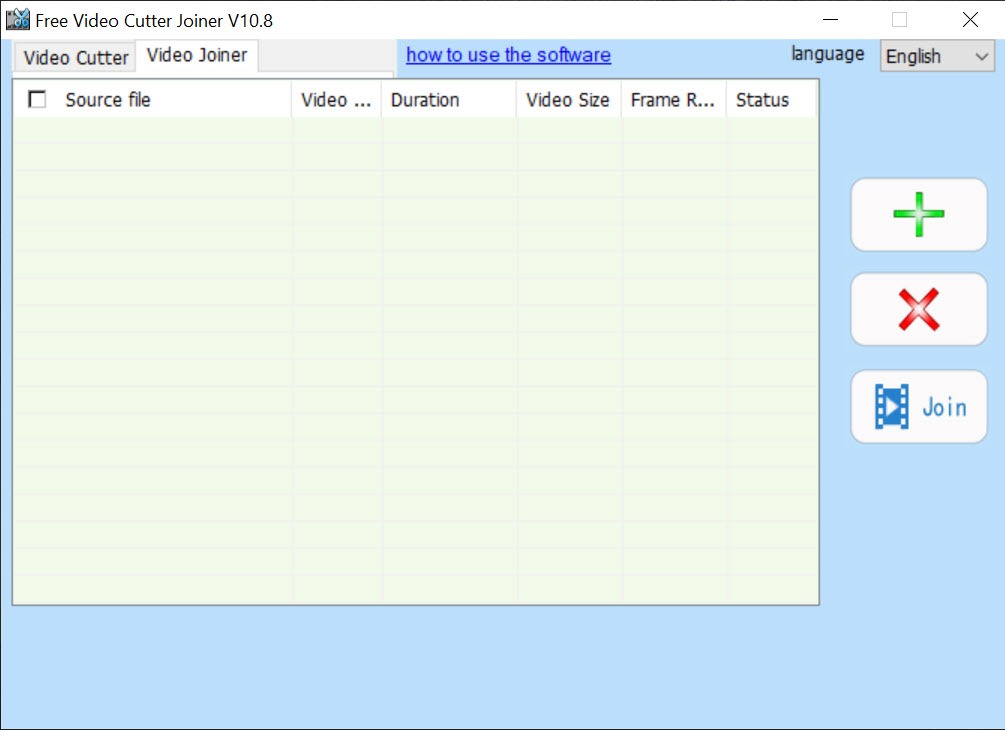
The joiner half of Video Cutter Joiner lines up multiple clips in order and outputs one continuous file, the phone-video anthology, the split download reunited, the dashcam segments made whole.
Direct joining carries the same physics as direct cutting, it works cleanly when the pieces share format and encoding, which files from the same camera or the same source practically always do. Mixed sources, a phone clip plus a screen recording plus a downloaded video, need converting to a common format first, either through this program’s encode mode or beforehand.
That rule surprises first-timers and it isn’t this tool’s invention, it’s how video containers work, and every fast joiner on earth obeys it. Files from one device merge in moments. A format zoo takes the longer road.
The honest fine print
Three things belong in any truthful writeup. First, the installer deserves attention, offers for extra software have historically ridden along, all declinable, so read each screen instead of racing the Next button. Second, the interface is plainly dated, functional sliders and buttons from another design era, which changes nothing about the results.
Third, one segment per pass is the cutter’s rhythm, and carving many pieces from one long file means repeating the cycle, where a keyframe-savvy modern tool like LosslessCut handles multi-segment extraction in a single session and has become the enthusiast’s default in this niche.
The upgrade path beyond the niche is equally clear. When the job grows filters, transitions, or precise multi-track assembly, it stopped being a cutting job, and an approachable full editor like VideoPad is the reasonable next room.
For the tinkerer’s middle ground, re-encoding with filters and format control, Avidemux has covered that territory for ages.
Who this actually serves
The audience is the person with a recurring small job. Trimming lecture recordings before uploading. Saving highlights from gameplay captures. Joining a camera’s automatically split files back into one movie.
Cutting the usable statement out of an hour-long meeting recording. None of these need an editor, all of them need speed, and a tool that opens fast, cuts without re-encoding, and never shows you a timeline with forty features is precisely proportioned to the work.
Within that proportion, it behaves. Big files open without drama, direct operations finish in the time a progress bar barely earns, and the two-tab design means the learning curve is a single session long.
Conclusion
Video Cutter Joiner earns its keep with the unglamorous majority of video work. Students trimming lectures, players clipping highlights, families merging trip footage, and anyone whose recordings arrive longer than they should be all fit the size of it. Direct-mode speed and the absence of complexity are the product, and for these jobs they’re exactly enough.
Watch the installer, respect the keyframe, and know when a job has outgrown a cutter. Inside those lines, this little tool does in seconds what people routinely open hundred-feature editors to do badly.
Pros & Cons
- Direct mode cuts and joins with zero quality loss and near-instant saves
- Two-tab design covers trimming and merging with no learning curve
- Re-encode mode available when frame-exact cuts matter
- Handles the common formats from phones, cameras, and downloads
- Small, fast program proportioned to small, fast jobs
- Direct cuts snap to keyframes rather than exact frames
- Joining mixed formats requires conversion first
- One segment per pass makes multi-segment work repetitive
- Installer offers bundled extras that must be declined
Frequently asked questions
Direct mode cuts land on the nearest keyframe, the anchor points inside compressed video, which can shift the cut a moment from your marker. Re-encode mode hits the exact frame at the cost of processing time.
Not in direct mode, which copies the video untouched. Only the re-encode mode processes the picture, and it exists for the cases where frame precision or format change is required.
Direct joining requires the clips to share the same format and encoding. Files from the same camera join immediately, while mixed sources need converting to a common format first.
One segment per pass. Extracting multiple pieces means repeating the cut, and heavy multi-segment work is where dedicated keyframe editors serve better.
Yes, direct operations avoid re-encoding entirely, so even long, heavy recordings cut and join in a fraction of the time a conversion would take.


