

System Ninja
About System Ninja
System Ninja is a junk cleaner with a different scanning idea. Most cleaners keep a list of folders where junk lives and empty them. This one runs two engines. The first walks the whole drive looking for files that fit the pattern of junk, by extension, by age and by location.
The second visits the known locations the way the others do. The result is a longer scan and a bigger pile, including the temporary files that programs drop in odd places. Around the scanner sit a startup manager with advice on each entry, a process manager and an uninstaller. A hardware and software report and a set of plugins that add tools you choose complete it.
That places it beside CCleaner with two differences that decide the choice. System Ninja carries no advertising and no prompts to upgrade in its standard edition. Its cleaning rules update themselves in the background rather than waiting for a new release.
The trade is a plainer interface, a slower scan and a plugin system that takes a little reading to use. For the person who left the big cleaner over its adverts, both trades are welcome.
Two engines and what they find
The Junk Scanner starts with the heuristic pass. It walks the file system and flags files whose extension and age and location fit junk. Temporary files wherever they were left, thumbnail caches, the hidden icon files another platform scatters into shared folders, old logs and crash dumps. Then the rule-based pass runs, checking more than thirty browsers for cookies and history and caches, and the applications the rules know for their own leftovers.
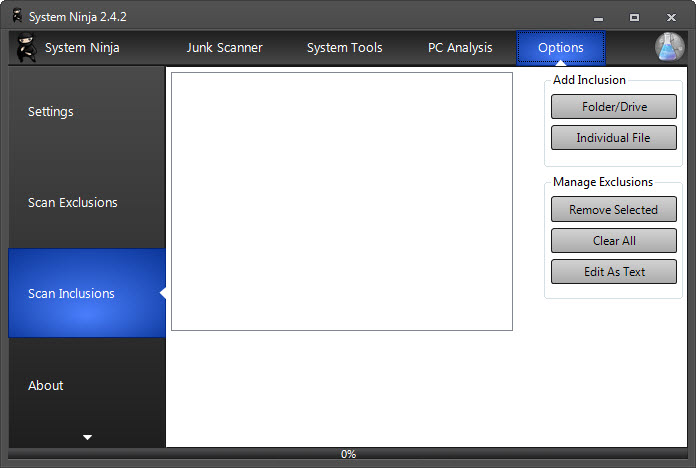
The results appear as a list with size and location, and every entry can be unticked before the delete. That matters more here than in a list-based cleaner, because the heuristic pass occasionally flags a file you want. A game’s cache and a program’s log folder are the usual cases, and an exclusion list keeps them out of future scans.
Files in use refuse to delete and are reported rather than forced. A scan straight after boot clears more than one in the middle of a session.
Rules from the cloud and the plugin system
The System Ninja cleaning rules live in a text format the program reads at runtime. New rules download in the background as the maker adds them, after passing checks that stop a rule from deleting where it should not. That means a cleaner that knows about a new browser’s cache without a new version of the program. It also means anyone who reads the documentation can write a rule for a program the maker has not covered.
Plugins extend the tool set. A duplicate file finder, a services manager, a file renamer and a registry cleaner are separate downloads dropped into a folder, along with a file analyser that reports hashes and details for any file. The program carries only the tools you asked for. Installing them is a folder copy rather than a button, which is the step that puts beginners off. The registry cleaner among them is the one to leave out for the usual reason.
Cleaning the registry has never made a machine faster and occasionally breaks one.
Startup manager with advice attached
The System Ninja Startup Manager lists what runs at sign-in, including scheduled tasks and the run-once entries most tools skip, and it does the thing the built-in list does not. A database of several hundred common startup entries attaches a description and a recommendation to each. The row for an updater or a helper says what it is and whether it can go. Entries are disabled rather than deleted, and re-enabled from the same list.
For the entries the database has never met, a startup viewer that shows every autostart location goes further.
Process manager and uninstaller
The Process Manager shows running programs with memory use and a kill button, a fraction of what a dedicated process viewer offers, and the uninstaller runs a program’s own remover from a list with sizes and dates. Neither is deep. The process view has none of the detail of a dedicated process viewer, and the uninstaller does not sweep for leftovers.
They are conveniences in the same window as the cleaner, and a real leftover sweep needs a dedicated uninstaller.
The PC Analysis report
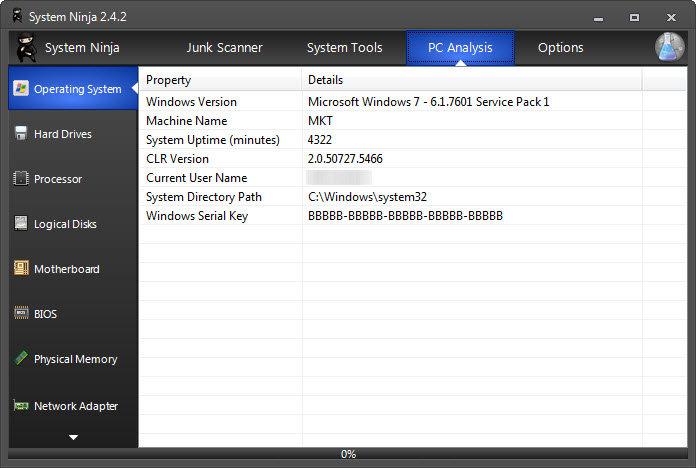
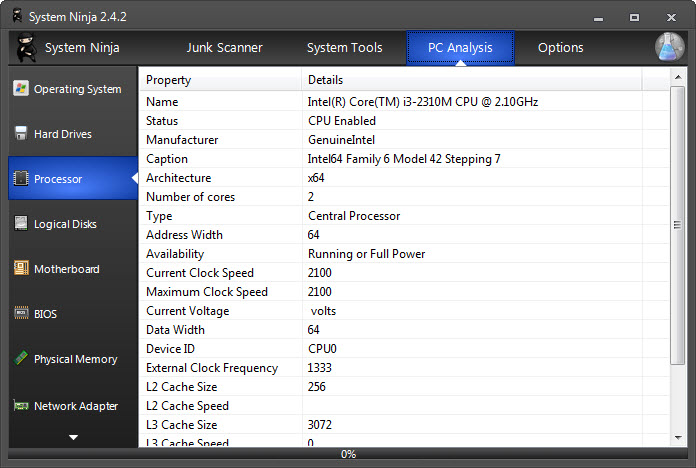
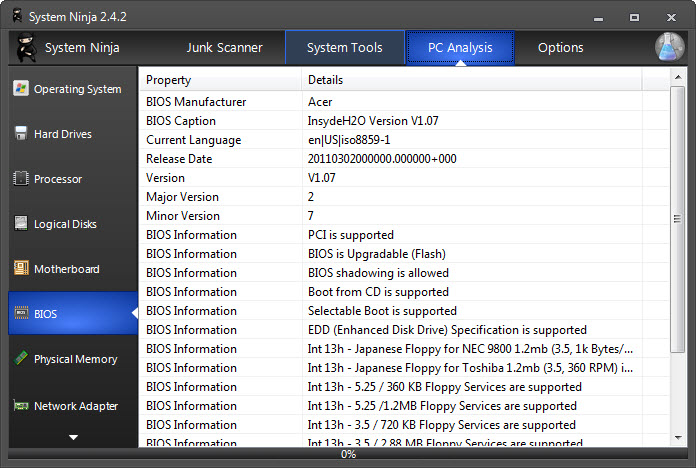
System Ninja PC Analysis reads the hardware and the installed software into a report. Processor, memory, drives, graphics and network adapters appear alongside the program list with versions. It exports to a file, which is how a technician gets the picture of a machine before a remote session.
It is a summary rather than the exhaustive sensor readout of a dedicated hardware tool, and for that purpose the summary is the right size.
What the Pro membership adds
System Ninja runs without a licence with every feature above. The Pro edition, sold as a membership across the maker’s tools, adds a one-click optimisation that runs the scanner and the startup review together.
It also adds automatic updates of the program itself and custom branding for technicians who hand the tool to customers. The portable edition, which runs from a folder without installing, belongs to Pro as well. That is the one gate that catches people who wanted the cleaner on a stick.
Nothing in the standard edition nags for the upgrade. Pair it with Revo Uninstaller for the leftover sweep this program’s own uninstaller skips, and the two cover most of a maintenance afternoon. The stated position is that the standard edition is the product and Pro is for people who want to support it or need the branding. The program behaves accordingly.
Conclusion
System Ninja is for the person who wants a junk cleaner that finds more than the folder-list tools and carries no advertising. It adds only the tools they ask for through plugins. Technicians who reach for the PC Analysis report and the startup database get a second reason to keep it.
People who want the fastest possible scan, a polished interface or a portable cleaner without a membership have other choices. This one trades a slower, more thorough pass and a plain window for a cleaner that is quiet about itself. That trade suits a lot of people.
Pros & Cons
- Heuristic scan finds junk in odd locations that list-based cleaners miss
- Cleaning rules update in the background without a new release
- No advertising, bundled offers or upgrade prompts in the standard edition
- Startup manager with a database describing several hundred common entries
- Plugins add a duplicate finder, services manager and file analyser on demand
- PC Analysis report exports hardware and software details to a file
- Scan is slower than list-based cleaners
- Heuristic pass occasionally flags files worth keeping, so review before deleting
- Plugins install by copying to a folder rather than from a button
- Portable edition belongs to the Pro membership
- Process manager and uninstaller are shallow
Frequently asked questions
The heuristic pass walks the whole drive looking for junk by pattern rather than visiting a fixed list of folders. The extra time is what finds the temporary files in unexpected places.
The heuristic scan judges by extension and age and location, and sometimes catches a game cache or a program's log folder. Untick it before deleting and add the folder to the exclusion list so it is skipped next time.
Download the plugin and copy it into the program's plugins folder, then restart. The tool appears in the Tools tab. Each plugin is separate, so only the ones you copy are present.
The portable edition is part of the Pro membership. The standard edition installs in the ordinary way.


