

StartIsBack++
About StartIsBack++
The start menu has been redesigned repeatedly, and each redesign leaves people who had learned the previous one hunting for things that used to be one click away. StartIsBack++ puts the older arrangement back, along with the taskbar behaviour and context menus that went with it.
StartIsBack++ is not a separate window pretending to be a start menu. It replaces the real one, appears in the same place, opens with the same key and behaves as though the system had shipped that way.
That integration is what people pay for, and it is also the source of the one serious problem this software has.
It works from inside the file manager
Understanding the StartIsBack++ mechanism explains both the quality of the result and everything that goes wrong.
Tools of this kind divide into two approaches. Some run their own window and put their own button on the taskbar, which is safe and always looks slightly bolted on. This one loads into the process that draws the desktop and taskbar, and modifies that process from within.
The advantage is that nothing looks added. The menu is the menu, the taskbar is the taskbar, the search field is where it belongs, and there is no second start button to explain to anybody.
The cost is dependency. Because it lives inside the process that draws your entire desktop, anything that changes that process can affect it, and system updates change that process regularly.
For the approach that runs alongside rather than inside, a free menu replacement using a less invasive method has a long history behind it.
The blank desktop, and the fix regulars share
Here is the StartIsBack++ failure people hit, described exactly as it appears, because the symptom looks catastrophic and is not.
A system update lands, the machine restarts, and instead of a desktop there is a black screen. No taskbar, no icons, nothing. The machine is running normally underneath, and keyboard shortcuts still work, but nothing is drawn.
The cause is that the desktop process now crashes on startup with this software loaded, because the update changed something the software was reaching into. Reports confirm the diagnosis directly, noting that the process starts normally once the software’s library files are renamed.
That is the workaround regulars pass to newcomers. Reach the files by whatever route the machine still allows, rename them so they cannot load, and the desktop comes back. Then install the version released to match the new system build.
The inconsistency is the confusing part. The same update breaks it on some machines and not others, which means somebody reading that an update is dangerous may apply it without trouble while their colleague loses their desktop.
The platform maker will not help with this
Being direct about the structural StartIsBack++ position, because it decides how much risk you are accepting.
The methods this software uses are officially unsupported. The platform’s position has been stated plainly, which is that unsupported techniques do not have to be accommodated when the system is updated.
When breakages have happened, the published guidance has been to uninstall third-party interface customisation software before installing the update, and to contact the software’s own maker about any problems. On at least one occasion an investigation was opened and then quietly left to the affected projects to resolve, which they did.
That is not unreasonable from either side, and it is the arrangement you are entering. The software works because it reaches into something it was never invited into, and nobody upstream owes it compatibility.
The practical response is a habit rather than a worry. Disable or remove it before a major system update, install the update, then reinstall the matching version. That converts an emergency into a five minute chore.
One at a time, not two
A conflict to settle before assembling a customised desktop from several tools.
Running two of these customisers together produces unpredictable results, with one overriding the other’s work. Reports describe a taskbar reverting to the system default because a second tool was also loaded, with the problem disappearing when one was disabled.
The reason is obvious once stated. Both are modifying the same process in similar ways, and neither knows the other exists.
So pick one and configure it fully rather than combining two for their respective strengths. ExplorerPatcher covers overlapping ground and is the one people most often try alongside this, which is precisely the combination to avoid.
What it actually restores
The StartIsBack++ scope goes beyond the menu, and the taskbar work is arguably the more valuable half.
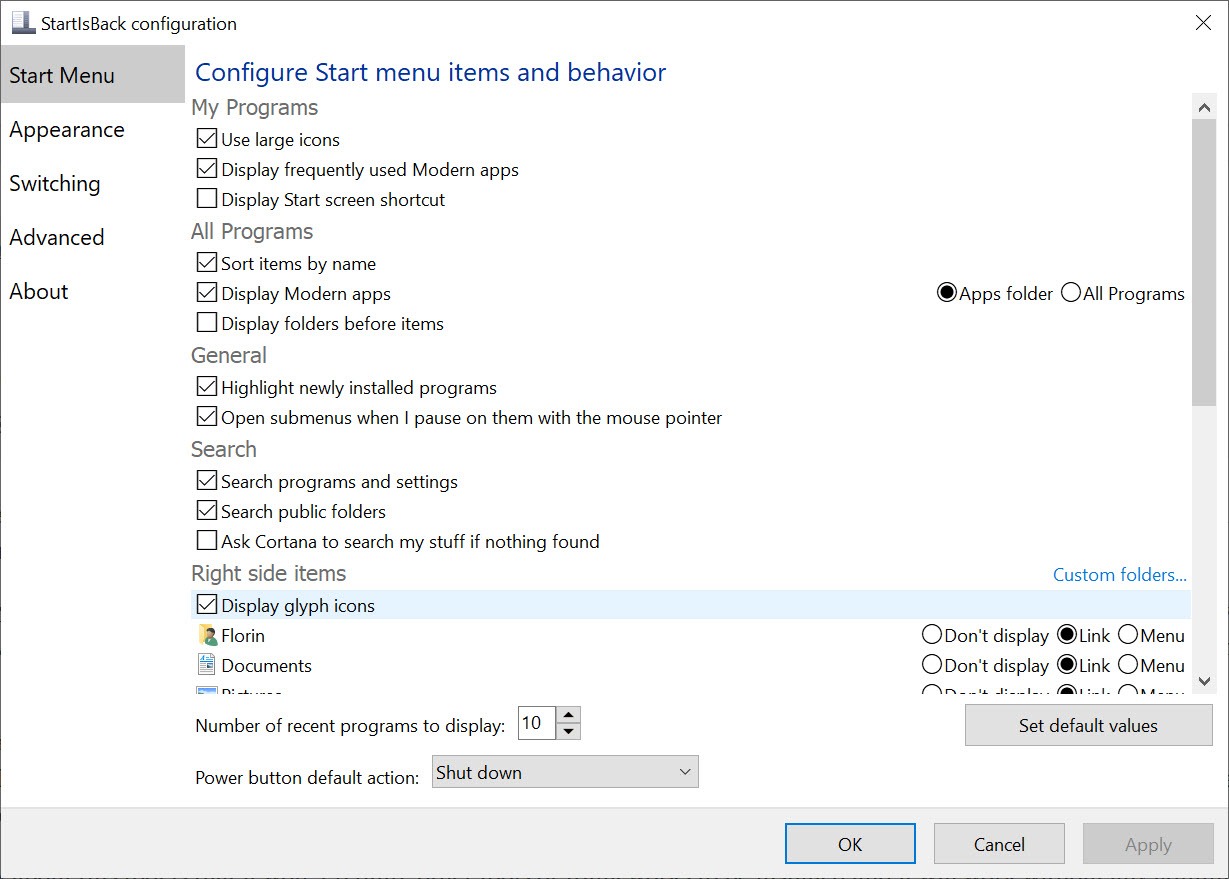
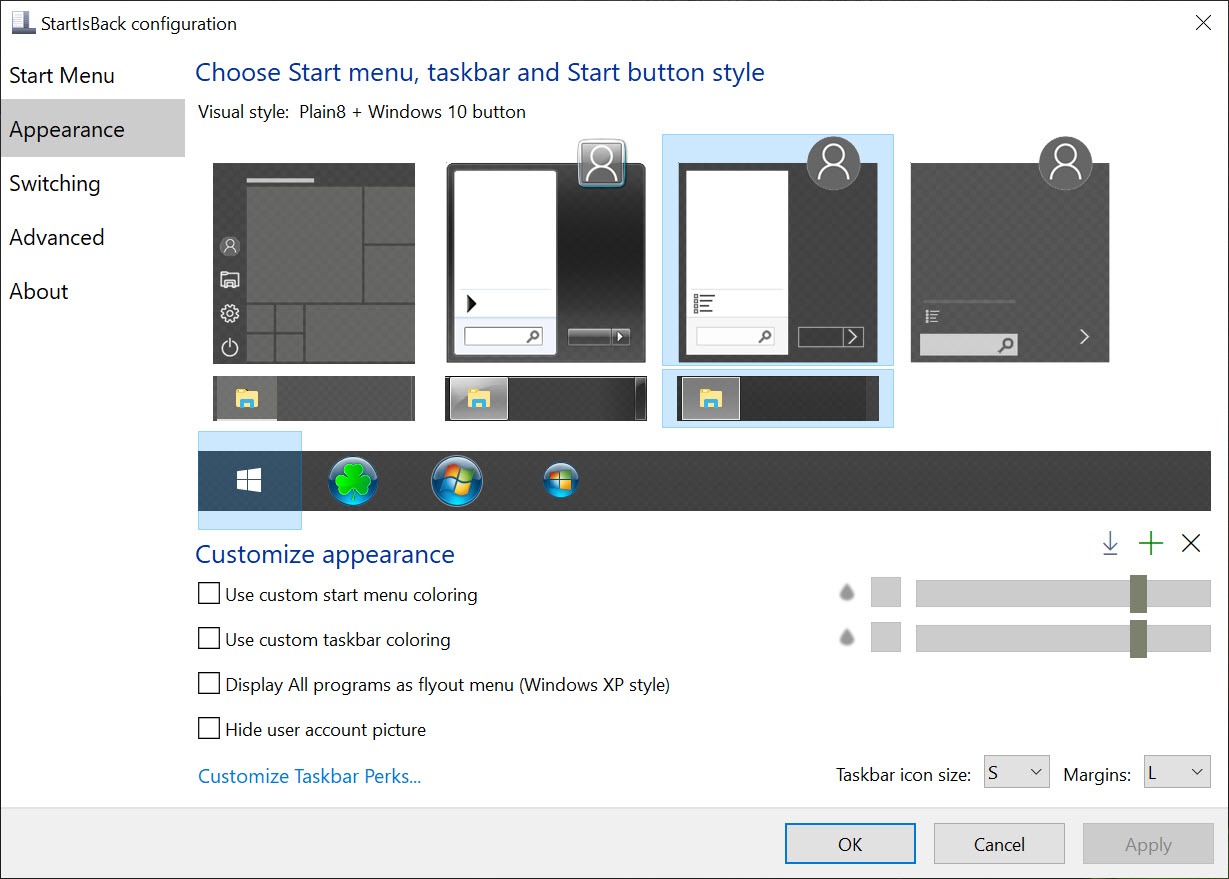
The StartIsBack++ menu returns to a two-column arrangement with programs, a search field, and the system folders down the side, all configurable in terms of what appears and in what order.
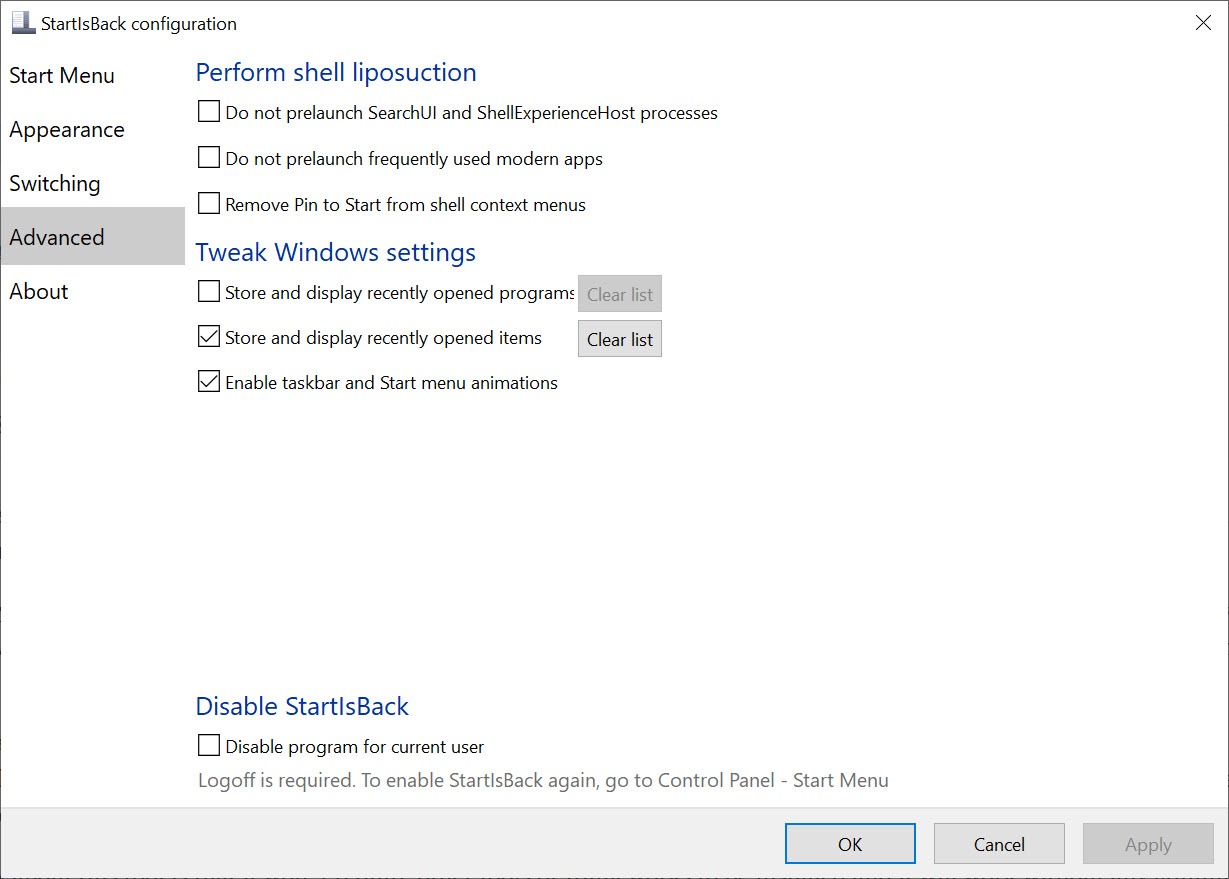
The taskbar regains behaviour that was removed, meaning ungrouped buttons, labels next to icons, a smaller height, and the ability to move it to another edge of the screen. Anybody who worked with labelled taskbar buttons for twenty years and then lost them will recognise why this matters more than the menu.
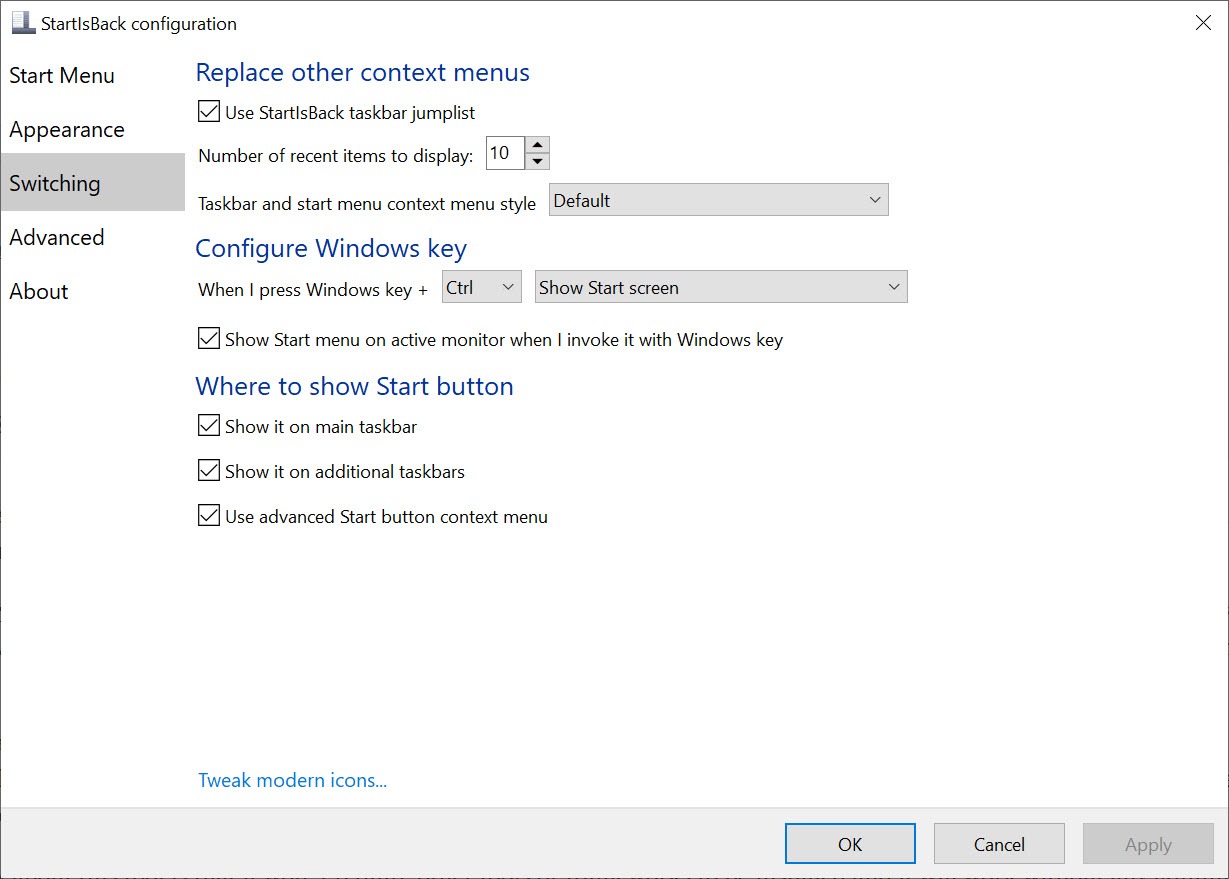
Context menus return to the full versions rather than the shortened ones with a link to see the rest, which removes an extra click from an operation people perform hundreds of times a day.
Paid, in a category with free alternatives
Being fair about the StartIsBack++ value question, since this is the decision.
The free alternatives are capable and the comparison is properly close. A description from the rival camp itself puts the difference fairly, noting that the paid option is proprietary and closed with support behind it, while the free one is open and provided as it is, with support offered as best anybody can manage.
That is the trade in one sentence. Paying buys somebody whose job it is to release a compatible version when an update breaks things, which given the failure described above is not a trivial thing to be buying.
The counter-argument is equally real. A single maintainer is a single point of failure, and free projects with several contributors have sometimes shipped their fix first.
For the classic menu at its simplest, without touching the taskbar at all, a single small program that adds nothing else covers just that.
Where the older tools stand
The category around StartIsBack++ has history, and knowing it prevents installing the wrong thing.
Classic Shell was the standard for years and was discontinued, with its code continuing under a new name by other hands. Anybody who remembers the original name will find it, and the continuation is the maintained one.
That matters here because a discontinued customiser is worse than no customiser. The mechanism these tools use requires updates matched to system builds, so an abandoned one is a blank desktop waiting for the next update.
Conclusion
StartIsBack++ produces the most convincing result in its category, because it replaces the system’s own interface elements rather than adding its own beside them. The taskbar work in particular, restoring labels, ungrouping and free placement, addresses losses that the menu discussion tends to overshadow.
Accept the arrangement it depends on. This software reaches into the process that draws your desktop, those methods are unsupported, and the platform maker has said clearly that it will not work around them. Remove it before major updates and reinstall afterwards, keep it as the only customiser on the machine, and the black screen everybody warns about becomes something that happens to other people.
Pros & Cons
- Replaces the real menu rather than adding a second one, so nothing looks bolted on
- Restores taskbar behaviour, including labels, ungrouping and moving it to another edge
- Full context menus instead of shortened ones with an extra click
- Paid support means somebody is responsible for a compatible release after an update
- Configurable in detail, from what appears in the menu to the taskbar's height
- Light, since it loads into an existing process rather than running its own
- Lives inside the process that draws the desktop, so updates can produce a blank screen
- The methods are unsupported, and the platform maker declines to accommodate them
- Breakage is inconsistent, so an update dangerous for others may be fine for you
- Cannot be combined with similar tools, which override each other
- A single maintainer is a single point of failure for compatibility releases
- Paid, in a category where the free alternatives are properly close
Frequently asked questions
Because the process that draws the desktop now crashes with the software loaded, after an update changed something it reaches into. Renaming the software's library files lets the desktop start again, and installing the version matched to the new build is the proper fix.
Yes, and this is the habit that avoids the whole problem. Disable or uninstall it, install the update, then reinstall the matching version. The published guidance from the platform side says the same thing.
No. The techniques involved are officially unsupported, the stated position is that they need not be accommodated, and past breakages were left to the software's own maker to resolve.
No. Both modify the same process without knowing about each other, so one overrides the other unpredictably. Pick one and configure it properly.
Because paying buys a maintainer responsible for shipping a compatible version when an update breaks things, which in this category is the thing most likely to matter. The counter-argument is that one maintainer is also a single point of failure.


