

Speedify
About Speedify
Every other VPN treats your internet connection as a given. Speedify treats it as raw material. Its defining trick is channel bonding, combining Wi-Fi, wired Ethernet, and a tethered phone’s mobile data into one aggregated connection, so your traffic rides all of them at once.
The encrypted tunnel is still there, the IP still changes, but the reason people install this particular VPN is throughput and stability, not anonymity.
Understand the premise correctly and the product makes perfect sense. One internet connection cannot be made faster by any software, ever. Two or three connections, though, can be merged, and their combined bandwidth truly adds up, with the bonus that when one of them hiccups, the others carry on without your call, stream, or upload noticing.
That second property, failure that goes unnoticed, turns out to matter even more than the speed.
Bonding, and what actually adds up
The mechanics deserve plain numbers. A modest home connection plus a phone’s mobile data, bonded, uploads at roughly the sum of the two, minus a small overhead tax for the tunnel’s bookkeeping. For downloads and big transfers the arithmetic is straightforward addition. For a single video call, the win is different, since a call doesn’t need combined speed so much as it needs the guarantee that a Wi-Fi stumble won’t drop it, and bonding provides exactly that by rebalancing traffic across the surviving links in under a second.
The everyday scenarios write themselves. The rural connection too slow on its own gets meaningful help from a phone on the desk. The apartment Wi-Fi that dies for thirty seconds whenever the microwave runs stops mattering.
The work presentation survives the router reboot. None of this is magic, it’s redundancy engineering borrowed from serious networking and packaged behind one connect button.
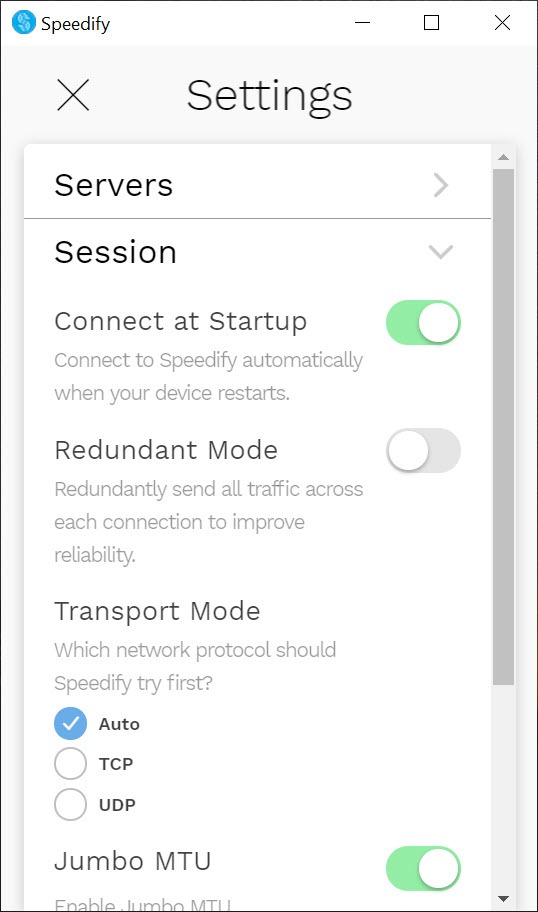
Redundant mode, the livestreamer’s insurance policy
For real-time broadcasting, Speedify offers a mode that flips the logic entirely. Instead of splitting traffic across links for speed, redundant mode duplicates every packet across all of them, so the stream survives as long as any single connection survives. Bandwidth is spent lavishly to buy certainty, which is precisely the trade a live broadcast wants, since a dropped stream costs more than any data bill.
Streamers pushing their broadcast through Streamlabs Desktop are the textbook audience here, along with journalists going live from the field over two cellular links, and anyone whose income briefly depends on a connection not blinking.
The same logic covers productions running a professional broadcaster like XSplit, where a mid-show disconnect is the one unrecoverable failure. Automatic prioritization helps the same crowd in ordinary mode too, recognizing streams and calls and giving them the right of way over background downloads.
Still a VPN, with honest fine print
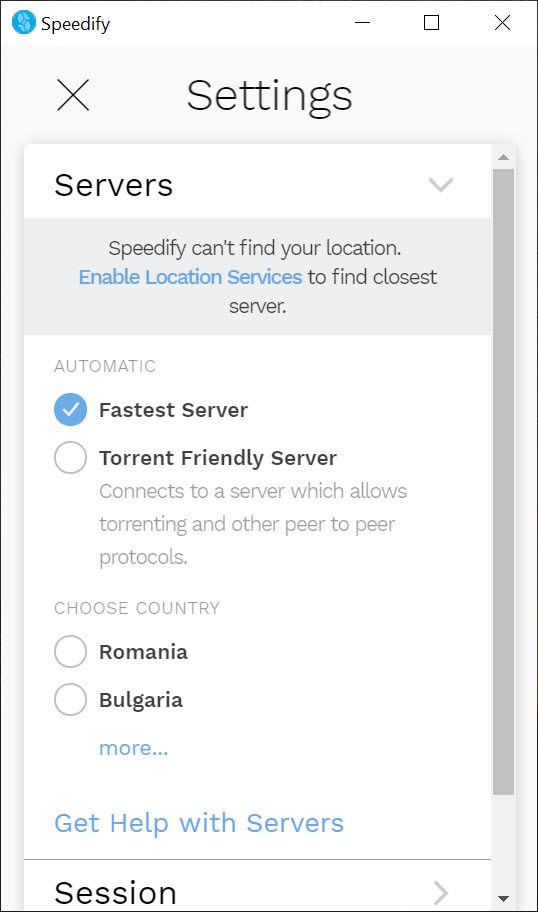
The privacy layer is real, traffic is encrypted end to end through servers in dozens of countries, your address is masked, and per-app rules decide what goes through the tunnel and what bypasses it. But the positioning deserves honesty.
This is a performance VPN that happens to protect, not a privacy fortress, and users whose first requirement is anonymity, audited no-logs court cases, and privacy-extremist features should look at the dedicated tools, with NordVPN as the mainstream reference point. The two products barely compete, and plenty of people who care about both simply choose per task.
Two practical warnings belong in every truthful writeup. First, bonding with mobile data consumes mobile data, at full speed, which is exactly the point and exactly what surprises people on capped plans when a bonded evening quietly eats gigabytes off the phone.
Configure the mobile link as a backup-only connection in the settings if the cap is tight, the option exists for precisely this reason. Second, the entry tier carries a monthly data allowance suited to trying the concept rather than living on it, with the unlimited experience sitting in the paid tiers.
Setup and the daily feel
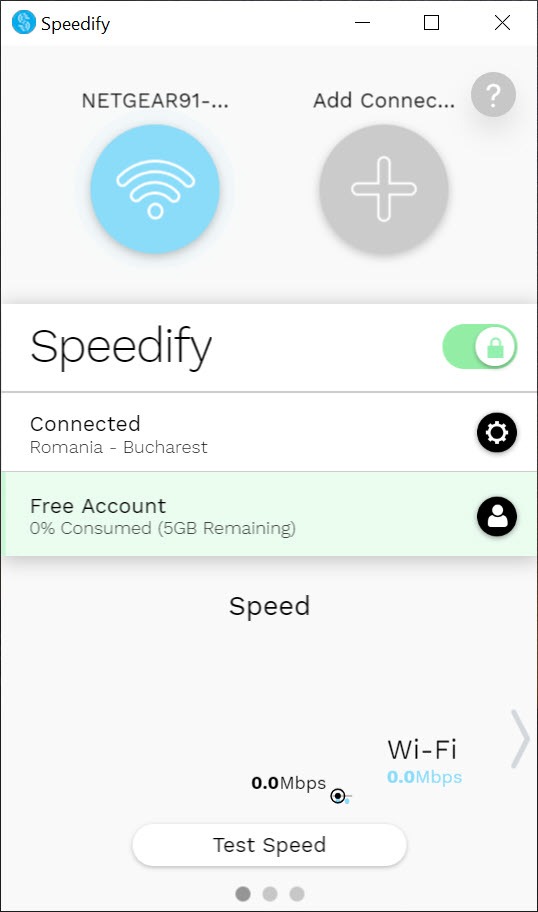
Getting bonded takes less ceremony than the concept implies. Connect the machine to Wi-Fi and Ethernet, tether the phone over USB, and the dashboard shows each link with live throughput, letting you set any of them as primary, secondary, or backup. The connect button does the rest, and the software’s decisions about balancing are visible rather than mysterious, each connection’s contribution graphed in real time.
Daily overhead stays modest, a small speed tax on any single link in exchange for the aggregate gain, and the failover behavior quickly becomes the feature you forget until the day the router dies mid-meeting and nothing happens. That non-event is the product working.
Conclusion
Speedify is for the person whose connection is a workplace. Livestreamers who can’t drop frames, remote workers on unreliable lines, rural users stacking a phone on top of thin broadband, and field broadcasters bonding two cellular links in a parking lot all fit the profile. For them, channel bonding and instant failover solve problems no ordinary VPN even addresses.
Anyone shopping for privacy first, or hoping a single slow connection will somehow accelerate, has the wrong product and should know it before installing. Judged as what it actually is, connection insurance with a speed bonus, it has the niche essentially to itself.
Pros & Cons
- Bonds Wi-Fi, Ethernet, and mobile data into one aggregated connection
- Sub-second failover keeps calls and streams alive through link failures
- Redundant mode duplicates packets across links for broadcast-grade reliability
- Real-time traffic gets automatic priority over background transfers
- Per-connection roles and per-app rules keep data usage controllable
- Live dashboard shows exactly what each link contributes
- Cannot speed up a single connection, despite what the name suggests to some
- Bonded mobile data consumes phone data allowances quickly
- Privacy posture is solid but not the product's focus
- Entry tier's monthly data cap suits testing, not daily use
Frequently asked questions
No, and no software can. The speed gains come from combining two or more connections, whose bandwidth adds together. With a single link, the value is the VPN layer, not speed.
Traffic instantly rebalances onto the remaining connections, typically in under a second, so the call or stream continues without disconnecting while the failed link recovers.
Every packet is sent across all connections simultaneously, trading bandwidth for certainty. The stream survives as long as any one link does, which is why livestreamers use it as insurance.
Yes, a bonded phone contributes data at full speed, which adds up fast. Setting the mobile link as backup-only confines its use to moments when other connections fail.
Yes, per-app rules route chosen programs through or around the bonded tunnel, and each connection can be assigned a role as primary, secondary, or backup.


