

Send Anywhere
About Send Anywhere
Getting a large file from one device to another involves an account with somebody, a size limit, or an email that bounces. Send Anywhere replaces all of that with a six-digit number that the person at the other end types in.
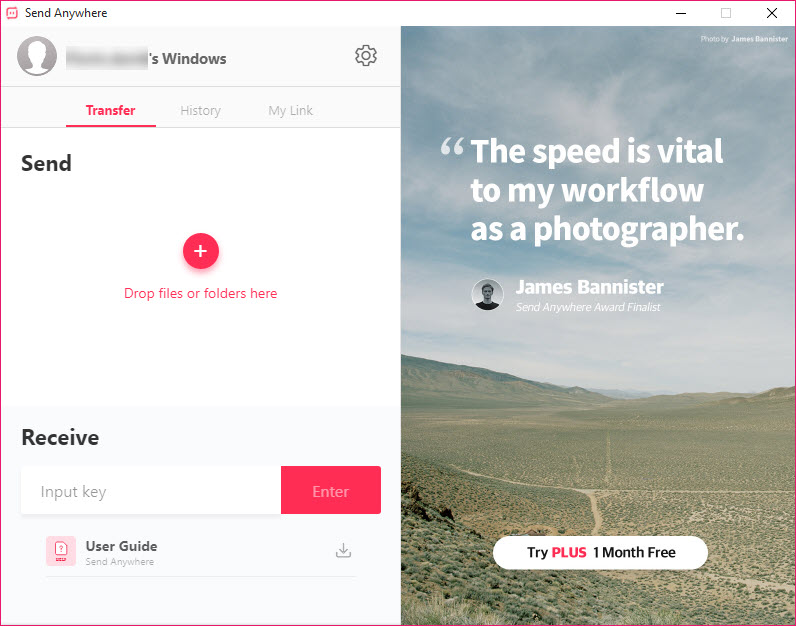
Send Anywhere creates no account. One side selects the file and receives a key, the other side enters that key, and the transfer begins. Neither party signs up for anything and nothing sits in a shared folder afterwards.
That simplicity is the entire product, and understanding how the key works explains both why it is convenient and where the limits of the arrangement lie.
The key is short on purpose
Here is the Send Anywhere trade nobody mentions, and it is worth understanding rather than worrying about.
Six digits is a million possibilities, which is not a large number by the standards of anything cryptographic. What protects a transfer is not the key being hard to guess but the window being short, since keys expire after a few minutes and each one refers to one specific transfer.
That arrangement suits the situation it was designed for, which is somebody reading six digits aloud to a person in the same room or typing them into a message. It is exactly as convenient as it needs to be.
For anything actually sensitive, the sensible response is not to worry about the key length but to encrypt the file before sending it, so the transfer mechanism stops being the thing protecting the contents.
Same network or through the servers
A Send Anywhere transfer takes one of two routes, and the difference matters.
Devices on the same network transfer directly to each other, which is fast, uses no external bandwidth, and means nothing passes through anybody else’s infrastructure.
Devices elsewhere are relayed through the service’s servers, because two machines behind separate routers cannot ordinarily reach each other. The file travels encrypted, and the operator is nonetheless in the path.
That distinction is the same one that applies to every relayed service, and the honest framing is that a direct transfer involves nobody and a relayed transfer involves whoever runs the relay.
Where both machines are yours and the requirement is continuous rather than occasional, Resilio Sync keeps folders matched between devices directly rather than sending files one at a time.
Links, for when nobody is waiting
The Send Anywhere key assumes both parties are present, since it expires quickly.
A link is the alternative, generated and sent by whatever means you like, valid considerably longer, and opened whenever the recipient gets to it. The file waits on the service’s storage in the meantime, which is the difference between the two modes rather than a detail.
The unpaid tier limits this side, both in the size of what can be stored and how long it stays. Direct key transfers are where the free capability is generous.
For a shared folder that both sides keep rather than a transfer that completes, Dropbox is the arrangement people usually mean when they say they will send something over.
Size, and what actually limits it
Send Anywhere imposes no size limit on direct transfers, which is the claim in the description and is accurate as far as it goes.
What limits them in practice is patience and connection. A very large file over a household connection takes as long as the upload speed dictates, which is frequently far slower than people expect because home connections send considerably slower than they receive.
Both devices also need to stay awake and connected throughout, since there is no resumption after a laptop closes or a phone sleeps. A transfer that fails at eighty percent starts again.
For scheduled or resumable movement of large amounts between machines you control, WinSCP handles interrupted transfers properly and resumes where it stopped.
Where it fits
The situation Send Anywhere wins is the awkward one-off. A file too large for email, going to somebody who does not use the same cloud service as you, who you would rather not ask to create an account, possibly standing next to you.
That situation is common and every other answer to it is worse. Cloud services need accounts on both sides, email has limits, and a memory stick requires being in the same place.
Where it does not fit is anything ongoing. Two machines that need the same files continuously want synchronisation, and a team that needs shared documents wants shared storage, neither of which is what a transfer tool provides.
Conclusion
Send Anywhere solves the awkward one-off transfer better than anything else. No accounts, no shared folders, no size limit worth mentioning, and six digits that somebody can read aloud. For sending a video to a relative or moving a large file to a colleague once, the alternatives all involve more setup than the transfer deserves.
Understand the two mechanics behind it. Devices on the same network involve nobody else, and devices elsewhere are relayed through the operator, which is unavoidable rather than sinister. And the short key is protected by expiring quickly rather than by being unguessable, so encrypt anything you would mind a stranger opening before you send it at all.
Pros & Cons
- Six digits and no account on either side, so nothing needs setting up
- Devices on the same network transfer directly without touching outside infrastructure
- No software-imposed size limit on direct transfers
- Link mode covers the case where the recipient is not present
- Works between any two devices, whatever they are
- Nothing remains in a shared folder afterwards
- Six-digit keys rely on a short expiry window rather than being hard to guess
- Transfers between networks are relayed through the operator's servers
- No resumption, so a failed transfer starts over
- The unpaid tier limits link storage size and duration
- Both devices must stay awake and connected throughout
- Solves one-off transfers rather than anything continuous
Frequently asked questions
Not for key transfers. One side gets a six-digit key and the other enters it, with neither party signing up for anything and nothing left in a shared folder afterwards.
It relies on the short expiry window rather than on being hard to guess, since six digits is a million combinations. That suits reading numbers aloud to somebody nearby, and anything sensitive should be encrypted before sending rather than relying on the transfer method.
Only when the devices are on different networks, which is when a relay is necessary. Two devices on the same network transfer directly to each other with nothing in between.
It starts again. There is no resumption, so both devices need to stay awake and connected for the duration, which matters most on very large files over slow connections.
None imposed by the software on direct transfers. The practical limits are your upload speed and both devices staying connected, and the link mode does have size limits on the unpaid tier.


