

Seagate Dashboard
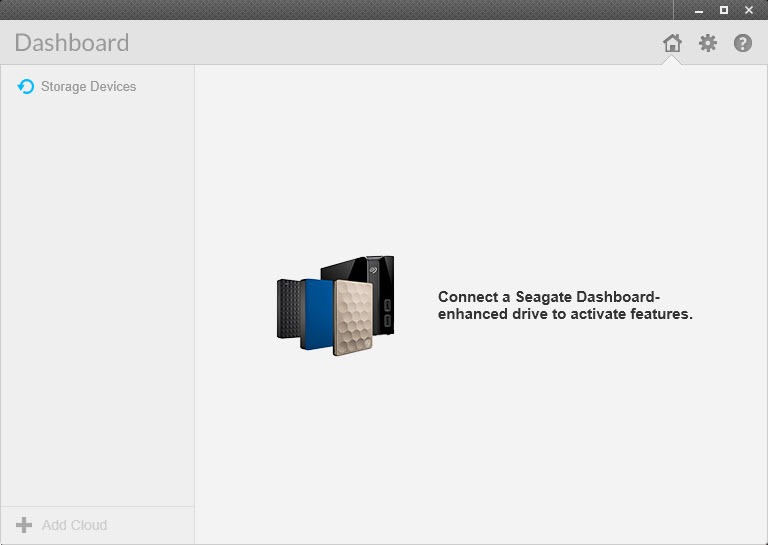
About Seagate Dashboard
Seagate Dashboard is the backup program that shipped with a generation of Seagate external drives. Plug in one of those drives, open it, press Protect Now, and every personal file on the computer begins copying to the drive and keeps copying as files change, with no plan to design and no folders to pick.
A custom plan narrows that to chosen folders on a schedule of your choosing, and a restore screen brings any file back, including earlier versions of one that was edited or deleted. A Smart Copy tool gathers photos and video, and music, onto the drive as a media library, and a power setting puts the drive to sleep after a period you set.
It works only with the Seagate drives it was designed for, the Backup Plus family and a few network models, and it has been superseded. The maker now ships a different utility with its drives, and the Dashboard’s online features, the mobile phone backup and the saving and sharing of photos to social networks, were switched off and removed from the program.
What remains is the local backup, which still runs on the drives that support it, and Seagate Dashboard is the right download for owners of those drives who prefer the program they already know.
Protect Now and the backup plans
Protect Now is the one-button Seagate Dashboard route. It selects every user data file on the main drive, from documents and pictures to music and video, and backs them up continuously, watching for changes and copying each altered file soon after it is saved. That covers the household that wants a backup and does not want to think about it, and it is the setting most owners left in place for years.
A new backup plan replaces that default with choices. Pick the folders or file types, pick the destination among the connected Seagate drives, and pick a frequency, continuous, hourly, daily, weekly, monthly or a one-off snapshot. Continuous and scheduled plans copy only what changed after the first full pass, while each snapshot repeats a full copy.
The program does not back up installed programs, system files or hidden items, so it protects your documents rather than cloning the machine, and anyone who wants a full image needs EaseUS Todo Backup or another imaging tool.
Restoring files and earlier versions
Seagate Dashboard Restore opens the backup as a tree of what was saved, searchable by name, and copies a file or a folder back to its original place or somewhere new. Because continuous and scheduled plans keep earlier copies of changed files, a document overwritten by mistake can be pulled back as it was yesterday or last week, with the versions listed by date. That version history is the feature that justifies a backup program over a plain copy, and it is the one owners discover the day they need it.
The backup lives on the drive in a plain folder structure, so even without the program the files can be found and copied back by hand, which is what a sudden change of computer or a lost installer comes down to. Confirming that a backup actually ran is a glance at the Protect screen, which shows the plan’s status and the time of the last pass.
A drive that was unplugged for a week simply catches up when it returns, with the plan resuming where it stopped.
Smart Copy and the media library
Smart Copy scans the computer for photos and video, plus music, and copies them to the drive as a media library, keeping the library current as new files appear and optionally generating thumbnails for video. It was built for the maker’s network drives, where the library then streams to televisions and phones, and it works as a tidy media archive on an ordinary external drive too.
Duplicates are skipped, so running it repeatedly only adds what is new, and the folder it builds opens in any media player.
Drive power and health
The Seagate Dashboard drive settings page controls when the drive spins down to save power and wear, tests the drive and shows its capacity and health, and turns its activity light on or off.
For a deeper look at the drive’s condition, CrystalDiskInfo reads the full set of health attributes, and the maker’s own diagnostic utility runs the long surface tests that settle whether a noisy drive is failing.
What was removed, and what replaced it
Three features that once filled the Seagate Dashboard home screen are gone. Mobile Backup, which copied a phone’s photos and contacts to the drive through a companion app, was discontinued and the app withdrawn, so the backups it made remain in a folder on the drive but nothing new arrives. The Social feature that uploaded photos to sharing sites, and the Save feature that downloaded them back, were removed when those sites changed how outside programs could reach them. Cloud backup went with them.
The maker’s current utility covers the local backup, mirroring of folders and restoring in a newer interface, and it also supports the sibling brand’s drives, which this program never did. Owners of newer drives get that utility and should use it. Owners of the older Backup Plus generation can run either, and the choice comes down to whether the familiar window or the newer one suits them.
For syncing a folder in both directions rather than backing it up, a folder synchronisation tool does what neither utility quite does.
Conclusion
Seagate Dashboard suits owners of the Backup Plus generation of drives who want their documents and photos backed up continuously with one press and brought back by version when something goes wrong. The local backup still does that job cleanly, and the plain folder structure means the files are never hostage to the program.
It is tied to those drives, it has lost its online features, and it will not gain new ones. Use it for the backup it was built for, read the drive’s health with a dedicated tool, and move to the maker’s current utility when the next drive arrives.
Pros & Cons
- One-button continuous backup of every personal file to the drive
- Custom plans by folder and schedule, from continuous to monthly or snapshot
- Restores earlier versions of changed and deleted files by date
- Backups stored in a plain folder structure readable without the program
- Smart Copy builds a media library and drive settings control power and lights
- Works only with the Seagate drives it was designed for
- Superseded by the maker's current utility, with no new features coming
- Mobile and social features, and cloud backup, were removed and no longer function
- Does not back up programs or system files
Frequently asked questions
No. The backup features work only with the Seagate drives built for it, chiefly the Backup Plus family. Other drives are not recognised.
Yes. Continuous and scheduled plans keep earlier copies of changed files, listed by date in the restore screen.
They were discontinued and removed from the program. Existing mobile backups stay in a folder on the drive, but nothing new is added.
Newer drives come with the newer utility and should use it. Older Backup Plus drives run either, and this program remains the familiar choice for them.


