

Mobirise
About Mobirise
Mobirise builds websites by stacking ready-made blocks, and it does it on your own computer rather than in a browser. Pick a theme, drag a header block onto the page, then a features block and a gallery, a contact form and a footer, and a responsive site takes shape in an hour.
Each block has a small settings panel for its colours and spacing, and for which parts are visible, and the text and images edit in place by clicking them. No code is needed at any point, and the output is clean HTML, CSS and JavaScript built on the Bootstrap framework, so the site works on phones without extra effort.
The offline part is the distinguishing trait. Projects live on your disk, editing works without an internet connection, and the finished site can be published to a folder, to your own web host by FTP, to a repository-based static hosting service or to a subdomain the maker provides. Nothing ties the site to a hosting subscription, which sets it apart from the online builders that keep your pages on their servers.
Mobirise also offers an AI generator that drafts a site from a text description, though that part needs a connection.
Themes and the block library
Everything in Mobirise comes from blocks, and blocks come from themes. Two themes ship with more than two hundred blocks between them, covering the headers and galleries, the menus and forms, and the footers a typical small site needs. Premium themes push the total past ten thousand blocks, each themed set designed to look consistent when mixed within it.
That consistency is the strength and the limit. A site built from one theme’s blocks looks coherent and professional with almost no design skill. A site that needs a block to look different from every option in the theme hits the ceiling of the parameters panel quickly, and changing a single block’s style beyond those settings means editing code.
Mixing blocks from different themes rarely looks right.
Editing blocks and pages
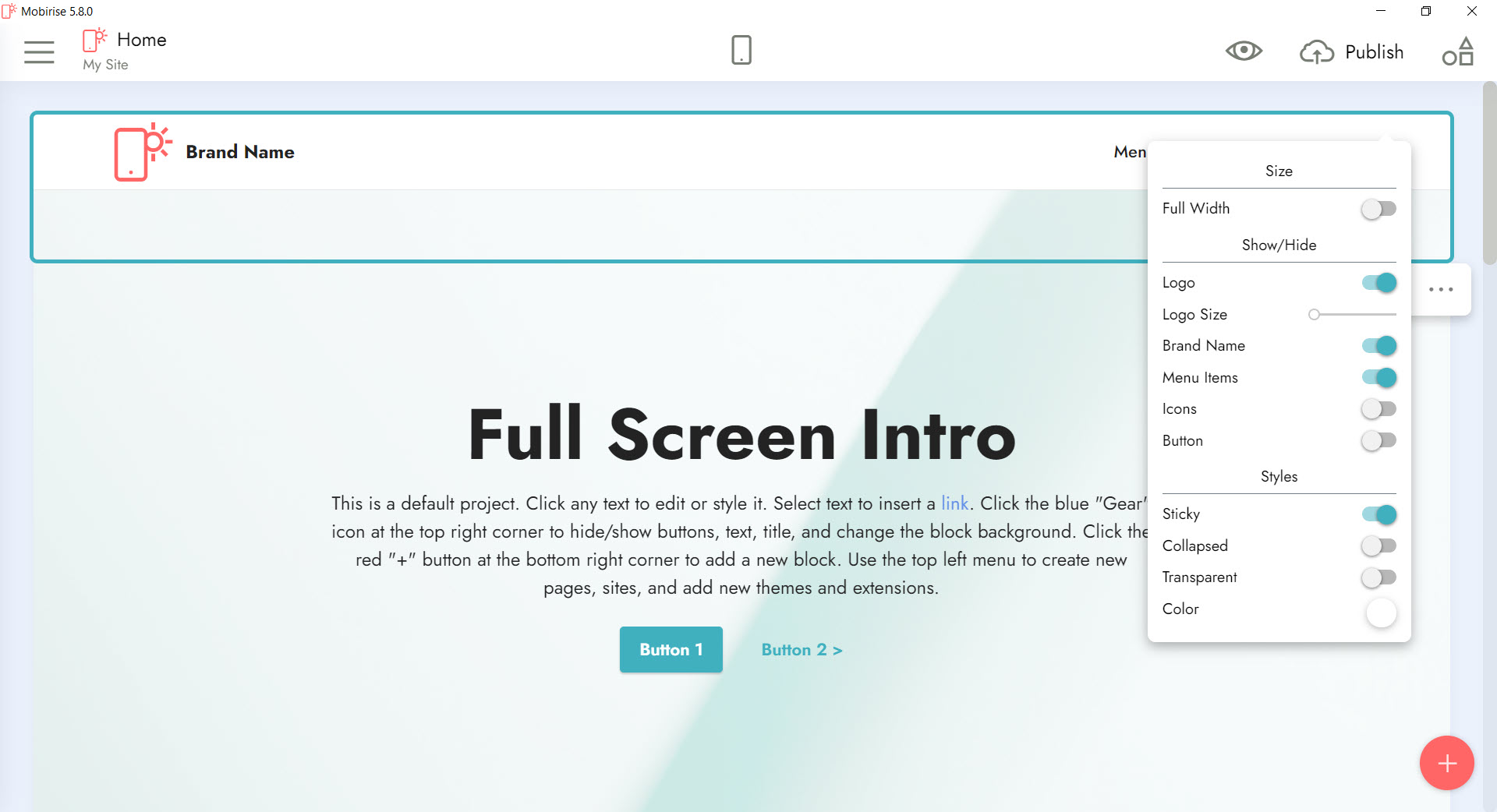
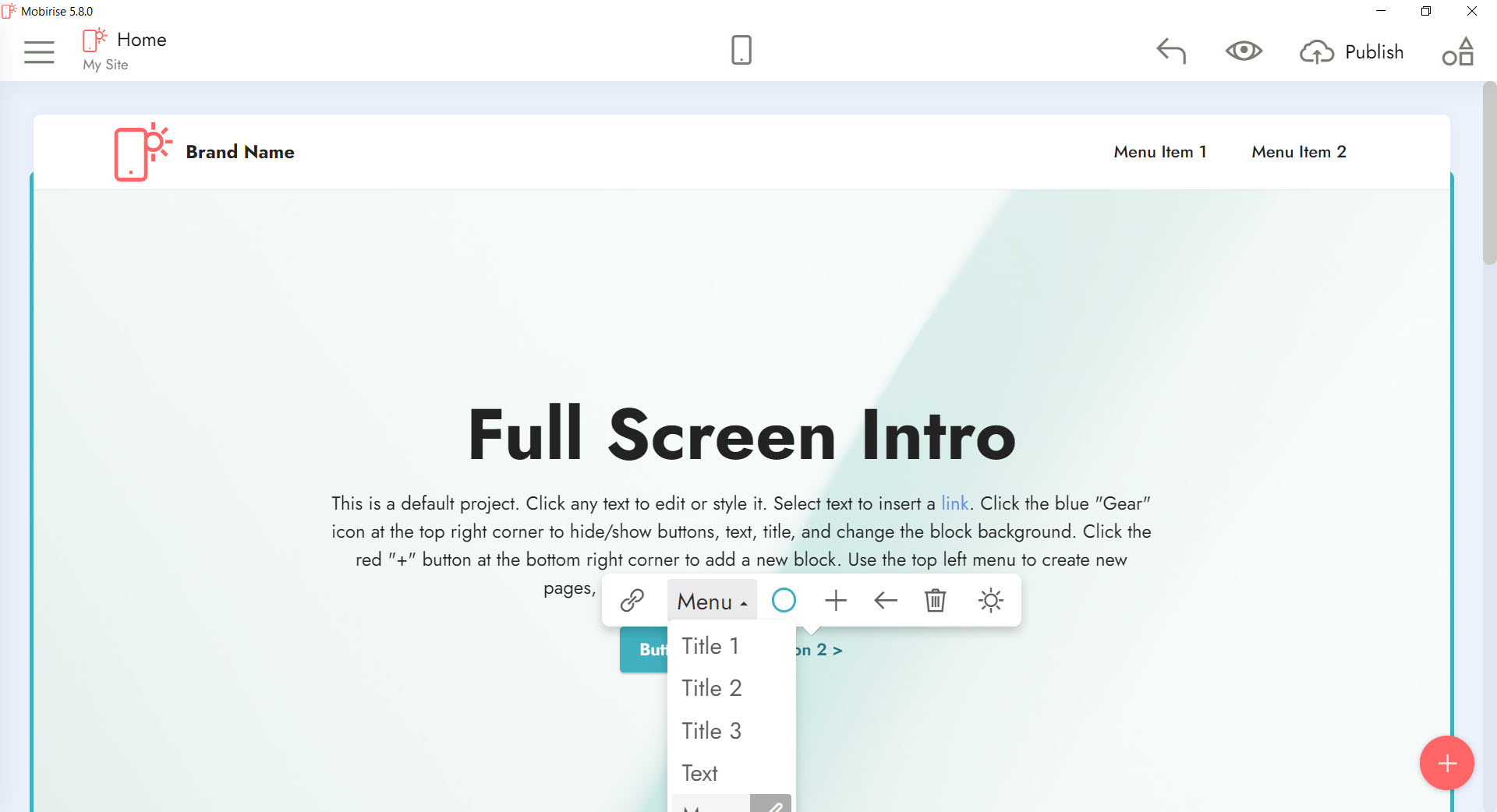
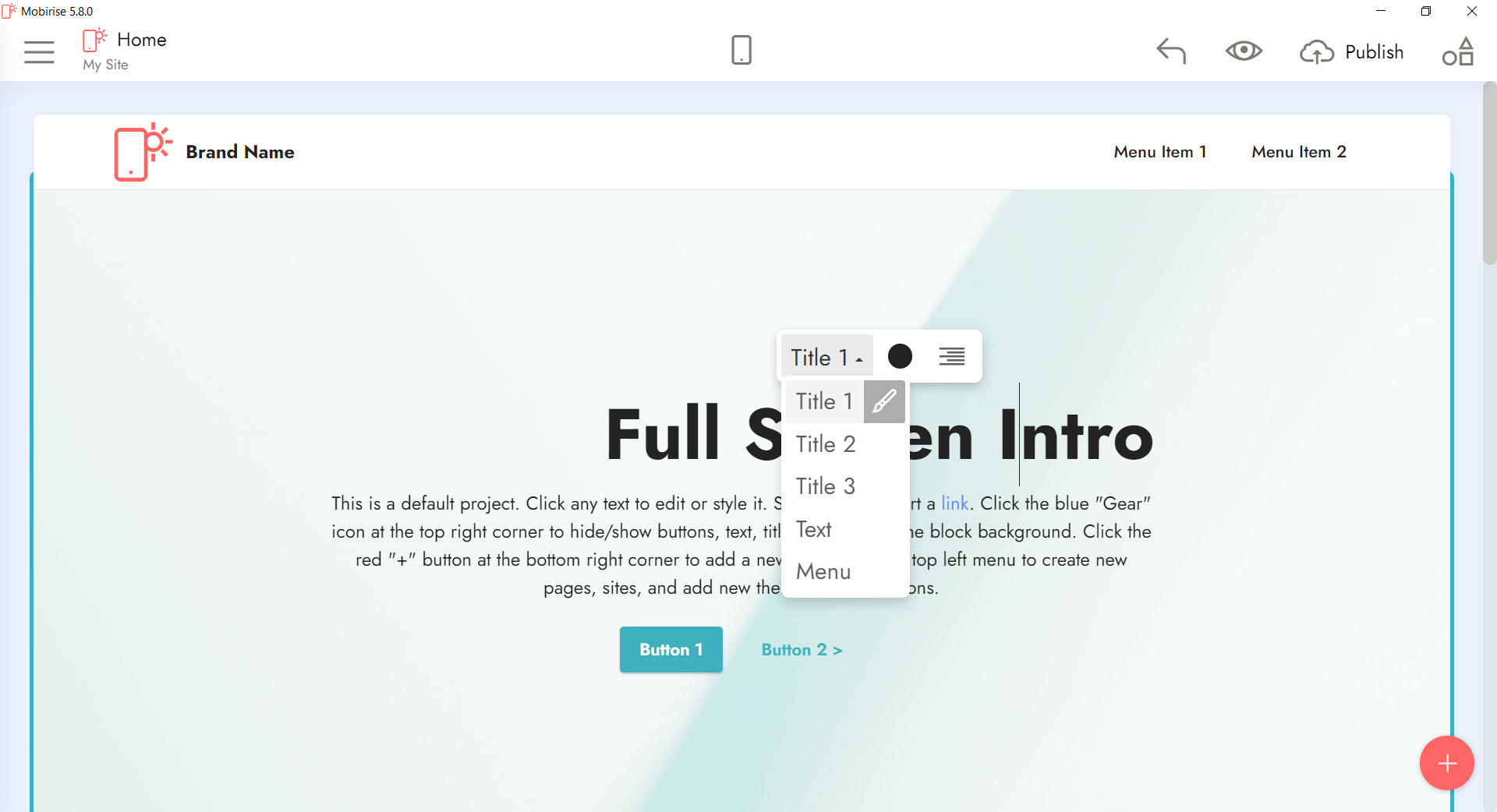
Click a block and its parameters panel lists the options that block supports, often background colour or image, spacing above and below, number of columns, and which elements show or hide. Text edits in place with basic formatting, images swap with a click and can come from your own files or from an online image search built into the app. Pages are added from a sidebar, and menus update to include them.
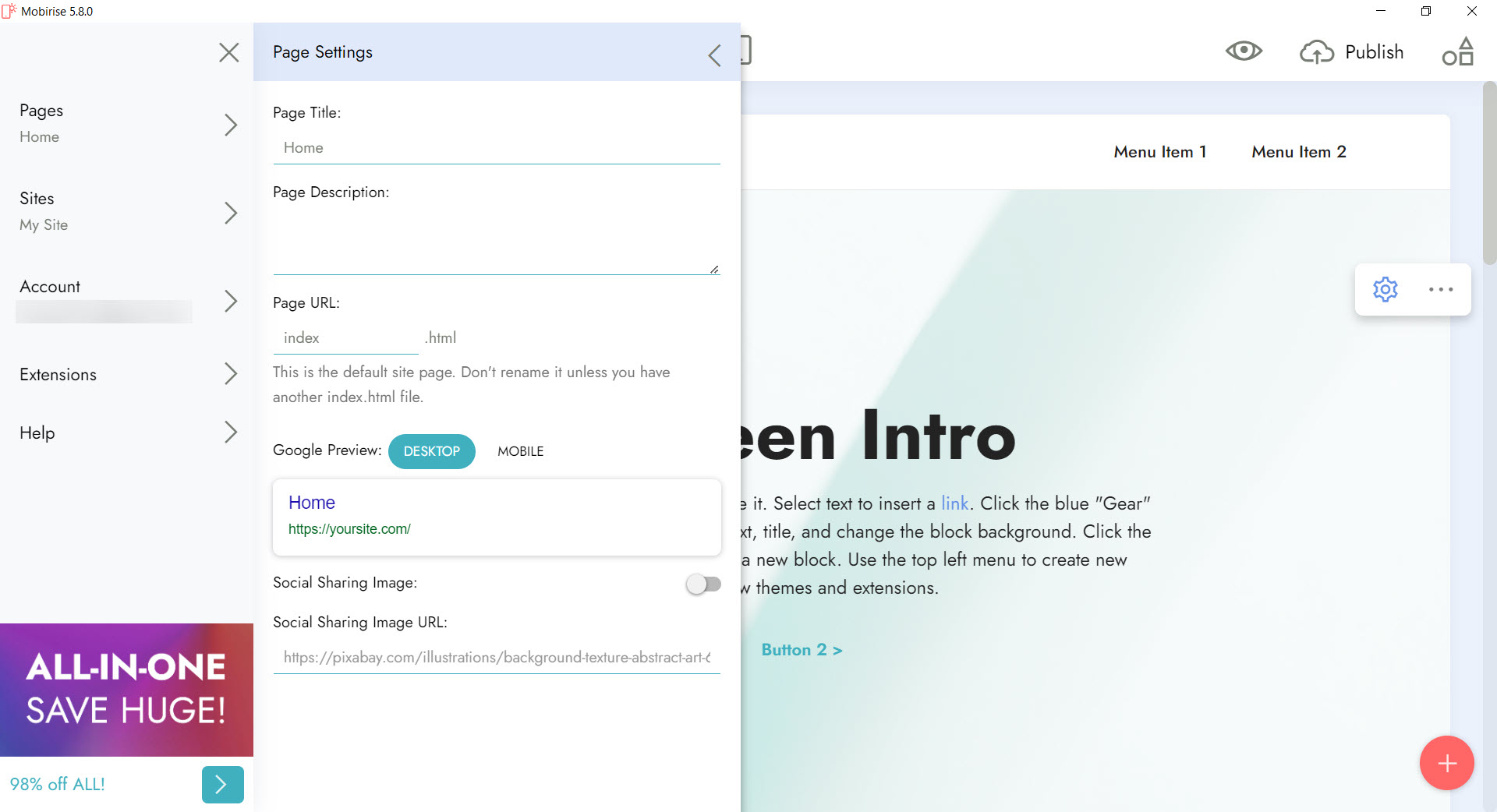
A mobile preview switches the view to phone and tablet widths, which is the quickest way to catch a block that looks fine on a monitor and crowded on a phone. Site settings hold the page titles and descriptions, plus social sharing images, for search engines and links, and a sitemap is generated on publish.
For hand-editing the exported code later, a programmer’s text editor is all that is needed, since the files are standard HTML and CSS.
Forms and extensions
A Mobirise contact form block sends submissions to an email address without any server setup, which covers most small business needs. Embeds bring in videos from the major video hosts, maps, social media feeds and comments. Extensions add capability on top of the core, a form builder for custom fields, a popup builder for promotions, a code editor that opens a block’s HTML directly, and more.
Several of those extensions, like most of the premium themes, belong to the paid kits, and the unregistered builder adds a small link back to the maker in the footer of every site until a kit is bought.
The core builder with its included themes is enough for a real site, and the extensions are where the paid tier comes in.
Publishing and hosting choices
The Mobirise publish dialog offers four destinations. A local folder writes the whole site to disk, ready to upload anywhere or to open from a USB stick. FTP sends it straight to your own host with a built-in client, and later publishes send only the changed files. A repository-based static hosting service publishes it straight from a code repository, and the maker’s subdomain gives a quick place to share a draft. For anyone who prefers a separate client to manage the server, an FTP client handles uploading the local folder just as well.
That freedom is the reason many people choose this builder. The site belongs to you as plain files, it can move between hosts without rebuilding, and nothing stops working if an add-on is later dropped.
Testing a site locally before upload can be done in any browser, or through a local web server package if forms or scripts need a server to run.
The AI generator
The Mobirise AI website generator takes a short description of a business or project and drafts a site, choosing blocks, writing placeholder copy and suggesting images. It is a fast starting point rather than a finished site, and the draft still needs editing to sound like the business it describes.
It needs an internet connection, and the number of AI generations is limited by the plan, with higher tiers raising the allowance.
Where it falls short
Design freedom in Mobirise ends at the edge of each block’s parameters, so anyone with a precise layout in mind will find it constraining. Accelerated mobile pages themes can cause warnings in search tools. Blogs and online shops are possible through extensions and embeds but are not the builder’s strength, and a site that needs a database, user accounts or a full shop belongs in a content management system.
For hand-built layouts with more control and still no hosting lock-in, a visual Bootstrap editor trades some ease for flexibility.
Conclusion
Mobirise suits small businesses and freelancers, and anyone else who wants a good-looking, responsive site without writing code or renting a hosted builder. The block library, the offline editing and the freedom to publish anywhere as plain files make it one of the most practical ways to get a brochure site, a landing page or a portfolio online.
It is a poor fit for sites that need pixel-level design control or database features, and the most attractive themes belong to the paid kits. Pick one theme and stay within it, use the mobile preview constantly, and publish to your own host so the site is yours from the first upload.
Pros & Cons
- Drag-and-drop blocks build responsive Bootstrap sites with no code
- Works offline, with projects stored on your own disk
- Publishes to a local folder, your own host by FTP, static repository hosting or a subdomain
- Clean exported HTML, CSS and JavaScript that move between hosts freely
- Contact forms that send email without server setup
- AI generator drafts a site from a text description
- Styling beyond each block's parameters requires editing code
- Mixing blocks from different themes rarely looks right
- Most themes and extensions belong to the paid kits
- Footer link back to the maker on sites built with the unregistered builder
- Not suited to database-driven sites or full online shops
Frequently asked questions
Yes. Editing and saving work offline. The internet is needed for AI generation, image search, publishing online and downloading themes or extensions.
To a local folder, to your own web host by FTP, to a repository-based static hosting service, or to a subdomain the maker provides.
Yes. The export is standard HTML, CSS and JavaScript, and a code editor extension opens a block's HTML inside the builder.
Only simply, through extensions and embeds. A full shop with inventory and accounts needs a content management system or a dedicated shop platform.


