

MediaMonkey
About MediaMonkey
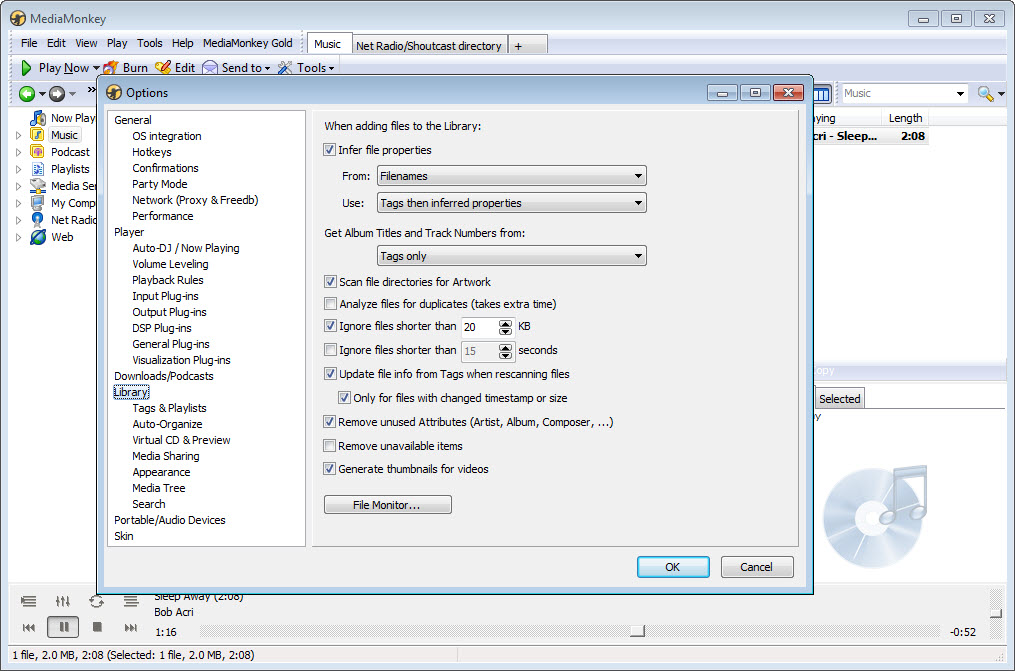
MediaMonkey is built for music collections that have outgrown what casual media players can handle. The application manages libraries scaling into the hundreds of thousands of audio and video files, with a hierarchical browser that organizes content by artist, album, genre, year, composer, custom tags, or any other metadata field you care about.
Drag a folder of FLAC files into the application and it imports them with full tag preservation. Point the auto-tag feature at messily-named MP3s and it queries online databases to fill in artist, album, track titles, and album art automatically.
Connect a phone to sync specific playlists or your entire library, with format conversion happening on the fly so devices that don’t handle FLAC get MP3 versions while your master library stays lossless.
The core philosophy treats music as a collection to be organized rather than a stream to be consumed. Where streaming-focused players hide your library behind algorithmic recommendations, this software puts your files at the center, with tools that match the depth audiophiles, DJs, and serious music collectors actually need. Smart playlists update themselves based on rules you define, like “all jazz from before 1970 rated 4 stars or higher” or “tracks I haven’t heard in six months”.
The CD ripper supports every audio format that matters including FLAC, MP3, OGG, AAC, WMA, and WAV, with simultaneous secure ripping that verifies bit-perfect extraction against AccurateRip databases. Podcast subscriptions download new episodes automatically. The DLNA/UPnP server streams your library to any compatible device on your network.
The free version covers most of what casual users need, while MediaMonkey Gold unlocks features like advanced playlist auto-organization, auto-conversion during sync, and various other capabilities that serious users find essential for managing larger collections.
Library management that scales past 100,000 files
The library engine is what separates this software from media players designed for smaller collections. Where players like Windows Media Player or default music apps slow down or break entirely past a few thousand tracks, the application keeps responsive performance with libraries running into six figures.
Browsing by artist with 50,000 tracks loaded shows results essentially instantly. Search-as-you-type filters across the entire library without delay. Sorting by any column completes in milliseconds rather than producing the spinning cursor that lesser tools show with the same data volume.
The performance comes from how the database is structured underneath. Rather than loading all metadata into memory, the application uses an indexed SQLite database that handles queries efficiently regardless of total size. Adding 10,000 new tracks to your library doesn’t make existing operations slower because the database scaling is logarithmic rather than linear.
For users whose collections grow over years to substantial sizes, this scaling matters dramatically more than the marketing-friendly feature lists suggest.
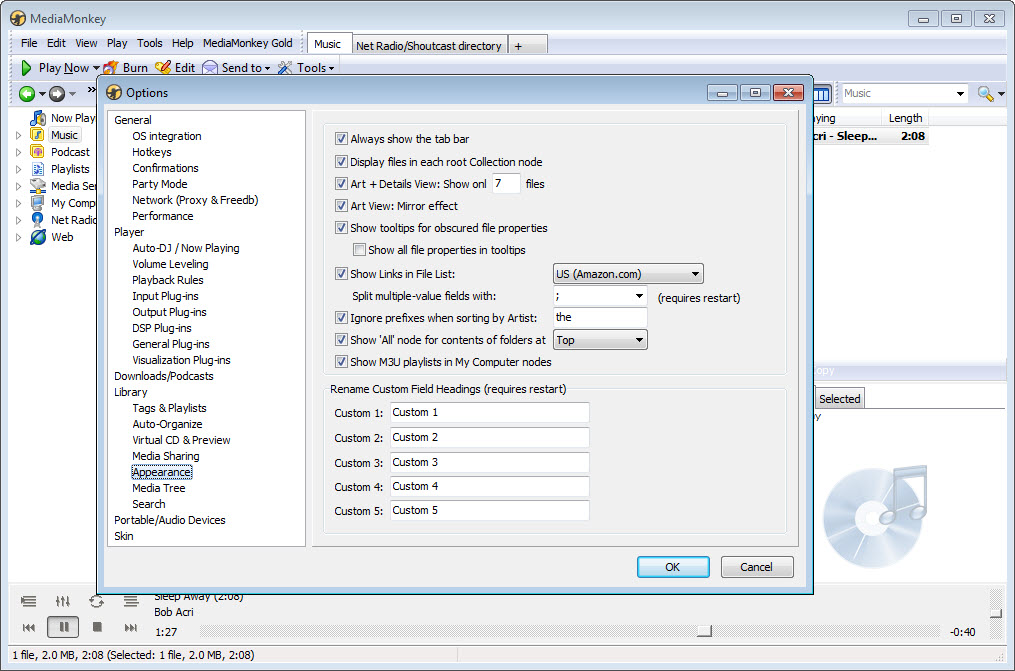
The hierarchical browser exposes the library through customizable tree views. Show artists organized by genre. Show albums sorted by year within each artist. Show tracks grouped by rating across the whole library. Show collections by custom fields you defined for your specific organizational needs.
The flexibility means the application adapts to how you think about your music rather than forcing you into one specific organization scheme.
Auto-tagging from online databases
The auto-tag feature handles the practical reality that most music collections include files with incomplete or wrong metadata. Tracks ripped from CDs years ago might have generic titles. Files downloaded from various sources arrive with inconsistent tagging. Old MP3s might lack album art entirely. Manually fixing this metadata across thousands of files takes hours that nobody actually has.
Auto-tag queries online databases including Amazon, MusicBrainz, and others to identify tracks based on existing metadata or audio fingerprinting, then suggests corrected tag values for your approval. For files where existing metadata gives the algorithm enough to work with, you confirm the suggestions and the tags update across hundreds of files in minutes.
For files where the existing metadata is too poor for matching, audio fingerprinting (which analyzes the actual audio content rather than the existing tags) identifies tracks based on their sound rather than their labels.
The album art retrieval works similarly, fetching cover art for albums in your library that don’t have art embedded. Bulk operations let you process entire albums or your whole library at once rather than working track by track.
For users dealing with collections accumulated across decades of different ripping tools, downloads, and tagging conventions, the automation handles cleanup that would otherwise be impractical.
CD ripping with format flexibility
The CD ripper covers all the formats serious music collectors actually use. FLAC for lossless preservation that takes about half the space of WAV without quality loss. MP3 for compatibility with players that don’t handle modern formats. OGG Vorbis for users who prefer the open-source alternative to MP3. AAC for users syncing to specific mobile platforms.
WMA for users with reasons to prefer it. The ripper supports VBR (variable bitrate) and CBR (constant bitrate) modes for lossy formats, with quality settings ranging from “barely audible” to “essentially lossless to human hearing.”
Secure ripping mode handles the case where you want to verify bit-perfect extraction. The ripper reads each track multiple times and compares against AccurateRip database checksums, which are calculated from the same CD as ripped by other users worldwide. If your rip matches the database, you have confirmation that your specific copy of the CD produced bit-identical results to other people’s copies, which means scratches or read errors on your disc didn’t affect this particular ripping session.
For users archiving their CD collections to lossless digital format, this verification provides confidence that the digital copies actually represent the original recordings rather than degraded versions.
The metadata for ripped tracks comes from online databases (FreeDB, MusicBrainz, others) that recognize CDs by their disc IDs and return the corresponding track information. Insert a CD, the ripper queries the databases, and you get artist, album, track titles, and various other metadata pre-populated before ripping starts.
Manual override is available for cases where the database information is wrong or where you want different organization than what the database provides.
Sync with mobile devices and cloud storage
The mobile sync feature handles getting your music from your computer onto your phone or tablet. Connect a device, select what you want to sync (specific playlists, specific artists, your entire library, or any combination), and the application transfers files while applying any conversions needed for the device.
Convert FLAC to MP3 for devices that don’t support FLAC. Resize album art for devices with small displays. Apply specific volume normalization for devices that struggle with quiet recordings. The sync runs in the background while you do other things.
For users who want music on phones without managing files manually, this automation eliminates substantial friction. Add new music to your library, sync, and the new tracks appear on your phone alongside everything else. The sync remembers what’s already on the device and only transfers changes rather than copying everything every time, which keeps sync times reasonable even for large libraries.
The Android companion app extends the sync experience further, providing wireless library access without requiring USB cables. Browse and play music stored on your computer from your phone over WiFi.
Sync new content between computer and phone wirelessly. The companion supports full library functionality on the phone with playlists, ratings, smart playlists, and various other features matching the desktop experience.
Cloud storage integration backs up your library to OneDrive, Google Drive, or Dropbox, which produces redundancy beyond local storage and makes your library accessible from multiple computers. For users worried about losing their music collections to drive failures, the cloud backup matters substantially.
For users who work across multiple machines, having the library accessible from each one through cloud sync simplifies the workflow compared to maintaining separate libraries.
Smart playlists and AutoPlaylists
Smart playlists are playlists that update themselves based on rules rather than containing fixed track lists. Define a playlist as “all rock from the 1970s rated 4 stars or higher that I haven’t played in the last month,” and the playlist contents update automatically as you rate new tracks, listen to existing tracks, or add new music to your library.
The criteria can stack arbitrarily, with combinations of any metadata fields and operators producing whatever specific subsets you want.
For users who organize music by mood, situation, or specific listening contexts, smart playlists eliminate the maintenance burden of manual playlist management. The “morning workout” playlist always contains tracks fitting your morning workout criteria without you needing to update it. The “discover something new” playlist always contains music you haven’t listened to recently.
The “highly rated jazz” playlist always reflects your current ratings rather than being a snapshot from when you last manually updated it.
AutoPlaylists in MediaMonkey Gold extend this further, automatically creating and maintaining playlists based on patterns in your listening behavior. The application identifies clusters of tracks you listen to together, automatically generates playlists from these clusters, and updates them as your listening evolves.
For users who want playlist organization without the manual work, this automation handles substantial library management automatically.
Podcast subscriptions and downloads
The podcast feature subscribes to RSS feeds and downloads new episodes automatically. Add the feed URL for any podcast, set how many episodes to keep at any time, and the application checks for new episodes periodically and downloads them for offline listening. Episodes appear in your library alongside music tracks, with playback controls that handle the longer durations podcasts typically have.
The implementation supports downloading specific episodes manually for users who want selective downloading rather than full subscription, marking episodes as played or unplayed to track listening progress, and various other capabilities matching dedicated podcast applications.
For users who consume both music and podcasts and prefer not switching between separate applications for each, this integration eliminates context switching.
The sync features extend to podcasts too, with episodes copying to mobile devices alongside music when configured. For users who listen to podcasts on commutes or during workouts on phones, having episodes available on the phone happens through the same sync workflow that handles music rather than requiring separate podcast app management.
DLNA/UPnP server for streaming to network devices
The DLNA/UPnP server functionality turns your library into a network media source accessible from any DLNA-compatible device. Smart TVs, network media players, gaming consoles, smart speakers, and various other devices that support the DLNA protocol can browse and play your library through the network rather than needing local copies of the files. The streaming happens in real time, with the server transcoding to formats the receiving device supports if necessary.
For users with multiple devices throughout their home that they want to access the same music library from, the DLNA server eliminates the need for separate copies on each device.
The TV in the living room plays music from the library on your computer in the office. The kitchen smart speaker streams from the same source. The gaming console in the bedroom accesses the library too. All without copying files manually to each device.
The server also handles video files alongside audio, which means your video collection becomes accessible to TVs and other video-capable devices through the same protocol.
Movies, home videos, music videos, and any other video content in the library streams to compatible devices on your network without requiring separate media server software.
Tag editing depth and the Properties dialog
The tag editor goes deeper than what casual media players expose. Beyond the standard fields like artist, album, title, and year, the application supports composer, conductor, original artist, encoder, comment, lyrics, BPM, custom fields you define yourself, and various other metadata that classical music collections, DJ collections, and other specialized use cases need.
The Properties dialog opens for any track and shows every tag field with current values, all editable. Bulk edit lets you select multiple tracks and apply changes across all of them at once, useful for cases like fixing a misspelled artist name across an entire album or applying a consistent comment field to a collection of related tracks.
The find-and-replace function within tags handles cases where you want to change specific text patterns across many tracks.
For users with complex tagging needs (specific organizational schemes, custom metadata they’ve added themselves, classical music requiring composer separate from artist, DJ libraries requiring BPM and key information), the tag editing depth fits these requirements rather than forcing simplified metadata schemes that wouldn’t work.
Considerations and limitations
The interface design feels dated compared to current commercial alternatives. The visual aesthetic reflects priorities from earlier in the application’s development, with toolbars and dialog boxes that look more like traditional desktop applications than recent design trends. For users who care about visual polish, the experience is functional rather than aesthetically refined.
The free version pushes toward Gold for some specific features that users might consider essential. Automatic file conversion during sync, advanced auto-organization, video conversion, and various other capabilities require Gold rather than being available in the free tier. For casual users, the free tier covers what they need. For power users, the Gold upgrade often becomes necessary for the specific features that justify using the application over alternatives in the first place.
The learning curve is real for users coming from simpler music players. The depth of features that makes the application capable also makes it intimidating for new users who just want to play their music.
The default views and behaviors are reasonable for new users, but the substantial customization that experienced users appreciate is hidden behind menus that take time to discover.
Some features depend on internet connectivity that not every user has reliably. Auto-tagging requires online database access. Cloud storage sync needs cloud connectivity. CD metadata lookup needs internet. For users with limited or unreliable internet, these features work less smoothly than for users with consistent broadband access.
The mobile companion experience varies based on platform. Android integration is mature and capable, iOS support exists but with restrictions imposed by Apple’s platform that limit what third-party media players can do compared to Android equivalents. Users with iPhones may find the experience less complete than Android users with the same setup.
Conclusion
For users with large music collections that have outgrown casual media players, MediaMonkey delivers serious library management through an engine built for scaling.
The combination of indexed database performance with libraries running into the hundreds of thousands of tracks, auto-tagging that cleans up messy metadata across entire collections, CD ripping with format flexibility and secure verification, mobile sync with on-the-fly conversion, DLNA streaming to network devices, and the wireless Android companion produces a tool that handles the actual scope of what serious music collectors deal with rather than just the basic cases simpler players cover adequately.
The reasons to consider alternatives are mostly about specific preferences. Users wanting completely free without paid tiers find MusicBee fitting their philosophy better while covering similar ground. Users in the Apple ecosystem with basic needs are served by Apple’s built-in tools without needing third-party software.
Users wanting absolutely minimal interfaces find foobar2000 or similar minimalist players matching that aesthetic. But for users whose music management needs include large libraries, comprehensive tagging, multiple format support, mobile sync, and network streaming through a single application, this software remains one of the most capable options available, with active development across multiple decades providing the stability that serious library work needs.
Features & benefits
Pros & Cons
- Library engine handles 100,000+ track collections without performance degradation
- Auto-tagging from online databases corrects messy metadata across large libraries
- CD ripper supports FLAC, MP3, OGG, AAC, WMA with secure ripping and AccurateRip verification
- Smart playlists update automatically based on rule criteria you define
- Mobile sync converts formats on the fly for device compatibility
- Wireless companion app for Android extends library access without USB cables
- DLNA/UPnP server streams to network devices including smart TVs and consoles
- Podcast subscriptions and downloads integrate with the music library
- Cloud storage backup to OneDrive, Google Drive, or Dropbox
- Tag editor exposes deeper metadata fields than casual media players support
- Interface design feels less polished than current commercial alternatives
- Free tier pushes power users toward Gold for several practically essential features
- Learning curve is real for users coming from simpler media players
- Some features depend on internet connectivity that not all users have reliably
- iOS companion experience is more limited than Android due to platform restrictions
Frequently asked questions
This software is a music and video library manager designed for large collections, with tools for organizing, tagging, ripping CDs, syncing with mobile devices, streaming via DLNA/UPnP, downloading podcasts, and burning CDs/DVDs. It handles libraries scaling into hundreds of thousands of files through an indexed database engine, supports auto-tagging from online databases, and includes both free and Gold tiers, with Gold adding advanced features like automatic format conversion during sync and AutoPlaylists.
The application maintains an indexed database of your music and video files, tracking metadata, ratings, play counts, and various other information. Add files by dragging folders into the application or pointing it at directories to scan automatically. The library engine then provides searching, browsing, and playback through views organized by metadata. Additional features layer on top of this core library, including the CD ripper for adding new content, the sync engine for sending content to mobile devices, the DLNA server for streaming to network devices, and various organizational tools.
Drag music files or folders into the library, or use File menu options to add specific paths. The application can also scan watched folders automatically, importing any new files that appear in those locations. For users who organize music in standard library folders, configuring the application to watch those folders means new music appears in the library automatically as you add it to the file system rather than requiring manual import for each addition.
Connect your phone via USB, or set up wireless syncing through the companion app for Android. Select what to sync (specific playlists, artists, albums, your entire library, or any combination), configure any format conversions needed for device compatibility, and start the sync. The application handles file transfer with conversion happening on the fly. Subsequent syncs only transfer changes rather than retransmitting everything, which keeps sync times reasonable even for large libraries.
The free version covers core library management, basic CD ripping, manual tagging, and basic syncing. MediaMonkey Gold adds advanced features including automatic file conversion during sync, advanced auto-organization, video conversion, custom playlists with extended criteria, party mode, and various other capabilities. The boundary between free and Gold reflects features that casual users typically don't need versus features that serious music collectors find essential for managing larger collections.
Both target similar use cases as comprehensive music library managers. MusicBee has a more modern interface design and is fully free without paid tiers, with development by a smaller team. MediaMonkey has been actively developed for longer, includes the integrated DLNA server and podcast features that MusicBee handles through plugins, has stronger sync support for mobile devices through its companion app, and includes professional features in Gold that MusicBee doesn't match. For users prioritizing completely free with a more modern interface, MusicBee fits. For users prioritizing depth of features and professional sync capabilities, this software fits better.
iTunes (now Music app on newer Apple platforms) handles basic library management and integrates tightly with Apple's ecosystem and store. MediaMonkey handles larger libraries more efficiently, supports more audio formats including FLAC and OGG, includes deeper metadata editing, supports DLNA streaming that iTunes doesn't, and works with non-Apple mobile devices that iTunes doesn't sync with. For users in the Apple ecosystem who only need basic library management, iTunes is sufficient. For users with serious library management needs or non-Apple devices to sync, this software covers ground that iTunes doesn't reach.
Yes, CD ripping is a built-in feature with support for FLAC, MP3, OGG, AAC, WMA, and WAV output formats. The ripper queries online databases for metadata automatically, supports secure ripping with AccurateRip verification, and handles various output options including filename templates, organization into specific folders, and metadata embedding into the resulting files. For users archiving CD collections to digital format, the ripper covers what serious archival ripping requires.
Right-click any track and choose Properties to edit individual file tags through a comprehensive dialog covering every metadata field. For bulk operations, select multiple tracks and apply changes across all of them at once. The auto-tag feature queries online databases to identify tracks and suggest corrected metadata automatically, useful for cleaning up libraries with messy or incomplete tags. Custom field support lets you define your own metadata categories beyond the standard fields for specialized organizational schemes.
Playlists store in the application's database alongside library metadata rather than as separate files in the file system by default, though you can export them as M3U or other standard playlist formats for use with other applications. Smart playlists store as rule definitions rather than fixed track lists, with the contents calculated dynamically each time the playlist is accessed. The database location varies based on installation but lives in your user profile by default, with backup tools available to preserve the database alongside your music files.


