

KNIME
About KNIME
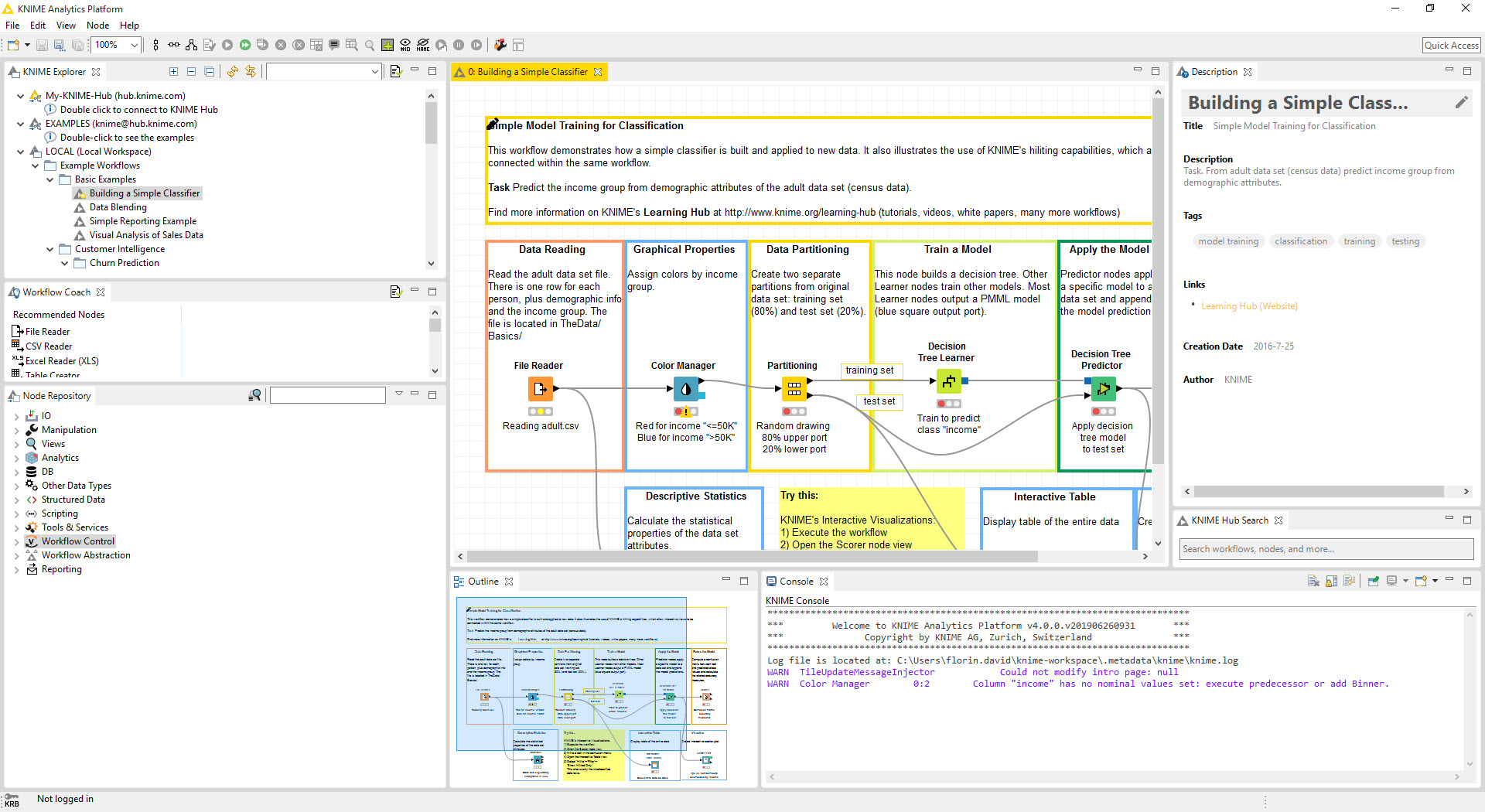
KNIME builds data analysis as a diagram. Each step, reading a file, joining two tables, filtering rows, training a model, drawing a chart, is a node, a box dragged onto a canvas and configured through a dialog. Connect the nodes with lines from output to input, press execute, and data flows through the diagram from left to right, with a traffic light under each node showing whether it has run, is waiting or has failed, and the table at any point inspectable with a click.
A finished workflow is a readable record of what was done to the data, which is why analysts use it, and it runs again on new data without a change, which is why they keep it.
The canvas carries thousands of nodes from data access and cleaning through statistics and machine learning to text and image processing, and on to visualisation and reporting, with more than three hundred connectors for files, databases, cloud storage and services.
Where a node does not exist, a Python, R, Java or SQL node runs code inside the same workflow, so the visual approach never becomes a wall. KNIME is open source on the desktop, with a commercial hub for sharing and scheduling, and it has lately gained an AI assistant that answers questions about the platform or builds workflow fragments from a description.
It is heavy, the way a workbench is heavy, and the sections below cover what it does and where the weight shows.
Nodes and the canvas
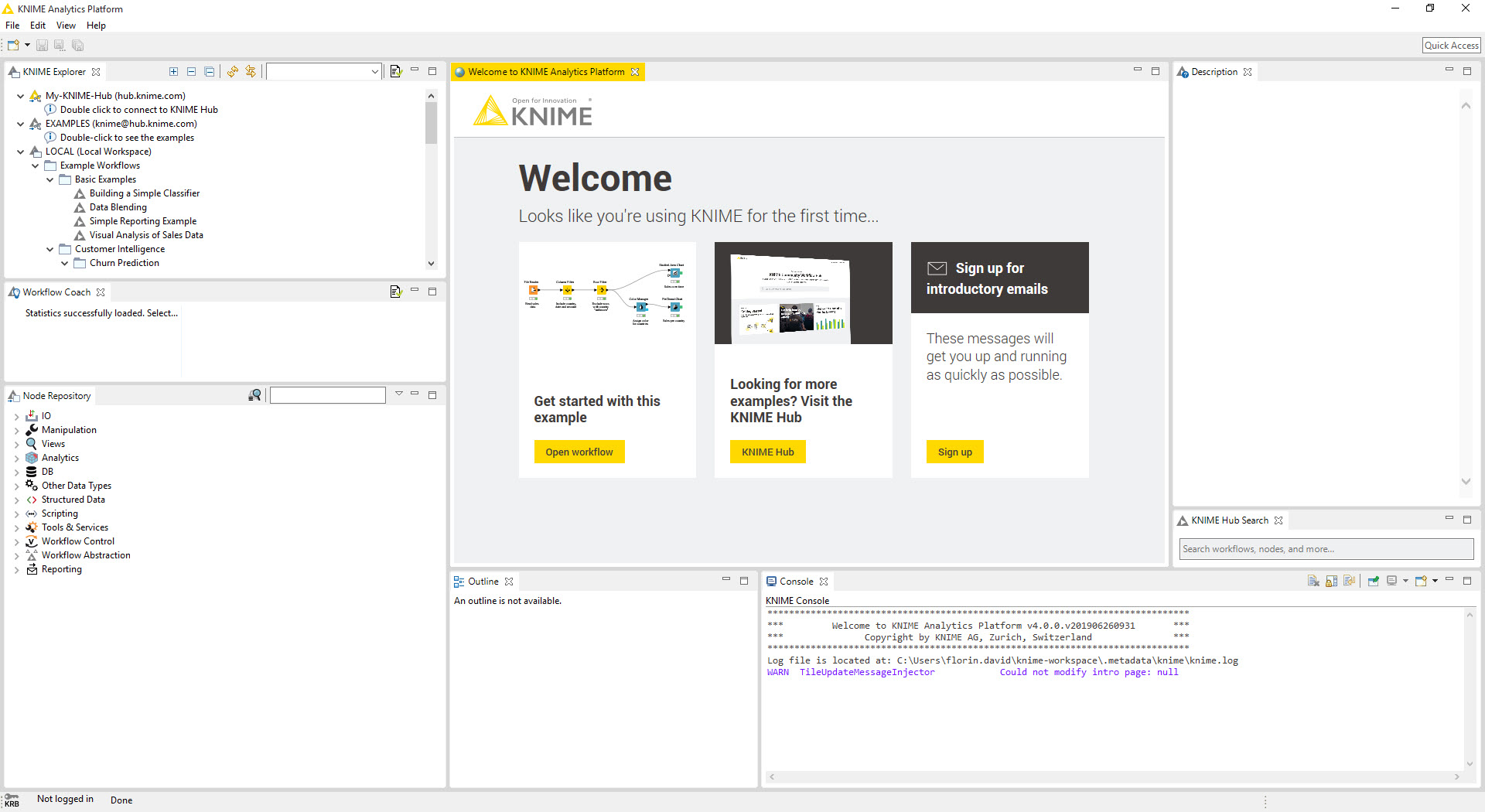
A KNIME node has input ports on its left and output ports on its right, coloured by what they carry, so a table port only connects to a table port and a model port to a model port. Double-click a node and its dialog opens with the settings for that operation, from the columns to include to the parameters of an algorithm, with preview where it helps. Right-click after execution and the output table opens in a viewer with sorting and statistics, which is how a pipeline is debugged step by step rather than guessed at.
The node repository down the side is searched by name or browsed by category, and dragging a node onto a connection inserts it in the flow. Metanodes collapse a group of nodes into one box to keep a large workflow readable, and components go further, wrapping a group with its own dialog so it behaves as a new node that others can configure without opening it.
Annotations and node comments turn the canvas into documentation, and a workflow saved to the hub carries all of that with it.
Reading and shaping data
KNIME readers cover the common files, CSV, Excel, JSON, XML and Parquet among them, databases through connectors that push SQL to the server, cloud storage and a long tail of services. The cleaning nodes do what a spreadsheet does and what it cannot. Filtering and sorting, joins and pivots, grouping and aggregation, splitting or combining columns, fill missing values by rule, convert types and parse dates, and apply expressions with a formula language, each as a node whose configuration survives for next time.
Loops and switches control the flow. A loop runs a section once per group, per file or until a condition is met, a switch sends data down one branch or another, and flow variables carry values between nodes so a filename or a threshold set once feeds the whole workflow.
That control logic is what turns a one-off analysis into an automated process, and it is the part newcomers reach a week in and never give up.
Machine learning and statistics
The KNIME learning nodes cover the standard algorithms, decision trees and random forests, gradient boosting and the regressions, support vector machines and naive Bayes, nearest neighbours and clustering, and the neural network families, each as a learner node paired with a predictor node that applies the model to new data. Partitioning and cross-validation nodes split the data, scorer nodes report accuracy, confusion matrices and curves, and parameter optimisation loops search for the best settings. A model trained here saves as a file and reloads later, or exports to a standard format for use elsewhere.
Statistics nodes compute descriptive summaries and correlations, hypothesis tests and distributions, and the deep learning integration wraps a well-known framework for anyone building networks by stacking layer nodes. None of this requires code, and all of it can be done in code within the same workflow when the node does not fit.
Against Weka, which offers the classical algorithms behind buttons for a dataset at a time, this is the pipeline that surrounds them, with data preparation and deployment built in, and repetition without extra effort.
Scripting nodes and the AI assistant
The KNIME Python nodes run a script against the incoming table, with the data arriving as a familiar dataframe and leaving the same way, a bundled environment that works out of the box and the option to point at a Python distribution of your own with its own packages. R, Java and JavaScript nodes do the same for their languages, and a SQL node runs queries against a connected database. Larger-than-memory data streams through the newer scripting nodes rather than loading whole.
The assistant answers questions about which node does what and how to configure it, and in build mode it generates a sequence of connected nodes from a sentence, which a beginner refines rather than starts from blank.
It also writes and explains code inside the scripting nodes. It depends on a connection to a hosted service and on a quota of interactions, and its workflows are a draft to be checked, not a result to be trusted, but as a way past the blank canvas it works.
Views and data apps
KNIME chart nodes draw the common plots, from bars and lines to scatters, box plots and heat maps, as interactive views, and a composite view arranges several into a page. Those pages become data apps when a workflow is deployed to a hub, with widgets for input that let a colleague choose a filter or upload a file and see the result without ever opening the canvas. Report nodes assemble tables and charts into a PDF or a document for distribution, which covers the weekly report that used to be assembled by hand.
For a quick chart from a finished table, exporting to LibreOffice and drawing it there is sometimes faster than configuring a view node, and the two coexist in most analysts’ routines. The views earn their configuration when the same chart has to appear every week on fresh data, which is the case the platform exists for.
The hub and collaboration
The KNIME community hub holds thousands of shared workflows and components, plus extensions, all searchable and dragged straight onto the canvas, so a common task often starts from someone else’s working solution. Uploading a workflow of your own shares it with a link. The commercial hub adds team spaces with versioning, scheduling, and the deployment of workflows as services and data apps, which is where the desktop platform becomes production infrastructure.
Database connectors deserve a mention here because they define where the heavy lifting happens. A connection to a server such as PostgreSQL lets the database nodes push joins and aggregations to the server as SQL and bring back only the result, which is how a workflow handles tables far larger than the desktop could load.
Where the weight shows
KNIME is built on a large development framework and starts slowly, uses memory generously and needs its heap raised for big tables, which is a setting in a configuration file rather than a menu. The modern interface is cleaner than the classic one, and a few older nodes and extensions still open the old dialogs, so the two coexist. The sheer number of nodes makes the first week a search exercise, and a workflow with hundreds of nodes needs discipline with metanodes to stay legible. Extensions are installed from inside the application and occasionally conflict, and the assistant’s quota is a reminder that the open-source desktop sits beside a commercial service.
Conclusion
KNIME suits analysts and data scientists who want their work to be visible and repeatable, and explainable to others, from a marketing team joining spreadsheets every Monday to a scientist training models on experimental data. The node canvas documents itself, the loops and variables automate it, and the scripting nodes mean nobody hits a ceiling.
It is heavy on the machine and dense on first sight, and its most polished sharing lives in the commercial hub. Raise the memory setting on day one, start from a hub workflow rather than a blank canvas, and lean on components to keep the diagram legible, and it becomes the workbench that outlasts every script written to replace it.
Pros & Cons
- Visual workflows of configurable nodes with a traffic light and an inspectable table at every step
- Thousands of nodes across access, cleaning, statistics, machine learning and visualisation
- Python, R, Java and SQL nodes when a visual node does not fit
- Loops and switches, with flow variables, turn an analysis into an automated process
- Database nodes push work to the server as SQL
- Community hub with thousands of shared workflows and components
- Heavy application that starts slowly and needs its memory setting raised for large data
- Thousands of nodes make the first week a search exercise
- Modern and classic interfaces coexist in places
- The AI assistant depends on a connection and a quota
- Scheduling and versioning, plus deployment, belong to the commercial hub
Frequently asked questions
No. Workflows are built from nodes configured through dialogs. Python, R and other scripting nodes are available for anything the visual nodes do not cover.
Database nodes push joins and aggregations to the server as SQL and return only results, and the newer scripting nodes stream data rather than loading it whole.
It answers questions about nodes and configuration, generates connected node sequences from a description in build mode, and writes or explains code in the scripting nodes. It needs a connection and has a quota.
A group of nodes wrapped with its own dialog so it behaves as a single new node, configurable by others without opening it, and shareable through the hub.
Yes. Upload it to the community hub for a link, or use the commercial hub for team spaces with versioning and scheduling, and for deployment as data apps.


