

Kaspersky Antivirus
About Kaspersky Antivirus
Kaspersky Antivirus is the protection core of one of the longest-running security suites on the desktop, and it earns that position in the independent laboratory tests year after year, where its detection of new malware sits at or near the top of every table. Install it and guards scan every file opened or downloaded, check mail attachments and block phishing pages before they load, while a behaviour engine watches running programs for the patterns ransomware shares and rolls back changes when it catches one in the act. Scans run quick, full, selective or on a removable drive, on demand or on a schedule, with little visible load while they work.
The product line has been reorganised, so the name on the box and the name in the window may differ. The protection described here is what the current entry tier delivers, with the same engine shared upwards through the tiers that add a VPN, a password manager and identity tools. Kaspersky Antivirus is also the subject of a restriction that readers in some countries must know before installing.
In the United States the sale of the software and the delivery of its updates are prohibited, so an installation there receives no new signatures and decays in usefulness by the week, and anyone subject to those rules should choose something else. Everywhere else it updates normally.
Real-time protection and the behaviour engine
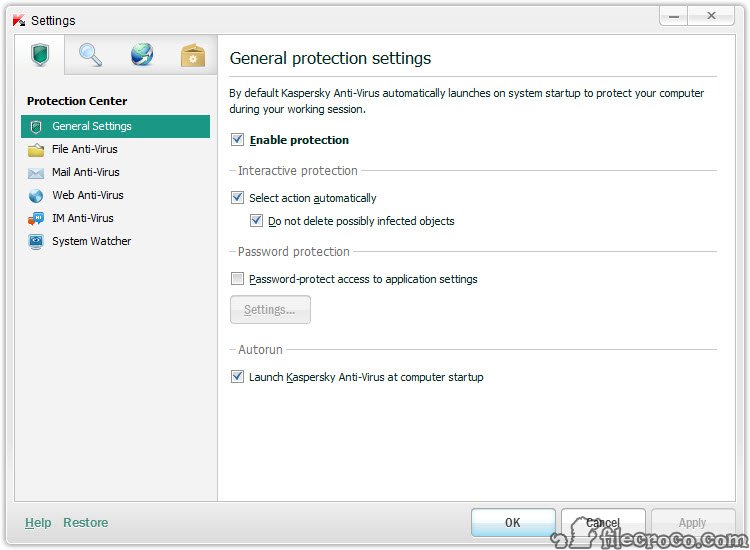
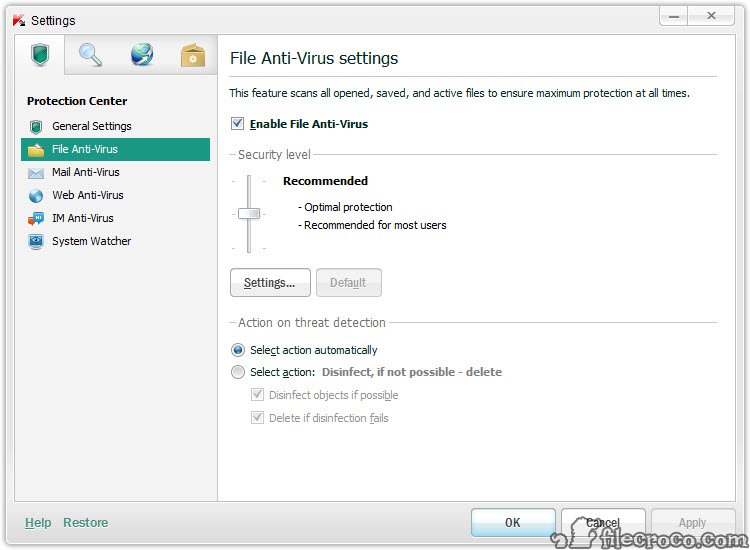
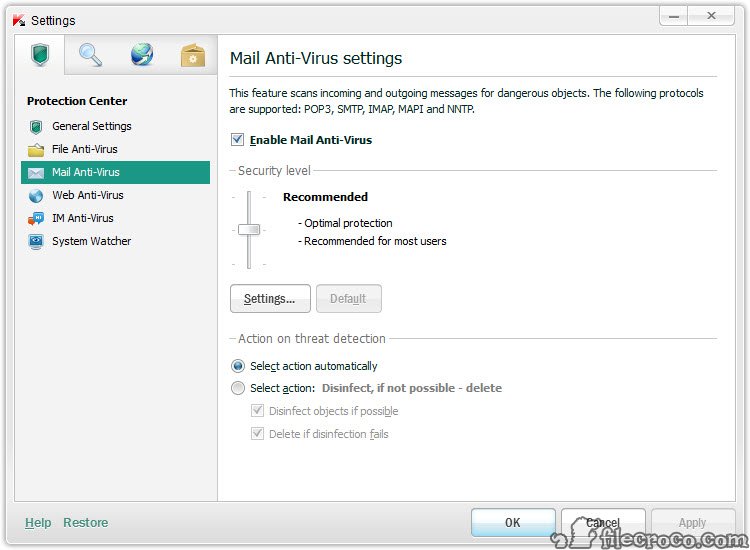
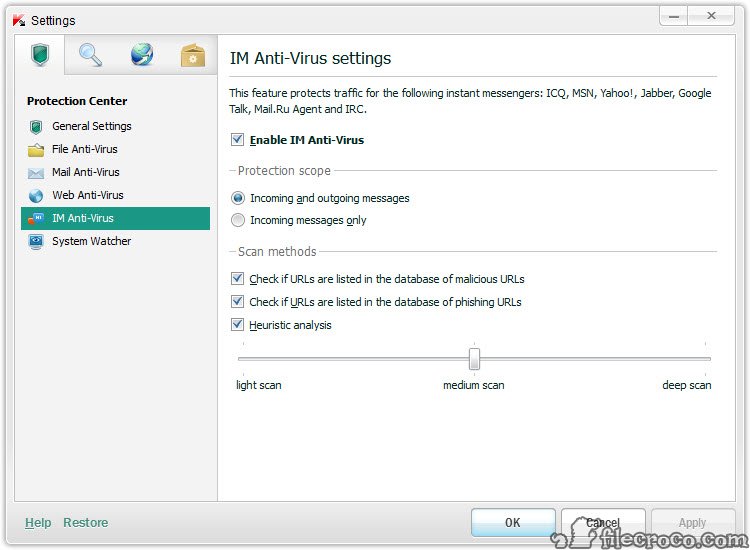
Four Kaspersky Antivirus guards run continuously. File Anti-Virus checks every file as it is opened, run or saved, with heuristics catching variants that no signature names. Mail Anti-Virus scans incoming and outgoing messages and their attachments in the common mail clients. Web Anti-Virus inspects pages and downloads as they arrive, blocking known malicious sites and the phishing pages that imitate banks and mail providers, and a safe browsing extension marks search results. Network Attack Blocker watches for port scans and exploit attempts.
Behind them, System Watcher records what programs do and recognises malicious sequences, the encryption of many files in quick succession, the modification of system areas, the injection into other processes.
When it fires, it stops the process and reverses the changes it made, which is the mechanism that defeats ransomware after it has started rather than only before. That rollback is the feature that distinguishes the engine from the many that match signatures well and stop there.
Scans and performance
The Kaspersky Antivirus Quick Scan covers the places malware lives, memory, startup objects and system folders, in a few minutes. Full Scan walks every drive and takes an hour or more on a large disk the first time, then speeds up as unchanged files are remembered and skipped.
Selective Scan takes a folder or a file dropped onto the window, and a removable drive scan triggers when a stick is inserted, with a prompt to run it. Schedules run any of these at a set time, with an option to run only when the machine is idle.
Performance during scans is managed by giving way to active programs, and a gaming mode postpones scans and notifications while a full-screen application runs. The background footprint is modest for a suite this capable, and the laboratory measurements of slowdown during everyday tasks are consistently among the lower ones.
Vulnerability Scan checks installed programs for known weaknesses and points at the updates that close them.
Quarantine and repair
Objects Kaspersky Antivirus detects go to quarantine, where they can be restored if a detection was wrong or deleted when it was right, and a report lists every event with its verdict. Exclusions tell the guards to ignore a folder, a file or a program’s activity, which is how a development tool or a game modding utility that trips the heuristics keeps working.
When an infection has already damaged settings, the repair tools reset browser configuration, restore system areas and remove the traces a cleaned infection leaves behind. A rescue disk, built from inside the product, boots the machine from a stick to scan a system too compromised to trust while running. Removing the product itself cleanly, for a reinstall or a switch, is a job for KAVRemover, since the ordinary uninstaller can leave drivers behind.
Keeping the definitions current
Kaspersky Antivirus signatures and engine modules update several times a day from the cloud, and the Kaspersky Security Network feeds reputation data on new files back and forth so a threat seen on one machine is known to the others within minutes. That cloud participation is optional and can be declined, with slower recognition of brand-new threats as the trade. For machines without a steady connection, Kaspersky Update Utility downloads the databases on one computer for copying to others.
This is where the regional restriction bites. Where updates are prohibited, the signatures freeze on the last day they arrived and the cloud network goes silent, so the engine’s excellent test scores no longer describe the installed copy.
A frozen antivirus is worse than a current basic one, and that is the honest reason the product is not for users in the affected country.
What the entry tier leaves to the upper ones
The Kaspersky Antivirus entry tier is the protection core. The tiers above add an unlimited VPN and a password manager, identity and data leak monitoring, a hard drive health monitor and remote support, none of which change how malware is caught. Payment protection, which opens banking sites in a hardened browser window, is included across the tiers, as are the scans, the guards and the behaviour engine.
For a household wanting protection and nothing else, the core is complete, and the upgrades are conveniences.
Where it falls short
The United States restriction is the largest single fact about Kaspersky Antivirus, and anyone governed by it has no sensible reason to install. Elsewhere, the suite shows upgrade prompts for the higher tiers, the installer offers the browser extension and a shortcut to the VPN that some people decline, and the interface, while clear, is busier than a minimalist product’s.
A second-opinion scanner such as Malwarebytes still finds the occasional adware item the main engine classes as merely unwanted, and running one alongside is a common habit. The cloud network means file hashes leave the machine unless declined, which privacy-minded users weigh for themselves.
Conclusion
Kaspersky Antivirus suits anyone outside the restricted country who wants the strongest malware detection the laboratories measure, with ransomware rollback and payment protection in the entry tier and no need for anything more. The guards are thorough, the scans stay out of the way, and the repair and rescue tools cover the day something gets through.
For users in the United States it is the wrong choice regardless of its quality, because a protection product that cannot update is not protection. Everywhere else, install the core, decline the extras you do not want, keep a second-opinion scanner for adware, and it does the job it has always done well.
Features & benefits
Pros & Cons
- Top-tier detection of new malware in independent laboratory tests
- System Watcher rolls back ransomware changes after an attack starts
- File and mail guards, plus web and network protection, running continuously
- Full scans speed up by skipping unchanged files, with a gaming mode
- Rescue disk and repair tools, with quarantine and granular exclusions
- Payment protection in a hardened browser window on every tier
- Sale and updates prohibited in the United States, leaving installations frozen there
- Upgrade prompts for the higher tiers
- Cloud reputation sharing sends file data unless declined
- Interface is busier than minimalist alternatives
Frequently asked questions
Yes, everywhere except the United States, where the delivery of updates is prohibited and installed copies no longer receive new signatures.
System Watcher recognises the pattern of mass encryption, halts the process and reverses the file changes it made, in addition to the signature and heuristic detection that blocks known samples before they run.
Yes. Exclusions cover files and folders, or a program's activity, and trusted applications can be marked so the guards leave them alone.
The full protection core, with the guards, the behaviour engine, scans, quarantine, repair tools, the rescue disk and payment protection. The VPN and password manager belong to the upper tiers.


