

HackerTyper


 (98 votes, average: 3.67 out of 5)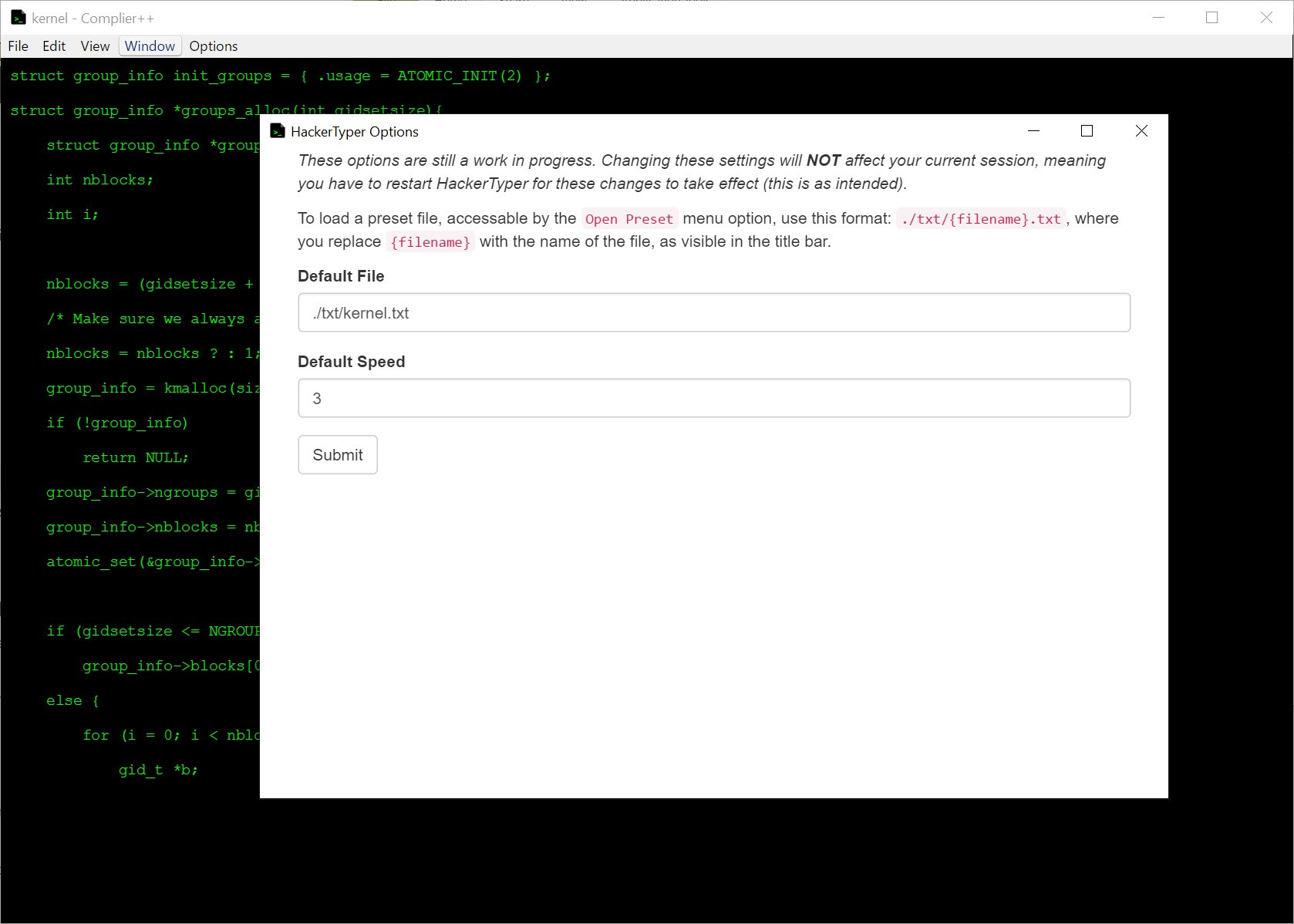
About HackerTyper
Some software earns its place by solving a real problem. Some software earns its place by being so committedly silly that it becomes a cultural artifact in its own right. HackerTyper belongs to the second category, sitting in the small museum of internet-era novelty applications alongside the keyboard cat generator, the geocities aesthetic revival, and every joke widget your cousin sent you in 2011. It also happens to still work, still get used, and still occasionally make people who don’t know what it is genuinely concerned for the user’s wellbeing.
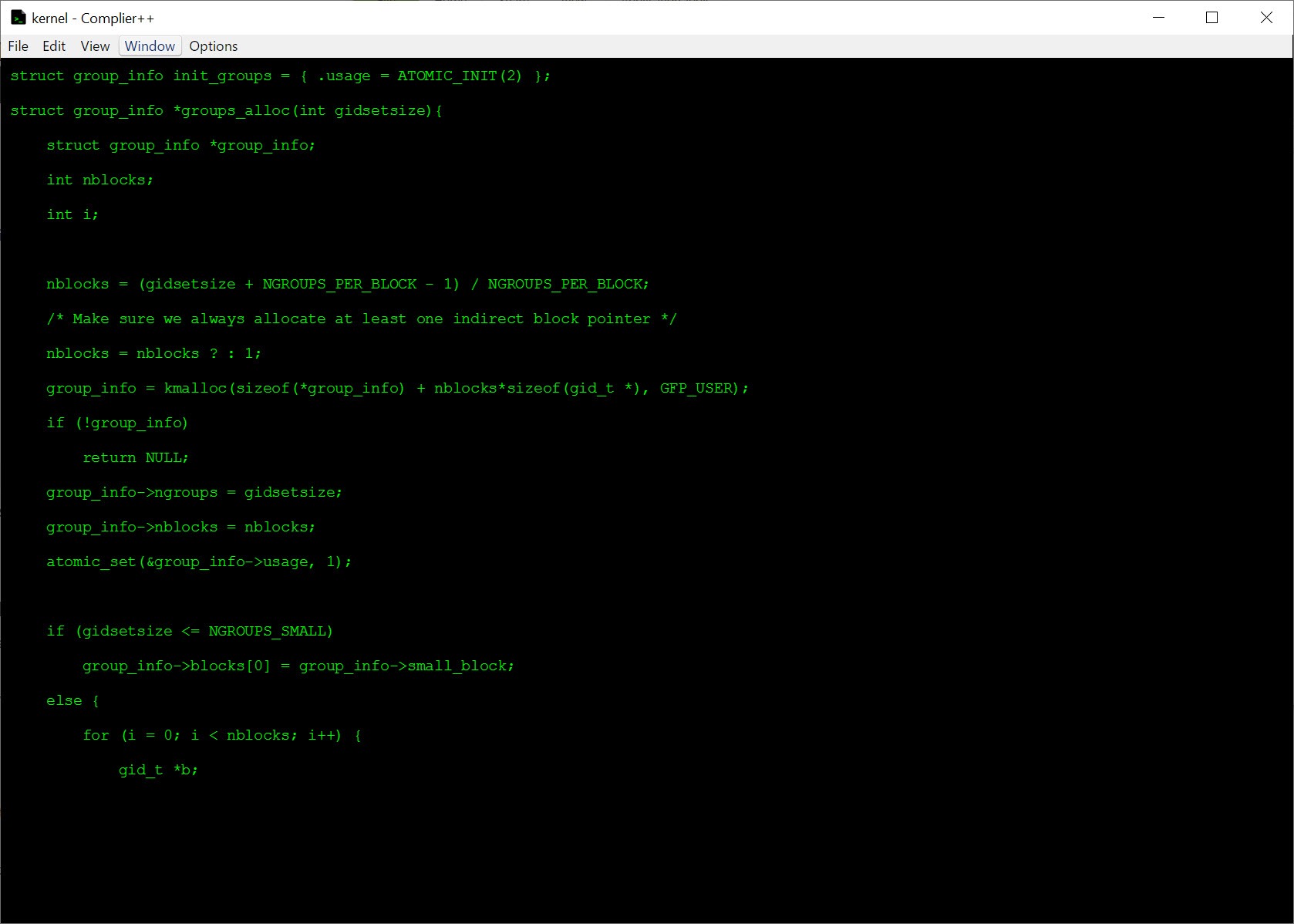
The application does one thing. You launch it, you mash the keyboard, and the screen fills with realistic-looking source code as if you were typing it at superhuman speed. The code is actually pre-loaded into the program, drawn from real software projects, and it scrolls onto the screen at whatever pace your random key presses dictate.
Stop pressing keys and the typing stops. Press faster and the code appears faster. That’s the entire interaction model.
Where the visual effect comes from
The source code that scrolls across the screen isn’t generated. It’s a fixed sample taken from real software, typically including snippets from Linux kernel sources, OpenSSL, common open-source libraries, and similar projects with the kind of dense, syntax-heavy, low-level code that looks impressive on a screen without the viewer needing to understand any of it.
That choice of source matters. Random characters wouldn’t fool anyone. Generated nonsense in a syntax-highlighted font would look obviously wrong to anyone who actually programs. Real kernel code, with its function declarations, struct definitions, conditional compilation directives, and assembly-style inline blocks, looks correctly busy to a casual observer. The application is essentially exploiting the fact that programming code looks like programming code regardless of what it actually does.
The monospace font, the green-on-black or amber-on-black color scheme, and the full-screen mode all reinforce the visual cliche of the movie-hacker terminal. None of it would survive scrutiny from an actual security professional, but it doesn’t need to.
The application’s target is the moment of bemused confusion from someone looking over your shoulder, not technical authenticity.
The “access granted” and “access denied” Easter eggs
Two hidden interactions add to the gag. Triple-tap Caps Lock and the screen produces a green “ACCESS GRANTED” overlay, hovering in the middle of the scrolling code like the climactic moment in a heist movie. Triple-tap Alt and you get the reverse, a red “ACCESS DENIED” with a more ominous tone.
Those overlays are the part of the application most users actually remember. The scrolling code is the setup, the access messages are the punchline. Putting them on a hotkey rather than a button means you can trigger them seamlessly while still mashing the keyboard, which sells the illusion to whoever is watching better than reaching for a mouse would.
Practical use cases, such as they are
Pranks on coworkers and family. Demonstrations in tech-themed presentations where you want a quick visual gag during a slide transition. Background for video calls when you want to look more cinematically engaged than your actual work would suggest. Children’s birthday parties with a cybersecurity theme, for whatever niche group of people throws those. Halloween costumes where the laptop is part of the outfit.
Genuine uses are limited and that’s the entire point. The application is functionally a desk toy. It doesn’t simulate anything technically useful, doesn’t teach anything about real security, doesn’t help with any productivity workflow, and doesn’t generate any output you’d save. It runs, you mash keys, you have a moment of amusement, you close it.
For users wanting actual terminal-based productivity tools rather than the visual aesthetic of one, Cmder provides a real terminal emulator with proper Unix tools and Git integration. The contrast is informative: a real terminal looks much less cinematic than the fake one, which is partly why the application exists in the first place.
Compatibility and what to expect on current systems
The application is small enough that compatibility issues are rare. It runs on current Windows versions without any specific configuration, occupies a negligible footprint, and doesn’t require admin privileges to launch. F11 toggles fullscreen mode for the full immersive experience. Escape exits fullscreen mode and lets you close the window.
That said, the application is also not actively maintained in any visible way. It is what it has always been, doing what it has always done. Future Windows versions could conceivably break compatibility, though the application’s simplicity (essentially just a text display loop with hardcoded sample data) means there’s not much to go wrong.
For users looking for similar desktop novelties without the hacking theme, Fliqlo provides a minimalist flip clock screensaver that hits the same “interesting visual while idle” niche from a calmer direction, and DeskScapes animates desktop wallpapers in similar low-stakes ways.
Where the joke runs thin
The novelty wears off quickly. The application is fun for about ninety seconds the first time you encounter it, briefly amusing for thirty seconds the second time, and largely forgotten by the third. There’s no progression, no variety beyond what fragment of code happens to scroll next, no challenge or interaction depth.
The visual effect also doesn’t fool anyone who works with computers professionally. Real penetration testing, real security research, and real software development don’t look anything like what the application produces. The intended audience for the gag is specifically non-technical viewers, which limits its utility in tech-heavy environments where you’d expect to deploy it.
The application also can’t help with anything practical. The keys you press don’t correspond to the characters that appear, the code on screen isn’t being executed, and nothing is being affected on your system or anyone else’s.
Treating it as a learning tool, a productivity aid, or anything beyond a brief gag is misreading what it is.
Conclusion
HackerTyper is a joke that became a small piece of internet culture and has continued to exist on its own terms ever since. As a tool it does almost nothing. As a brief moment of amusement at a desk or in a presentation, it works exactly as intended, which is the entire scope of its ambition.
The audience is whoever wants to convince a non-technical observer that something cinematically dramatic is happening on their screen, plus the people who grew up with the original web version and feel nostalgic about it. Anyone looking for actual functionality should look elsewhere, and the application itself doesn’t pretend otherwise.
For its scope it’s fine. For anything bigger than its scope it’s the wrong tool, in the same way that a rubber chicken is the wrong tool for almost anything except being a rubber chicken.
Pros & Cons
- Convincing visual effect for non-technical viewers
- Tiny footprint, no installation overhead, no system impact
- Fullscreen mode and Easter egg key combinations sell the immersion
- Access granted and access denied overlays add a memorable punchline
- Works without admin privileges or configuration
- Free and simple enough that anyone can run it without prep
- Novelty value is brief, with the joke wearing thin after a few uses
- Effect doesn't fool anyone with actual programming or security knowledge
- No real functionality beyond the visual gag
- Not actively maintained, with compatibility on future systems uncertain
- Limited customization, with no control over which code samples display
Frequently asked questions
Nothing functional. The application displays real-looking source code as you press keys on the keyboard, creating the appearance of high-speed expert programming. The displayed code is pre-loaded sample content from real software projects, scrolled into view in response to whatever keys you press.
Triple-tap Caps Lock. The application overlays a green "ACCESS GRANTED" message on top of the scrolling code. Triple-tapping Alt produces the equivalent red "ACCESS DENIED" overlay.
Press Escape to exit fullscreen mode if you've activated it, then close the window normally. The application doesn't have any persistent state, so closing it ends the experience completely.
Yes, the displayed code is taken from real software projects, typically open-source ones with dense low-level code that looks visually impressive. The application isn't generating the code procedurally, it's scrolling through pre-loaded snippets in response to your keystrokes.
No. The application doesn't have any network capability, doesn't interact with any system beyond displaying code on the screen, and doesn't execute any code. It's a visual gag exclusively, with no functional security or system interaction features.
Press F11 to toggle fullscreen mode. Escape exits fullscreen back to a normal window.
No. The code displayed is intentionally complex-looking rather than educationally structured, and there's no interactivity, explanation, or context that would make it useful for learning. Treat it as entertainment, not education.


I love this game.