

Clover
About Clover
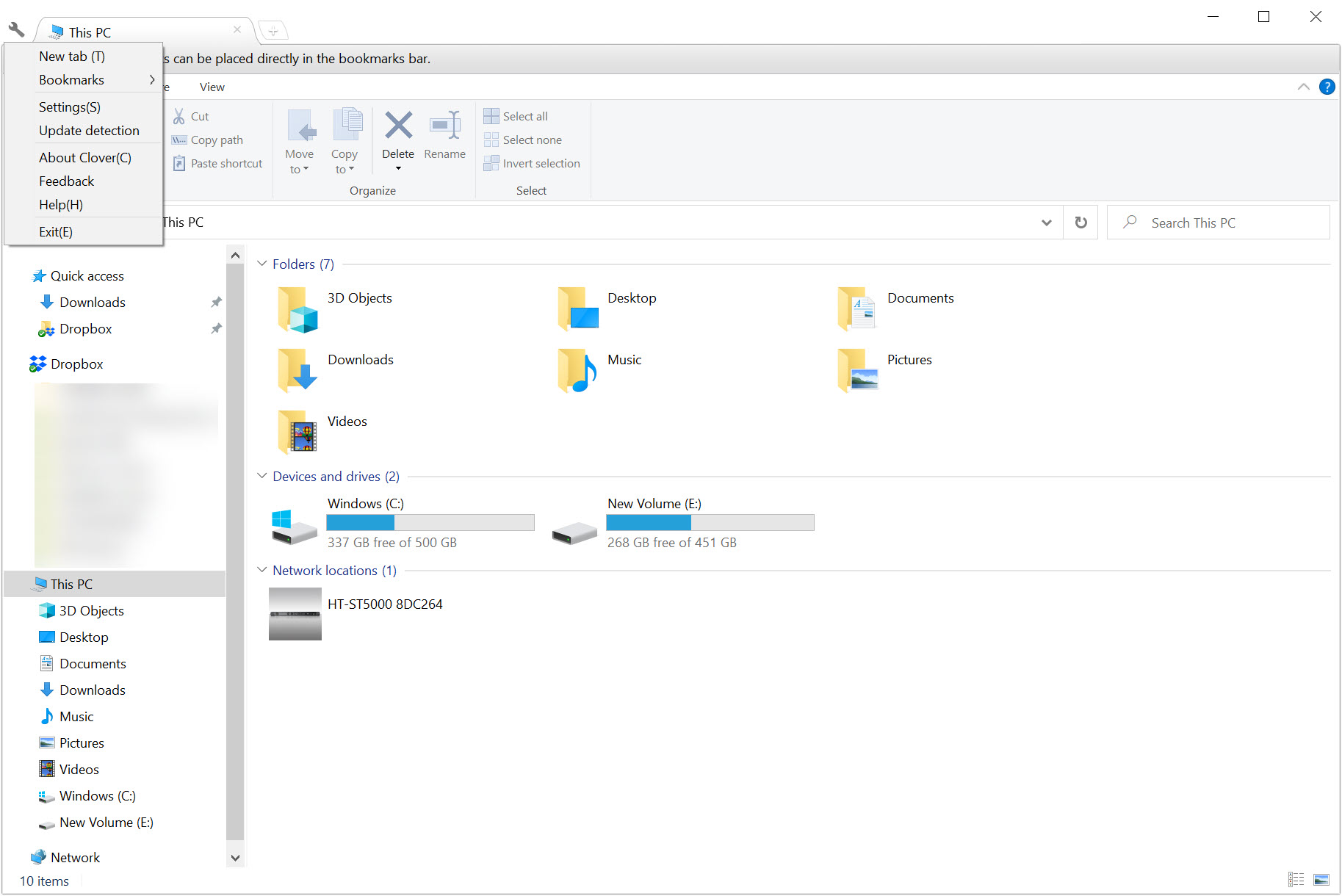
Anybody who keeps a dozen browser tabs open has wondered why the file manager insists on a window per folder. Clover adds tabs to the file manager you already use, with the same keys a browser uses.
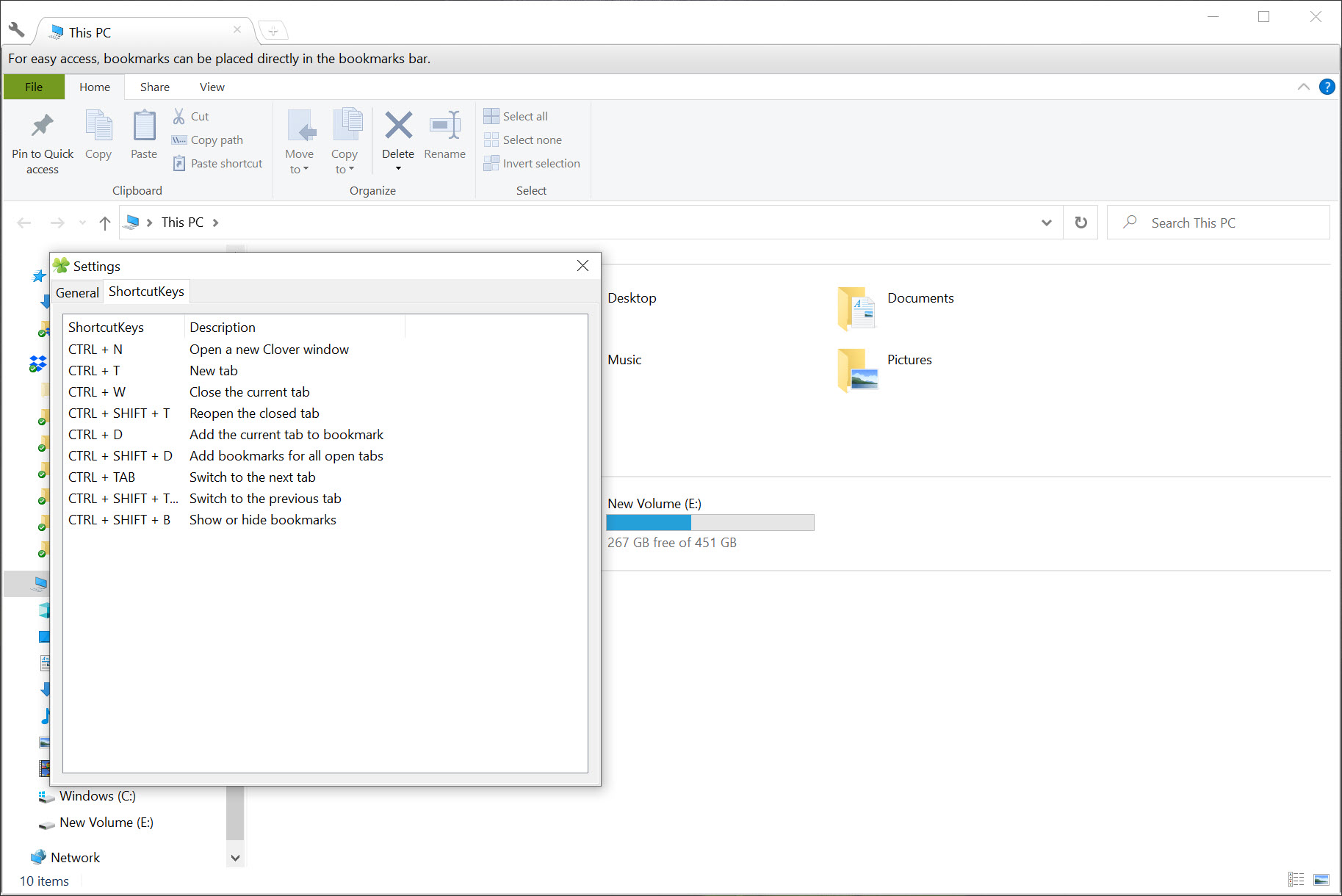
The Clover shortcuts are the point. A new tab opens with Ctrl and T, closes with Ctrl and W, and switching runs on Ctrl and Tab. Reopening the last closed tab is Ctrl, Shift and T.
Nothing new has to be learned, which is the entire argument. The file manager behaves as before and gains a tab strip above it.
Bookmarks, which turn out to matter more than tabs
The Clover feature people use most is the bookmarks bar, and it works exactly like a browser’s.
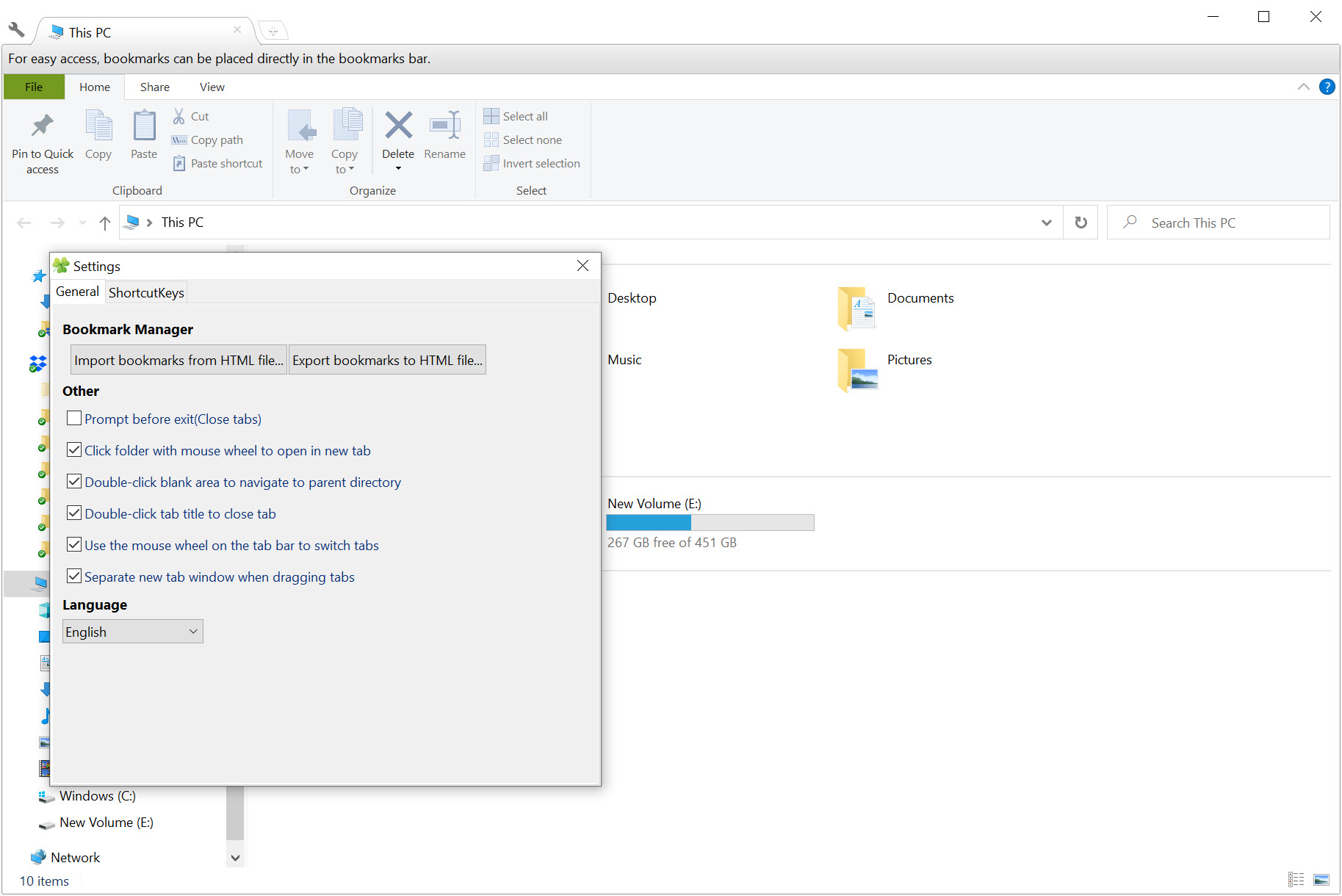
Ctrl and D bookmarks the folder you are looking at, or a folder can be dragged onto the bar directly. Bookmarks import and export as an HTML file, and a manager exists for organising them once there are too many.
That covers the actual daily annoyance, which is not opening folders in tabs but reaching the four folders you use constantly. A bar of them across the top removes that entirely.
Files and folders drag between tabs and onto bookmarks, so moving something to a frequently used destination is one gesture rather than two windows and a careful aim. A tab dragged off the strip becomes its own window, and dragged back it merges again.
Where the real problem is finding a file rather than navigating to it, a search tool that indexes the file table and returns matches as you type removes most of the navigating altogether.
How it attaches, and why that is fragile
Here is the Clover mechanism the maker documents honestly and most descriptions omit.
Clover does not replace the file manager. It hooks into it through the extension mechanism the system provides for browser components, registering a helper that catches newly opened windows and hosts them as tabs.
That explains a failure people report and cannot diagnose. Optimisation and cleaning software frequently disables that helper as unnecessary clutter, and when it does, new windows stop appearing as tabs while the program otherwise seems to be running. Re-enabling the extension is the fix, and knowing where to look for it is the hard part.
The dependency also means anything that tightens control over browser extensions can break the arrangement without mentioning this software at all.
Advertising, and the account
The maker’s own changelog is candid about this, and it belongs in any honest description.
The freely available version displays advertising. An account system exists with a paid membership that removes it, which is how the software is funded.
Login problems appear repeatedly through the update history, which suggests that layer has been the least reliable part. For a tool that adds tabs to a folder window, an account and an advertising panel are more apparatus than some people will accept.
The file manager now does this itself
The decisive Clover fact for anybody on a current system, and it is not a criticism of the software.
Recent versions of the file manager include tabs natively, with no extension, no helper to be disabled, no advertising and no account. That covers the main reason this existed.
What the built-in tabs do not include is the bookmarks bar, which was arguably the better feature. So the honest position is that anybody on an older system gets real value here, and anybody on a current one is installing a tab strip they already have to obtain a bookmarks bar they do not.
For a properly different approach, meaning a file manager built around two panels and its own keyboard vocabulary, Total Commander has been doing that for a very long time.
Conclusion
Clover did something obviously sensible before the system got round to it, and the bookmarks bar is the part worth remembering rather than the tabs everybody talks about. Reaching four constantly used folders from a strip across the top saves more clicks in a day than tabs do.
Two things decide it now. On a current system the tabs already exist without an extension, an account or advertising, which leaves a narrow reason to install anything. And the way it attaches means cleaning software can quietly disable it, producing a fault nobody can explain until they know where to look.
Pros & Cons
- Tabs in the existing file manager, with the same keys a browser uses
- Bookmarks bar for the folders you actually use, with import and export
- Tabs drag off into their own windows and back again
- Files and folders drag between tabs and onto bookmarks
- Nothing new to learn, since the file manager behaves as before
- Several languages, and free to use
- Attaches through a browser extension mechanism that cleaning software disables
- The freely available version shows advertising
- An account is involved, and login problems recur through the update history
- Development has been quiet for a considerable time
- Current versions of the file manager include tabs already
Frequently asked questions
By registering a helper through the extension mechanism the system provides for browser components, which catches newly opened windows and hosts them as tabs. The file manager itself is unchanged.
Almost certainly because that helper has been disabled, which cleaning and optimisation software does routinely. Re-enabling the extension restores the behaviour, and nothing in the program will tell you that is the cause.
It can be used without paying and it shows advertising, with a paid membership through an account system removing that. The account layer is also where most of the reported problems have been.
Probably not for the tabs, which the file manager now provides itself. The bookmarks bar is the part it still adds, which is a narrower reason to install it.


This is the best free file manager I have used, and I tried many. 3.0 would sometimes freeze up so it was good to find an update and hope it does not.