

Cleanmgr+
About Cleanmgr+
Cleanmgr+ is a rebuild of the classic Disk Cleanup dialog, the one with the list of tick boxes for temporary files, thumbnails, update leftovers and error reports, with the parts people wished it had. It uses the same categories and the same descriptions as the original, so nothing about it needs learning, and it removes only what the system’s own cleanup mechanisms would remove. On top sits a preview that lists every file about to be deleted, a scripting engine for cleaning things the original never covered, and a portable executable that runs from a stick.
The reason it exists is that the original dialog was marked for retirement in favour of a settings page that does the same job across several screens and a lot of scrolling. Cleanmgr+ keeps the one-window version alive and adds to it. That makes it the conservative choice among cleaners. It will not scour the registry or promise a faster computer.
It deletes junk that the system agrees is junk, and shows you the list first.
The same categories, with a preview
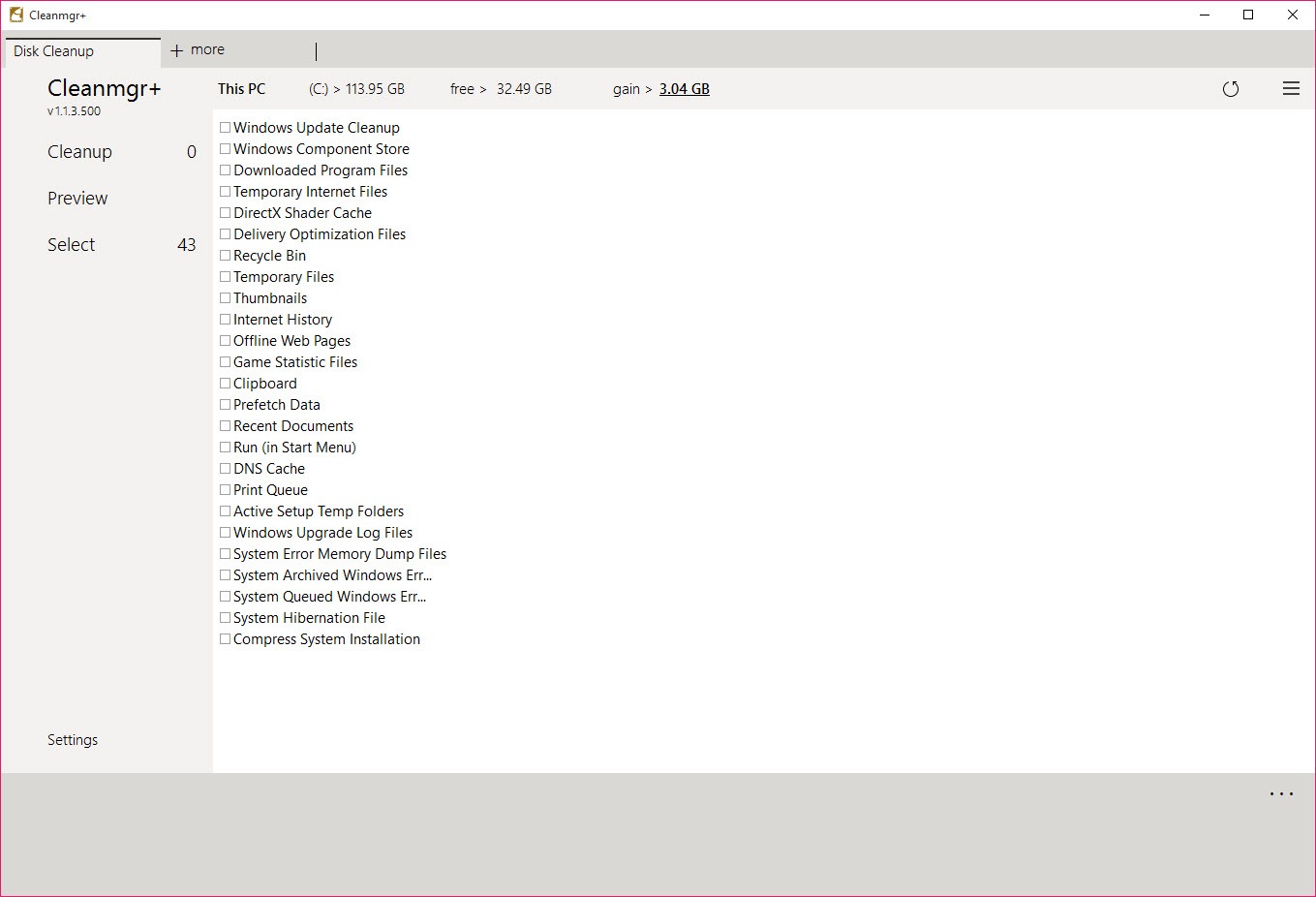
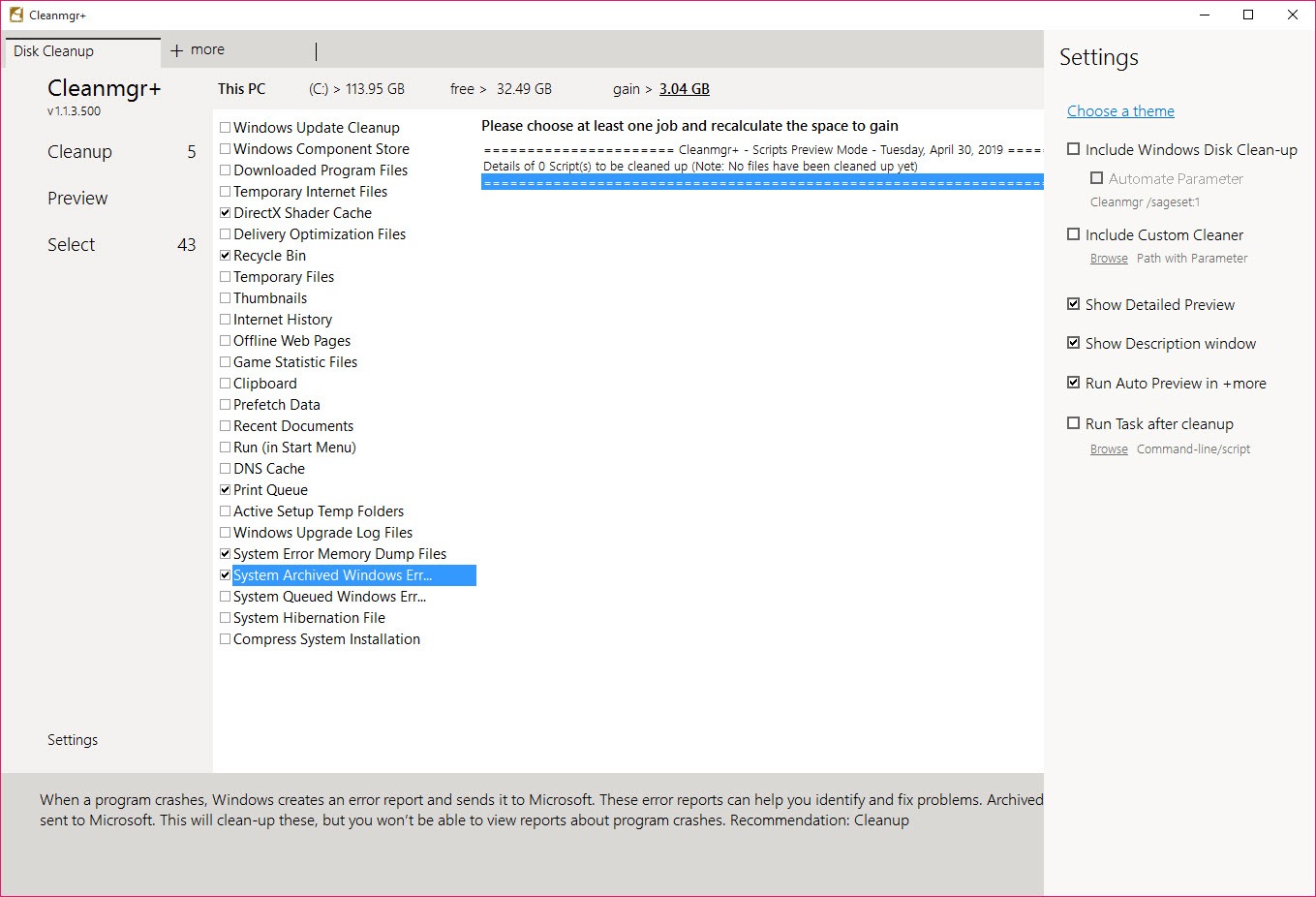
The left pane of Cleanmgr+ lists the familiar groups, temporary files, temporary internet files, thumbnails, delivery optimisation files, error memory dumps, previous installations and the rest, each with a description of what it holds. Tick what you want gone and a Space to gain figure updates as you go.
Where it improves on the original is the preview. Before anything is deleted, a list shows the actual files behind each tick, with their paths, so the mystery of what Disk Cleanup was about to remove is gone.
That preview is why it is safe to run on someone else’s machine. If a category unexpectedly holds something that matters, you see it before the button rather than after.
Scripts for what the original never reached
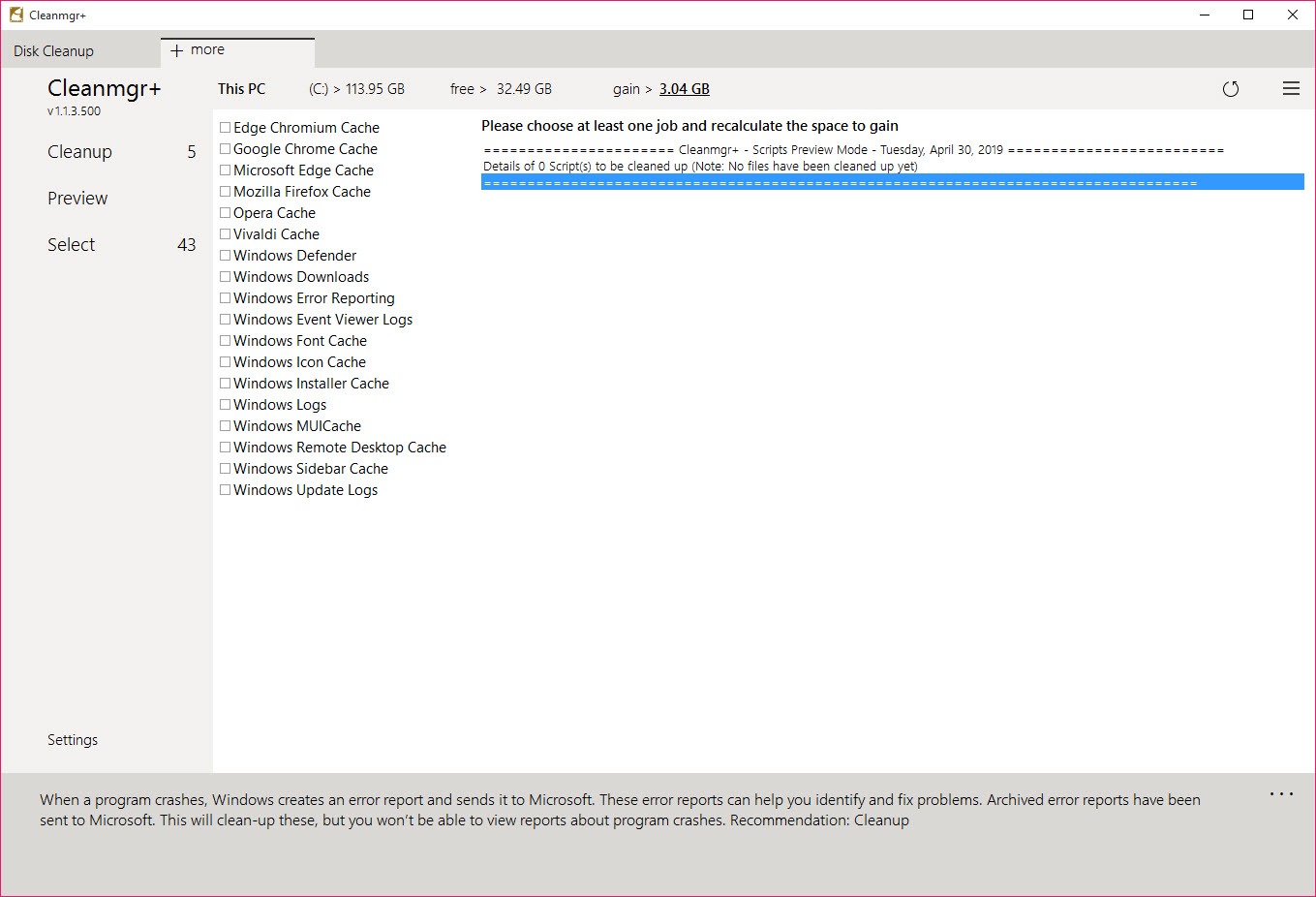
The plus in the name is the scripting engine. Small script files describe extra cleaning targets, and the application ships with several, covering browser caches for the mainstream browsers, browsing history, the installer cache, non-critical files from the built-in antivirus and shadow copies. More are available and writing your own is a matter of listing paths in a text file.
Scripts appear as their own tab in Cleanmgr+ with the same tick-and-preview behaviour as the built-in categories, so a browser cache clean is one more tick rather than a trip into each browser’s settings. The engine is deliberately plain.
It deletes what a script names and nothing more, which keeps it predictable and means it does no leftover hunting of the sort a general system cleaner attempts.
Logs, schedules and running from a stick
The application is a single executable that runs from any folder and leaves the machine as it found it, apart from the files you deleted. A log records each run with what was removed and how much space came back, which is the thing to check when someone insists the tool deleted a file they needed. Themes change the window and tab colours for people who care about that.
Imported scripts can be run on a schedule through the system’s own task scheduler, which turns a manual clean into a weekly habit. There is no service, no tray icon and nothing running between cleans.
The installer cache script does what the old installer cleanup utility once did, without the risk that tool carried.
What it does not do
There is no registry cleaner, no startup manager, no duplicate finder and no privacy shredder. That is the design and not an omission, but anyone expecting a full optimiser will find the list short. Early builds were criticised for a cramped sidebar that cut descriptions off and for showing no size against individual categories, and the size figure is still a total rather than per item.
The browser scripts can lag behind changes in where browsers keep their caches. For deep browser-specific cleaning, BleachBit tracks those locations more closely.
Conclusion
Cleanmgr+ suits anyone who liked Disk Cleanup and wanted the file list before the delete button, and technicians who carry cleaning tools on a stick and prefer one that cannot surprise them. The scripts extend it just far enough to cover browsers and the installer cache without turning it into an optimiser.
People after a one-click tune-up will find it too modest. It deletes junk the system already knows about, shows you first, and stops. For many machines, that is exactly the right amount of cleaning.
Pros & Cons
- Same categories and descriptions as Disk Cleanup, with nothing new to learn
- Preview lists every file before deletion
- Scripting engine adds browser caches, history, installer cache and shadow copies
- Portable single executable with a log of every run
- Deletes only what the system's own mechanisms consider junk
- No registry, startup or duplicate tools by design
- Space to gain shows a total rather than a size per category
- Bundled browser scripts can fall behind browser changes
- No per-file exclusions within a category
Frequently asked questions
It is a rebuild with the same categories and descriptions, plus a file preview, a scripting engine for extra targets and portability.
Yes, through bundled scripts for the mainstream browsers. Each appears as a tick box on the scripts tab.
Yes. The preview lists every file behind each ticked category before deletion, and a log records what was removed afterwards.
Yes. Scripts are plain text files listing the paths to clean, and they load alongside the bundled ones.


