

Firefox

 (256 votes, average: 4.03 out of 5)
About Firefox
Firefox is one of the few mainstream web browsers not built on Chromium. While Chrome, Edge, Opera, Brave, Vivaldi and most other browsers all share Google’s Blink rendering engine underneath their different interfaces, Mozilla maintains Gecko as a separate independent codebase.
This matters more than it sounds at first. When the entire web converges on one rendering engine, web standards effectively become whatever that engine implements, and Google ends up with disproportionate influence over how the web works. Running this browser keeps a meaningful alternative engine alive and gives the web a second voice in standards discussions.
Beyond the engine independence, the application differentiates through privacy features baked in by default rather than added after the fact. Enhanced Tracking Protection blocks third-party trackers, fingerprinting attempts, and cryptominers automatically.
Total Cookie Protection isolates cookies on a per-site basis so trackers can’t follow you across the web through shared cookie jars. Container Tabs (a feature with no real equivalent in mainstream Chromium browsers) let you separate identities within the same browser, with each container getting its own cookies, storage, and login state. Add the deep customization through about:config, the Mozilla Add-ons ecosystem with extensions that reach into browser internals beyond what Chrome’s WebExtensions API allows, and a developer toolset that some web developers actively prefer over Chrome’s.
The result is a browser that targets users who care about privacy, customization, and engine diversity rather than competing on the same axes as Chrome.
Gecko engine and what it actually means
Most users never think about which rendering engine their browser uses. The engine is the part that turns HTML, CSS, and JavaScript into the visual web pages you actually see and interact with. Chromium (used by Chrome, Edge, Opera, Brave) uses the Blink engine. Safari uses WebKit. Firefox uses Gecko, the engine Mozilla has developed continuously since the original Netscape days.
The practical implications cut both ways. On the positive side, Gecko produces some web compatibility quirks where pages built and tested only on Chrome occasionally render or behave differently. These edge cases typically get fixed when site developers actually test on multiple browsers, but they exist often enough that you’ll occasionally hit a site that works better in one browser than another.
On the negative side, Gecko’s continued existence forces web standards to remain genuine standards rather than just whatever Chrome happens to support. Without an independent engine pushing back, Google can effectively define the web by changing Chromium.
Performance has narrowed across years of work. Quantum (the multi-process architecture rewrite that landed in 2017) substantially closed the speed gap between Gecko and Blink. Modern Firefox competes within margin-of-error of Chrome on most benchmarks, with specific workloads sometimes favoring one engine over the other. For typical browsing (loading pages, scrolling content, watching video, running web applications) the practical performance difference doesn’t matter to most users.
For specific power-user workflows with hundreds of open tabs or memory-intensive web applications, the engines have different characteristics worth understanding.
Privacy features that work without configuration
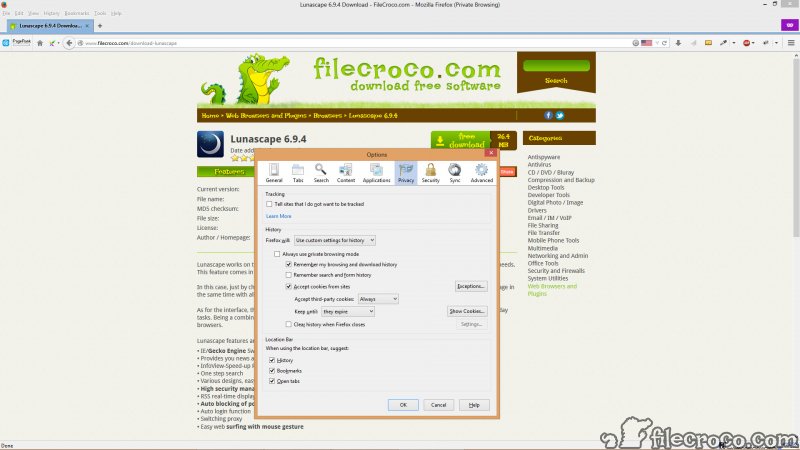
Enhanced Tracking Protection is enabled by default and handles the most common privacy threats automatically. Third-party trackers (the analytics, advertising, and behavioral profiling scripts that load on most websites) get blocked before they execute, with the browser using disconnect.me’s tracking lists to identify what to block. Cryptominers that try to use your CPU for cryptocurrency generation get stopped at page load.
Browser fingerprinting attempts (the technique of identifying users through their unique combination of browser, hardware, and software characteristics) get countered through randomization and standardization where possible.
Total Cookie Protection went further when it became default in 2022. Cookies are now isolated per site rather than shared across the web, which breaks the standard tracker model where a single cookie from a major advertising network would follow you everywhere. Each website gets its own cookie jar, with no cross-site visibility. This single change made it substantially harder for advertising networks to build cross-site behavioral profiles, while breaking very few legitimate website features that depended on cross-site cookies.
The privacy posture extends to telemetry and data collection. Mozilla collects substantially less data than Google does, with telemetry that’s both clearly disclosed and easily disabled. Search query handling defaults to the browser sending searches directly to your chosen search engine rather than logging them through a Mozilla intermediate.
For users who care about minimizing the data surveillance attached to their browsing, this software produces meaningfully different outcomes than Chromium-based alternatives.
Container tabs and the multi-identity workflow
Multi-Account Containers is the feature that doesn’t exist anywhere else in mainstream browsers. The concept is straightforward. Open a tab in a specific container, and that tab gets its own isolated set of cookies, local storage, and browsing state. Open Facebook in a “Personal” container, your work email in a “Work” container, your shopping accounts in a “Shopping” container, and the three contexts stay completely separate within the same browser session.
The practical use cases multiply once you start thinking with the model. Maintaining separate accounts on the same service becomes trivial, with each account living in its own container without conflicting with the others. Preventing Facebook or Google from tracking your other browsing happens automatically, since their cookies only apply within their dedicated containers. Testing websites that depend on logged-in vs logged-out states works without juggling private windows.
The implementation handles edge cases reasonably well. Containers respect the same-origin policy, so containers can’t peek at each other’s data. The interface lets you pin specific sites to specific containers automatically, so opening a link to a “Work” site always lands in the Work container regardless of where you clicked it from. For users who maintain multiple online identities (whether for legitimate work reasons or for privacy hygiene), the feature genuinely changes what’s practical to do within a single browser.
Customization through about:config and extensions
The depth of customization available far exceeds what Chrome allows. about:config exposes hundreds of internal preferences that control browser behavior at every level. Adjust how preloading works, change how often the browser checks for updates, modify rendering behavior for specific edge cases, enable experimental features that haven’t yet shipped to the standard release. The interface warns you that “this might void your warranty,” which is appropriate because some changes can break browser functionality if you don’t know what you’re doing.
The Mozilla Add-ons ecosystem provides extensions with deeper access than Chrome’s WebExtensions API typically allows. Powerful extensions like uBlock Origin run with capabilities that have been progressively restricted in Chrome through the Manifest V3 transition.
Tree Style Tabs reorganizes the entire tab interface into a vertical tree, which isn’t really possible in Chrome without major workarounds. Vimium lets you navigate the entire browser through keyboard shortcuts. The list of extensions that exist or work better here than in Chromium browsers is substantial.
Themes go further than the visual theming Chrome offers, with the ability to modify the browser’s chrome (the title bar, tab strip, and toolbar areas) through both lightweight color themes and full custom themes that change visual elements throughout the interface.
For users who care about personalizing their browser, the customization surface area is dramatically larger.
Firefox ESR for users wanting stability over features
Beyond the standard rapid-release version that ships new features every few weeks, Mozilla maintains Firefox ESR (Extended Support Release) on a longer cadence. ESR receives only security updates and critical bug fixes for about a year before the major version increments, which means your browser stays functionally stable rather than constantly changing under you.
ESR matters for two specific audiences. Enterprise IT departments deploy ESR because they need a stable browser version they can validate against internal applications, with predictable update cycles that don’t break things mid-quarter. Some end users prefer ESR because they want the security benefits of staying patched without the feature churn of the regular release channel. The trade-off is that ESR ships with older versions of features (the version that was current when the major release was branched), so you’re not getting the latest improvements as quickly as standard release users.
Both versions install side by side without conflicts if you want them, with separate profiles and configurations. For most users the standard release is appropriate, with ESR being the right choice in specific scenarios where stability matters more than current features.
Picture-in-Picture, reader mode, and built-in tools
The browser includes various built-in tools that some users find useful enough to skip equivalent extensions. Picture-in-Picture pops video out of any web page into a floating, always-on-top window that you can resize and reposition while continuing to use other tabs. The implementation works for essentially any HTML5 video, not just the small subset of services that explicitly support PiP through their own controls.
Reader mode strips a web page down to the article content, removing ads, navigation chrome, sidebars, and other distractions. The reading experience that results is closer to e-reader applications than to standard web browsing, with adjustable typography, color schemes, and width. For long-form articles, this mode produces a substantially better reading experience than the default web layout that most sites ship.
The built-in screenshot tool captures full pages, visible viewport, or specific selections directly to clipboard or saved file. The page-level capture handles the case where the screenshot target is longer than your viewport, with automatic scrolling and stitching that produces a single tall image. The tool is more refined than what most browser extensions provide and exists by default without needing additional installation.
Sync across devices through a free Mozilla account handles bookmarks, history, passwords, open tabs, and various other browser state. The sync data is end-to-end encrypted, which means Mozilla itself can’t read what you sync. For users with multiple devices (a desktop machine, a laptop, a phone, a tablet), keeping browser state consistent across all of them reduces friction substantially.
Performance and resource consumption
Performance has been one of the running narratives across years of browser comparisons. Firefox in 2026 performs within practical margin-of-error against Chrome on most workloads. Page load times are essentially equivalent on modern hardware. JavaScript benchmarks vary based on which specific benchmark you run and which version is current. For typical browsing on capable hardware, you won’t notice a speed difference.
Memory consumption tells a different story than the old narrative. The conventional wisdom for years was that Chrome was lighter and Firefox heavier, but the actual current behavior depends heavily on which extensions you’ve installed, how many tabs you have open, and what those tabs contain. Heavy users of either browser end up with substantial RAM consumption, with the relative ranking varying by configuration.
For users on memory-constrained systems (laptops with 8 GB or less), both browsers benefit from extensions that suspend inactive tabs and from being mindful about how many tabs accumulate. The argument that one browser is universally lighter than the other doesn’t really hold up across the variety of real-world usage patterns.
Considerations and limitations
Some websites occasionally have minor compatibility issues. Most major sites work without problems, but you’ll occasionally encounter a site that was tested only against Chrome and has minor visual or functional issues here. The reverse also happens (sites that work better in this browser than in Chrome), but the Chrome-first development pattern means Firefox-specific issues are more common than the reverse.
Mobile versions exist but compete in a Chromium-dominated space where third-party browser engines are restricted on iOS specifically. Until iOS rules change, mobile Firefox on iPhone uses WebKit underneath rather than Gecko, which removes much of the engine-diversity argument on that specific platform. Android mobile uses actual Gecko and is competitive with Chrome-based mobile browsers.
Some specific extensions and Chrome-only web applications won’t work. The shrinking ecosystem of Chrome-exclusive extensions matters less than it used to (most major extensions are available for both browsers now), but specific niche tools occasionally exist only for Chrome. Users dependent on those specific tools have to weigh the cost of switching.
The Mozilla Foundation’s financial model creates ongoing concerns about long-term sustainability. The browser depends substantially on revenue from a search engine deal that primarily benefits Google, which produces strange incentives in a project ostensibly competing with Google. The development team has shrunk over recent years, and the rate of new feature development is slower than what better-funded competitors achieve. None of this affects daily usage, but it shapes longer-term thinking about whether the browser will remain viable indefinitely.
Some users find the interface design dated compared to current Chromium browsers. The visual polish is competitive but not always cutting-edge, with redesigns happening less frequently than what Chrome ships. For users who care about having the most current visual aesthetic, the difference shows.
Conclusion
For users who care about web standards diversity, default privacy protections, Container Tabs, and deep customization, Firefox delivers what Chromium-based alternatives don’t. The independent Gecko engine matters more than most users realize, with the practical implications including a web that can’t simply become whatever Google decides Chromium should support.
The default privacy features (Enhanced Tracking Protection, Total Cookie Protection) protect users without requiring configuration, and the customization surface through about:config and the extension ecosystem provides depth that Chrome users genuinely can’t replicate.
The reasons to consider alternatives are mostly about specific priorities. Users who need maximum compatibility with sites tested only against Chrome have a weak case for switching. Users committed to the Google ecosystem benefit from Chrome’s tighter integration.
Users wanting the polish of better-funded development find Chrome’s faster feature velocity appealing. But for everyone whose priorities align with privacy, customization, and supporting an alternative to Chromium dominance, this browser remains one of the strongest options available, with two decades of continuous development backing the current product.
Pros & Cons
- Independent Gecko engine maintains web standards diversity rather than reinforcing Chromium dominance
- Enhanced Tracking Protection and Total Cookie Protection block trackers automatically
- Container Tabs provide multi-identity browsing with no real equivalent in Chromium browsers
- Deep customization through about:config and a richer extension API than current Chrome
- Built-in tools including Picture-in-Picture, Reader Mode, and screenshot capture
- End-to-end encrypted sync across devices through optional Mozilla account
- Firefox ESR provides a stable long-term release for users wanting predictability
- Open source under Mozilla Public License with publicly auditable code
- Occasional minor compatibility issues with sites tested only against Chrome
- iOS mobile version uses WebKit rather than Gecko due to platform restrictions
- Mozilla's revenue dependency on Google search deal creates strange long-term incentives
- Some niche extensions and web applications remain Chrome-exclusive
- Visual polish and feature velocity lag behind better-funded Chromium browsers
- Memory consumption varies with configuration rather than being consistently lighter
Frequently asked questions
This software is an open-source web browser developed by Mozilla, built on the Gecko rendering engine rather than Chromium. It includes Enhanced Tracking Protection, Total Cookie Protection, Container Tabs for multi-identity browsing, deep customization through about:config, Picture-in-Picture, reader mode, built-in screenshot tools, and end-to-end encrypted sync across devices through a free Mozilla account.
The browser is developed by Mozilla, which operates as the Mozilla Foundation (a nonprofit) and Mozilla Corporation (a for-profit subsidiary owned by the foundation). Both organizations focus on browser development and broader internet advocacy. Unlike Chrome (developed by Google) or Edge (developed by Microsoft), this browser isn't owned by a major technology corporation pursuing other commercial interests.
The application checks for updates automatically and installs them in the background, with the new version activating after you next restart the browser. To check manually, click the menu button, choose Help, then About. The about page checks for updates and installs anything available. For users who want to skip updates entirely (not recommended for security reasons), the update behavior can be configured in the application settings.
Open the menu, choose Settings, navigate to Privacy & Security, and find the Cookies and Site Data section. The "Clear Data" button lets you select what to clear (cookies, cached web content, or both). For more granular cache clearing, the History menu includes "Clear Recent History" with options to clear data from specific time ranges. The keyboard shortcut Ctrl+Shift+Del opens the same clearing interface directly.
The honest answer depends on what you value. This browser has stronger default privacy protections, deeper customization options, Container Tabs as a unique feature, and uses an independent rendering engine that supports web standards diversity. Chrome has slightly better web compatibility (sites are tested against Chrome first), faster development pace from Google's resources, and tighter integration with Google services. For users prioritizing privacy, customization, or engine diversity, this software is the better choice. For users prioritizing maximum compatibility and Google ecosystem integration, Chrome makes more sense.
Not directly built into the browser, but Mozilla offers Mozilla VPN as a separate paid service that integrates with the browser. The VPN is a standalone product available through subscription rather than a free included feature, and it operates as a system-wide VPN rather than browser-only. Some other browsers (Opera specifically) include browser-level VPN as a free built-in feature, which differs from the Mozilla VPN model.
The Library menu (or pressing Ctrl+Shift+B) opens the bookmark manager. From there, the Import and Backup menu lets you export bookmarks as HTML or JSON for transferring to another device or browser. The same menu can import bookmarks from another HTML or JSON file. For ongoing transfer between your own devices, signing into a free Mozilla account enables automatic bookmark sync without manual export/import.
ESR stands for Extended Support Release. It's a separate version of the browser that receives only security updates and critical bug fixes for about a year before incrementing to the next major version, in contrast with the standard release that ships new features every few weeks. ESR is appropriate for enterprise deployments needing predictable update cycles and for individual users who prefer stability over getting the latest features quickly.
Both browsers focus on privacy, but with different approaches. Brave is built on Chromium (so it shares the rendering engine with Chrome) and adds privacy features and crypto integration on top. Firefox uses Gecko (an independent engine) and focuses on privacy through tracker blocking and customization. Users who specifically want to support engine diversity should prefer this software. Users who want privacy without leaving the Chromium ecosystem might prefer Brave.


