

Brave Browser
About Brave Browser
Brave Browser is what happens when you take Chromium, rip out all the tracking and advertising infrastructure, and build the result around a fundamentally different premise about who the browser is supposed to serve. The default installation blocks third-party ads, trackers, fingerprinting attempts, cross-site cookies, and various other elements that other browsers either allow or block only after extensive configuration.
Open the browser fresh and visit a typical news website, and you’ll see noticeably faster page loads, dramatically fewer ads, and a counter at the top of the screen showing how many trackers and ads were blocked from that single page. The numbers add up quickly. Active users routinely see hundreds of blocked items per browsing session, with the cumulative effect across days being thousands of tracking attempts and ad impressions that simply don’t reach the user.
The privacy-first defaults are paired with a genuinely unusual rewards economy through the Basic Attention Token (BAT), a cryptocurrency that users earn by viewing optional privacy-respecting ads from the browser itself rather than from publishers. Beyond Shields and BAT, the browser includes Brave Search (Brave Software’s own search engine that doesn’t track queries), Leo AI assistant with privacy-focused language model integration, Tor support for actual anonymous browsing, a built-in cryptocurrency wallet, IPFS support for decentralized web content, and a paid Brave VPN service for users wanting comprehensive traffic protection beyond browser-only scope.
The browser is free without paid features for the core functionality, with active development continuing through monthly releases that maintain feature parity with Chrome’s underlying Chromium updates.
Shields and what they actually block
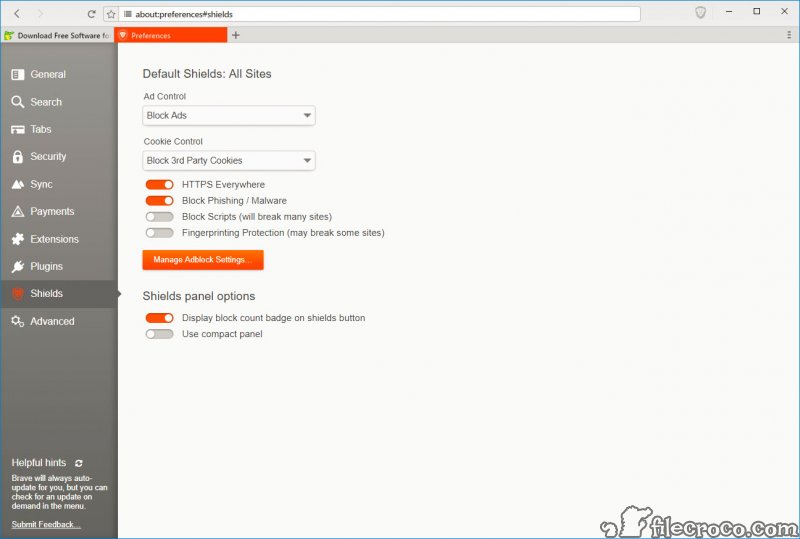
Shields is the name Brave Browser uses for its blocking system, with the metaphor matching what the technology does. The default settings block third-party advertising networks, third-party trackers, cross-site cookie tracking, fingerprinting attempts, and various other categories of unwanted content. The blocking happens at the network level before the content reaches the renderer, which produces both privacy protection and substantial performance benefits because blocked content consumes no bandwidth and renders no resources.
For users coming from Chrome with extensions like uBlock Origin installed, the Shields functionality covers similar ground without requiring extension installation or configuration. The blocking is on by default rather than requiring activation.
The exceptions and per-site configurations work through a panel that opens when you click the Shields icon, with granular control over each blocking category for sites where you specifically want different behavior than the defaults provide.
The YouTube ad blocking deserves specific mention because Google has spent substantial effort making YouTube ads harder to block in recent years. Many ad blockers have entered cycles of being detected by YouTube’s anti-blocking measures, with users seeing “Ad blockers are not allowed” messages and various other workarounds. Brave Browser‘s Shields handle YouTube ads consistently because the browser-level blocking operates differently than extension-based blocking, with the result being that YouTube ads stay blocked even when extensions in other browsers stop working.
For users with specific blocklist preferences beyond what Shields handle by default, custom filter list support lets you add specialized lists for specific scenarios. Privacy-focused lists, region-specific lists, malware-blocking lists, and various other categories from the broader ad-blocking community all work through the custom list interface.
The flexibility produces blocking comparable to dedicated extension-based approaches without requiring extensions.
The BAT economy and Brave Rewards
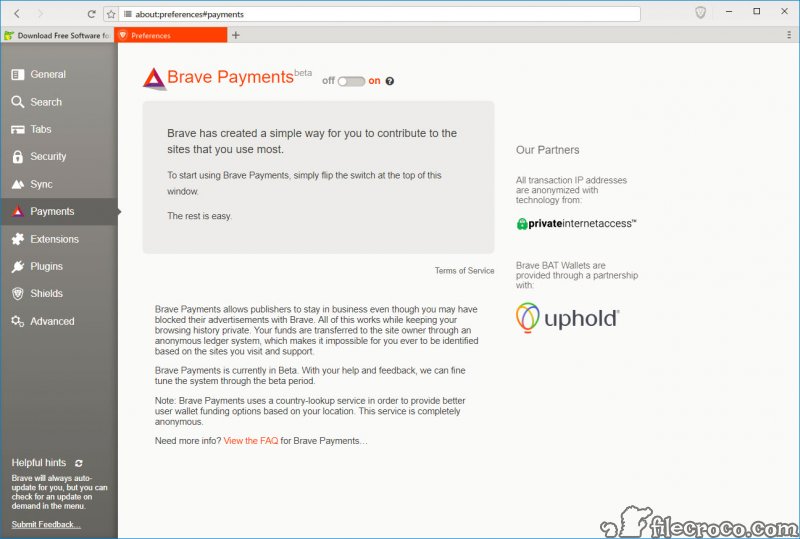
The Basic Attention Token (BAT) is the cryptocurrency component of the Brave ecosystem, and the implementation deserves direct examination because it’s genuinely unusual among current browsers. The system works through Brave Rewards, an opt-in feature that displays privacy-respecting advertisements as system notifications rather than embedded in web pages. Users who enable Rewards see periodic notification-style ads from advertisers who’ve paid in BAT, with the user receiving a portion of that payment for viewing the ad.
The privacy approach to advertising matters technically. Where conventional advertising tracks users across websites to build behavioral profiles for ad targeting, the BAT system handles ad matching locally on the user’s device.
Your browser knows what categories of ads might match your interests based on browsing patterns, but that information stays on your computer rather than being sent to advertising networks. The matching produces relevant ads without producing the surveillance infrastructure that regular advertising relies on.
Earned BAT can be used in several ways. Users can tip content creators directly through the integrated tipping feature, with creators receiving the BAT after registering with Brave Software. Users can convert BAT to other cryptocurrencies or fiat currency through supported exchange partners. Users can hold BAT as a speculative cryptocurrency investment if they want exposure to the token’s price movements. The flexibility means the rewards aren’t locked into specific use cases that don’t match what individual users actually want.
For users who don’t want any cryptocurrency involvement, Rewards can stay disabled. The browser works completely normally without enabling Rewards, with the privacy protection from Shields still applying. The opt-in design means users can choose whether to engage with the BAT economy based on their actual preferences rather than having cryptocurrency forced on them.
Tor integration in private windows
Tor support in Brave Browser is one of the most distinctive privacy features compared to other Chromium-based browsers. Open a new private window with Tor through the menu, and the resulting browser session routes traffic through the Tor network instead of directly to websites. The integration is genuinely Tor (using the same technology as the Tor Browser) rather than a Tor-inspired alternative, which matters for users who specifically need the anonymity properties Tor provides.
The use cases for Tor support are real but specific. Journalists communicating with sources who need anonymity. Activists in countries where political activity is monitored or restricted. Whistleblowers contacting reporters or organizations that handle sensitive information.
Researchers accessing content that’s restricted or blocked from their geographic location. Users who specifically want stronger anonymity than VPNs alone provide, since Tor’s multi-hop routing makes correlation attacks substantially harder than single-hop VPN approaches.
The integration handles the technical complexity that running Tor properly involves. The browser includes the Tor binaries, manages the connection establishment, handles the rotating exit nodes that Tor provides, and integrates with Tor’s bridge support for users in countries that block direct Tor connections. The user-visible experience is just opening a private window with Tor and using the browser normally, with all the technical Tor machinery handled invisibly.
For users wanting standalone Tor access for non-browsing scenarios, dedicated tools like OnionFruit Connect handle the broader Tor scenarios beyond what browser-integrated approaches cover. The integrated approach in this browser fits the common case where Tor is needed specifically for web browsing, while standalone Tor tools cover scenarios where applications other than browsers need Tor connectivity.
Brave Search and the search engine
Brave Search is the search engine that Brave Software launched in 2021 and that the browser uses by default. The technical implementation is genuinely independent from Google and Bing, with the company having built its own web index rather than reselling search results from established providers. The independence matters because it means the search results don’t carry the same biases or filtering that other search providers apply.
The search engine doesn’t track queries to user accounts, doesn’t build behavioral profiles based on search history, and doesn’t share query data with advertisers or other third parties. For users specifically concerned about search privacy, this approach addresses concerns that regular Google searches don’t address even when used through privacy-focused browsers. The search privacy and the browser privacy work together rather than being separate concerns.
The search quality is genuinely competitive for most queries, though specific niche scenarios sometimes produce different results than Google would return. The index is smaller than Google’s massive crawl, which can produce gaps for very specific or recent content. For mainstream queries (news, common information needs, popular content), the results match what users expect from established search providers. For specialized research or extremely current events, Google’s larger index sometimes produces better coverage.
The search includes various features that other engines have moved away from or never offered. The “Goggles” feature lets users apply custom ranking rules to search results, which produces personalized search experiences that respect specific preferences without requiring algorithmic filtering.
AI-powered summaries appear at the top of results pages where useful. Image search, video search, and various other specialized search modes all work through the same interface.
Leo AI and the privacy-focused assistant
Leo is the AI assistant that Brave Browser introduced in 2023, with implementation that emphasizes privacy in ways that other browser-integrated AI assistants don’t quite match. Conversations don’t get associated with user accounts. Conversation data doesn’t get used for model training without explicit opt-in. The integration uses multiple language models including Mixtral, Llama, and Claude depending on user selection, with the choice between them being explicit rather than hidden behind branded interfaces.
The privacy positioning matters because conversational AI fundamentally requires sending what you say to the AI provider. The Leo implementation handles this through Brave’s infrastructure rather than connecting users directly to OpenAI or other providers, with the company’s privacy commitments applying to the AI conversations the same way they apply to other browser features. For users who specifically care about who sees their AI conversations, this matters.
The functionality matches what most browser AI assistants provide. Question answering with web context. Page summarization. Writing assistance. Code generation. Various other tasks that current language models handle reasonably well. The integration appears as a sidebar panel similar to Opera‘s Aria implementation, with the difference being the privacy-focused infrastructure rather than fundamentally different capabilities.
The free tier covers basic Leo usage with reasonable rate limits. The Premium subscription unlocks higher rate limits, access to more capable language models, and various other features that match what paid AI assistants typically offer. For users wanting comprehensive AI integration without the rate limits, the subscription becomes appropriate. For users wanting basic AI access without payment, the free tier covers typical scenarios.
The Brave Wallet for crypto
Brave Wallet is the integrated cryptocurrency wallet that handles Ethereum, Bitcoin, Solana, Filecoin, and various other cryptocurrencies plus NFT viewing across multiple chains. The implementation is genuinely native to the browser rather than being an extension or add-on, with the result being substantially better integration with web3 sites than extension-based wallets like MetaMask provide.
The native integration matters technically. Browser-based wallets are vulnerable to certain attack vectors that don’t apply to extension-based wallets, but extension-based wallets have their own attack vectors that native implementations avoid. The trade-offs favor native implementations for users who don’t have specific concerns about browser-level wallet security.
For users active in DeFi, NFT communities, or various other web3 ecosystems, the wallet handles the standard interactions including sending and receiving tokens, signing transactions for smart contracts, swapping between tokens through integrated DEX support, and viewing NFT collections across multiple chains. The interface is reasonable for users who already understand crypto, though the inherent complexity of crypto operations means new users still need to learn the underlying concepts before the interface produces useful results.
For users not active in cryptocurrency, the wallet stays out of the way. The integration doesn’t push crypto features at users who haven’t engaged with them, with the result being that users who don’t care about crypto can use the browser without ever encountering wallet-related UI beyond the initial setup choices.
Brave VPN and traffic-level protection
Brave VPN is the paid service that extends protection beyond browser traffic to all device traffic. The implementation uses Guardian’s underlying VPN infrastructure rather than Brave Software running their own VPN servers, with the partnership producing a service that integrates with the browser interface but operates at the system level when activated.
The use case for Brave VPN versus the browser’s other privacy features is comprehensive coverage. Shields and Tor protect browser traffic. The VPN protects all internet traffic from your device including email clients, instant messaging, video conferencing, and various other applications. For users wanting unified protection across all internet activity, the VPN extends what the browser-level features cover.
The pricing is competitive with standalone VPN services in similar privacy-positioned tiers. Users with existing VPN subscriptions don’t necessarily need the integrated option, but users who specifically want to keep their privacy infrastructure with one provider find the integrated approach producing simpler bills and unified support. For users wanting to evaluate VPN options independent of browser choice, dedicated services like NordVPN or OpenVPN provide alternative paths to similar protection.
Performance benefits of blocking
The performance impact of blocking ads and trackers is genuinely substantial and worth direct discussion. Modern web pages can include dozens of advertising networks, tracking scripts, analytics tools, and various other third-party resources that each require network requests, JavaScript execution, and rendering work. Blocking these resources before they reach the renderer produces noticeably faster page loads, lower memory consumption, and reduced CPU usage.
The published comparisons from various technical reviewers consistently show Brave Browser loading typical news and shopping sites substantially faster than Chrome with default settings. The differences range from modest (10-20% on lightweight sites) to dramatic (3-5x faster on advertising-heavy sites). Battery life on laptops and mobile devices benefits correspondingly because less work means less power consumption.
For users on bandwidth-constrained connections, the data savings matter substantially. Mobile users on cellular plans see less data consumed per browsing session. Users in regions with limited internet bandwidth see faster effective speeds because their available bandwidth isn’t competing with advertising downloads. The cumulative effect across heavy browsing days can be substantial.
The trade-off for the performance benefits is occasional broken sites where the blocking interferes with functionality. Sites that depend heavily on third-party services for core functionality (rather than just advertising) sometimes don’t work properly with default Shields settings, with the resolution being adjusting Shields for specific sites where the blocking causes problems. The configuration is straightforward, but the friction is real for sites where it applies.
Considerations and limitations
The browser’s history includes some controversies worth understanding. The 2020 affiliate link insertion incident, where the browser briefly added affiliate codes to URLs of cryptocurrency-related sites without user awareness, produced substantial criticism even though Brave Software addressed the issue with apologies and corrections. Various controversies around Brendan Eich’s personal political donations from years before Brave’s founding occasionally resurface in discussions about the browser. Users sensitive to these specific historical events may want to factor them into their decisions.
The cryptocurrency emphasis isn’t universally welcome. Users who have specific concerns about cryptocurrency, who don’t want crypto integration in their browser, or who view the BAT system with skepticism find the crypto features producing friction even when they’re optional. The browser remains usable without engaging with crypto features, but the broader ecosystem the company builds around the browser does emphasize crypto in ways that some users find off-putting.
The Chromium foundation produces some inherent limitations regardless of the privacy-focused customization. Manifest V3 changes that affect ad-blocking extensions across all Chromium browsers also affect this browser’s extension support, though the built-in Shields functionality works through different mechanisms that aren’t affected by Manifest V3 limitations. For users with substantial extension dependencies that conflict with current Chromium decisions, alternative engines like Firefox might fit better.
Some specific features feel rushed or incomplete compared to mature alternatives. The wallet works but lacks some sophistication of dedicated wallet applications. Brave Search is good but has gaps compared to Google for some specific queries. Leo AI is functional but doesn’t yet match the polish of mature AI assistants. The features improve through ongoing development, but users with high expectations from specific features should evaluate them individually rather than assuming everything reaches the same maturity level.
For users coming from heavily-customized Chrome setups with specific extensions and configurations, switching produces some friction even though the underlying engine is similar. Bookmarks, history, and various other browser data import cleanly through standard mechanisms, but specific extension configurations and Chrome-specific features sometimes don’t transfer.
Conclusion
For users who want a browser that takes privacy seriously by default rather than as a configurable option, Brave Browser delivers comprehensive protection through its Shields system, Tor integration, independent search engine, and various other features that other browsers handle through extensions or paid subscriptions. The Chromium foundation provides Chrome-compatible web behavior across essentially every site, while the privacy-first defaults eliminate the configuration friction that other privacy-focused setups require.
For users who care about not being tracked across the web, the difference between starting with this browser versus configuring privacy in other browsers is the difference between protection that’s built in versus protection that has to be assembled.
The reasons to consider alternatives are mostly about specific concerns. Users wanting non-Chromium engine diversity find Firefox providing alternative web platform implementation that avoids various Chromium-specific decisions. Users wanting integrated everything-in-one feature sets find Opera providing a different maximalist approach with built-in messengers and other features this browser doesn’t include.
Users wanting absolute minimum resource consumption find lighter alternatives like Pale Moon producing smaller footprints. But for users who specifically want privacy-by-default browsing with substantial built-in features and don’t mind the cryptocurrency adjacent features being available even when ignored, this software remains one of the most distinctive options in the browser category.
Pros & Cons
- Default blocking of ads, trackers, fingerprinting, and cross-site cookies covers most privacy concerns
- Substantial performance and battery improvements from blocking ad and tracker resources
- Tor integration in private windows provides genuine anonymous browsing capability
- Brave Search engine offers independent search infrastructure without Google or Bing dependency
- BAT-based rewards system provides optional cryptocurrency earnings for viewing privacy-respecting ads
- Leo AI integration with multiple language model options and privacy-focused infrastructure
- Native cryptocurrency wallet supports Ethereum, Bitcoin, Solana, and various other chains
- YouTube ad blocking remains functional despite Google's anti-blocking measures
- Free without paid features for core browser functionality
- Chromium foundation produces compatibility with Chrome extensions and websites
- Cryptocurrency integration produces friction for users not interested in crypto
- Some sites break when default Shields blocking interferes with core functionality
- Past controversies including affiliate link insertion incident affect some users' trust
- Manifest V3 limitations affect Chromium-based extensions despite browser-level blocking remaining unaffected
- Brave Search has some gaps compared to Google for specific niche queries
- VPN, Premium AI features, and various other capabilities require paid subscriptions
Frequently asked questions
This software is a Chromium-based web browser developed by Brave Software (founded by Brendan Eich, the creator of JavaScript and former Mozilla CEO) with a privacy-focused approach that blocks ads, trackers, fingerprinting, and cross-site cookies by default. Distinctive features include the Brave Shields blocking system, BAT cryptocurrency rewards for viewing optional privacy-respecting ads, Tor integration in private windows, Brave Search as the default search engine, Leo AI assistant, and a native cryptocurrency wallet. The browser is free with optional paid features for VPN and premium AI capabilities.
The default Shields configuration blocks third-party advertisements, third-party trackers, cross-site cookies, fingerprinting attempts, and various other categories of unwanted content. The blocking happens at the network level before content reaches the renderer, which produces both privacy protection and performance benefits. Users can adjust blocking levels per-site through the Shields panel or globally through settings, with custom filter list support extending the blocking to specialized categories beyond the defaults.
The browser offers Brave VPN as a paid service that protects all device traffic rather than just browser traffic. The service uses Guardian's underlying VPN infrastructure with Brave Software's interface integration. The VPN is separate from the browser's other privacy features and requires subscription payment. For users wanting comprehensive traffic protection beyond browser scope, the VPN extends what Shields and Tor handle for browser traffic specifically.
Brave Rewards is an opt-in feature that displays privacy-respecting advertisements as system notifications rather than embedded in web pages. Users who enable Rewards see periodic notification ads from advertisers who've paid in BAT cryptocurrency, with the user receiving a portion of that payment for viewing the ad. The ad matching happens locally on your device rather than through tracking infrastructure. Earned BAT can be used to tip content creators, converted to other cryptocurrencies through supported exchanges, or held as a speculative investment.
The browser-level blocking operates differently than extension-based ad blockers, with the result being that YouTube ads stay blocked even when extensions in other browsers stop working due to Google's anti-blocking measures. The implementation handles YouTube ads consistently across both desktop and mobile versions of the browser. The blocking doesn't require user configuration, with default Shields settings handling YouTube ad blocking automatically.
Both browsers use the Chromium engine, which means web compatibility is essentially identical. Chrome takes an open approach where users add privacy through extensions like uBlock Origin. Brave Browser takes a privacy-by-default approach where blocking is built in. Performance differences favor the privacy-focused approach because blocked content doesn't consume rendering resources. For users wanting maximum customization through extensions, Chrome fits. For users wanting privacy protection without configuration learning curves, this browser fits better.
Firefox uses the Gecko rendering engine rather than Chromium, producing different web compatibility characteristics and a different extension ecosystem. Firefox emphasizes privacy through configuration and various built-in features but doesn't include the cryptocurrency integration or Tor support this browser provides. For users wanting non-Chromium engine diversity, Firefox fits. For users wanting Chromium compatibility with privacy-by-default and the additional features here, this browser covers more ground.
Open the menu and select "New private window with Tor" to start a Tor-routed browsing session. The browser includes the Tor binaries and handles connection establishment automatically. Browse normally in the resulting window, with all traffic from that window routing through the Tor network for genuine anonymity. The integration works for actual Tor (not a Tor-inspired alternative), which means it provides the same anonymity properties as the dedicated Tor Browser for the scenarios where browser-level Tor is appropriate.
Brave Software, the company that develops the browser, was founded in 2016 by Brendan Eich (who created JavaScript at Netscape in 1995 and later co-founded Mozilla) and Brian Bondy. The company is American, headquartered in San Francisco, and has received venture capital funding from various investors. The development team includes engineers from Mozilla, Yahoo, and various other technology companies. The ownership structure has remained consistent since founding.
The browser checks for updates automatically and downloads them in the background, with installation completing on the next browser restart. Users can manually check for updates through the menu by selecting About Brave or similar option, which forces an immediate update check. For users specifically wanting to control update timing rather than relying on automatic updates, the settings include options for manual update management, though automatic updates are recommended for security reasons since they include critical security fixes for the underlying Chromium engine.


