

BeeCut
About BeeCut
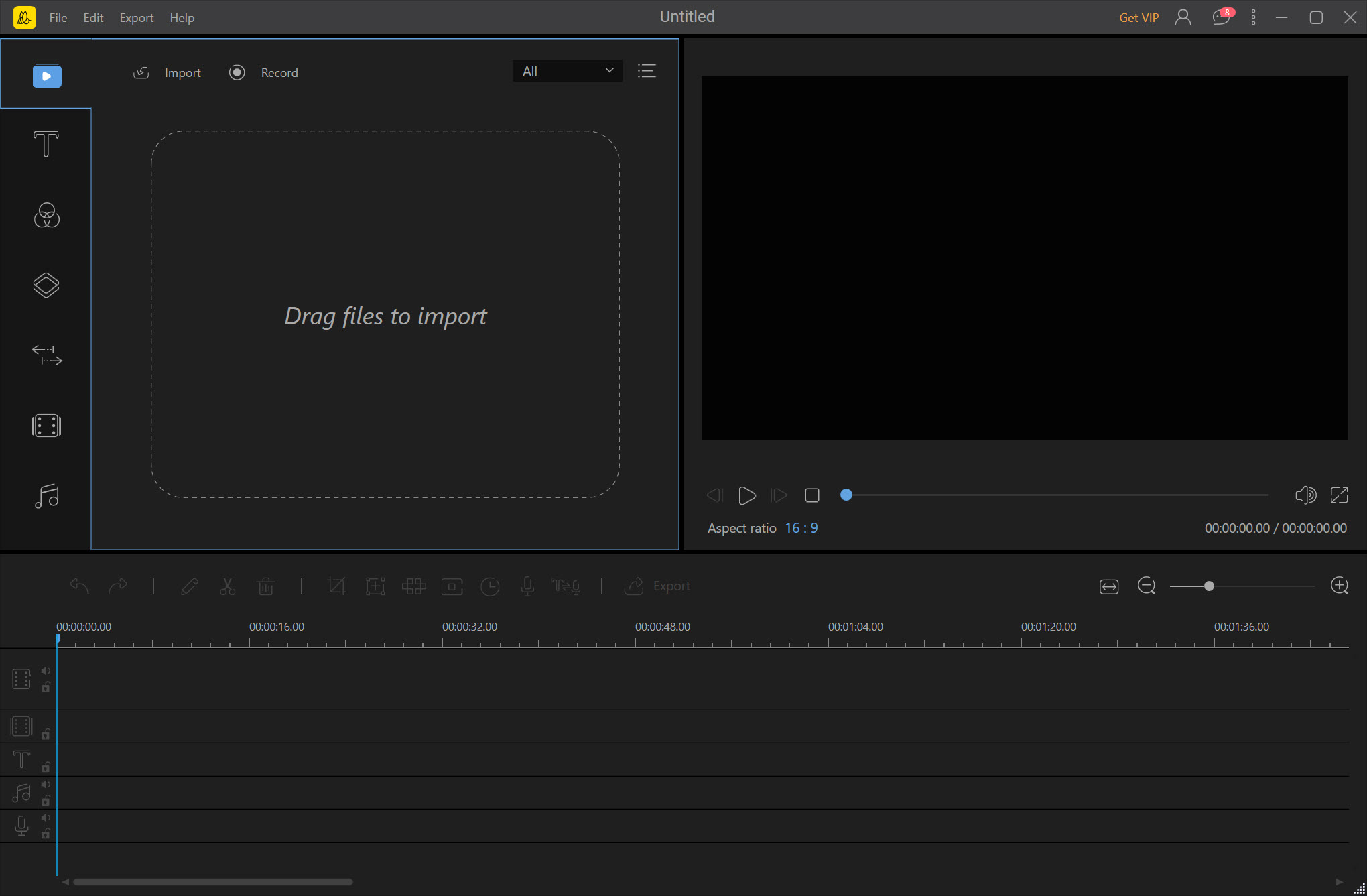
BeeCut is a video editor built around the shapes that social platforms want. Start a project by choosing its frame, widescreen for a video site, square for a feed, tall for a phone, or the older four-by-three and three-by-four shapes. The timeline, the preview and the export all follow that choice.
Drop clips onto the timeline, trim them by frame and split or join them. Then stack text and filters above the video on their own tracks, with overlays and a picture-in-picture clip on theirs. A library of transitions and effects sits in a panel beside the preview, and the finished video renders at up to full high definition for upload to the platforms the frames were chosen for.
It was made for people who have never opened a video editor, and that shapes everything about it. BeeCut keeps the tracks to a handful, the tools to the common ones and the window to a layout a first-timer reads at a glance. Speech-to-text turns a voiceover into subtitles. A mosaic tool blurs a face or a number plate.
A stabiliser steadies a handheld clip. It is also a program whose basic edition stamps its own watermark on every export, and whose reviewers report crashes and lost work alongside the praise for its ease. The sections below take each part in turn and end with where the limits sit.
Picking the frame first
The first BeeCut dialog asks for the aspect ratio, and that choice is the program’s organising idea. A widescreen project suits a video site and a television. A square one suits a feed where the post must fill a square card. A tall one suits a phone screen held upright, which is the shape of the short-form platforms. Clips that do not match the frame are scaled and cropped to fit, with a background fill for the gaps.
Choosing the frame first avoids the cropping and letterboxing that come from cutting a widescreen edit down to a tall one afterwards. It also means a project made for one platform is remade, not resized, for another, which is a trade the social creators the program targets usually accept.
For an editor that handles any frame on the same timeline with far more control, an open-source editor with unlimited tracks is the step up.
The timeline and its tracks
The BeeCut timeline holds a video track, an audio track, a text track, a filter track, an overlay track and a picture-in-picture track, each with its own row. Drag media into a track and a bar appears with its length. Trim by dragging the ends, split at the playhead, delete the unwanted part, and the remaining clips close up. Speed changes run a clip faster or slower, reverse plays it backwards, and rotate and crop handle a clip shot the wrong way round.
The fixed set of tracks is both the simplicity and the ceiling. There is one video track, so two clips cannot overlap except through the picture-in-picture track, and the layering that a multi-track editor allows is not here.
For the videos the program is built for, a vlog, a product clip, a tutorial, one track and a picture-in-picture is usually enough.
The effects library
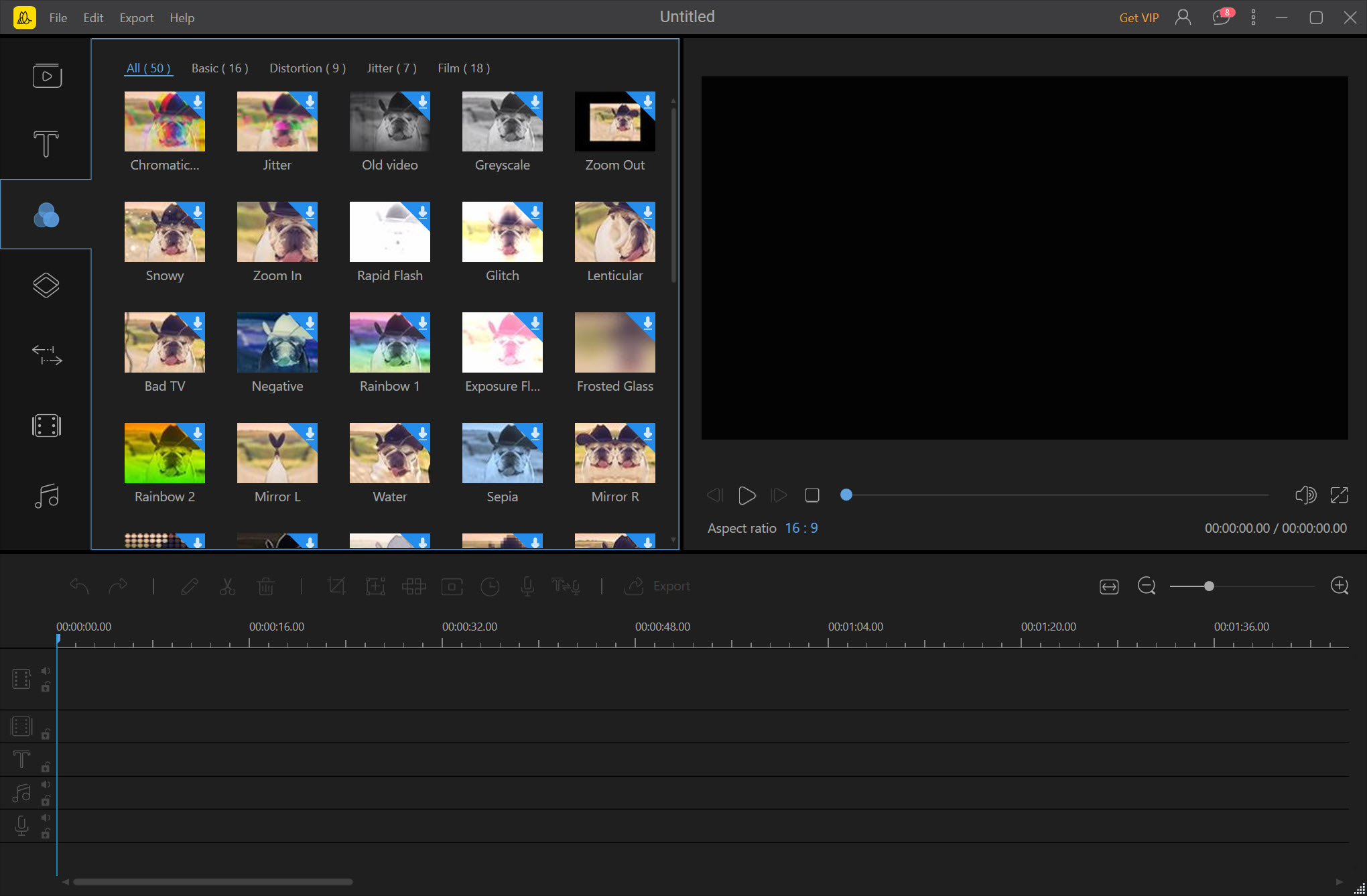
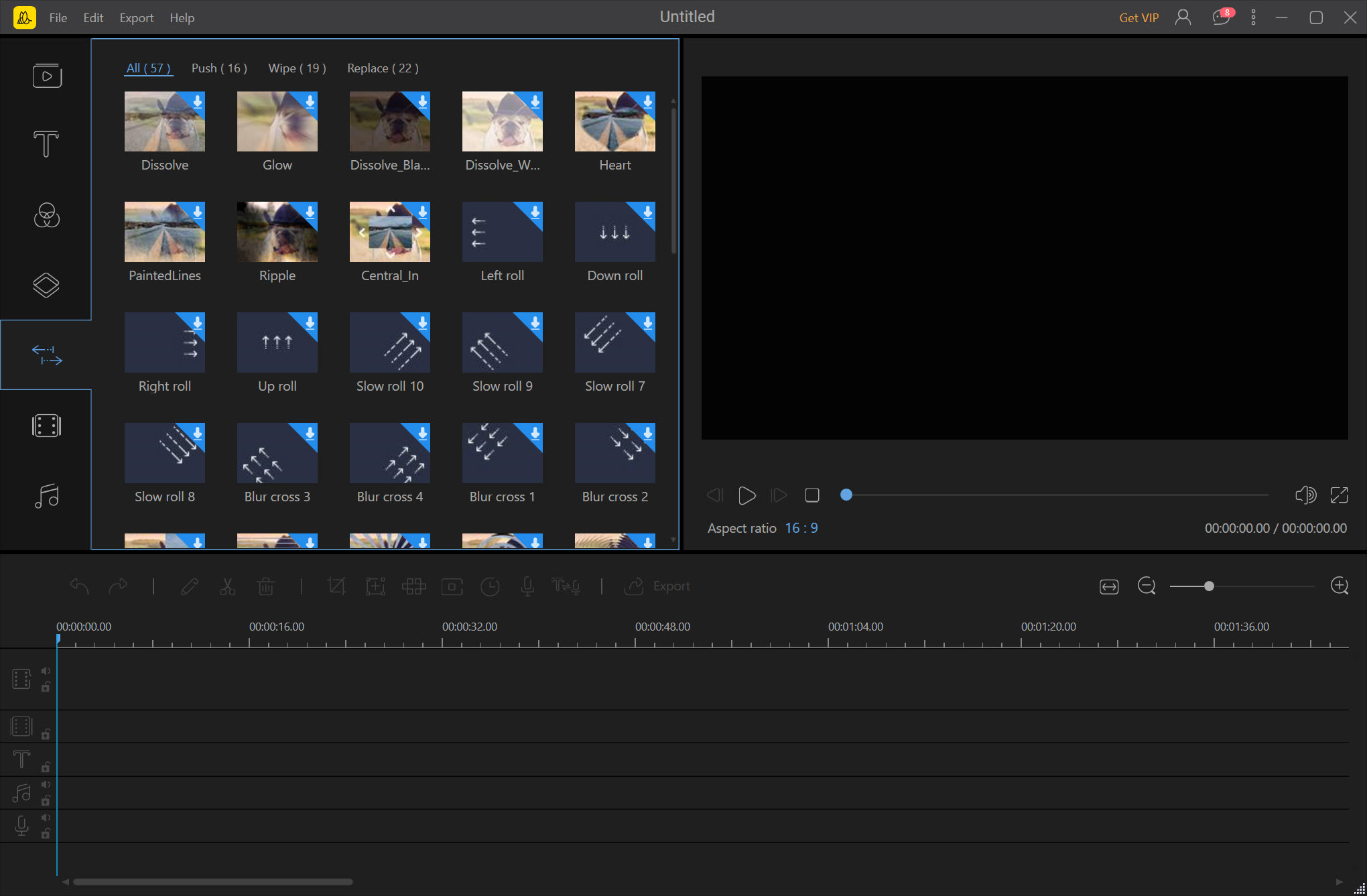
The effects library is where BeeCut spends its effort. Filters recolour a clip in one click, in the style of the photo apps, and a colour panel fine-tunes brightness and contrast by hand, and saturation with them. Transitions go between clips by dragging, with a button that applies random transitions to a whole set of photos for a slideshow. Overlays add light leaks and animated elements over the video, and a set of animated text styles handles titles and captions with motion.
Everything applies by drag and drop and previews at once. The library is broad for a beginner’s tool and shallow against a full editor, since each effect has a few settings rather than a dozen. A mask tool cuts a shape out of a clip to blur, highlight or hide a region.
For the colour grading and compositing that these tools gesture at, DaVinci Resolve is where that work is done properly.
Subtitles and clean-up tools
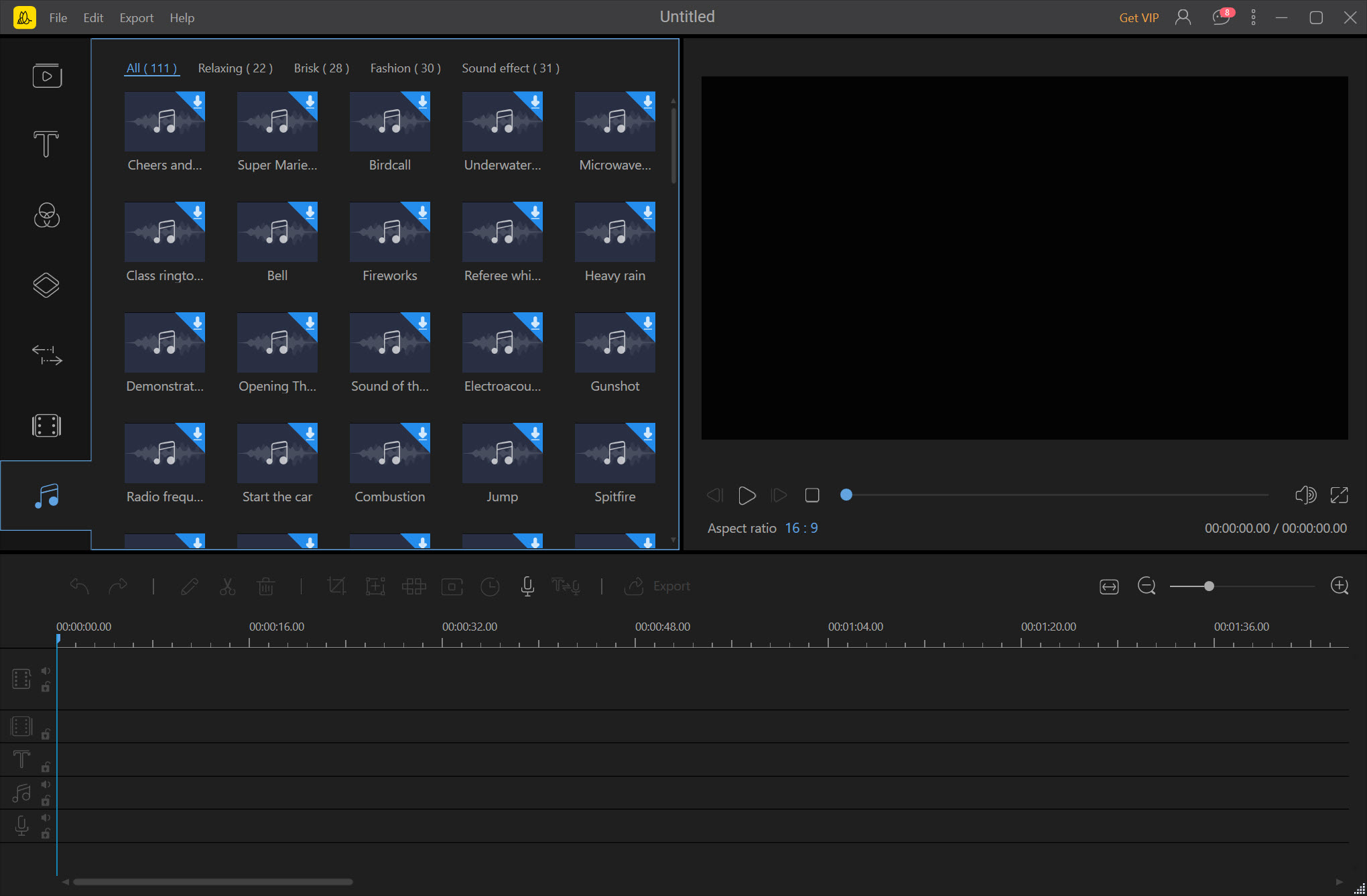
BeeCut speech-to-text listens to the audio and writes subtitles onto the text track, timed to the speech, which is the fastest way to caption a talking-head video for viewers who watch with the sound off. The subtitles are edited like any text, and the reverse conversion turns typed text into a synthesised voice. A built-in music library and the option to add several songs cover the soundtrack.
The mosaic tool blurs a region, a face, a licence plate, a screen, and follows it for the length of the clip. The stabiliser smooths a handheld shot, with a trade of a slight crop. For subtitle files that need correcting before they go into the project, Subtitle Edit fixes timing and text outside the editor.
Exporting and the watermark
BeeCut export writes the project to a file at a chosen quality up to full high definition, in the common formats, or straight to a device or a disc. The share options point at the social platforms the frames were chosen for.
Here is the catch that every review states. The basic edition stamps the program’s own watermark on every export, which makes a basic-edition video unusable for anything public. The watermark removal feature advertised for the program hides a watermark in a source clip and then adds the program’s own in the basic edition, which reviewers have found and said.
The full edition removes the stamp. Anyone planning to use the program for real should assume the full edition is the product.
Where the limits sit
The reviews converge on the same points. Crashes and lost work appear in the user feedback alongside the praise for ease. Music import and sync give trouble for some, and text editing glitches for others. Rendering is slow on large files. There is no multi-camera editing, no real colour correction beyond the basic panel, and no way to layer video beyond the one picture-in-picture track. The preview can look soft. It is a beginner’s tool with a beginner’s ceiling, and it does not pretend otherwise.
For the same beginner-friendly approach without the watermark, OpenShot is the open-source alternative with unlimited tracks and rougher edges.
Conclusion
BeeCut suits people making their first videos for a feed or a phone, from a product clip to a vlog with captions. They want to pick the frame, drop the clips and drag on the effects without reading a manual. The frames, the fixed tracks and the drag-and-drop library are what make it approachable.
Its basic edition stamps everything, its single video track caps what can be built, and its stability draws complaints. Plan on the full edition for anything public, keep projects short and saved often, and move to a multi-track editor when the one track is not enough.
Pros & Cons
- Project frames for widescreen, square or tall video, chosen first and followed throughout
- Timeline with separate tracks for video and audio, and for text and effects
- Trimming and splitting, plus speed changes, in a window a first-timer reads at once
- Filters and transitions applied by drag and drop, with overlays and animated text
- Speech-to-text subtitles, a mosaic that follows a region, and a stabiliser
- Exports up to full high definition for the social platforms
- Basic edition watermarks every export
- One video track, with layering only through picture-in-picture
- Reports of crashes, lost work and music sync trouble
- No multi-camera, real colour correction or deep effect settings
Frequently asked questions
Yes, in the basic edition, on every export. The full edition removes it, and anyone making public videos should assume the full edition is the one to use.
Yes. Choose the tall frame when starting the project, and the timeline and the export follow it. Square and widescreen frames are there too.
Yes. BeeCut speech-to-text listens to the audio and writes timed subtitles onto the text track, which are then edited like any text.
Only through the picture-in-picture track, since there is one main video track. A multi-track editor is needed for anything more.


