

BATorrent
About BATorrent
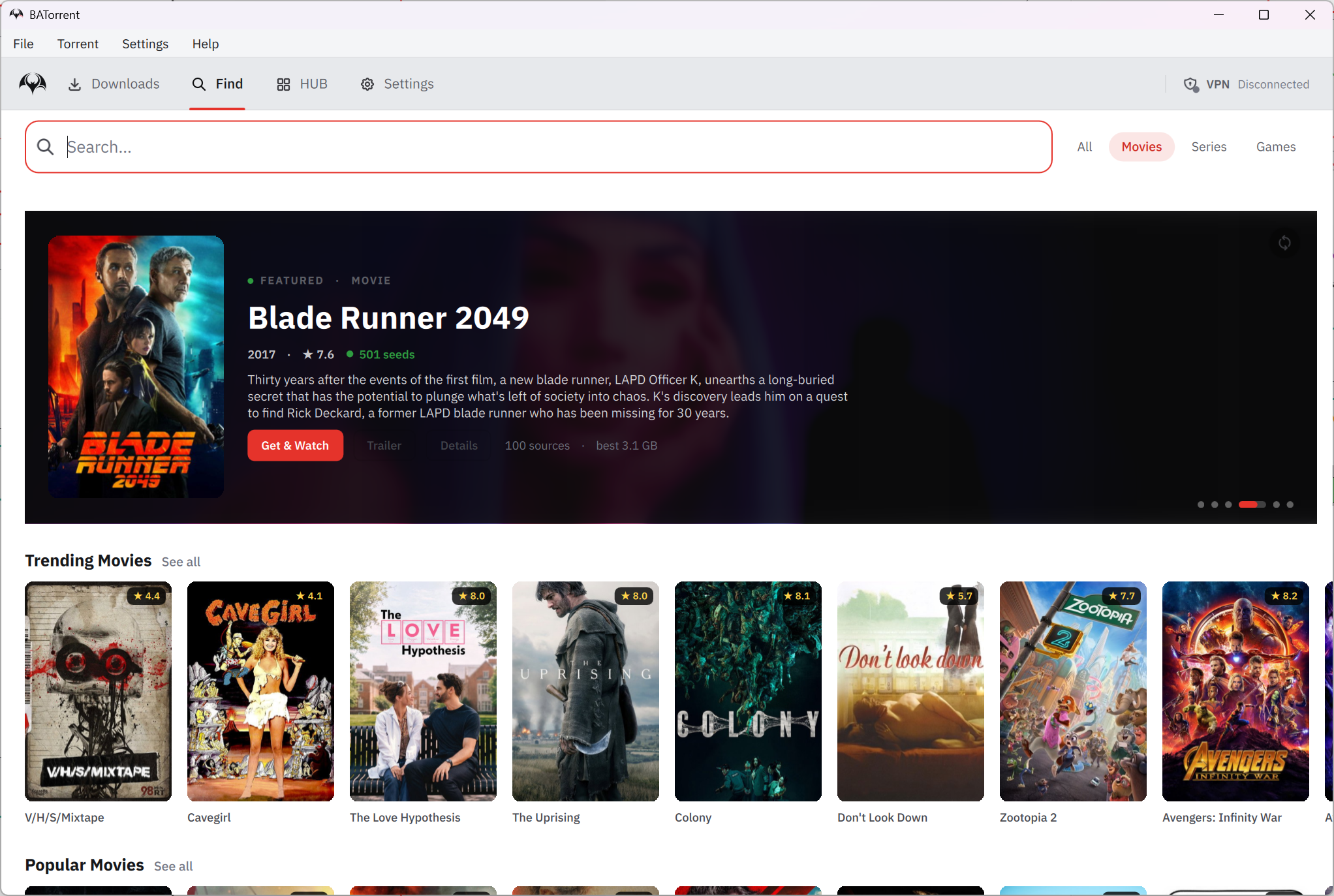
BATorrent is a torrent client that shows your downloads as a wall of posters instead of a list of file names. Add a torrent and the program reads the release name, looks up the matching cover from movie and game databases, and lays the transfers out as a grid of artwork. One click turns the same screen into a dense list with progress bars and live speeds, for the days when you want detail over decoration. Underneath sits the same transfer engine several well-known clients use, so the basics behave the way you would expect.
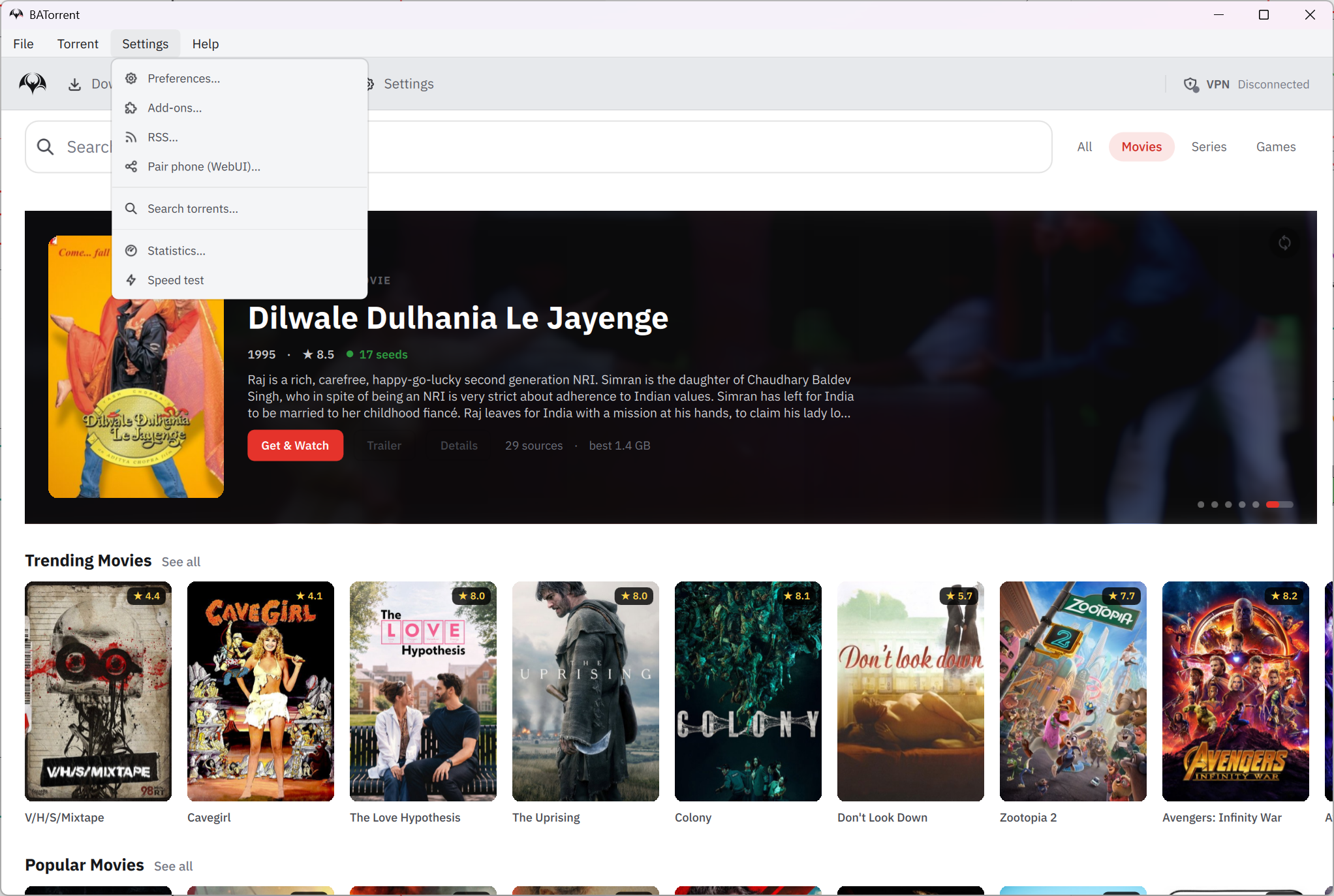
Around that look sits a lot more than a skin. A built-in player streams a video while it is still downloading. A kill switch ties the client to a VPN interface. An RSS engine grabs new episodes by pattern, and a browser remote control pairs with a phone through a QR code.
BATorrent is a young project with a short history and a very full feature list, which is both its charm and its caution. The sections below go through the interface, the player, the privacy tools, the adding and organising features and the engine, then say where a newcomer should keep expectations in check.
The poster wall, the list and the command palette
The default view is a grid. Each torrent gets a poster if the program can work out what it is, which it does by parsing the release name, including the messy ones anime fansubs use. Movies and shows come from one database, games from another. When a name resists, the card falls back to a plain tile. A switch turns the grid into a list with state-coloured progress bars, so a stalled torrent shows red and a seeding one shows green at a glance.
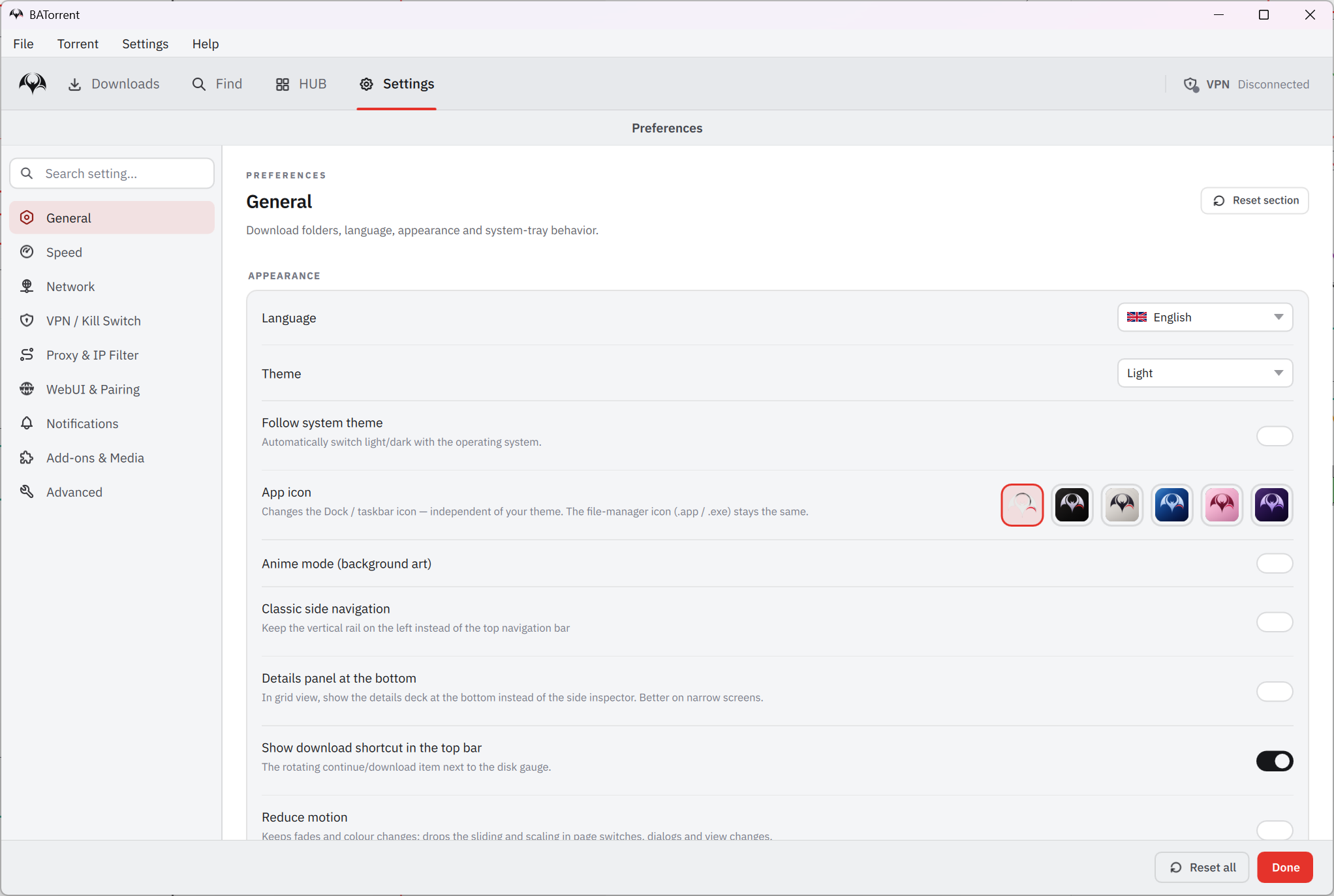
Six themes ship with it, Dark, Light, Midnight, Sakura, Dark Star and a Custom one where you pick the colours yourself. A live speed graph sits on the main screen. Ctrl+K opens a command palette that fuzzy-searches your torrents and every action in BATorrent.
Type part of a name to jump to it, or type “pause” and pause everything. Keyboard people will like it.
Watching while it downloads
The BATorrent player decodes through FFmpeg, so MKV, AVI and WebM open directly. It starts playback from the pieces that have already arrived and keeps fetching the rest in order. It remembers where you stopped, and several videos can play at once, each in its own window.
Subtitles are handled inside the player. Load your own .srt or .vtt file, let it pick up a sidecar file beside the video, or search online sources and fix the timing live with a keypress. When a download finishes, the client can tell a media server to refresh its library.
The player is good rather than great, without the filters of a standalone one. For those, VLC Media Player is the obvious choice.
Privacy and the VPN tools
This is where BATorrent spends its effort. The client can bind to a specific network interface, and a kill switch drops all of its traffic if that tunnel disappears, so nothing leaks onto your ordinary connection. A WireGuard mode connects through a tunnel of your own and sends only the program’s traffic through it, with split tunnelling and a continuous check that the binding still holds. If the tunnel drops, transfers pause rather than falling back to the open connection.
Other options include a private-tracker mode, a Tor preset, anonymous peer handshakes and blocking of known leeching clients. An IP leak test inside the program shows whether the protection works. None of this replaces a proper VPN service.
The project says it sends no telemetry and that the update check is the only call it makes by itself, with a switch to turn that off. For the service that supplies the tunnel, a privacy-focused VPN is the usual pairing.
Finding, adding and organising
BATorrent search covers several public sources, including some that need no login. Smart Paste recognises a magnet link or a bare info hash when you press Ctrl+V, and a direct HTTP mode takes any plain link with segmented, resumable transfers. RSS auto-download watches feeds and grabs what matches your regex filters, a watch folder picks up dropped .torrent files.
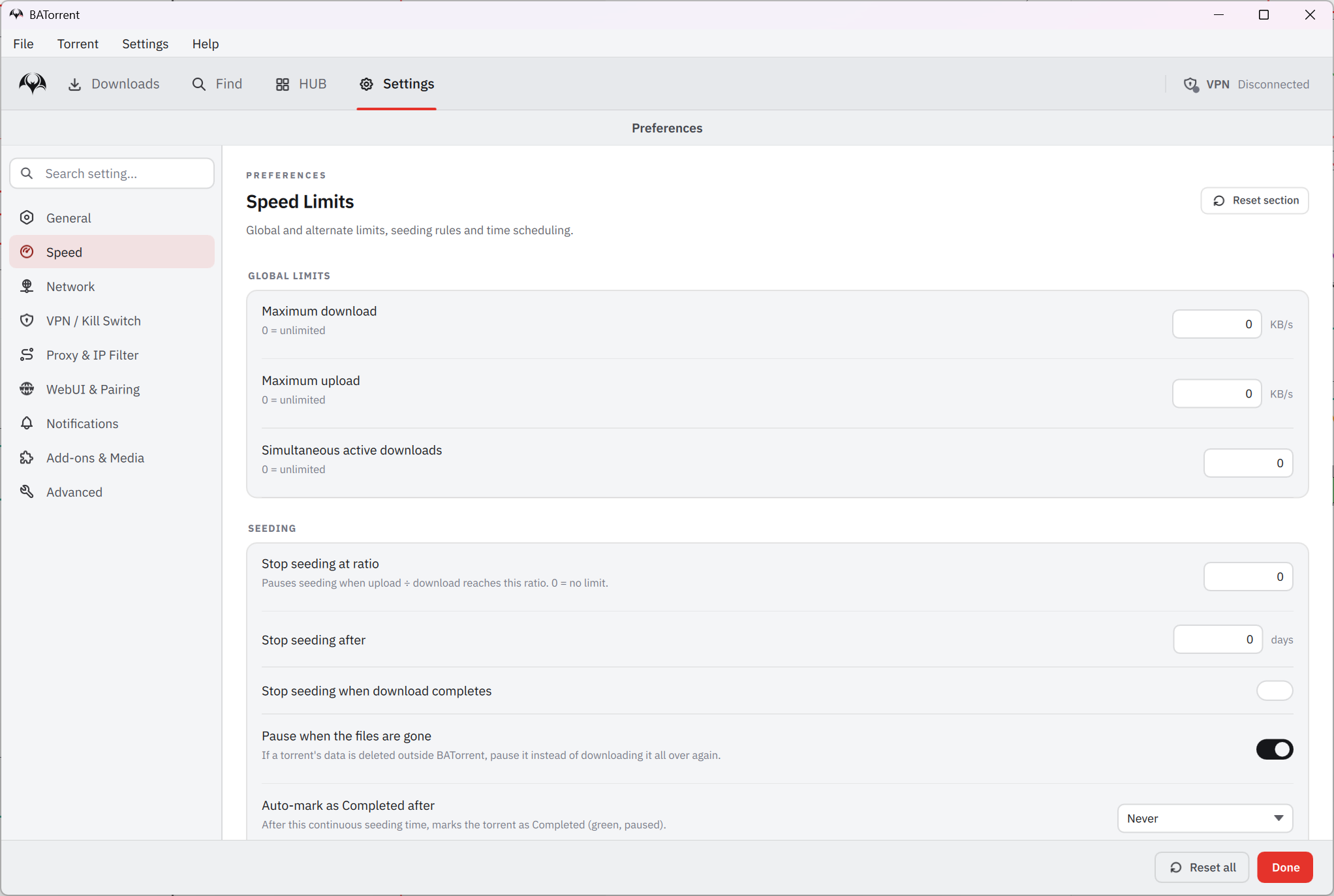
Archives extract themselves on completion. Categories and tags sort the list, and ratio and time limits stop seeding where you choose. A completed state freezes a finished torrent until you resume it. A bandwidth scheduler works by hour and day. The browser remote control opens only after you set a password, and pairs with a phone through a QR code generated on your own machine. An auto-shutdown option turns the machine off after the last transfer.
The patched engine
The engine inside BATorrent is libtorrent, the library behind several other clients, with a small patched fork on top. Two changes matter. The first fills the request pipeline faster on fast, high-latency connections, which the project measured at about a quarter quicker in its own benchmark. The second prefers peers in your own country when it has a choice, using an offline database, which tends to mean lower latency.
Those figures come from the project’s own tests, not an independent review, so check them on your own line. For the same library with a long track record and a far larger community, qBittorrent has had many more people shake it down.
Where a newcomer should be careful
BATorrent is a young project run mostly by one maintainer, and that shows in the pace. Releases come fast and layouts have changed between them. The online side, cover art, Discover and search, depends on outside databases that can change or fail. A program installed by few people can trigger the system’s reputation warning on first run, which usually means choosing to run it anyway. A cover-art grid is a pleasant way to browse, not a reason to trust what a search returns.
Anyone who wants the quiet, proven route has Deluge, a plugin-based client with a long record behind it. This one earns its place by looking better and by being thoughtful about VPNs, in exchange for some trust in a short track record.
Conclusion
BATorrent suits people who want a torrent client that looks like a library rather than a spreadsheet and takes VPN protection seriously. That covers anyone who streams while downloading, and the home-server owner who wants a remote control that works from a phone. The poster grid, the built-in player and the kill switch are the reasons to try it, and the command palette rewards keyboard habits.
It is young, and it behaves like it. Run it beside a proven client first, check the speed claims on your own connection, and keep the VPN protections switched on from day one.
Pros & Cons
- Download grid with posters, plus a dense list view and six themes
- Built-in player that starts while the file is still downloading, with subtitle search
- VPN interface binding with a kill switch, and a WireGuard mode that pauses on failure
- RSS auto-download with regex filters, watch folder, direct HTTP downloads and Smart Paste
- Browser remote control with QR pairing, protected by a password
- Patched engine that fills fast connections quicker, per the project's own benchmark
- Young project with a short history and frequent changes
- Performance figures are self-measured, not independently reviewed
- Cover art, Discover and search depend on outside online databases
- A little-known installer may trigger the system's reputation warning
- Player lacks the filters and format reach of a standalone one
Frequently asked questions
Yes. A built-in player starts while a file is still downloading, plays MKV, AVI and WebM directly, finds subtitles and remembers where you stopped.
It parses the torrent's release name and looks up the matching poster from online movie and game databases. Names it cannot read fall back to a plain tile.
Yes. It binds to a chosen VPN interface and drops traffic if the tunnel goes down. A WireGuard mode also pauses transfers if the tunnel fails.
Yes, through a browser remote control that pairs with a QR code. It opens to the network only after you set a password.


