

Amiti Antivirus
About Amiti Antivirus
Amiti Antivirus is a small antivirus built on the open-source ClamAV engine, wrapped in a simple interface with a real-time memory shield, scheduled scans and a quarantine. It scans files on demand or on a timer and watches running processes for known malware. Its virus signatures come from the same daily updated ClamAV database used by mail servers and gateways around the world.
That engine choice defines the program. ClamAV signatures cover a huge number of known threats and are refreshed constantly by a large community. That keeps the scanner relevant even between releases of the program itself.
On the other hand, ClamAV was designed for scanning mail and files on servers, not for behavioural protection on a desktop, so this is a traditional signature scanner rather than a modern suite.
Three scan modes and a scheduler
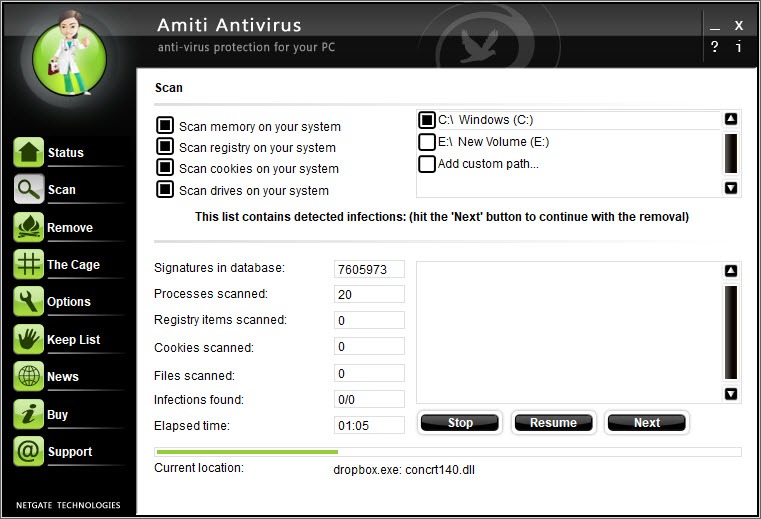
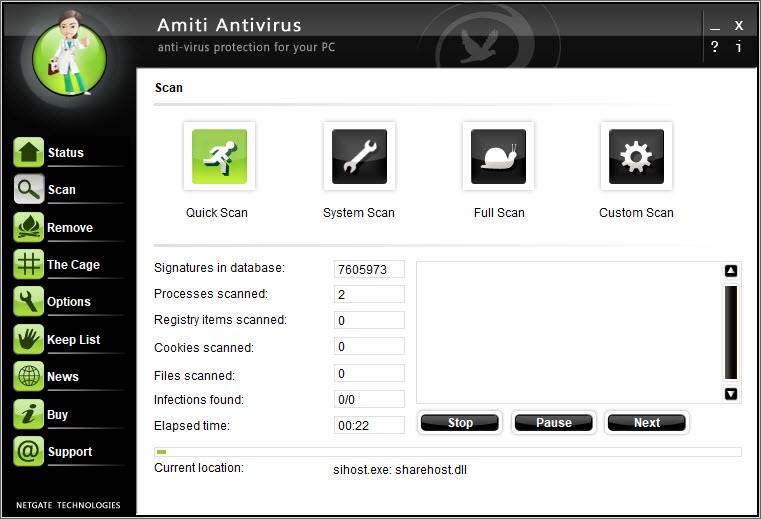
The main window of Amiti Antivirus offers three ways to scan. A quick scan checks memory and the usual infection points, a full scan walks every drive, and a custom scan targets folders you pick. The same option is available from the right-click menu in the file manager. Each run reports what was found, and detections go to a quarantine the program calls The Cage, where you can restore a false positive or delete the file for good.
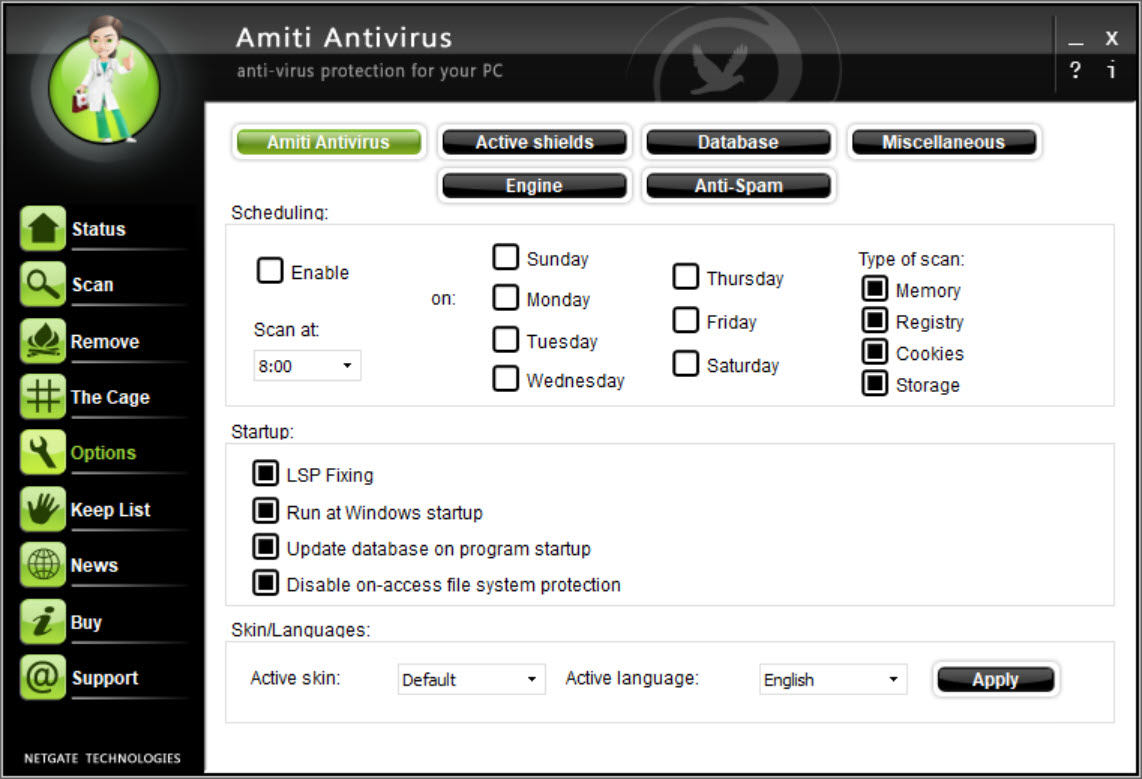
The scheduler runs any of these scans at intervals you define, daily or weekly, so a machine that is left on overnight gets checked without anyone remembering to do it. Signature updates run automatically as well, and a manual update button pulls the latest database before a scan if you are in a hurry.
What the memory shield does and does not do
Real-time protection in Amiti Antivirus is a memory shield. It watches processes as they start and run, compares them with the signature database, and stops anything it recognises. That catches a known trojan the moment it launches, which is a meaningful layer for a tool this small.
It is not a file system filter of the kind commercial products use. Files copied onto the disk are not inspected until they run or until a scan reaches them, and there is no behavioural analysis, no web filtering and no email scanning. Brand-new threats without a signature pass through, as they would with any signature-only scanner.
That is why it works best alongside the system’s own protection, paired with an on-demand cleaner for whatever the signatures miss, and never as the only guard on a machine full of sensitive data.
Interface, skins and languages
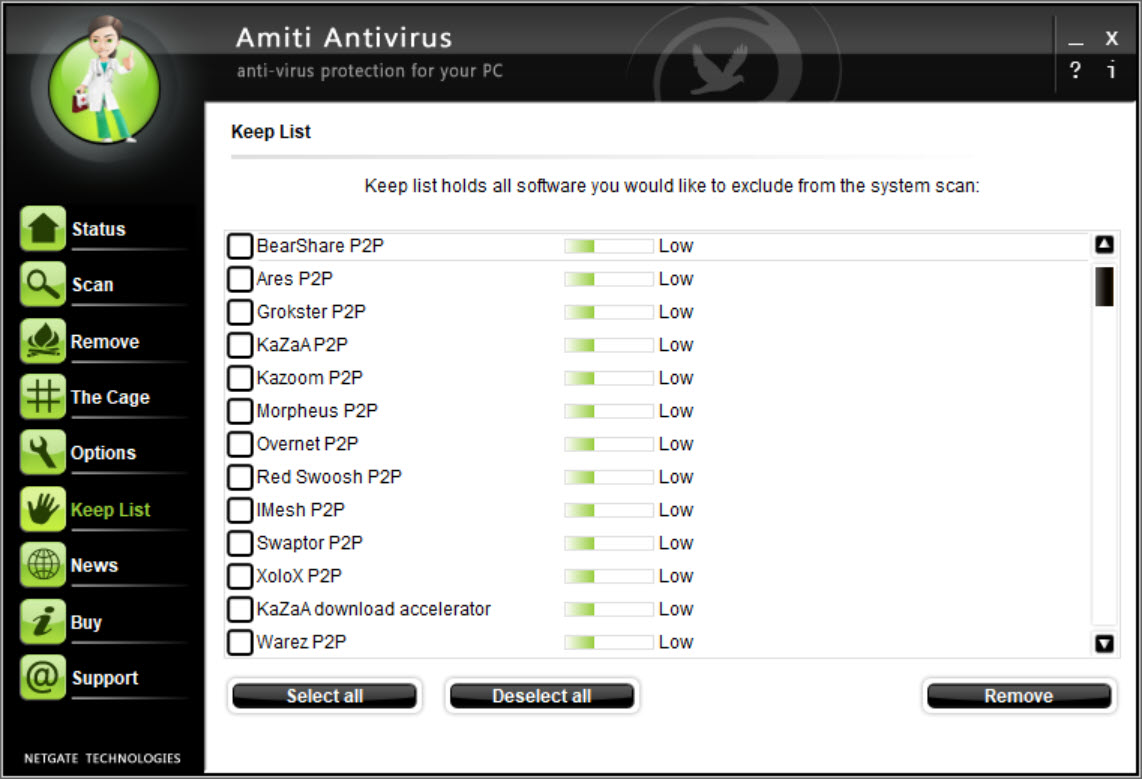
The interface of Amiti Antivirus is plain and quick to learn, with scan buttons, the shield toggle, the quarantine and the settings a click apart. Skins change the look, and translations cover a number of languages, which matters for a tool that often ends up on relatives’ computers.
Resource use is low. The program idles quietly, scans at a reasonable pace, and does not nag with pop-ups or upsells, which is rarer than it should be. That restraint is the main thing it holds over a full security suite like Avast Antivirus, which protects more but asks for far more attention.
The older design does show in places, with small dialogs and a settings layout that has not changed in years.
Where it stands among the alternatives
The closest relative is ClamWin Antivirus, which uses the same engine but offers no real-time component at all, so this program is the better pick of the two for a machine that needs some live protection. Against commercial suites it loses on detection of new threats and on every feature beyond scanning.
One housekeeping note from the security advisories. Older builds had a service path weakness that let a local user gain elevated rights, so keep the program current rather than running an old installer found on a USB stick.
Conclusion
Amiti Antivirus suits people who want a light, quiet scanner with daily signature updates and a basic real-time shield, especially on older machines or as a second layer next to the system’s built-in protection. The scheduler and quarantine make routine checks painless.
Its signature-only engine and missing web and file-system protection keep it out of the first rank. Understand it as a dependable scanner rather than a complete security suite, and it does its job without getting in the way.
Pros & Cons
- ClamAV signatures updated daily by a large community
- Real-time memory shield stops known threats as they launch
- Quick, full and custom scans plus a scheduler
- Quarantine with restore for false positives
- Low resource use, no pop-ups or upsells
- Signature-only detection misses new threats
- No file system filter, web protection or email scanning
- Dated interface
Frequently asked questions
Yes, in the form of a memory shield that checks processes as they start and run. It does not inspect files as they are written to disk, so run scans as well.
From the open-source ClamAV database, which is updated daily by a large community and downloaded automatically by the program.
On a low-risk machine with the system's own protection active, it adds a useful layer. For anything sensitive, pair it with a product that has behavioural detection and web protection.


