

HotShots
About HotShots
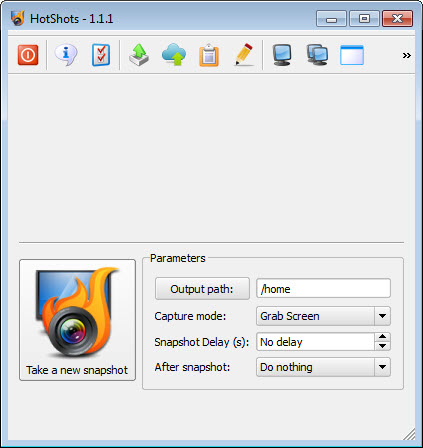
HotShots can capture your screen and further edit the screenshot. While suited for writing documentation and highlighting important aspects of a map image, this capture tool covers more than the basics.
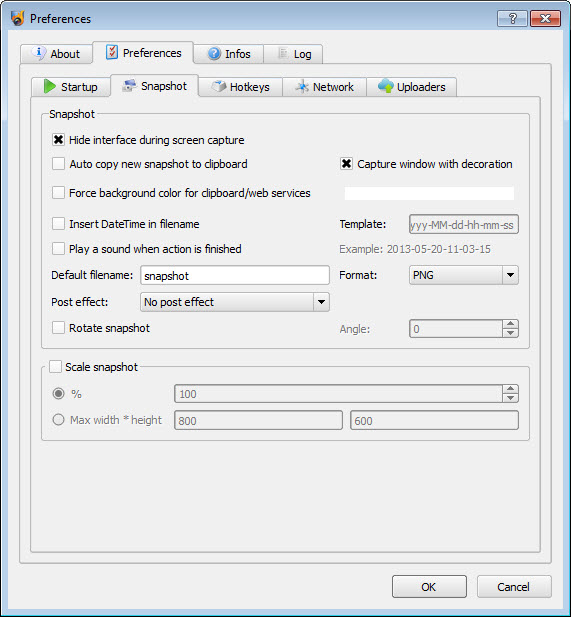
It can capture multi-monitor images, the desired desktop area, or the opened window. You can choose in what format to save the images, starting with JPG and PNG and ending with BMP.
Scaling and other post-processing edits come useful when you add a drop shadow, borders, etc. Once you have done that, saving the images is done automatically. While working in the background on low system resources, it also launches itself at the start-up.
Several other parameters offer background colors, file name settings, and decoration capture.
Features & benefits
Grab current screen
all monitors (in case of multi-monitors configuration), current window or a part of the desktop
Save the screenshot in multiple formats (PNG, JPG, BMP, etc)
Automatically save the screenshot to clipboard, disk or launch the editor tool
Export edited image
in multiple formats (PNG, JPG, BMP, etc)
Save/Restore edited image in proprietary format
Send image directly to printer
Automatically scale
the screenshot to a given size
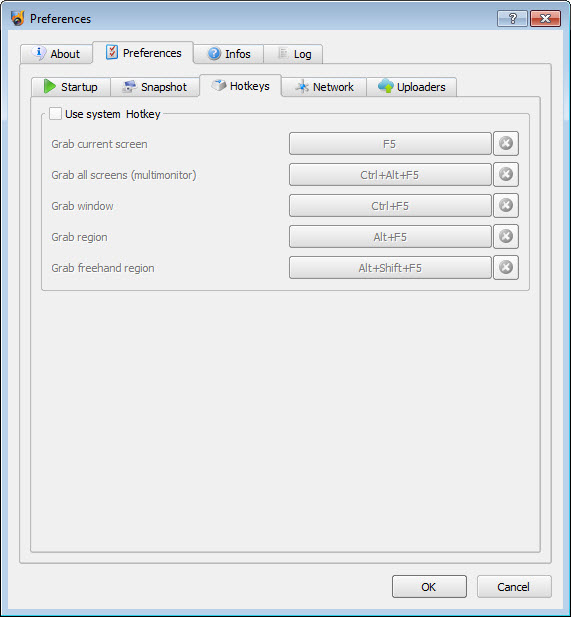
Use system shortcuts to take a screenshot
Add automatically some post-effects to the screenshot (drop shadow, rotation, border, etc)
Can be minimized to system tray and work in background
Can be launched at system start-up
Technical details
Latest version2.2.0
File nameHotShots-2.2.0-setup.exe
MD5 checksum56A28438FD18B380DFF29F9DE4A227F5
File size
11.16 MB
LicenseFree
Supported OSWindows 11 / Windows 10 / Windows 8 / Windows 7
Author
xbee
Similar software


User reviews
0 Comments
Oldest
