

TweakHub
About TweakHub
TweakHub is a portable control center for system tweaks, gathering the registry adjustments, scripts, repair routines, and tool shortcuts that power users normally collect from a dozen forum threads into one organized, open-source application. The pitch is aimed squarely at people who set up, rebuild, or maintain computers regularly and are tired of performing the same twenty adjustments by hand every time.
Instead of hunting each optimization down, you tick the ones you want from categorized lists, preview exactly what will change, and apply them with backups and rollback standing by.
The safety framing matters, because this category has a deserved reputation for wrecking installations. TweakHub answers with automatic backups before changes, verification after them, and rollback when something misbehaves, plus previews that show the actual modifications rather than a vague promise of speed.
It is explicitly not a one-click optimizer, and its own documentation says so, which in this category counts as a mark of seriousness rather than a flaw.
Registry tweaks with the guardrails on
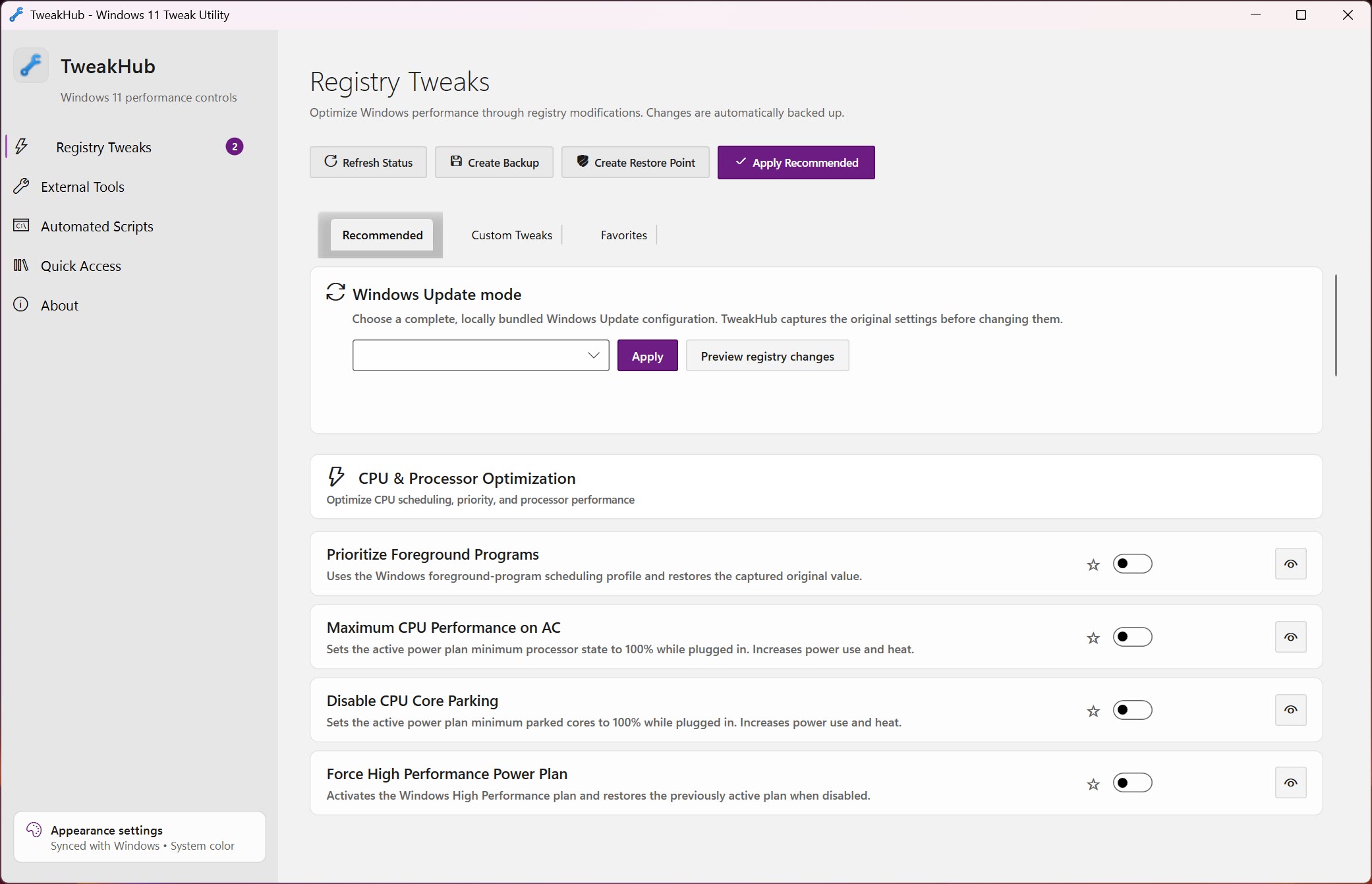
The heart of the application is the tweaks tab, dozens of system-level adjustments grouped by what they touch, processor scheduling, memory behavior, network parameters, interface responsiveness, and the assorted conveniences and annoyances of the current system generation. Each entry explains itself, shows a preview of the change, and applies with a backup taken first, so the classic horror story, a mystery registry edit from a forum post breaking something a month later, gets replaced by a documented change you can reverse.
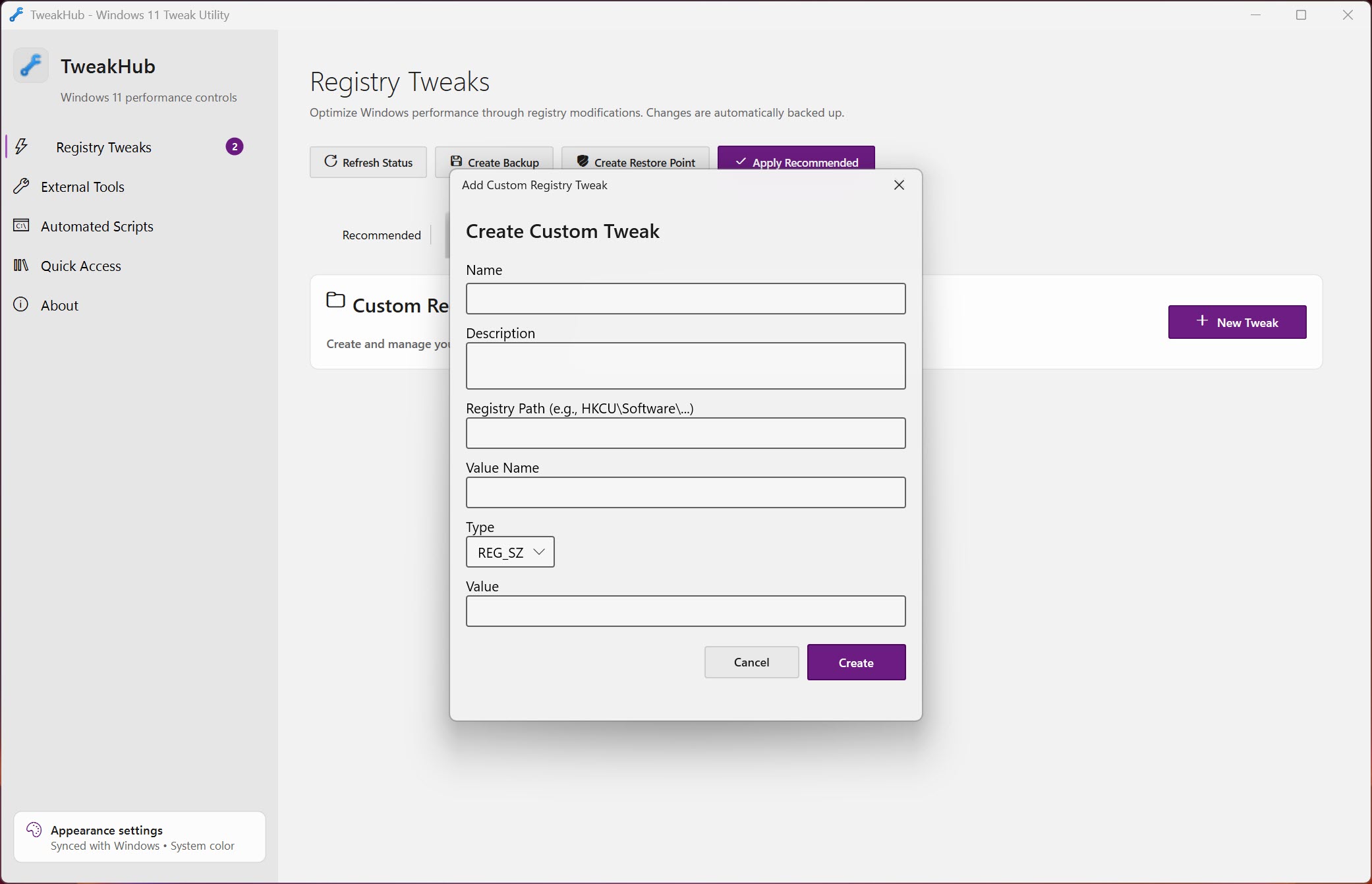
Custom tweaks extend the list for experienced hands, with the honest warning attached that the app cannot predict conflicts in changes it doesn’t know. The rule of thumb the tool itself encourages is the right one, read every preview, skip what you don’t understand, and make a restore point before a big batch.
Applied that way, the categorized approach beats scattered manual edits on both speed and safety, and it beats blind optimizer buttons on transparency by a mile.
Scripts, repairs, and the toolbox
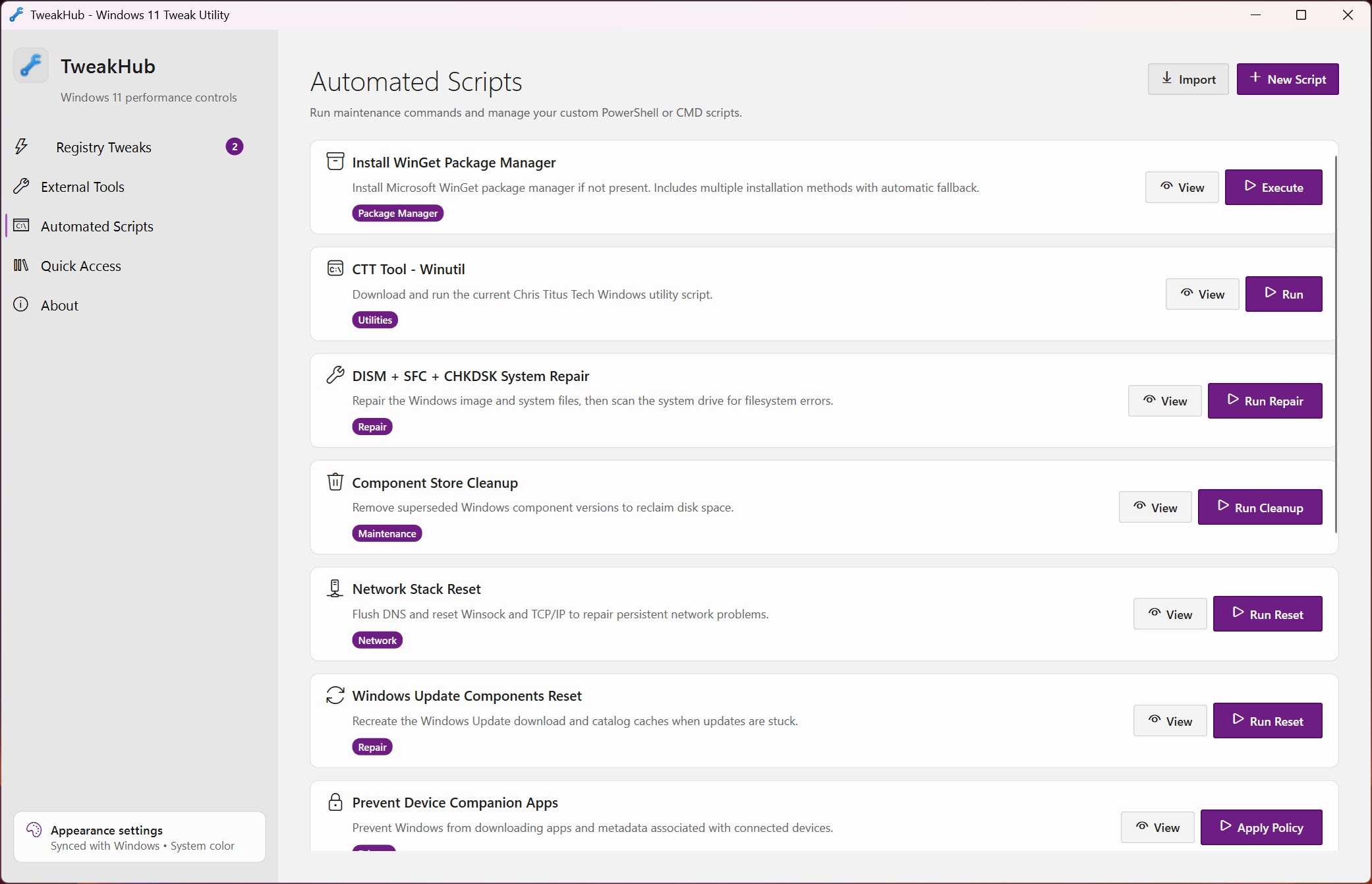
The automation tab runs premade and custom scripts through PowerShell and the command line, each with a description, viewable code, elevation prompts, and the ability to cancel mid-run. Seeing the code before running it is the feature that separates this from the paste-something-from-the-internet ritual it replaces, since the mystery is gone before the enter key goes down.
The repair section wraps the standard system file checks, the DISM and SFC pair, into a verified workflow that saves its output for later reading, which turns the fix-everything incantation people run without understanding into a documented procedure with results you can actually review.
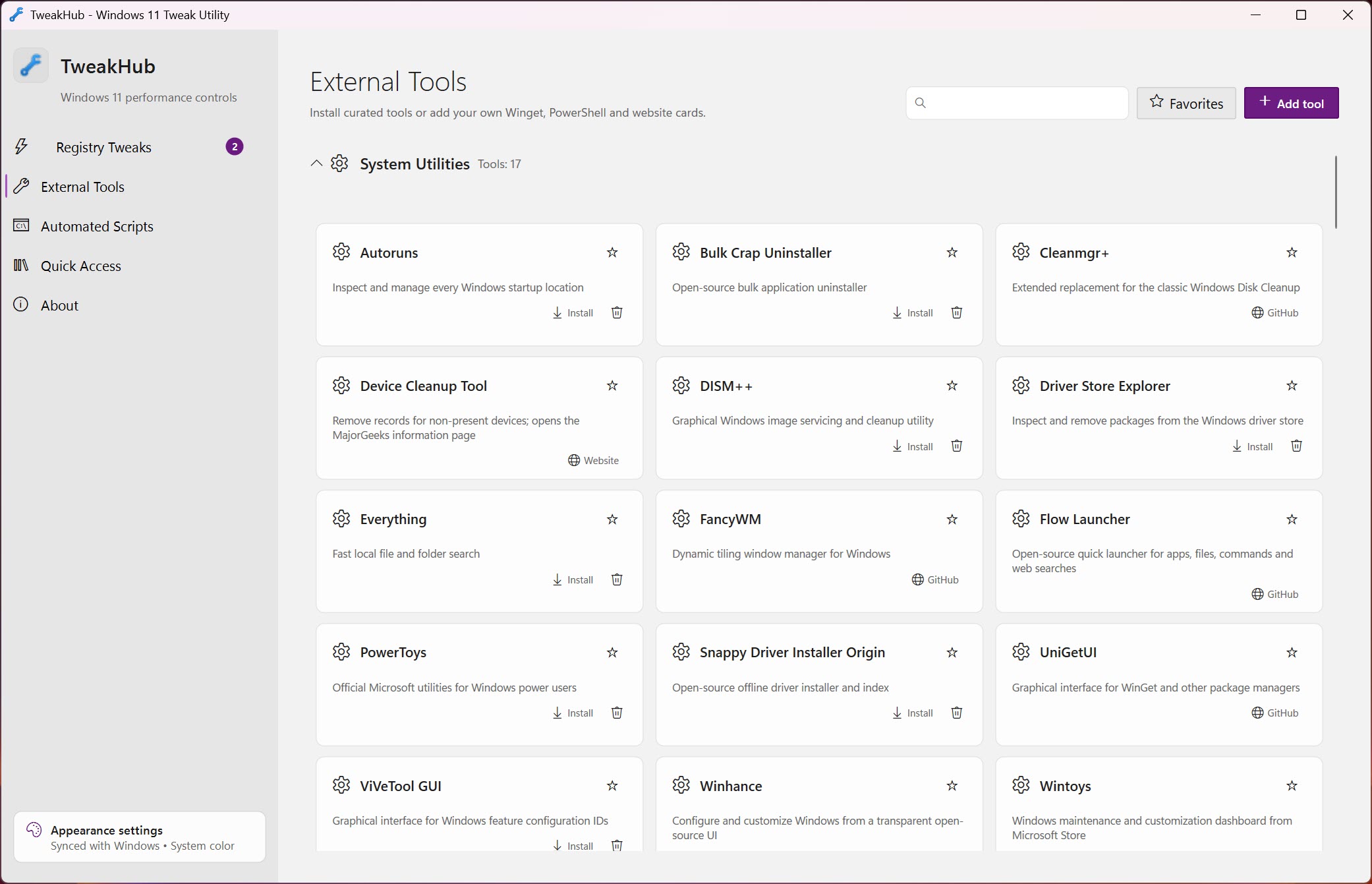
And the toolbox tab handles acquisition, categorized package installs, trusted links, and custom tool cards for the utilities you reach for on every machine, alongside quick-access shortcuts to the administration consoles that hide deeper in the menus with every system release.
Portability as a philosophy
The recommended way to run TweakHub is portable, extracted to a folder or a USB stick, and that choice shapes everything. Your tweak selections, favorite tools, scripts, bookmarks, and even the appearance settings live inside the application’s own folder, so the whole configured environment travels between machines intact. For a technician touching many computers, that means the personal toolkit arrives complete on every job, and for the enthusiast, a rebuild stops meaning an afternoon of reconstructing preferences.
The interface follows the modern system look with light and dark themes, accent colors, and transparency options, which sounds cosmetic until you spend hours in a tool and appreciate not fighting its appearance. Underneath, the whole project is open source, so the code behind every tweak and script is public, a transparency that this particular category needs more than most.
Where it sits among the tweakers
The neighborhood is well populated. Winaero Tweaker remains the encyclopedic interface-tweaking veteran. Ultimate Windows Tweaker covers similar ground in a tiny package, meanwhile.
The privacy-specific corner belongs to ShutUp10, whose telemetry switches complement rather than duplicate what this hub carries.
TweakHub distinguishes itself on the combination, tweaks plus scripts plus repair plus toolbox in one portable profile, rather than on any single category. The honest limits are the young project’s rough edges, a tweak catalog that keeps growing but doesn’t yet match the veterans’ breadth in interface minutiae, and the standing caution that applies to the entire genre, performance tweaks deliver modest, situational gains, and nobody’s registry settings turn a slow machine into a fast one.
Reviewing what actually starts with the system in AutoRuns often helps more than any tweak list, and the two audits pair well.
Conclusion
TweakHub is built for the person who is the family’s or the office’s computer fixer, technicians rebuilding machines weekly, and enthusiasts who apply the same considered set of adjustments to every fresh installation. The portable profile and the preview-backup-rollback discipline turn a scattered folklore of tweaks into a repeatable, reversible kit.
Casual users wanting a magic speed button should skip the genre entirely, and specialists may still keep a veteran tweaker alongside for its deeper catalog. As the organized, transparent hub for deliberate system tuning, this young project already earns its place in the toolkit.
Pros & Cons
- Registry tweaks with previews, automatic backups, verification, and rollback
- Scripts show their code and explanations before anything runs
- Verified repair workflow wraps the standard system file checks with saved output
- Fully portable profile carries tools, tweaks, and settings between machines
- Open source, with every change inspectable in public code
- A young catalog that trails the veteran tweakers in sheer breadth
- Custom tweaks and scripts still demand real judgment from the user
- Performance gains from registry tweaking are modest by nature
- Aimed at technicians and enthusiasts rather than casual users
Frequently asked questions
Safer than most of its genre, thanks to previews, automatic backups, and rollback. The sensible ritual still applies, read each preview, skip what you don't understand, and create a restore point before large batches.
This tool shows every change before applying it and expects you to choose. One-click optimizers apply hidden bundles of changes, which is exactly the behavior that gave the category its bad name.
The portable folder carries your tweak selections, scripts, favorite tools, and appearance settings, so your whole configured toolkit moves between computers on a USB stick.
Yes, the repair section runs the standard DISM and SFC checks in a verified sequence and saves the output, giving you a reviewable record of what was found and fixed.


