

Dadroit JSON Viewer
About Dadroit JSON Viewer
Anyone who has tried to open a multi-gigabyte JSON file in a regular text editor knows the pain. Notepad freezes, Visual Studio Code chokes, and even purpose-built JSON tools start grinding to a halt once file sizes go beyond a few hundred megabytes. Dadroit JSON Viewer is the answer for users who routinely work with massive JSON datasets and need a tool that actually keeps up.
Built specifically with performance in mind, this software handles JSON files of essentially any size with surprising speed. Files that would take other applications minutes to parse open here in seconds, and navigation through the resulting structure stays smooth even with millions of nodes.
For developers, data analysts, API testers, and anyone dealing with large JSON exports, this kind of responsiveness changes how the work feels.
Built for files that break other tools
The headline feature of Dadroit JSON Viewer is its raw speed when handling huge files. Where most JSON parsers load the entire file into memory and then attempt to render it, this tool uses a more sophisticated approach that allows it to display the structure progressively, without waiting for the entire file to be processed before showing anything.
In practice, this means you can open a 5GB JSON file and start exploring its contents within seconds. The application stays responsive throughout, with no freezing while parts of the file are still being read. For data professionals working with large API exports, log dumps, or NoSQL database extractions, this performance difference is genuinely transformative compared to traditional tools.
Tree view navigation that scales
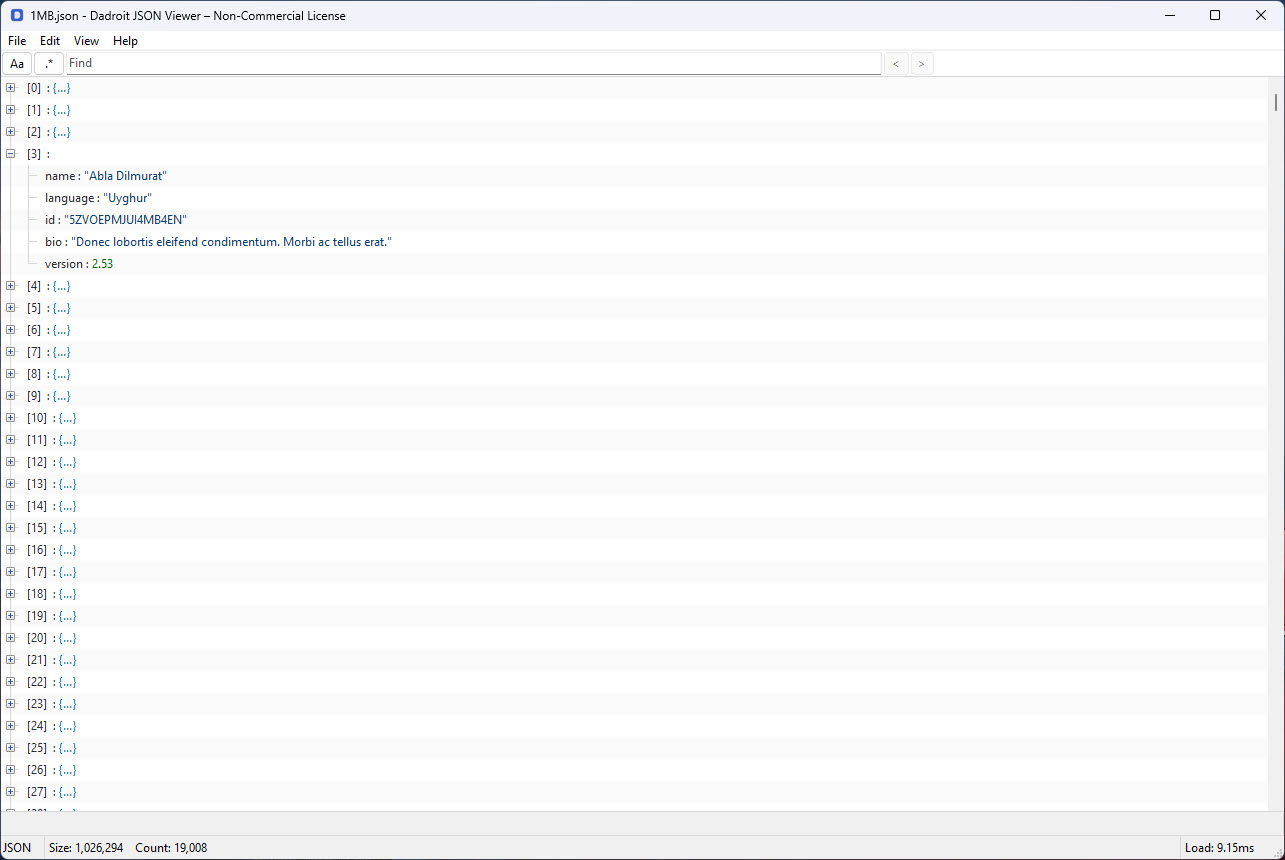
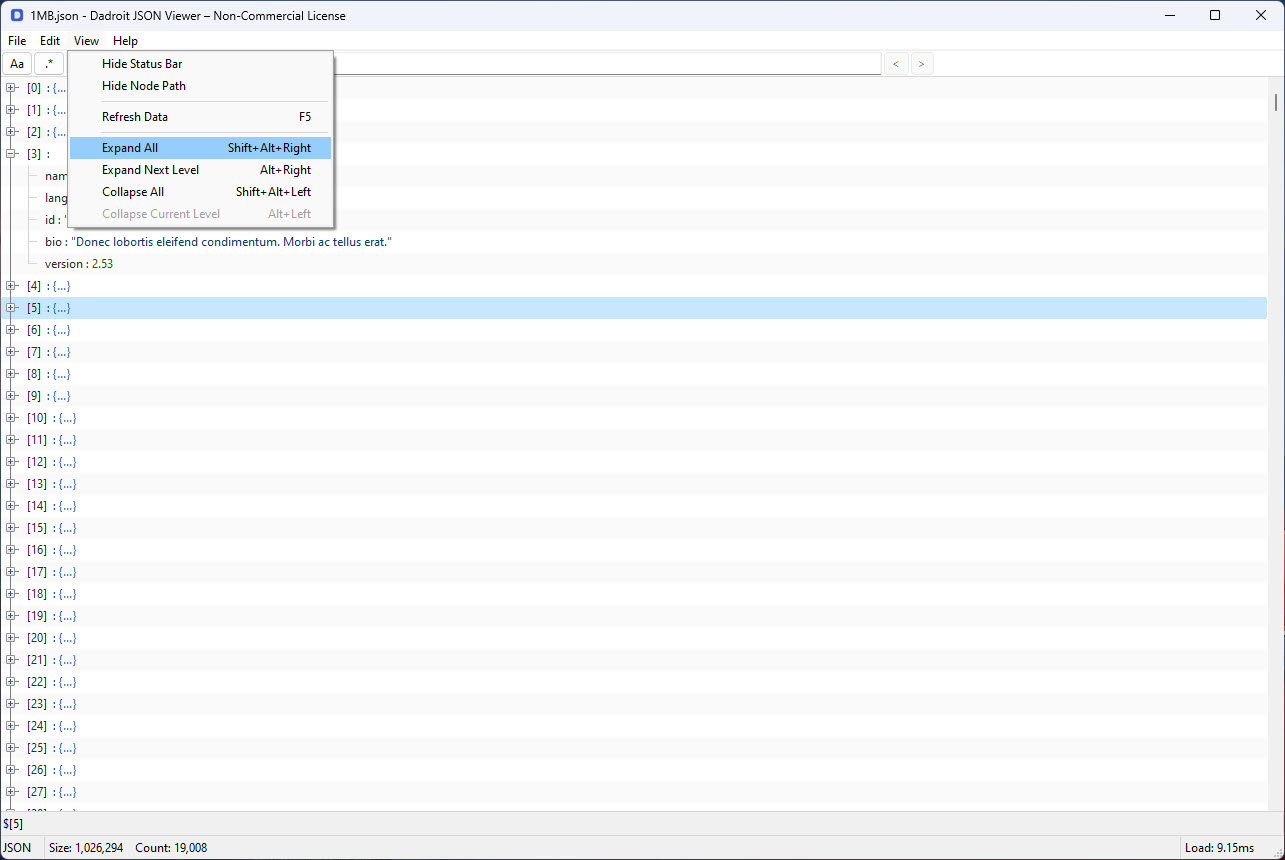
The interface presents JSON content in a hierarchical tree view, letting you expand and collapse nodes to drill into specific sections without losing track of where you are in the larger structure. Nested objects and arrays are clearly indicated, with counts shown for arrays and visual cues making the data structure easy to follow at a glance.
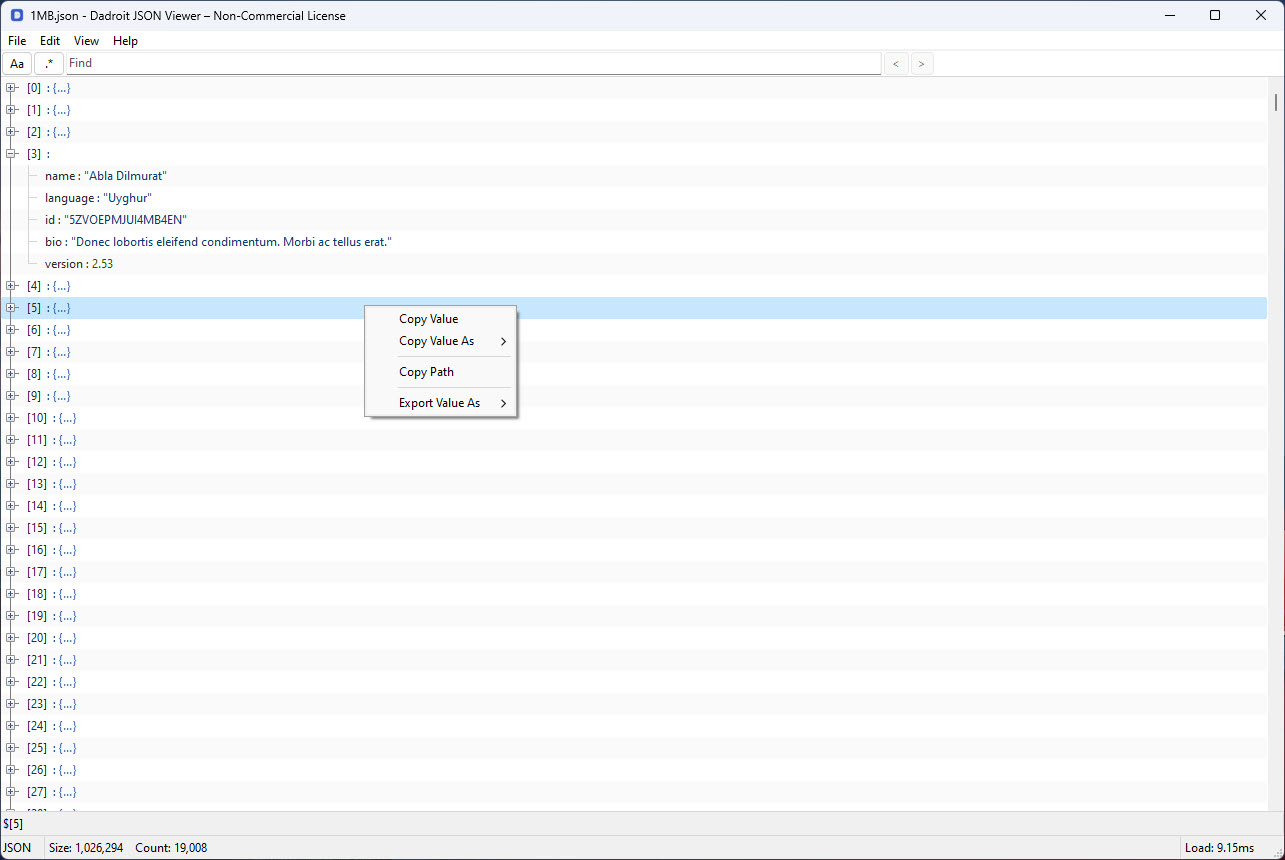
For deeply nested JSON, this tree view is far more practical than the raw text approach that simpler editors use. You can navigate to a specific path quickly, copy individual values or branches, and understand the overall shape of the data without scrolling through thousands of lines.
Search that actually works on large files
Searching within huge JSON files is one of those things that simpler tools handle poorly. The application includes a search function that finds keys, values, or specific paths within massive datasets without forcing you to wait. Results are highlighted in context, and you can jump between matches efficiently rather than starting over each time.
This is particularly useful when investigating specific records within large exports or trying to find anomalies in API responses that contain thousands of similar objects.
Rather than relying on text-based search that treats the file as plain characters, the search here understands JSON structure and respects it.
Multiple format support
While JSON is the primary focus, this software also handles related formats including JSON Lines (.jsonl) and BSON, which are commonly used in MongoDB exports and various streaming data scenarios. The same performance characteristics apply across these formats, so users dealing with mixed data sources don’t need separate tools for different file types.
For developers who switch between standard JSON, line-delimited JSON, and binary JSON depending on which system they’re working with, having one tool that handles all three is a real workflow improvement.
Validation and error reporting
When working with JSON files generated by various sources, malformed content is unfortunately common. The application includes validation that flags syntax errors clearly, showing exactly where the problem is in the file structure rather than just refusing to open it.
For debugging API responses or database exports that aren’t parsing correctly elsewhere, this validation feedback often points directly at the issue. The errors are described in human-readable terms with line and position information, which beats the cryptic messages that some parsers produce.
Conversion and export capabilities
Beyond just viewing JSON, this tool can convert between formats and export selected portions of a file to other forms including CSV. For analysts who need to pull specific structures out of a large JSON file and work with them in spreadsheet applications, this conversion capability eliminates a separate processing step.
The export functionality respects the structure you’ve selected, so you can copy entire branches of the tree or filter to specific paths before generating the output. This precision makes the tool useful as a starting point for data extraction workflows rather than just a passive viewer.
Conclusion
Dadroit JSON Viewer solves a specific problem that anyone working with large JSON files eventually runs into. The combination of speed, structure-aware navigation, and reliable search transforms JSON exploration from a frustrating wait-and-see experience into something genuinely productive.
For developers, data analysts, and anyone who deals with significant amounts of JSON data on a regular basis, this software earns its place as a daily tool. Dadroit JSON Viewer doesn’t try to do everything, but what it does, it does faster than essentially any alternative in the space.
Pros & Cons
- Handles JSON files of essentially any size without freezing or slowdowns
- Tree view navigation makes complex nested structures easy to explore
- Search functions reliably even on multi-gigabyte files
- Supports JSON, JSON Lines, and BSON within a single application
- Validation flags syntax errors with clear position information
- Conversion and export options support data extraction workflows
- Significantly faster than text editors and general-purpose JSON tools on large files
- Free version has feature limitations compared to the paid Pro edition
- Some advanced editing features require the commercial license
- Interface is utilitarian rather than visually polished
- Not designed for editing JSON, only viewing and limited transformations
- Documentation could be more thorough for advanced features
Frequently asked questions
This software is designed to handle JSON files of essentially unlimited size, with users routinely opening files in the tens of gigabytes range without issues. Performance depends on available system memory and disk speed, but the application avoids the hard size limits that affect most other JSON tools.
The performance comes from a parsing approach that doesn't require loading the entire file into memory before displaying anything. Most JSON tools attempt to fully parse the file first, which causes freezing on large files. This software streams the parsing process and displays content as soon as it's available.
The tool is primarily designed for viewing rather than editing, with the free version focused on read-only access. Some editing features are available in the Pro edition, but users needing serious JSON editing capabilities typically combine this viewer with a dedicated editor optimized for that purpose.
Yes, this software handles JSON Lines (newline-delimited JSON) and BSON in addition to standard JSON. These formats are common in streaming data and MongoDB exports, so the multi-format support covers most real-world scenarios developers encounter.
The application includes validation that detects syntax errors and shows their location clearly, helping you identify and fix problems. For partial files or files with errors that need investigation, this diagnostic feedback is often more useful than tools that simply refuse to open invalid JSON.
Search remains responsive even on multi-gigabyte files thanks to the same streaming architecture that makes file opening fast. Results highlight in context, and you can navigate between matches without waiting for the entire file to be re-scanned each time.
Yes, the application includes export options that let you convert selected branches or filtered subsets to CSV and other formats. This is useful for analyses that need data extracted from large JSON sources into spreadsheet-friendly formats.
The free version covers core viewing and exploration capabilities suitable for most users, while the Pro edition adds advanced features like enhanced editing, scripting, and additional export options. Users whose work depends heavily on these advanced capabilities tend to find the upgrade worthwhile.


