

Internet Download Manager
About Internet Download Manager
Internet Download Manager (IDM) is the long-running Windows download manager that built its reputation on one specific capability, which is dramatically accelerating file downloads by splitting each file into multiple parts and downloading those parts simultaneously through separate connections. The result is download speeds that can be three to five times faster than what a browser’s built-in download function produces, especially on files served from servers that support multi-connection downloads.
For users on connections that aren’t saturated by a single stream, the speed difference is the kind of thing you notice immediately and never want to give up.
The application has been around since the early 2000s and is one of the few download managers that has retained a substantial user base through the era when browsers have improved their own downloading capabilities.
Modern Chromium-based browsers handle most file downloads well enough that dedicated download managers are unnecessary for casual use, but for users who download large files frequently, who need pause and resume across reboots, who want to manage downloads in queues, or who need to capture video streams from web pages, Internet Download Manager still does things browsers can’t.
How the speed acceleration actually works
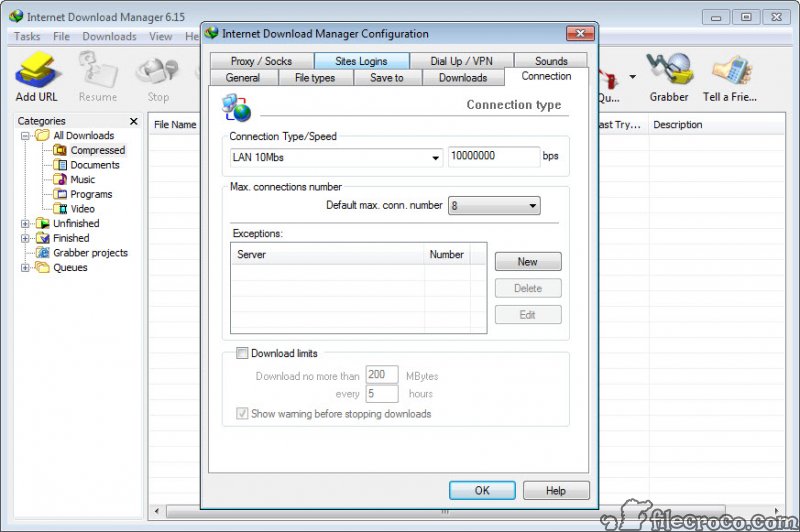
The technique is called segmented downloading or multi-part downloading. Instead of opening one connection to a server and reading the file from beginning to end, Internet Download Manager opens multiple connections (typically up to 16 or so) and requests different byte ranges of the same file through each connection. The HTTP protocol’s range request feature, supported by most modern servers, makes this possible. The server treats each connection as a separate request for a specific portion of the file, and the download manager assembles the pieces into the complete file as they arrive.
The speed benefit comes from two sources. First, many servers limit per-connection bandwidth but not total bandwidth from a given client. Multiple connections can therefore receive more aggregate data than a single connection would. Second, individual connections sometimes experience slowdowns due to network congestion, packet loss, or server-side throttling, and having multiple parallel connections smooths out these variations so the total throughput stays high.
For users with fast internet connections and downloads from well-provisioned servers, the speed improvement is dramatic. A file that downloads in your browser at 5 MB/s might come down through IDM at 15-20 MB/s on the same connection. The exact improvement depends on the source server, your network, and the specific file, but the improvement is real and measurable across a wide range of typical downloads.
Pause and resume reliability
This is one of the practical features that browsers have improved on but still don’t match. Internet Download Manager can pause any download mid-transfer and resume it later, including across application restarts and computer reboots. The partial download state is saved completely, so resuming picks up exactly where the pause occurred regardless of how much time has passed.
For large downloads on unstable connections, this reliability is genuinely valuable. A 5 GB download that fails three hours in doesn’t have to restart from scratch. The application reconnects to the server, sends a range request for the remaining bytes, and continues from the failure point. Multiple retry policies handle transient errors automatically, and the resume capability works across most servers that support standard HTTP downloading.
Browsers technically handle pause and resume for many downloads now, but the reliability still varies. Some downloads can be resumed, others restart from zero on reconnection, and the user often can’t tell in advance which will be the case. The download manager applies its resume strategy consistently and recovers from a wider range of failure scenarios than browsers typically handle.
Download queue and scheduler
For users with multiple files to download, the queue and scheduler features handle batch operations efficiently. Drop a list of URLs into the queue, set the queue to start at a specific time, and let the application work through them in sequence. The scheduling supports time-of-day rules (start at 2 AM, stop at 7 AM) and can integrate with internet plans that have off-peak pricing or unlimited bandwidth windows.
For organizations or users with bandwidth constraints during business hours, scheduling large downloads to run overnight makes sense and the application handles it without manual intervention. The completed downloads are ready when you return to the machine in the morning.
The queue also supports limits on concurrent downloads, useful when you don’t want to saturate your connection or hit per-server connection limits. Setting a maximum of three simultaneous downloads means the queue processes items in batches rather than starting everything at once.
File organization and post-download actions
After downloads complete, Internet Download Manager can organize files automatically based on their type or source. Videos go to a videos folder, archives to a downloads folder, executables to a programs folder, with the rules configurable based on file extension, MIME type, or source URL pattern. For users who download many different file types, this automatic organization saves the manual sorting work that downloads would otherwise require.
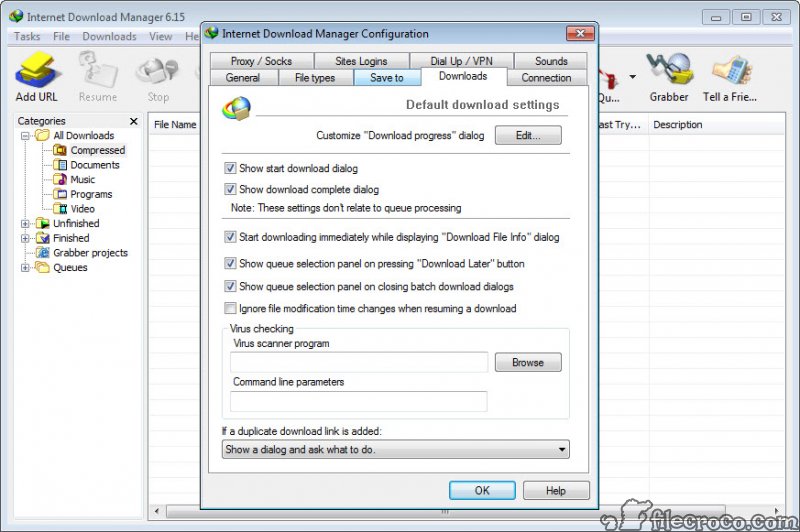
The application can also run actions after downloads complete. Open the file in a specific application, scan it with antivirus software, move it to a network location, or trigger other workflows. For users with specific download workflows (downloading software installers and then immediately scanning them, for instance), this automation removes manual steps.
For broader file organization across your entire downloads folder including files from sources other than IDM, Bulk Rename Utility handles the post-hoc renaming work that complements the download manager’s per-file organization.
The licensing situation
This needs to be discussed directly. Internet Download Manager is commercial software with a 30-day trial period. After the trial expires, the application stops working without a license. This is a real trial expiration, not the honor-based persistent trial that some other Windows utilities use. To continue using the application past 30 days, you need to purchase a license.
The licensing fee is modest, and for users who download files frequently and value the speed improvement, the cost-benefit calculation often favors paying. The license is per-user and covers updates indefinitely on that license. For casual users who only download files occasionally, the trial expiration is the signal to either commit to the purchase or switch to a free alternative.
The free alternatives are worth knowing about. Free Download Manager is the most direct free alternative, offering segmented downloading, browser integration, and queue management without the licensing cost. The interface and feature set differ, but the core capability of accelerated downloads is present. Download Accelerator Plus is another option with similar multi-connection acceleration.
Security and trustworthiness
Download managers have historically been a category where users encountered malicious lookalikes, bundled adware, and other problems. The legitimate Internet Download Manager product itself is clean software, but the popularity of the name means many third-party sites distribute modified or fake versions that include unwanted software.
For users specifically considering this application, getting the genuine product matters. The licensing requirement actually helps here, since legitimate licensed versions go through a real activation process that pirated or modified versions can’t replicate cleanly. Users who try to bypass the licensing with cracked versions often end up with malware-bundled imitations rather than the real software.
The real application doesn’t include adware, doesn’t bundle other software during installation, and doesn’t display advertising in normal use. The licensing dialog appears at startup until activated, but otherwise the user experience is clean. Pirated versions often have the licensing bypassed but also include unwanted bundled software, which is the practical reason buying the license is the safer path.
Limitations and what it doesn’t do
The acceleration only works when the server supports range requests. Some servers explicitly disable multi-connection downloads to prevent the per-connection bandwidth allocations from being circumvented. For these servers, downloads happen through a single connection at whatever speed that connection provides, and the acceleration benefit disappears. This isn’t a fault of the application, it’s a server-side choice.
Modern video streaming services use DRM-protected streams that Internet Download Manager can’t capture. The video download feature works on standard HTTP streaming but not on encrypted DRM-protected content. Attempting to use the application against DRM-protected services violates their terms of service in addition to not working technically.
Conclusion
Internet Download Manager is the right tool for users who download files frequently and value the substantial speed improvement that segmented downloading provides. The browser integration, video capture features, queue management, and reliable pause-resume add up to a download experience that’s genuinely better than what browsers provide out of the box. For users on fast connections who download large files regularly, the application earns the license fee through the accumulated time savings.
For users who download files only occasionally, the commercial pricing tips the balance toward free alternatives like Free Download Manager or Download Accelerator Plus, both of which provide the core capability without the licensing cost. The free options don’t match every feature of the commercial tool, but they cover the segmented downloading benefit that drives most of the value. Choose based on how frequently you download and how much the workflow improvements matter to you. The trial period gives enough time to evaluate the fit honestly.
Features & benefits
Pros & Cons
- Substantial download speed improvement on most servers and connections through segmented downloading
- Reliable pause and resume across application restarts and computer reboots
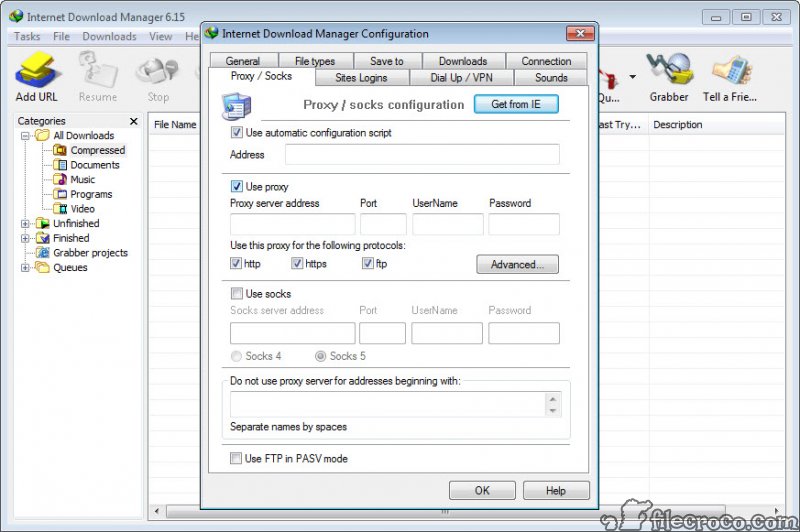
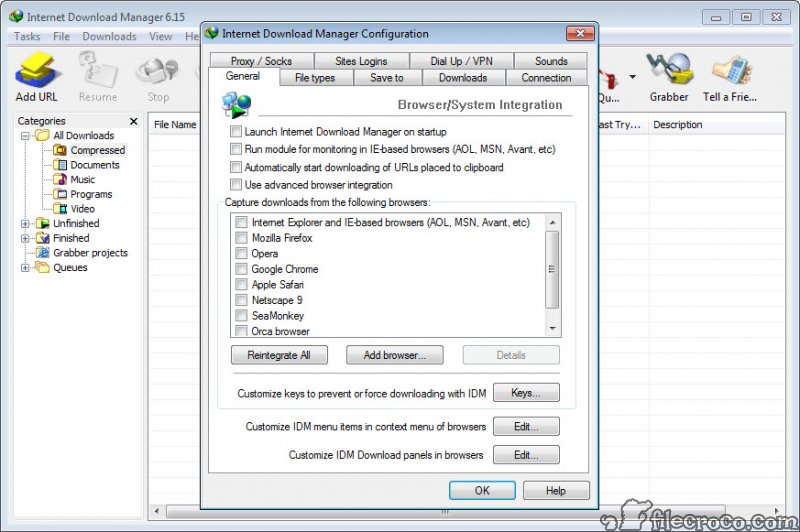
- Browser integration captures downloads automatically from major browsers
- Video stream capture feature works on many embedded video and audio players
- Queue and scheduler features handle batch downloads and bandwidth-aware scheduling
- Post-download actions automate file organization and follow-up workflows
- Honest licensing model with paid software that doesn't bundle adware or advertising
- Commercial software with paid license required after 30-day trial
- Acceleration depends on server support for range requests, which some servers explicitly disable
- Modern DRM-protected video streams can't be captured for legitimate technical reasons
- Pirated versions are common but often bundle malicious software, so getting the genuine product matters
- Free alternatives provide most of the same functionality without the licensing cost
Frequently asked questions
The application is a download manager that accelerates file downloads through segmented downloading (splitting files into multiple parts downloaded simultaneously), provides reliable pause and resume, integrates with browsers to capture downloads automatically, and adds queue management, scheduling, and post-download automation.
On servers that support range requests and connections that aren't saturated by a single stream, the speed improvement is typically 3-5x. The actual improvement varies based on the server, your connection, and the specific file. For some downloads, the improvement is dramatic. For others, particularly from servers that limit total bandwidth per client, the improvement is smaller.
The application installs browser extensions for Chrome, Firefox, Edge, Opera, and other major browsers. The extensions intercept download requests and route them through the application, replacing the browser's built-in download handling with accelerated downloading and queue management.
No. The application is commercial software with a 30-day free trial. After the trial expires, a license must be purchased to continue use. Free alternatives like Free Download Manager and Download Accelerator Plus provide similar core functionality without the licensing cost.
The genuine application from legitimate sources is clean software without bundled adware or malicious behavior. The popularity of the product means many third-party sites distribute modified or fake versions, often including malware. Getting the real product matters for security reasons.
The acceleration depends on the server supporting HTTP range requests, which let the client request specific byte ranges of a file. Some servers disable range requests explicitly, which prevents segmented downloading from working. On these servers, the application falls back to single-connection downloads at whatever speed the server provides.
The application installs extensions for major browsers including Chrome, Firefox, Edge, Opera, Brave, Vivaldi, and others built on Chromium or Firefox foundations. The extensions are kept current with browser updates, so new browser versions are typically supported within a reasonable time after release.


