

FastPictureViewer
About FastPictureViewer
FastPictureViewer is built for one stage of a photographer’s work, the hour after a shoot when a thousand frames have to become fifty keepers. Point it at the folder, and the first image fills the screen before the card has finished copying, with the next one already decoded in the background. Press a number from one to five to rate the frame, press X to mark it for deletion, press the key for a preset folder to copy a keeper there, and move on. There is no import, no catalogue and no editing, only pictures shown as fast as the hardware allows and verdicts recorded in a form every other tool reads.
That last point is the design decision that matters. Ratings, colour labels and urgency flags are written as standard XMP metadata, embedded in JPEG and TIFF files or placed in sidecar files beside RAW originals, so a folder culled here opens in a cataloguing application or a RAW converter with the stars and labels intact.
FastPictureViewer is the front end, the fast pass that decides what deserves the slow pass elsewhere, and its speed comes from decoding the embedded JPEG preview inside a RAW file rather than converting the sensor data, which it can also do on demand when sharpness has to be judged at full resolution.
Speed, and how it is achieved
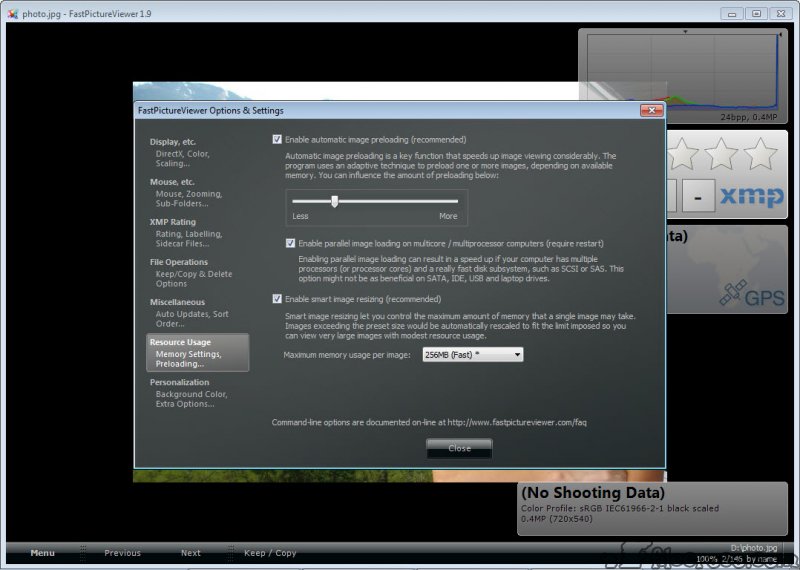
The FastPictureViewer engine uses every processor core to unpack previews, keeps the next images decoded ahead of the one on screen, and hands zooming and panning to the graphics card, so a 24-megapixel RAW flips to the next in the time it takes to press the key. RAW support covers twenty-three formats from several hundred camera models, and a codec pack adds further formats and gives the system’s own file manager thumbnails for the same files.
Its own documentation claims a trained user reviews three to four thousand RAW frames an hour, and that is believable once the keys are in the fingers. The preview-first approach means what you see at first is the camera’s embedded JPEG, which is right for composition and exposure and approximate for critical focus, while the picture itself is shown on a colour-managed display through ICC profiles, so a calibrated monitor shows the colours the file holds.
A key switches to a full decode of the RAW data when the pixels themselves have to be inspected, and that decode takes the seconds the previews avoid, which is why it is a deliberate key rather than the default.
Rating and marking for deletion
In FastPictureViewer the number keys set an XMP rating from one to five stars, a single key clears it, and colour labels follow the scheme the cataloguing applications use, with a translation table so a label set here appears under the right name there. Urgency flags from the news workflow are supported for photographers who use them. X marks a frame as rejected, and a batch delete removes every rejected frame at once, which is how a thousand becomes fifty without touching the file manager.
Where the metadata goes is a preference. Embedded in the file for formats that allow it, in a sidecar file beside the image, or both, with sidecars taking precedence when both exist. That choice is what makes a culled folder land in a catalogue with its ratings intact, and it is also why the program can rate files that no cataloguing tool has seen yet.
For editing captions and keywords in depth rather than rating, ExifPro is the dedicated metadata tool, and the IPTC editor here covers the fields a wire service expects with batch application across a selection.
Head-up displays for exposure and focus
Translucent FastPictureViewer overlays appear and disappear with single keys. An RGB histogram floats over the image and updates as you move through the folder. The EXIF display shows shutter speed, aperture, ISO and exposure compensation. A lost shadows and lost highlights view paints clipped areas in colour so blown skies and blocked blacks show at a glance, and a black and white preview drops the colour instantly for judging a frame that might be printed in monochrome. GPS coordinates display for geotagged frames, and an eyedropper reads the colour under the pointer.
All of these are read-only aids for a decision, not adjustments, which is the point. The histogram and the clipping view answer whether a frame is salvageable in a RAW converter such as RawTherapee, and the black and white preview answers whether it is worth converting at all, without leaving the viewer or writing anything to the file.
Each overlay has its own key, so the screen stays clear until a question needs answering.
Batch rules and tethered shooting
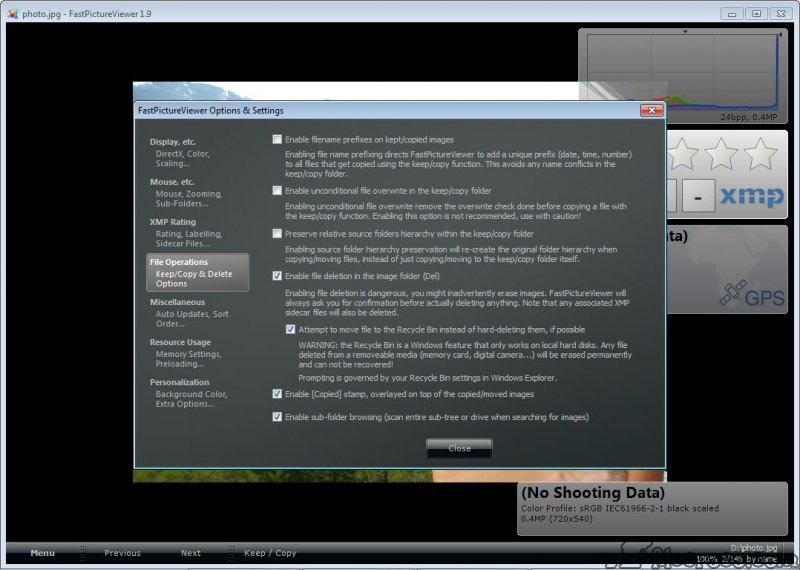
The FastPictureViewer batch processor copies, moves, renames, deletes or uploads files according to their metadata, so every five-star frame goes to one folder, every frame from a second camera body to another, and every frame with a GPS fix to a third, in one run. Single-key copying to preset folders does the same interactively during a cull. Sorting runs by file name, by EXIF date taken or by GPS time, forward or reverse, which keeps two cameras’ frames in shooting order.
Tethered shooting over the standard camera protocols brings frames from a connected camera straight onto the screen as they are taken, and a watched hot folder does the same for a wireless transmitter or a card reader, so a studio session reviews itself on a large display as it happens. Slideshow mode keeps the rating and rejection keys live, so a client review can double as a cull, with the rejects already marked by the time the client leaves.
Where it stops, and the question of age
FastPictureViewer does not edit, catalogue or convert RAW files, and it says so. For a viewer that also handles light editing and batch conversion, FastStone Image Viewer covers that ground without this program’s speed. The larger caveat is maintenance.
The RAW camera list stops where the program’s updates stopped, so bodies released since may open only through the embedded JPEG or not at all, and the codec pack has the same limit. On the cameras it knows, nothing has overtaken it for the specific job of looking at a lot of frames quickly and deciding.
Conclusion
FastPictureViewer suits photographers who shoot in volume, from weddings to sport to studio sessions, and who want the cull done in the viewer so the catalogue only ever sees the keepers. The speed, the single-key rating and the colour-managed display make it the fastest honest way through a card of frames, and the XMP output means nothing done here is lost downstream.
It is not an editor, its camera list has stopped growing, and it needs registering to keep using. For the cameras it knows and the job it was built for, it remains the tool that gives a photographer their evening back.
Pros & Cons
- Decodes embedded RAW previews on every core with the next frames prepared in advance
- Single-key XMP rating, colour labels and rejection written to files or sidecars
- Histogram and clipping views, a black and white preview and EXIF data as translucent overlays
- Full ICC colour management with profiled monitors and destination profiles
- Rule-based batch copying and renaming by metadata
- Tethered shooting and hot folder review for studio sessions
- No editing, cataloguing or RAW conversion
- Camera support frozen at the last update, so recent bodies may not open
- Full RAW decode is slow compared with the preview
- Registration required, with no permanent unregistered tier
Frequently asked questions
No. It views and rates, then sorts, and it writes those decisions as XMP metadata for a catalogue or RAW converter to use.
Yes. Ratings and labels are standard XMP, embedded or in sidecar files, which cataloguing applications and RAW converters read on import.
It displays the JPEG preview the camera embedded in the RAW file. A key switches to a full decode of the sensor data when critical sharpness has to be checked.
Only if the camera is on its RAW list, which stopped growing when updates stopped. Newer bodies may open through the embedded preview or need another tool.


