

EZ CD Audio Converter
About EZ CD Audio Converter
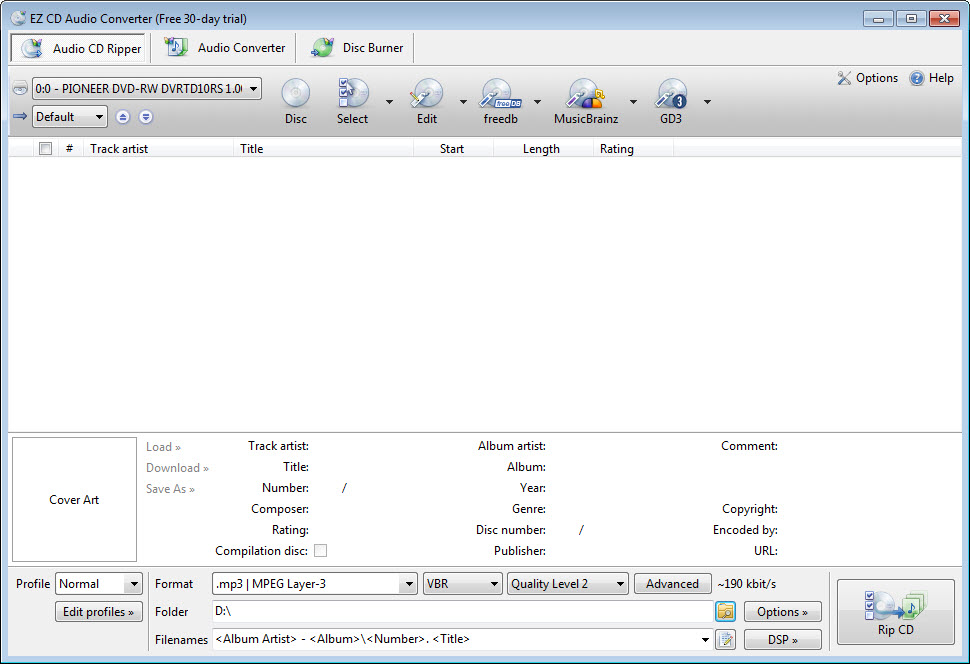
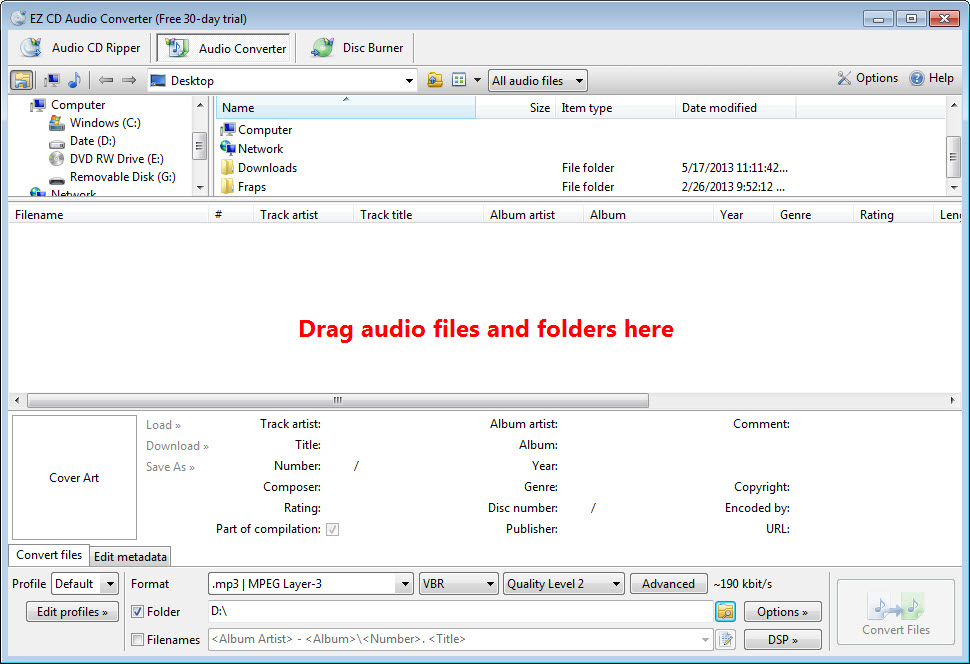
Three separate jobs live in EZ CD Audio Converter, and most people arrive wanting only one of them. EZ CD Audio Converter rips discs, converts between audio formats and writes discs, with the same metadata handling running through all three.
That combination is unusual. Ripping tools generally rip, converters convert, and burning software burns, so anybody who does all three has typically collected three programs and three ways of doing the same thing.
The formats covered are the ones that matter, meaning the lossless family alongside the common compressed ones, and the conversion runs across all your processor cores rather than one.
Verified ripping is the part that matters
Here is the EZ CD Audio Converter distinction that separates a proper ripper from a casual one, and it decides whether an archive is worth keeping.
Reading a scratched disc produces errors. A basic ripper reads what it can and moves on, so the resulting file contains whatever the drive managed, including the guesses. Error correction improves on that by rereading damaged areas until the results agree.
Verification goes further. The rip is checked against a database of checksums submitted by other people who ripped the same disc, and a match means your file is bit-identical to theirs. That is the only way to know a rip is correct rather than merely error-free according to your own drive.
For an archive you intend to keep, that difference is the whole point. Anybody ripping a collection once and discarding the discs afterwards should be verifying rather than trusting.
Where the requirement is getting music off a disc without any of this, a ripper that pulls the tracks across and stops there does the simple version of the job.
Lossless or compressed, and when it matters
The decision people agonise over deserves a plain answer, since EZ CD Audio Converter supports both and will not choose for you.
Lossless formats reproduce the disc exactly and take roughly half the space of the original. Compressed formats take a fraction of that and discard information permanently.
The practical rule is about what happens next. Ripping a collection you will keep for years means lossless, because you can convert to anything later from a lossless master and cannot recover what compression removed. Ripping for a phone or a car stereo means compressed, since the listening conditions hide the difference entirely.
Doing both is the sensible arrangement. Rip once to lossless, keep that, and convert copies to whatever the device needs, which is exactly the workflow this supports.
Metadata is handled properly
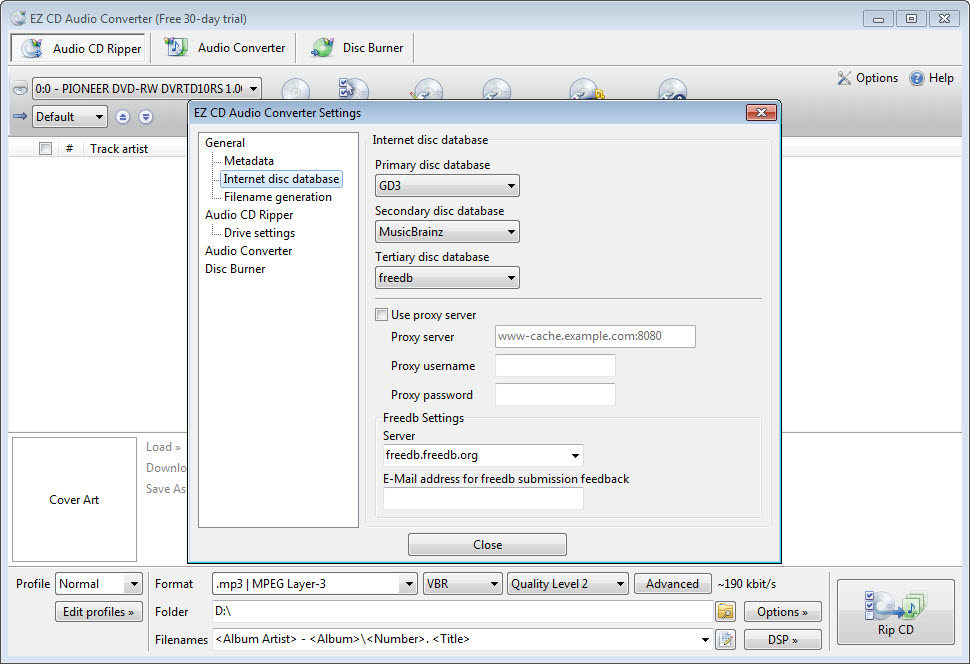
EZ CD Audio Converter fetches track information from online databases during ripping, with cover art fetched alongside, and the tag editing is more thorough than the category usually manages.
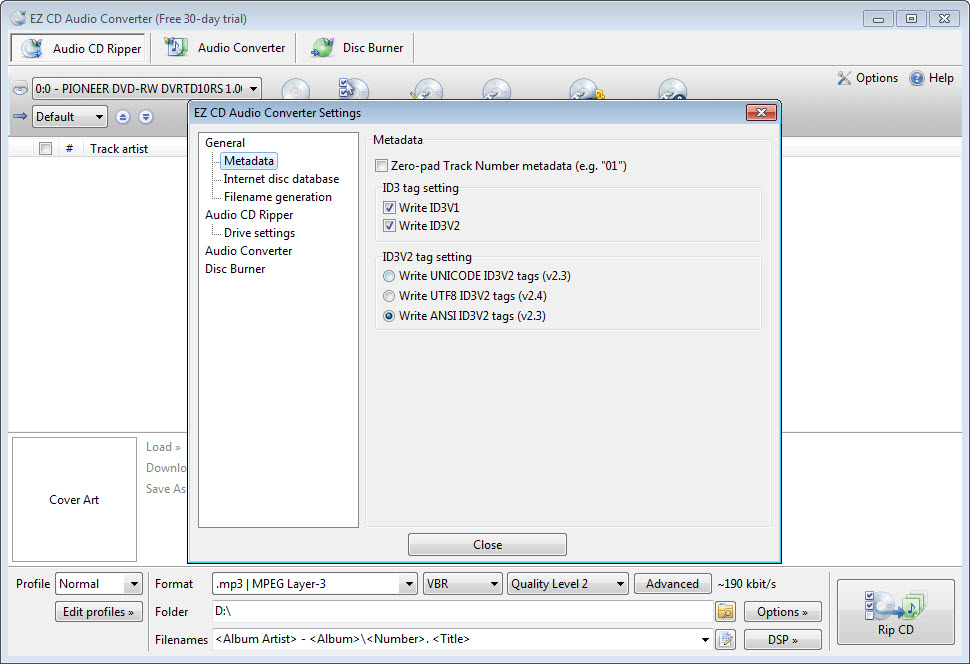
Multiple tagging standards are supported, which matters because a file carrying tags in one standard and not another appears correctly in one player and as unknown in the next.
Loudness values can be calculated during conversion, so a collection assembled from many sources plays at a consistent volume rather than jumping between tracks.
For fixing an existing library rather than tagging during a rip, a tagger built for correcting thousands of files at once offers considerably more control.
The burning side
EZ CD Audio Converter writes audio discs preserving gapless playback, which matters on live albums and continuous mixes where the silence between tracks would break the recording.
Data discs and disc images are covered too, which is the part most people will use rarely and be glad exists when they do.
That said, burning is a solved problem with capable free options, and ImgBurn does the writing side thoroughly for anybody who only needs that.
It is paid, in a category with strong free options
Being direct about the EZ CD Audio Converter value question, because this is the decision.
Free rippers and converters exist and several are excellent. fre:ac converts between the same formats and rips discs, at no cost and with a less polished interface.
What paying buys here is speed, since parallel encoding across cores makes a large batch considerably quicker, along with the three functions sharing one consistent approach to metadata and one interface.
Somebody ripping a few discs will not notice the difference and should not pay for it. Somebody working through several hundred, or converting large batches regularly, is buying back hours rather than convenience.
Conclusion
EZ CD Audio Converter is the tool for somebody digitising a real collection rather than a few discs. Verified ripping means the archive is correct rather than merely readable, parallel encoding turns a weekend into an evening, and having ripping, conversion and burning share one approach to metadata avoids the mess of three programs disagreeing about tags.
Judge it by the size of the job. A handful of discs does not justify paying when capable free software exists, and several hundred does, particularly if you intend to keep lossless masters and generate compressed copies from them afterwards. That workflow is what this is built around, and it handles it better than the alternatives.
Features & benefits
Pros & Cons
- Ripping, converting and burning in one program with shared metadata handling
- Rips can be verified against checksums submitted by other people
- Parallel encoding across processor cores makes large batches considerably faster
- Supports lossless and compressed formats, so one rip serves several purposes
- Multiple tagging standards, avoiding files that read correctly in only one player
- Loudness values calculated during conversion for consistent playback
- Gapless audio discs, which matters on live albums and continuous mixes
- Paid, in a category where capable free alternatives exist
- The speed advantage only shows on large batches
- Burning is a small part and thoroughly covered elsewhere
- Bulk tag correction is better handled by dedicated software
- More program than somebody ripping a handful of discs needs
Frequently asked questions
The result is compared against checksums submitted by other people who ripped the same disc, so a match confirms your file is identical to theirs. Error correction alone only tells you your own drive was satisfied.
Lossless for anything you intend to keep, since you can convert from it later and cannot recover what compression removed. Compressed for a phone or a car, where the conditions hide the difference.
Encoding runs across all processor cores at once rather than one file at a time. On a handful of tracks that is invisible, and on several hundred it is the difference between an afternoon and a coffee.
Yes, including several tagging standards, which prevents files that display correctly in one player and as unknown in another. Bulk correction of an existing library is still better done in software built for that.
If you are working through a large collection or converting batches regularly, the speed and the single consistent interface pay for themselves. For a few discs, free alternatives do the same job.


