

Panda Antivirus
About Panda Antivirus
Traditional antivirus software carries its whole brain with it, gigabytes of signatures updated daily and a scanning engine that leans on your processor. Panda Antivirus took a different bet. Most of the heavy analysis happens on remote servers, where files are checked against a threat database assembled from millions of machines, and your computer only runs a light local client. The practical result is protection that barely registers in daily use, on hardware old and new.
The cloud model is not just marketing garnish, it changes real behavior. New threats spotted on any protected machine feed the shared database, so detections propagate in minutes rather than waiting for tomorrow’s definition download.
And because signatures live mostly off your disk, the installation stays small and scans lean on your connection more than your CPU.
Real-time shield, scans on your schedule
The everyday layer behaves as you’d expect from a resident shield. Files are checked as they’re opened, downloaded, or copied, with behavioral analysis watching for programs that act suspiciously even when no known signature matches.
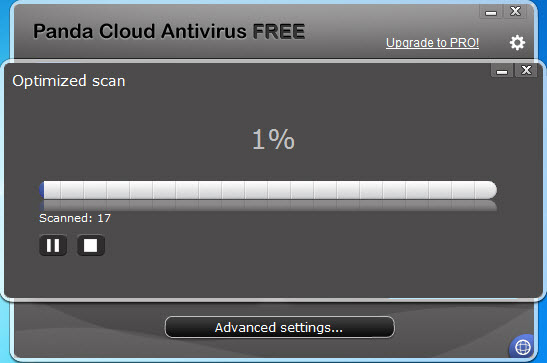
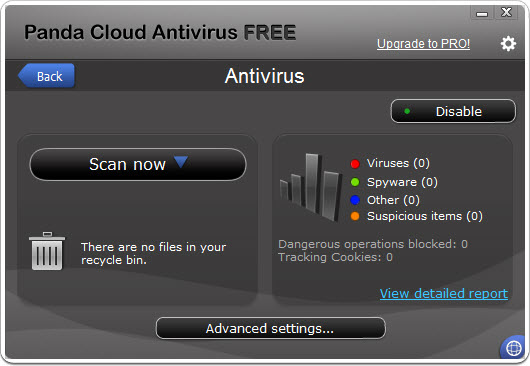
On-demand scanning comes in the usual flavors, a quick pass over critical areas, a full sweep of every drive, or a custom scan pointed at a folder or USB stick, and any of them can run on a schedule so the deep sweep happens overnight instead of during your workday.
There’s a flip side, and we’ll be straight about it. Offline, the application falls back on a local cache of the most common threats, which covers the greatest hits but not the long tail. A laptop that spends weeks away from the internet is better matched with a traditional engine such as Bitdefender that carries everything locally. F
or an always-connected machine, the trade barely matters.
The USB vaccine that rivals never copied
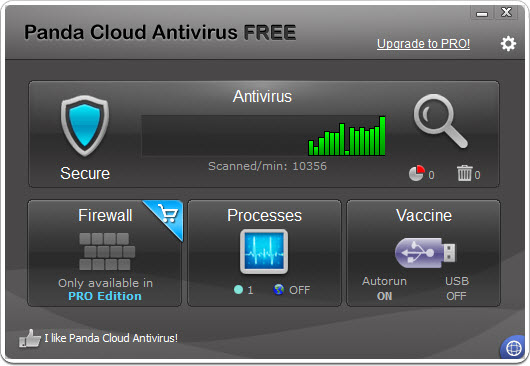
The feature veterans remember this product for is USB vaccination. Flash drives have always been a favorite malware taxi, historically abusing autorun behavior to execute the moment the stick is plugged in.
Panda Antivirus can vaccinate a drive, permanently disabling its autorun file so that class of attack simply has nowhere to sit. Vaccinate the family photo stick once and it stays inert no matter which infected computer it visits later.
It’s a small, specific, mechanical defense rather than a detection feature, which is exactly why it works. There’s nothing to outsmart. Anyone who regularly swaps drives with a print shop, a school lab, or a client office will get more from this one checkbox than from a dozen scan options.
A plan for the machine that won’t start
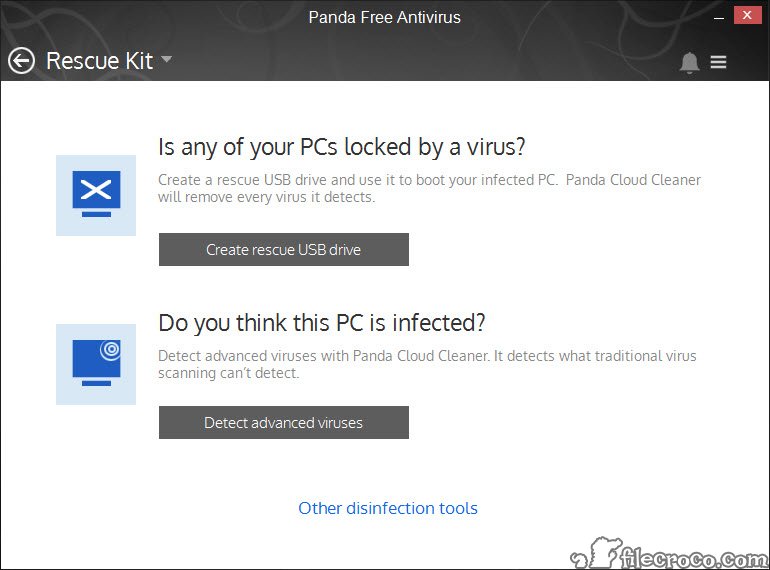
Malware that digs in deep can leave a computer barely bootable, at which point any antivirus running inside that poisoned system is fighting with one hand tied. The built-in Rescue Kit answers this by writing a bootable USB stick from which you can start the machine cleanly and scan it from outside, before the infection gets a chance to load and hide itself.
That’s the tool you hope never to need, and having it prepared in advance is the entire point. Make the stick on a healthy day. Pair it with an on-demand second opinion from something like Emsisoft Emergency Kit and you’ve covered the ugly scenarios that a resident shield alone can’t untangle.
Quiet during games, chattier afterward
Full-screen detection switches the software into multimedia mode automatically, holding notifications, updates, and scheduled scans until you’re back at the desktop. Movies and matches proceed uninterrupted, without hunting for a setting first.
Now the critique. The entry tier funds itself with promotional prompts, and they arrive often enough to notice. Upgrade banners, feature teasers, occasional pop-ups praising the paid tiers, all of it dismissible and none of it dangerous, but users allergic to nagging should know it’s part of the deal. Rivals like Avast Antivirus play the same game, so this is a category habit rather than a unique sin. It’s still the least pleasant thing about living with the product.
The extras are a mixed bag in the honest sense. A process monitor lists everything running and flags which programs are touching the network, useful for a quick “what is this thing” check without opening deeper system tools.
There’s also a bundled VPN, capped at 150 MB per day and covered in detail in our Panda VPN review, enough for protecting a banking session on café Wi-Fi and not much more. Firewall control and parental tools sit behind the paid tiers.
Conclusion
Panda Antivirus suits the always-online user with modest hardware. Picture the family laptop, the aging office machine, or the student notebook that groans under heavier suites. The cloud engine keeps things light, the USB vaccine and Rescue Kit cover two failure modes most competitors ignore, and the multimedia mode keeps it polite when you’re busy.
Accept two conditions going in. You’ll see upgrade prompts, and you’ll want a reliable connection for the protection to be at full strength. If neither bothers you, this is one of the easier security tools to live with.
Features & benefits
Pros & Cons
- Cloud-based scanning keeps the local footprint and CPU impact small
- Threat intelligence updates propagate in minutes, not daily downloads
- USB vaccination permanently blocks autorun-based infections on flash drives
- Rescue Kit builds a bootable USB for cleaning unbootable machines
- Automatic multimedia mode silences interruptions during full-screen use
- Process monitor shows which running programs touch the network
- Offline protection relies on a reduced local cache of signatures
- Frequent promotional prompts pushing the paid tiers
- Firewall and parental controls locked behind upgrades
- Scans can feel slower on weak internet connections
Frequently asked questions
Partially. A local cache handles widespread, well-known threats offline, but the full cloud database needs a connection. Machines that stay offline for long stretches are the weak case for this design.
It permanently disables the autorun mechanism on a flash drive, so malware that spreads by auto-executing from USB sticks has no way to launch, on any computer the drive later visits.
Yes, through the Rescue Kit, which creates a bootable USB drive. Starting the machine from that stick lets you scan and clean the system from outside the infected environment.
No. It detects full-screen applications and automatically postpones notifications, updates, and scheduled scans until you leave the game or video.
Yes, a built-in one limited to 150 MB of traffic per day with an automatically assigned server. It covers brief sensitive sessions on public networks rather than heavy streaming or downloading.


