

SUPER
About SUPER
Converting video used to mean choosing between a command line you had to learn and a graphical tool that supported six formats. SUPER took the third route, wrapping a stack of open-source encoders in a single window and exposing almost everything they can do, which is both why it converts nearly anything and why its interface has the reputation it does.
The list of engines underneath is the honest description of what you are installing. It drives the major open multimedia framework, a command-line encoder and its sibling player, a dedicated video encoder for the mainstream codec, and a set of lossless audio encoders covering several archival formats.
That means the format coverage is not really its achievement. It belongs to those projects, and what this program contributes is a way to reach them without typing anything.
A front end rather than an engine
Understanding the architecture explains most of the program’s behaviour. Encoding quality and speed depend on which back end handles a particular job, so results vary between output formats in ways that have nothing to do with the interface you clicked.
It also explains the standing objection. A closed program wrapping freely licensed tools, presented as its own achievement, has always irritated people who follow those projects, and the criticism is fair even if the packaging is useful.
If you would rather drive the engine directly, FFmpeg is the thing doing most of the work here, and a couple of hours with its documentation gives you finer control than any interface can expose.
Container first, then codecs
The workflow in SUPER is more logical than the layout suggests. You pick an output container, and the codec lists then narrow to what that container legally holds, so you cannot construct a file that no player will open.
From there the controls are all present. Video bitrate, frame rate, resolution, aspect handling, audio bitrate, sample rate and channel count, plus scaling options for the modern codecs inside modern containers. Device and target presets cover the common cases when you would rather not think about any of it.
There are no restrictions on length or output. A feature-length film converts as readily as a thirty-second clip, which was not true of every tool in this category.
The right-click menu is where the program lives
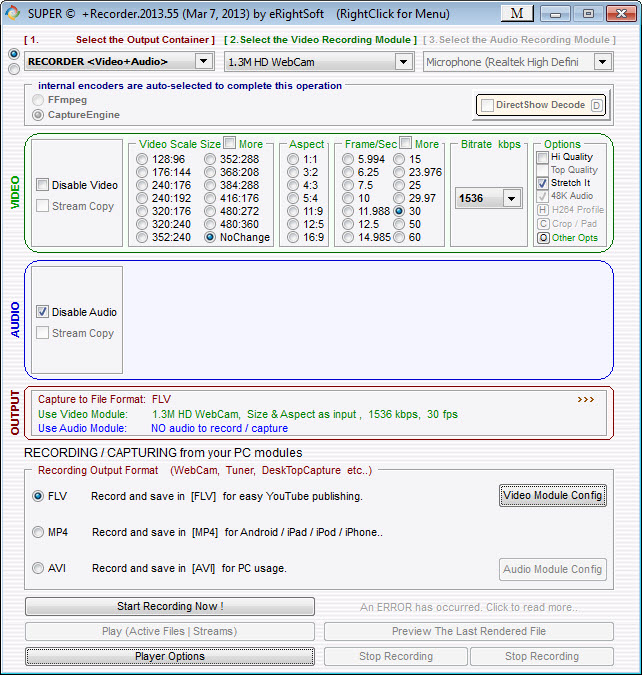
Here is the thing nobody warns you about. A large part of SUPER is hidden behind the context menu rather than shown as controls, and until somebody tells you that, the program appears to do half of what it claims.
Right-clicking around SUPER reveals stream selection, encoder parameters, output naming, cropping, a long list of behaviour switches. It is a genuine design decision rather than an oversight, and it keeps the main window from being three times as dense as it already is.
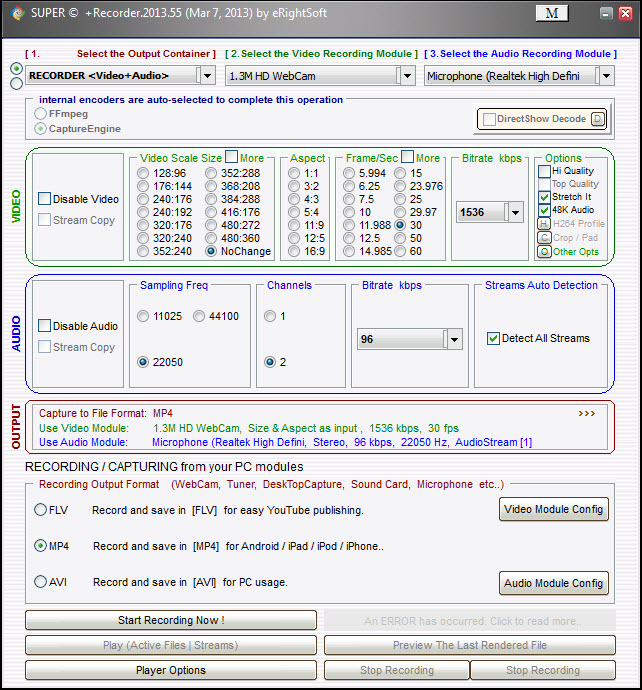
The main window is still dense. Controls are packed edge to edge in a style that resembles nothing else, colours fight each other, and the whole thing looks like an aircraft cockpit designed by somebody who had never seen one. Either you spend twenty minutes learning where things are, or you close it and never return. For a focused converter with a modern interface and sensible defaults, HandBrake is the obvious answer.
It plays and records as well
The name promises a player as well as an encoder, and SUPER delivers one. It opens formats that mainstream players decline, because it has the same broad decoding stack behind it, and it can open and save streams delivered over several network protocols. Later capability added recording.
Be realistic about how much that matters now, though. Mainstream players adopted the same decoding libraries long ago, so the days when this was the only thing that would open an unusual file are behind us. The stream-saving side remains occasionally handy.
What it will not tell you is what is actually inside a file before you convert it, and guessing at the source format is how people produce bad output. A tool that reports exactly what a file contains takes two seconds and saves an hour of wondering why the result looks wrong.
Batch work, and what to watch during setup
Files drag and drop into the list and convert as a batch with one settings profile applied across all of them, which is the correct way to work through a folder of clips from a camera.
Two things deserve mention before you install. The setup process carries third-party offers that need declining as you click through, so read the wizard rather than pressing next repeatedly. And advertising appears within the interface itself, which on a program this visually busy is more noticeable than it would be elsewhere.
One functional limitation to understand as well. Everything here re-encodes. If your actual need is putting the same streams into a different container, or adding a subtitle track without touching the video, a remuxer that swaps containers without re-encoding does it in seconds with no quality loss at all.
For similar breadth in a saner interface, XMedia Recode covers much of the same ground with the controls laid out where you can see them.
Conclusion
SUPER is a blunt, ugly, remarkably capable tool that has outlasted a great many prettier competitors by simply exposing everything its engines can do. If you regularly meet unusual formats, need a specific codec inside a specific container, or want lossless audio conversion without installing three separate programs, it will do the job when tidier software shrugs.
What it asks in return is patience. Learn that the context menus hold half the program, tolerate a layout that fights you, decline the offers during setup, and use a remuxer instead when nothing needs re-encoding. Anyone converting a holiday video should install something friendlier and never think about this again.
Anyone who has ever been defeated by a format should keep it in the toolbox.
Pros & Cons
- Reaches a very wide range of container and codec combinations through established open engines
- Container selection restricts the codec lists, so unplayable combinations cannot be built
- Bitrate, frame rate, resolution, aspect and audio parameters are all directly adjustable
- No limits on file length or output, so full-length material converts without restriction
- Drag and drop batching applies one profile across a whole folder of files
- Doubles as a player for formats that mainstream players decline to open
- Can capture and save streams delivered over network protocols
- Much of the functionality hides in context menus with nothing indicating it is there
- The single-window layout is extremely dense and unlike any other application
- Advertising appears inside the interface
- The setup process bundles third-party offers that have to be declined manually
- Everything re-encodes, so container changes lose quality unnecessarily
- Encoding quality varies by output format depending on which engine handles the job
Frequently asked questions
It is a graphical front end to established open-source encoders, including the major multimedia framework, a command-line encoder and its companion player, and a set of lossless audio encoders. The format coverage comes from those projects rather than from the program itself.
Largely in the context menus. Right-clicking around the interface reveals stream selection, encoder parameters, cropping and output options that are not visible as controls, which is the single most useful thing to know before using it.
No. Every operation re-encodes the streams, which takes time and loses a little quality. Moving the same audio and video into a different container is a job for a remuxing tool instead.
It can, since it carries the same broad decoding stack it uses for conversion. That advantage has narrowed considerably as mainstream players adopted the same libraries, so it is less of a reason to install it than it once was.
Third-party offers in the setup wizard, which need declining screen by screen rather than clicking through. Expect advertising inside the program afterwards as well.


