

LinX
About LinX
LinX puts a simple window on top of Linpack, the benchmark that solves huge systems of linear equations, and turns it into a stability test for the processor and memory. Choose how much memory to use, set how many times to repeat the run, press Start, and the processor is pushed as hard as anything in normal use will ever push it.
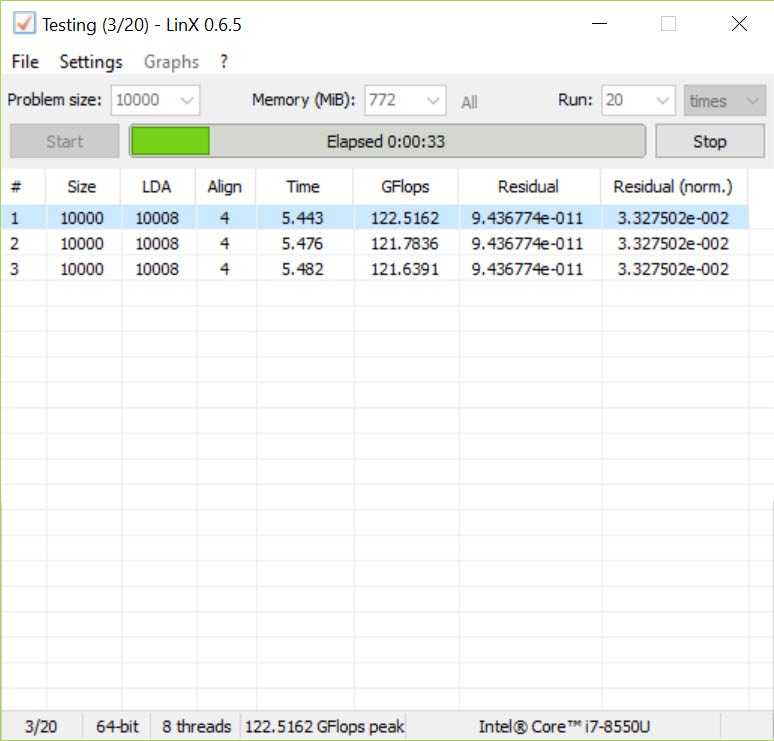
Each pass reports the speed in GFlops and a residual, a number that measures how accurate the answer was. On a stable machine the residuals of every pass match. On one that is not, they drift or the test stops with an error, often within minutes.
That speed at finding trouble is why overclockers rely on it. Linpack loads the floating-point units and the memory controller together and produces more heat than most other stress tests, so a voltage or frequency setting that survives a gentle test can fail here quickly.
LinX does not create the load itself. It passes your settings to the Linpack binaries it ships with, reads the results back and presents them in a table, which saves typing configuration files by hand.
Problem size, runs and memory
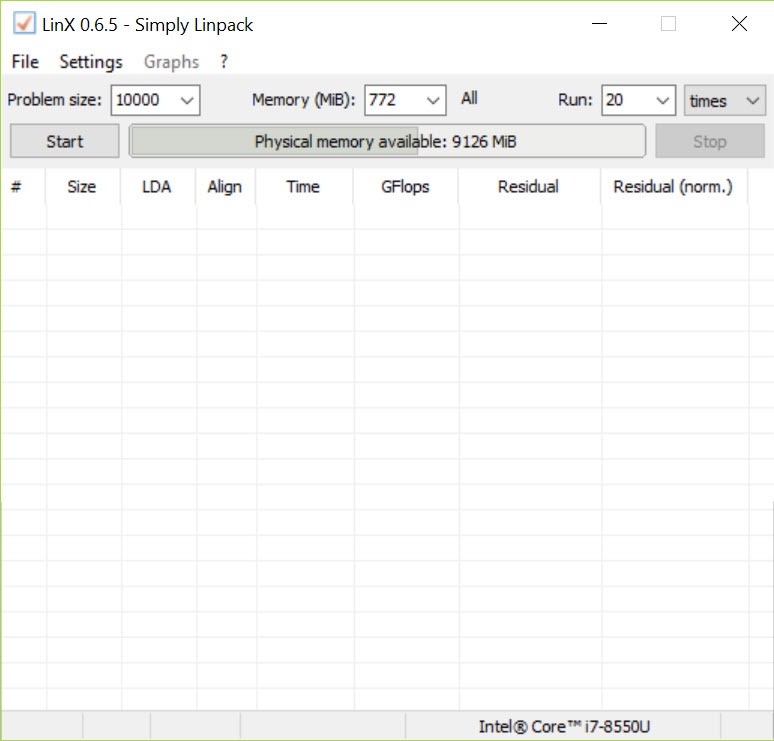
The main window holds the settings that matter. Problem size sets the number of equations to solve, and with it the amount of memory the test uses, chosen from a list or by memory amount directly. The number of runs sets how many passes repeat, and a longer test catches more marginal faults. The common advice from its own documentation is many runs at the largest problem size the memory allows, after closing everything else so as much memory as possible is available to the test.
There is a practical ceiling to keep in mind. Problem sizes beyond roughly 35,000 equations, around 9.5GB of memory, tend to reduce the stress rather than increase it, so throwing all of a 32GB machine at it is not more thorough.
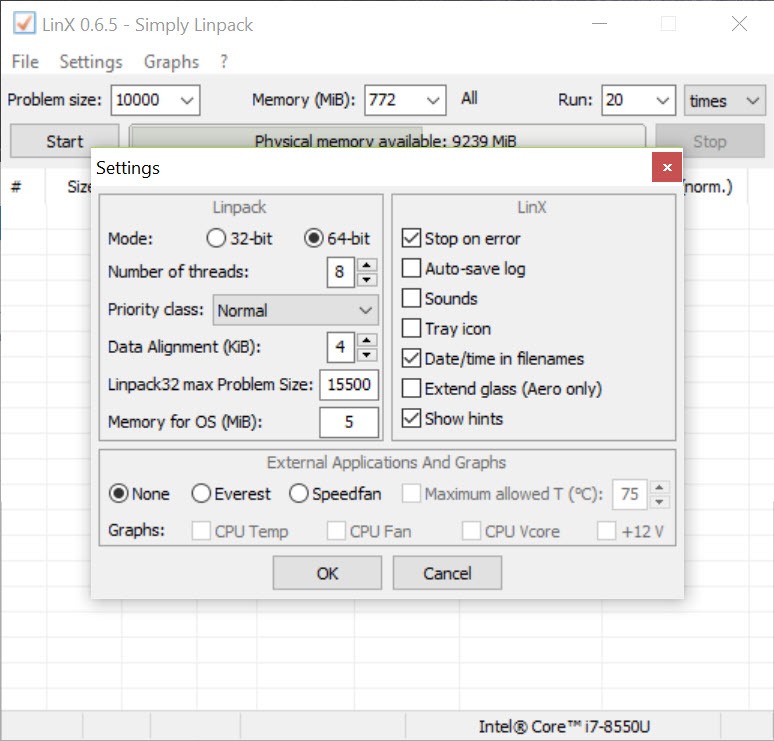
The advanced settings choose 32-bit or 64-bit mode, the number of threads, the process priority, data alignment and how much memory to reserve for the system.
Reading the results
Each completed LinX pass adds a row with the problem size, the time taken, the GFlops figure and the residual. The residual is the line to watch. Identical residuals across every pass mean the processor produced the same answer each time, which is what a stable machine does. A different residual on one pass, or a sudden error, means a calculation went wrong, which points at too little voltage, too high a frequency, unstable memory settings or overheating. An option stops the test at the first error rather than continuing.
GFlops figures are useful for comparing settings on the same machine and less useful across machines, since they depend on the problem size used. Temperature can be read alongside the test from compatible monitoring tools, though watching it in a dedicated temperature monitor beside the window is more reliable than the built-in readout.
Heat, and running it safely
This is the part to take seriously. Linpack produces more heat than most real workloads, and a processor with an inadequate cooler can reach its thermal limit and throttle within seconds. Watch temperatures from the first pass and stop if they climb past what the processor is rated for. A machine that throttles is not being tested fairly, since the slowdown hides the instability you are looking for.
Laptops and small form factor systems are a poor fit for long LinX runs, both for heat and for the power delivery.
On a desktop with proper cooling, a short run confirms a basic setting, and a long run is the stricter check before trusting an overclock, ideally followed by a bootable memory test if errors point at RAM.
Ageing binaries and the alternatives
The program is no longer maintained, and the Linpack binaries it ships with date from an older release of the maths library. Newer processors and their instruction sets are not exercised as fully as a current build would exercise them, so a pass here is a weaker guarantee on recent hardware than it once was. Linpack Xtreme runs a newer build of the same benchmark, and OCCT adds error detection across several test types with monitoring built in.
Many people now treat this tool as one check among several rather than the final word.
Conclusion
LinX suits overclockers and builders who want a quick, punishing check of processor and memory stability, especially on older hardware where its Linpack build is a good match. The residual comparison catches faults that gentler tests miss, and the window keeps the configuration simple.
It is less authoritative on recent processors and generates heat that demands real cooling. Watch the temperatures, run many passes at a sensible problem size, and pair it with a current stress tool before declaring an overclock stable.
Pros & Cons
- Simple window over Linpack with no configuration files to edit
- Finds unstable overclocks quickly through residual comparison
- Adjustable problem size, runs, threads and priority
- Stops at the first error if you choose
- GFlops figure for comparing settings on one machine
- No longer maintained, with older Linpack binaries
- Exercises recent processors less thoroughly than current builds
- Very heavy heat load that can throttle weak coolers
- Built-in temperature reading depends on other monitoring tools
Frequently asked questions
Compare the residuals of every pass. Identical residuals mean stable results. A mismatch or an error means a calculation failed.
The largest your memory allows up to roughly 35,000 equations, around 9.5GB. Larger sizes tend to reduce the stress.
Linpack loads the processor harder than most programs. Watch temperatures and stop if they approach the rated limit.
No. It is no longer maintained, and its Linpack binaries are old, so newer tools exercise current processors more fully.


