

Connectify Hotspot
About Connectify Hotspot
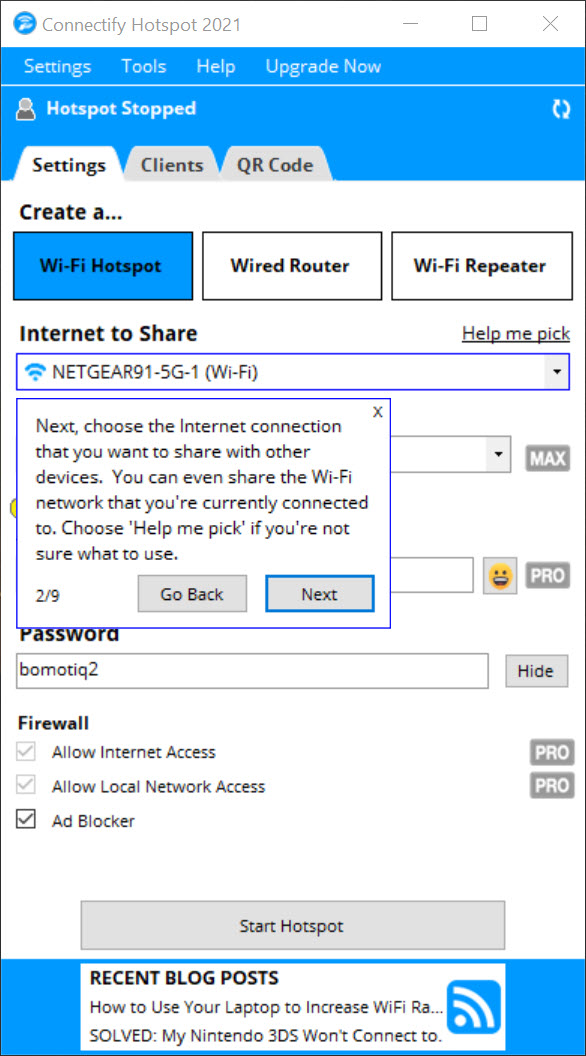
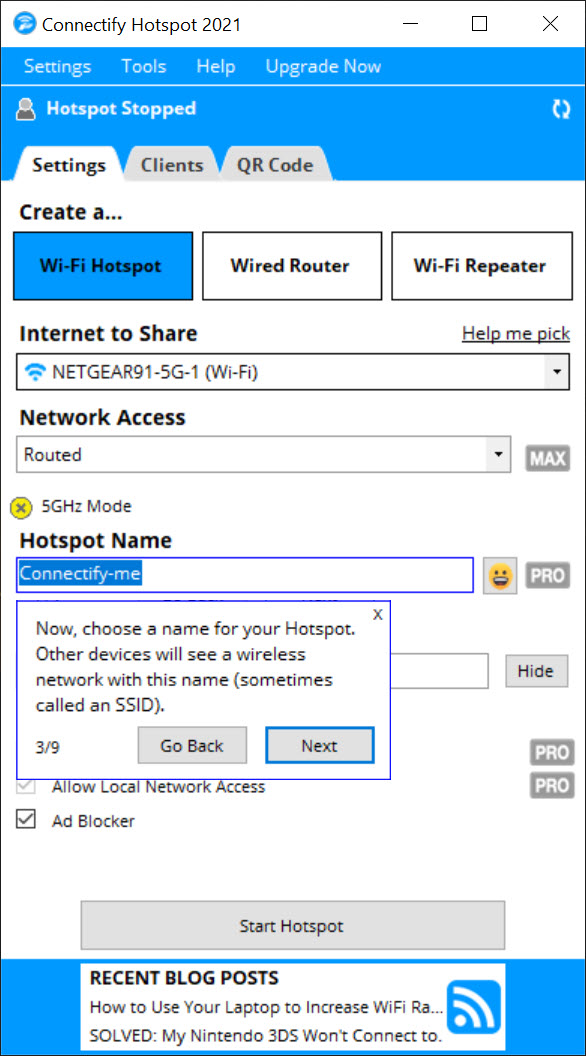
Connectify Hotspot turns a PC with a Wi-Fi adapter into a wireless router. Whatever connection the computer has, whether Ethernet, an existing Wi-Fi network, a 4G or 5G modem or a tethered phone, it can be rebroadcast as a new hotspot for phones and other laptops. Pick the connection to share, set a name and password, press Start, and devices can join within seconds.
What sets it apart from the system’s own mobile hotspot is everything around that basic job. You see every connected device with live data usage and block ads for all of them at once.
The advanced modes go further, extending or bridging an existing network rather than creating a separate one.
One connection, many devices
The classic use is the hotel room or conference venue that charges per device or allows only one login. Sign in once on the laptop, start the hotspot, and the phone and tablet ride on the same connection. The same trick works with a wired-only internet port in an office or dorm. Mobile data works too. Plug in a 4G or 5G USB modem, or tether a phone by cable, and a whole group on a train or at a campsite gets online through one laptop.
The hotspot uses WPA2 encryption, and the name can include Unicode characters and emojis. The interface comes in ten languages and offers a dark mode. Sharing an active VPN connection is supported too, so every connected device sends its traffic through the tunnel without needing its own VPN app.
Venues that want a login page or paid access for guests need a hotspot manager built for that job instead.
See every device and what it uses
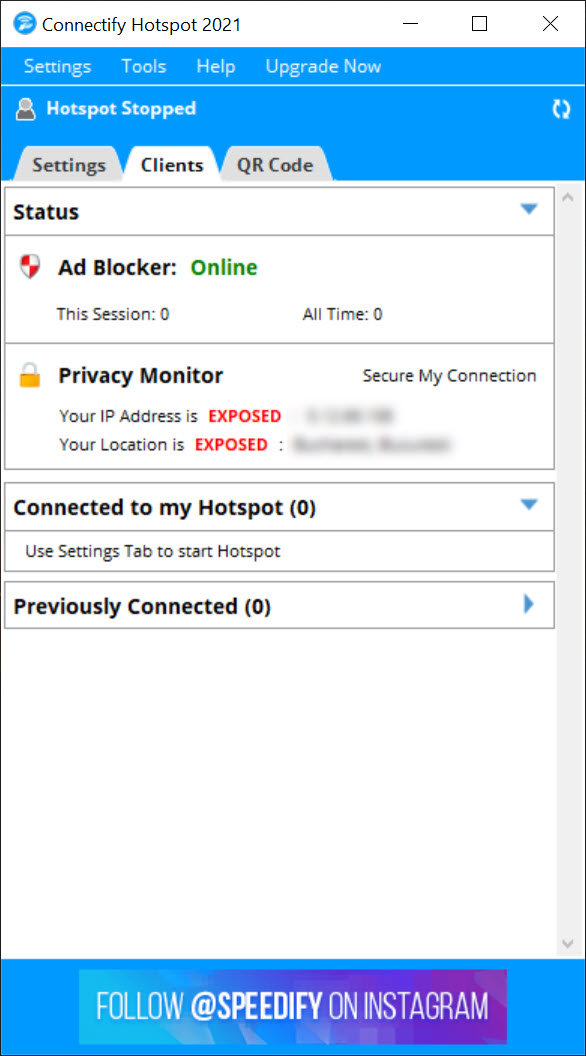
The Clients tab lists every device that joins, with its name and IP address. Real-time graphs show how much data each one is using, which quickly explains why the connection suddenly feels slow. A phone silently downloading a large update, or a smart TV streaming in the background, stands out immediately.
Firewall controls build on that list. For each device you can allow or deny internet access and access to the local network, so a guest’s phone can browse the web without seeing your shared folders or printer. Devices that should not be there at all can be kicked off and blocked.
For a broader view of everything talking to the network, a wireless network scanner lists devices independently.
An ad blocker for every connected device
The universal ad blocker works at the DNS level, so it filters ads for every device on the hotspot without installing anything on them. That includes in-app ads in phone and tablet apps, which browser-based blockers cannot reach.
On a metered connection the effect is practical as well as cosmetic. Fewer ad requests mean less data spent and faster page loads, which matters when the source is a mobile data plan or a slow hotel line.
If a particular app breaks because it depends on an ad network, simply turn the blocker off for the session.
Network modes beyond a basic hotspot
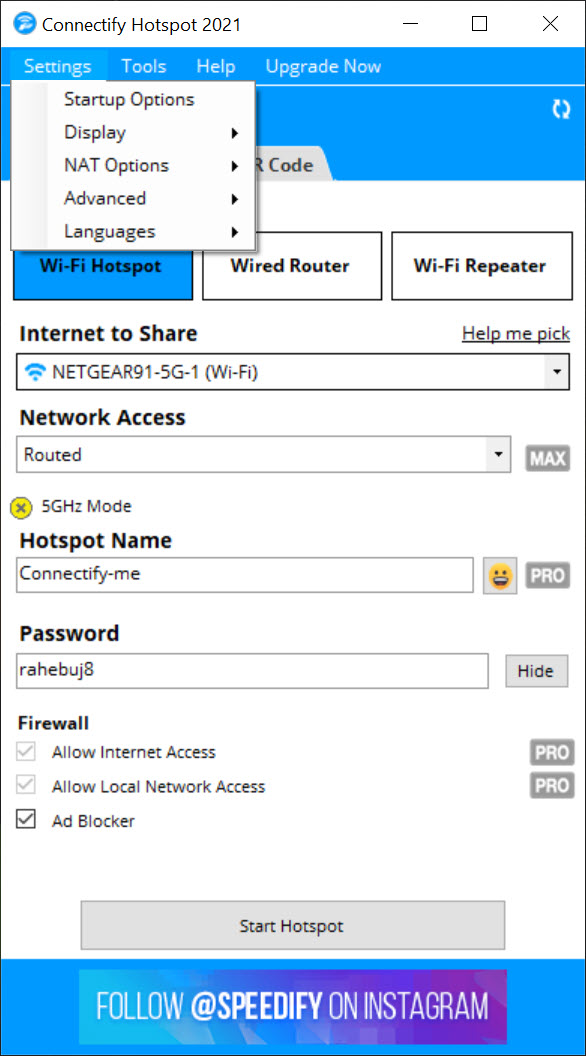
The advanced modes change what kind of network the PC creates. Connectify Hotspot in Wi-Fi Repeater mode extends an existing wireless network instead of creating a separate one, and every device connected through it appears directly on the home network. That lets a printer, a game console or a media server in a dead zone behave as if it were next to the main router.
By default, the program runs in routed mode. Connected devices get their own private addresses from the PC and sit behind it, much like devices behind a home router, which keeps them separate from the network you are sharing. That isolation is what you want in a hotel or café, where other guests share the source network.
Bridging mode puts connected devices straight onto the source network instead, which fixes the strict NAT warnings consoles often show behind a normal hotspot. Wired Router mode works the other way round, sharing the PC’s Wi-Fi or mobile connection through its Ethernet port to devices without wireless, such as an older smart TV or a desktop.
Custom DHCP and IP settings round out the advanced options. Repeater and bridge modes belong to the top edition.
Adapters and drivers
Everything depends on the wireless adapter. It must support hosting a network, and some older or basic adapters do not. If the program reports that no suitable Wi-Fi adapter exists, or that AP mode is not supported, updating the adapter driver often fixes it. A USB Wi-Fi stick that supports hosted networks is the fallback.
Connectify Hotspot also installs its own virtual network adapters and drivers. They are what make the hotspot possible, but they can leave traces after uninstalling, so check the network adapter list afterwards and remove leftovers if networking misbehaves.
For a basic tool that only shares a connection with no extras, mHotspot is a simpler alternative.
Conclusion
Connectify Hotspot suits travellers and small offices that need to share one connection with many devices and want control over how they use it. The client list, per-device firewall and network-wide ad blocker go well beyond the system’s built-in hotspot.
Its success depends on a compatible Wi-Fi adapter, and its drivers need tidying if you ever remove it. For a portable router in a laptop, though, it remains one of the most complete options.
Pros & Cons
- Shares Ethernet, Wi-Fi, 4G/5G, tethered phone and VPN connections
- Live list of connected devices with real-time data usage graphs
- DNS-based ad blocker also stops in-app ads on phones and tablets
- Per-device firewall controls for internet and local network access
- Repeater and bridge modes extend or join an existing network
- Wired Router mode shares Wi-Fi to Ethernet-only devices
- The Wi-Fi adapter must support hosted networks
- Virtual adapters and drivers can linger after uninstalling
- Repeater and bridge modes are limited to the top edition
Frequently asked questions
The adapter cannot host a network, often because of an outdated driver. Update the driver first, and if that fails, use a USB Wi-Fi adapter that supports hosted networks.
Yes. Its ad blocker filters at the DNS level for every device on the hotspot, including in-app ads, without installing anything on the phone.
Yes. With the VPN active on the PC, devices connected to the hotspot send their traffic through it.
Repeater mode extends an existing wireless network so devices appear on it directly. Bridging mode also places devices on the source network, which helps consoles avoid strict NAT problems.


