

Network Assistant
 (No Ratings Yet)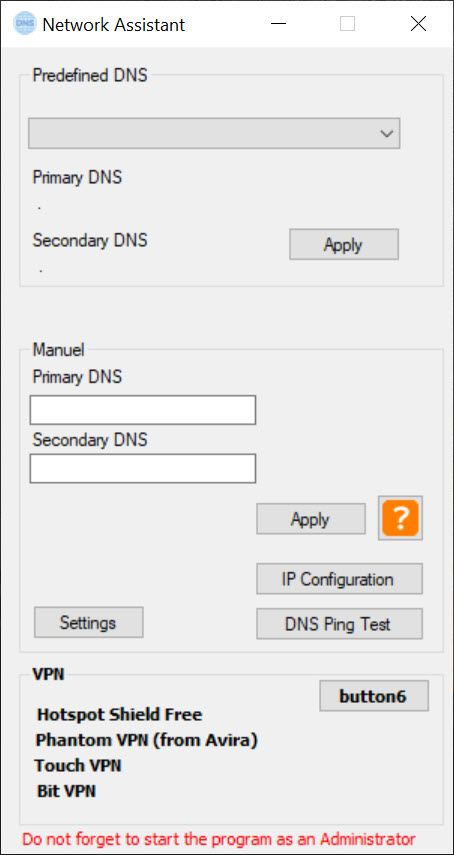
About Network Assistant
Network Assistant is a lightweight and portable utility that helps improve internet browsing by switching your DNS server to the one with the fastest response in your area. Since DNS speed varies depending on location and provider, this tool lets you choose the best option and enhance browsing and download performance.
Select the Best DNS Automatically
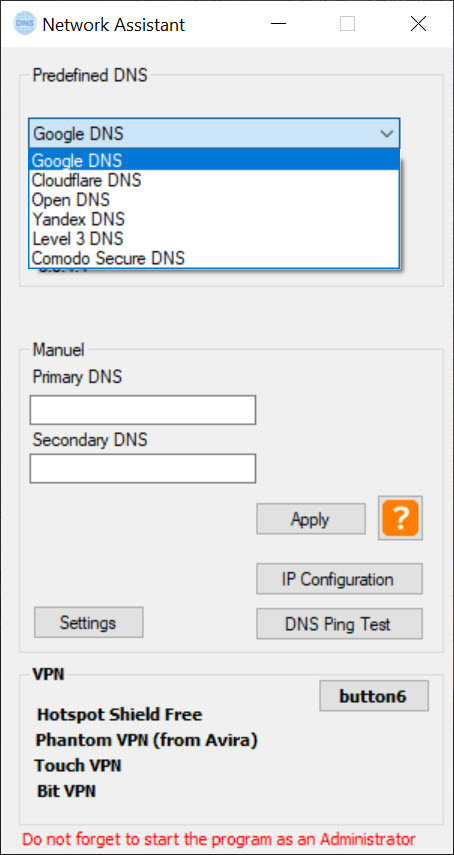
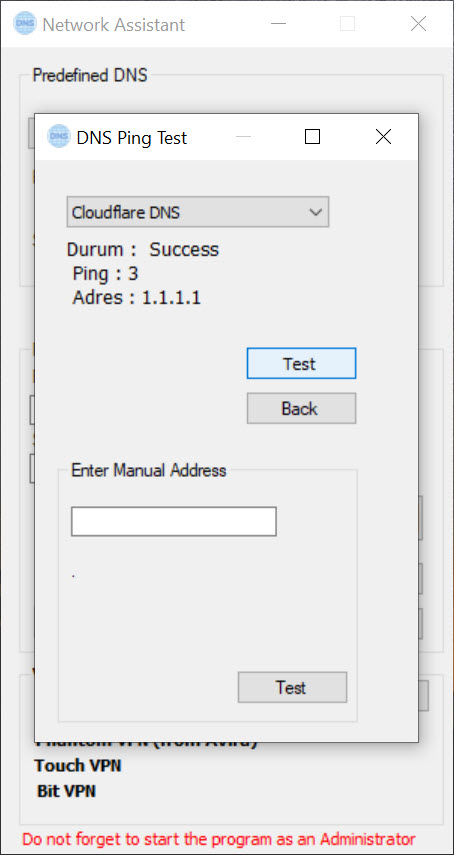
The app supports six popular public DNS services: Google, Cloudflare, OpenDNS, Yandex, Level 3, and Comodo Secure. Instead of guessing, you can run a DNS ping test to measure each server’s response time.
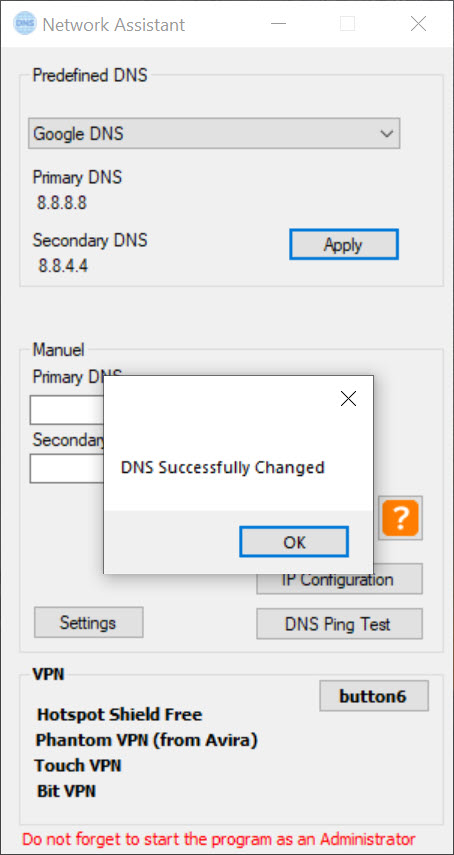
After running the test, select your preferred provider and click the apply button to switch your network settings instantly.
Straightforward and Portable
No installation is required. Download, unzip, and launch the tool wherever you are. This keeps your system clean and registry untouched. The intuitive interface guides you through testing and applying the best DNS configuration in just a few clicks.
Conclusion
Network Assistant offers a quick and easy way to optimize your internet connection by selecting the fastest DNS server for your location. It is a good tool for anyone looking to improve responsiveness in web browsing without complicated network tweaks.
Try running a ping test in the app and apply the DNS server that delivers the best results for you.
Pros & Cons
- Helps choose the fastest DNS server based on real‑world ping results
- Supports multiple public DNS options to adjust for location differences
- Simple testing and automatic settings update
- Completely portable with no installation or system modifications
- Improves DNS lookup speed only, not overall bandwidth
- Does not include advanced network diagnostics or firewall controls
- Limited to public DNS options with no support for custom entries
- No scheduling or automatic DNS switching features


