

Waterfox


 (22 votes, average: 3.59 out of 5)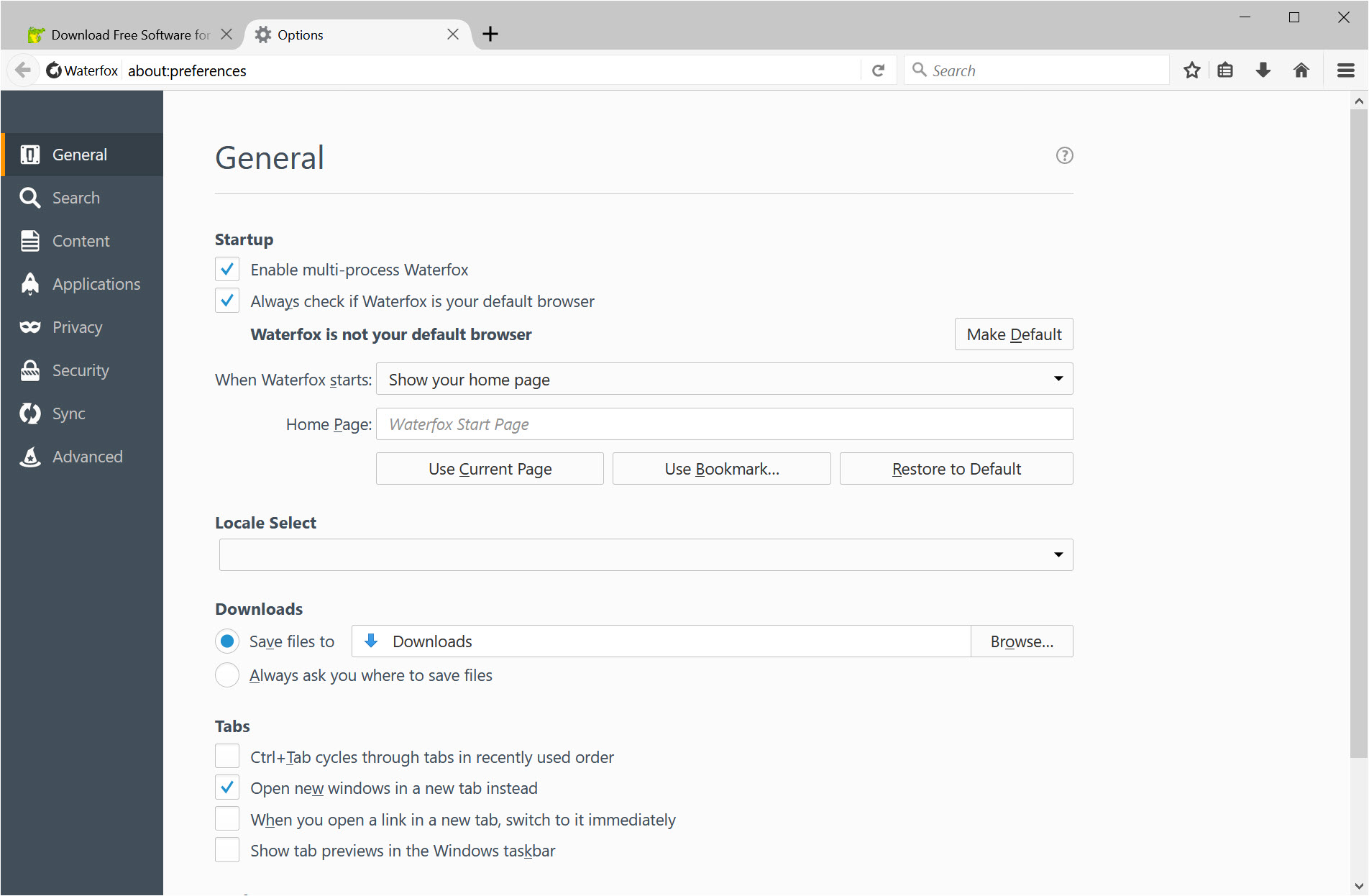
About Waterfox
Waterfox is a Firefox fork built around a specific premise. Mozilla’s browser is technically excellent and the only major non-Chromium engine left in active development, but it ships with telemetry collection, sponsored shortcuts, Pocket integration, and various engagement features that some users would rather not run.
Waterfox takes the Firefox codebase, strips those data-collection and engagement layers out by default, and presents the result as a browser that does the rendering job without the telemetry overhead.
Two editions and the legacy extension question
The browser ships in two distinct editions and the choice between them matters. Waterfox (sometimes called Waterfox Current) tracks the current Firefox codebase, currently based on Firefox ESR. It supports modern WebExtensions, gets security updates aligned with Mozilla’s ESR schedule, and renders the modern web the way current Firefox does. This is the edition most users want.
Waterfox Classic is the unusual one. It is frozen on the pre-Quantum Firefox 56 codebase from 2017, which is the last version that supported the old XUL/XPCOM extension architecture. Extensions like NoScript Classic, DownThemAll!, Tab Mix Plus, Greasemonkey 3.x, and a long tail of legacy add-ons that Mozilla broke when it transitioned to WebExtensions still work here. The render engine is dated, modern web features are missing, and security updates are limited to backported patches, but for users who depended on specific legacy extensions that never received WebExtensions ports, this is the only currently maintained browser where those extensions still function.
Classic exists in the same family as Pale Moon, which took a similar fork-the-old-codebase approach. The two differ in trajectory. Pale Moon has been diverging from Firefox for over a decade and uses its own Goanna engine. Waterfox Classic stays closer to its Firefox 56 origin and applies fewer architectural changes. For users wanting maximum extension compatibility from the pre-Quantum era, Classic is the more conservative choice. For users wanting a continuously developed alternative engine, Pale Moon goes further.
What gets removed from the modern edition
The current edition is more interesting because it is the version most users will actually run. The differences from upstream Firefox are specific and worth listing rather than waving at vaguely.
Telemetry is disabled at compile time, not just in user-facing preferences. The data-reporting infrastructure that Firefox uses to collect usage statistics, crash reports, and performance metrics is removed from the build rather than just toggled off, which means there is no risk of preferences being reset by an update and starting the collection again. The Mozilla Pocket integration is removed entirely, with the toolbar button and underlying integration code gone rather than hidden. Sponsored shortcuts on the new tab page do not appear. The Mozilla Heartbeat user survey system is absent. Default search engine selections do not include the affiliate-revenue partners that vanilla Firefox ships with.
What remains is the Firefox rendering engine, the WebExtensions API, the Multi-Account Containers feature, sync with a Mozilla account if you want it (this is opt-in rather than encouraged), and most of the legitimate browser features that have nothing to do with data collection. Things like Reader View, Picture-in-Picture, the password manager, and the developer tools are unchanged from upstream.
For users who want telemetry-free Firefox without learning the prefs-fu required to disable everything manually, this is a working preconfigured option. For users who specifically want a hardened privacy browser with strict default settings, LibreWolf goes further with stricter defaults like first-party isolation, resist fingerprinting, and HTTPS-only mode enabled out of the box. The two projects target adjacent but distinct audiences.
The System1 acquisition and what happened next
This part needs to be in the article because it appears in user discussion repeatedly and the omission would be conspicuous. In February 2020, the project was acquired by System1, an advertising technology company. The deal was financial, the operations continued, but the development context of a privacy-oriented browser owned by an ad-tech company struck many users as awkward at best and contradictory at worst.
In late 2023 and through 2024, Alex Kontos reacquired the project. The browser is now independent again, and the development since then has focused on rebuilding trust with the user community that grew skeptical during the System1 period. What this practically means in 2026 is that the current builds come from an independent project, the source code remains on a public repository, and the funding model is donations plus optional partnerships rather than ad-tech ownership.
For users evaluating the browser today, the question is what to weight more heavily. The current operational status (independent, open source, telemetry-free by build configuration) or the historical period of corporate ownership (during which no smoking-gun privacy issues were demonstrated but the optics were poor). Different reasonable users will weight these differently. The honest assessment is that the project is in a better position now than it was three years ago, with the corporate ownership question resolved, but the history exists and will exist permanently.
Compatibility and the practical browsing experience
Day to day, the current edition behaves like Firefox. Websites render the same way. Extensions from the Firefox Add-ons store install and function. The user interface looks like Firefox with minor branding differences. Performance characteristics are essentially identical because the underlying rendering and JavaScript engines are the same.
The differences are in absences rather than presences. The first run experience does not push you to sign in to a Mozilla account. The new tab page does not show sponsored content. The address bar does not include search suggestions from monetized partners by default. The crash reporter, when something does crash, does not phone home automatically. These are quiet differences, but for users who notice the upstream Firefox’s behavior in these areas, the quiet is the point.
The browser also includes some preferences that vanilla Firefox makes harder to find. The about:config flag for disabling WebRTC entirely is easier to reach. The setting to clear cookies on every browser exit is exposed in the main UI without about:config diving. These quality-of-life improvements add up if you find yourself routinely tweaking the same preferences in Firefox after a fresh install.
Sync, profiles, and the Mozilla account question
Firefox Sync works if you log in with a Mozilla account, with the same end-to-end encrypted bookmark, history, and password sync that Firefox offers. The opt-in nature is the difference. The browser does not ask you to sign in during setup, does not prompt periodically, and does not gate any features behind an account. If you want to use Sync for the convenience of having your data across devices, you can. If you do not, you never see the option after the first time you dismiss it.
Profile management uses the same Firefox profile structure, which means you can copy a Firefox profile to Waterfox or vice versa and it will mostly work. Some extensions may need to be reinstalled, but bookmarks, history, passwords, and cookies transfer cleanly. This is useful for users testing the switch without committing.
Conclusion
Waterfox is the right choice for users who want Firefox without the telemetry and engagement layers, but who do not need the stricter privacy hardening of more aggressive forks. Users moving away from Chromium for engine diversity reasons, users who want a quieter Firefox experience without the onboarding pressure, and users with specific legacy extension requirements that only Classic supports will all find the browser well-matched to their needs. The compile-time removals provide stronger guarantees than runtime preference toggles, which is the project’s most defensible technical argument.
What the browser does not do is solve every privacy concern automatically. Users who want maximum hardening still need to install content blockers, adjust additional preferences, and understand what they are doing.
For those users, this is a better starting point than vanilla Firefox but not an end point. For users who simply want Firefox minus the data collection, configured by default rather than after twenty preference changes, the browser delivers exactly that.
Pros & Cons
- Compile-time removal of telemetry, Pocket, sponsored shortcuts, and other Mozilla data-collection layers, rather than runtime preference toggles that can be reset
- Waterfox Classic provides a continuously maintained home for pre-Quantum XUL/XPCOM extensions that no other modern browser supports
- WebExtensions compatibility means the modern Firefox Add-ons ecosystem works without modification
- ESR-based release schedule provides security updates without the rapid breakage of Firefox release channel
- Sync, Containers, and other legitimate Firefox features remain available without forced engagement
- Portable build option for use across machines without installation
- Open source under MPL 2.0 with the current build pipeline transparent to community review
- The 2020-2024 System1 ownership period remains in the project's history and continues to inform skepticism from some privacy-focused users
- Trails upstream Firefox by a small but consistent delay for security updates, since changes have to be merged into the fork
- Waterfox Classic, while currently maintained, is built on increasingly outdated Firefox 56 code that limits compatibility with modern web standards
- Smaller user base than Firefox means less testing, occasional rendering quirks on sites optimized only for mainstream browsers
- LibreWolf takes the privacy hardening further with stricter defaults, making Waterfox a middle-ground choice rather than a maximum-privacy choice
- Project depends substantially on one developer, which raises continuity questions in a way that Mozilla's larger team does not
Frequently asked questions
The browser removes Mozilla's telemetry collection, Pocket integration, sponsored new tab content, the Heartbeat survey system, and affiliate-revenue search partnerships. The rendering engine, WebExtensions API, Containers feature, and core browser functionality remain identical to upstream Firefox.
The current edition tracks the modern Firefox codebase with WebExtensions support and modern web standards. Classic is frozen on the Firefox 56 codebase from 2017 and supports legacy XUL/XPCOM extensions that Mozilla broke when transitioning to WebExtensions. Most users want the current edition; Classic is specifically for users with specific legacy extension requirements.
No, Alex Kontos reacquired the project from System1 in 2024 and it is now independent again. The corporate ownership period ran from February 2020 to 2024, and development since the reacquisition has continued under the original independent maintainer.
Yes, the current edition fully supports WebExtensions from the Firefox Add-ons store. Extensions install and function the same way they do in Firefox itself. The Classic edition supports a different, older extension format that includes some add-ons no longer compatible with modern Firefox.
Sync works if you sign in with a Mozilla account, providing the same end-to-end encrypted synchronization of bookmarks, passwords, history, and open tabs across devices. The browser does not push users toward signing up and works fully without an account.
Both remove Mozilla's telemetry and engagement layers. LibreWolf goes further with hardened defaults including resist fingerprinting, first-party isolation, and stricter cookie policies enabled out of the box. This browser takes a lighter approach that prioritizes Firefox-like usability over maximum privacy hardening.


