

Swiss File Knife
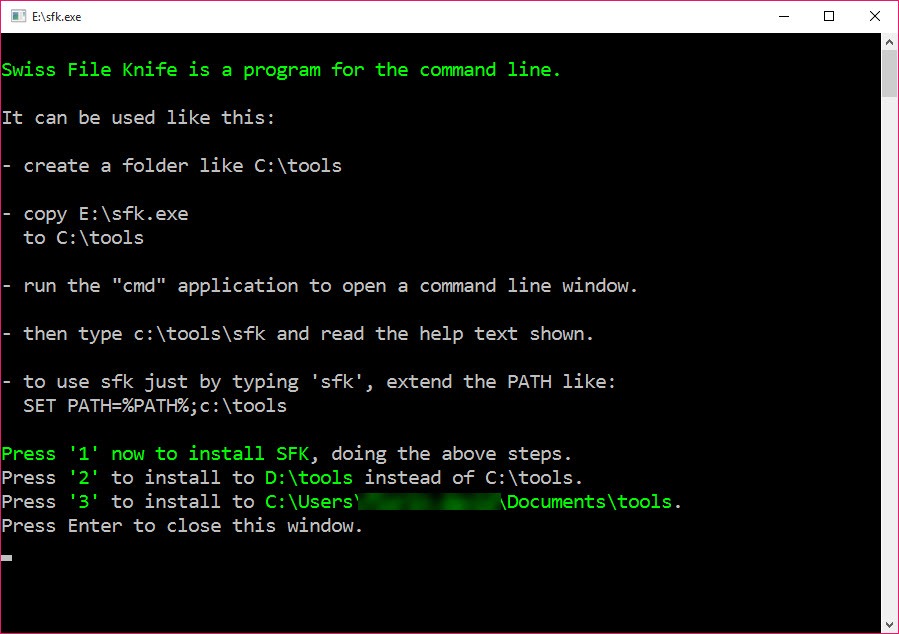
About Swiss File Knife
Some machines won’t let you install anything, and some jobs need fifteen different utilities anyway. Swiss File Knife exists for exactly that collision. It’s a single portable executable, a few megabytes, no installation, no dependencies, that bundles hundreds of command-line file tools into one program.
Text search and replace across whole folder trees, duplicate finding, batch renaming, checksums, hex dumps, file splitting, and, improbably, instant HTTP and FTP servers for shoving files between machines are all inside. Copy it onto a USB stick and every computer you touch acquires a full toolbox the moment you plug in.
The name is earned literally. Like its namesake, each individual blade has a sharper dedicated rival somewhere, and nothing else folds this many of them into a pocket. For support technicians, admins on locked-down systems, and anyone who works on other people’s computers, that trade is the entire value.
Hundreds of commands, one verb at a time
Everything runs as subcommands of one program. Finding every file containing a phrase is a one-liner, replacing that phrase across an entire project is another, and listing the largest files eating a drive, hunting duplicates by content, or renaming a folder’s chaos into a numbered sequence each take a single command with a few switches.
Text utilities handle the classic conversions, line endings between systems, tabs to spaces, case changes, filtering lines that match or don’t, the daily bread of anyone who wrangles files for a living.
The distinctive trick in Swiss File Knife is chaining. Commands connect into pipelines inside a single invocation, list these files, then search them for this text, then run that command on each hit, a miniature scripting language that turns multi-step chores into one long line.
It rewards an hour of study with years of two-second solutions.
A web server in your pocket
The party piece deserves its own section. One command turns the current folder into an instant HTTP server, and any browser on the network can immediately see and download its files, no shares configured, no cloud involved, no software on the receiving end.
Moving files to a machine you barely control, a customer’s laptop, a fresh install, a locked-down terminal, becomes “open this address”, and the equivalent FTP command covers the tools that prefer that protocol.
Anyone who has emailed themselves a file, hunted for a USB stick, or fought share permissions for a thirty-second transfer understands instantly why field technicians treat this one feature as the reason the executable lives on every stick they own.
Small network utilities round out the theme, sending and listening on raw connections for quick tests when you need to know whether anything at all is getting through.
The syntax, and the hour it costs
Honesty about the learning curve. The command language is its own invention, consistent with itself and unlike the conventions veterans carry from other shells, so the first session involves reading. The saving grace is the built-in help, every command documents itself with real examples on demand, and the examples are good enough that most tasks start as a copied line with one word changed. Budget an evening, keep a personal crib sheet, and the strangeness fades into fluency.
The other boundaries are structural. There’s no graphical anything, by design, and people who want their file search with a window and instant-as-you-type results live happily in a dedicated filename search tool instead.
Heavy archive work still belongs to 7-Zip, whose command line this tool complements rather than replaces.
And a comfortable console makes everything nicer, with Cmder as the natural cockpit for a command-line-heavy day.
Portability as a philosophy
The single-file design is not a packaging detail, it’s the point. Nothing writes to the system, nothing registers, nothing needs rights beyond running a program, which is why the tool thrives exactly where normal software can’t, corporate machines with locked installers, servers nobody wants modified, recovery situations where the system barely stands. The same file runs from a network share for a whole team, and version upgrades are “replace one file”.
For the scripting crowd, that reliability compounds. Batch files that call this executable run anywhere the file travels, no environment setup, no dependency check, which makes it a quiet favorite for tools that must work on the hundredth machine exactly as they did on the first.
Conclusion
Swiss File Knife is for the person who works on machines that aren’t theirs. Support techs, roaming admins, and consultants who need search, replace, transfer, and triage on whatever computer the day serves up will treat it like a spare set of hands. One copied file delivers the whole toolbox, and the pocket web server alone repays learning the syntax.
Desk-bound users with installation rights and favorite dedicated tools will feel less pull, fairly enough. But the day you’re standing at a locked-down machine needing five utilities you can’t install, this is the file you’ll wish was already on the stick in your pocket.
Features & benefits
Pros & Cons
- Hundreds of file, text, and network tools in one portable executable
- Instant HTTP and FTP servers turn any folder into a network share
- Command chaining builds multi-step pipelines in a single line
- Runs without installation or rights on locked-down machines
- Built-in help documents every command with working examples
- Ideal foundation for scripts that must run anywhere unchanged
- Self-invented syntax that ignores familiar shell conventions
- First sessions lean heavily on reading the built-in help
- No graphical interface for any of it, by design
- Each individual tool has a deeper dedicated rival somewhere
Frequently asked questions
Text search and replace across folder trees, file listing and duplicate finding, batch renaming, checksums, hex dumps, splitting and joining, text conversions, and quick network tools, all as subcommands of one executable.
One command serves the current folder over HTTP, and any browser on the network can browse and download the files immediately, which makes ad-hoc transfers to unfamiliar machines trivial.
No, it's a single portable file that runs from anywhere, a folder, a USB stick, a network share, without touching the system, which is why it works on locked-down machines.
Yes, chaining connects them into pipelines within one invocation, such as listing files, filtering them by content, and acting on each match, a compact scripting layer of its own.
The syntax is unconventional, so the first hours involve the built-in help, which counters with concrete examples for every command. Most users settle into fluency within a few sessions.


