

Intel Extreme Tuning Utility
About Intel Extreme Tuning Utility
Most people who install this are not trying to make a processor faster. They are trying to make it cooler, because a machine that overheats slows itself down and the noise is unbearable. Intel Extreme Tuning Utility offers both directions, and the one people actually want is the one most likely to be unavailable.
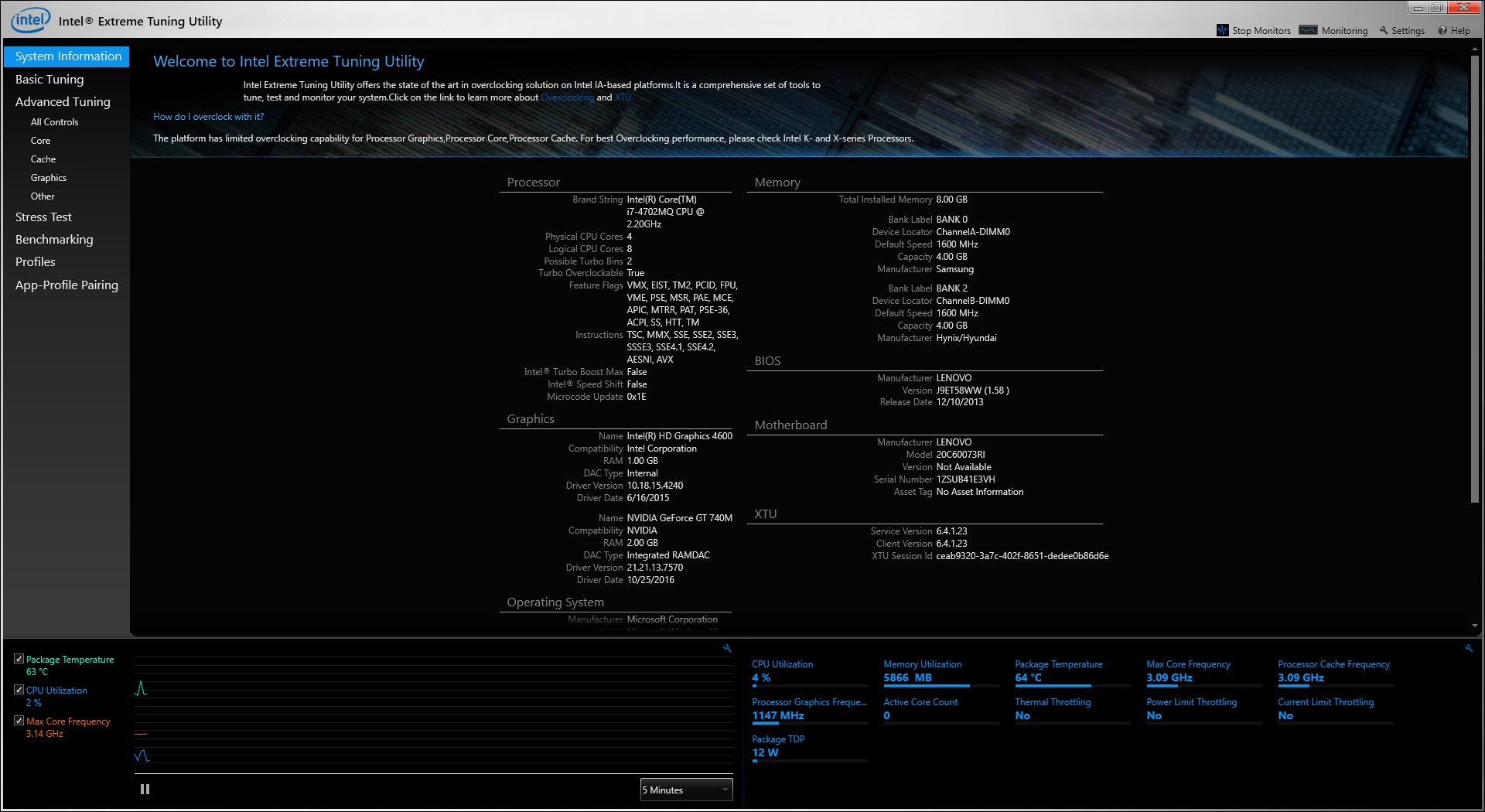
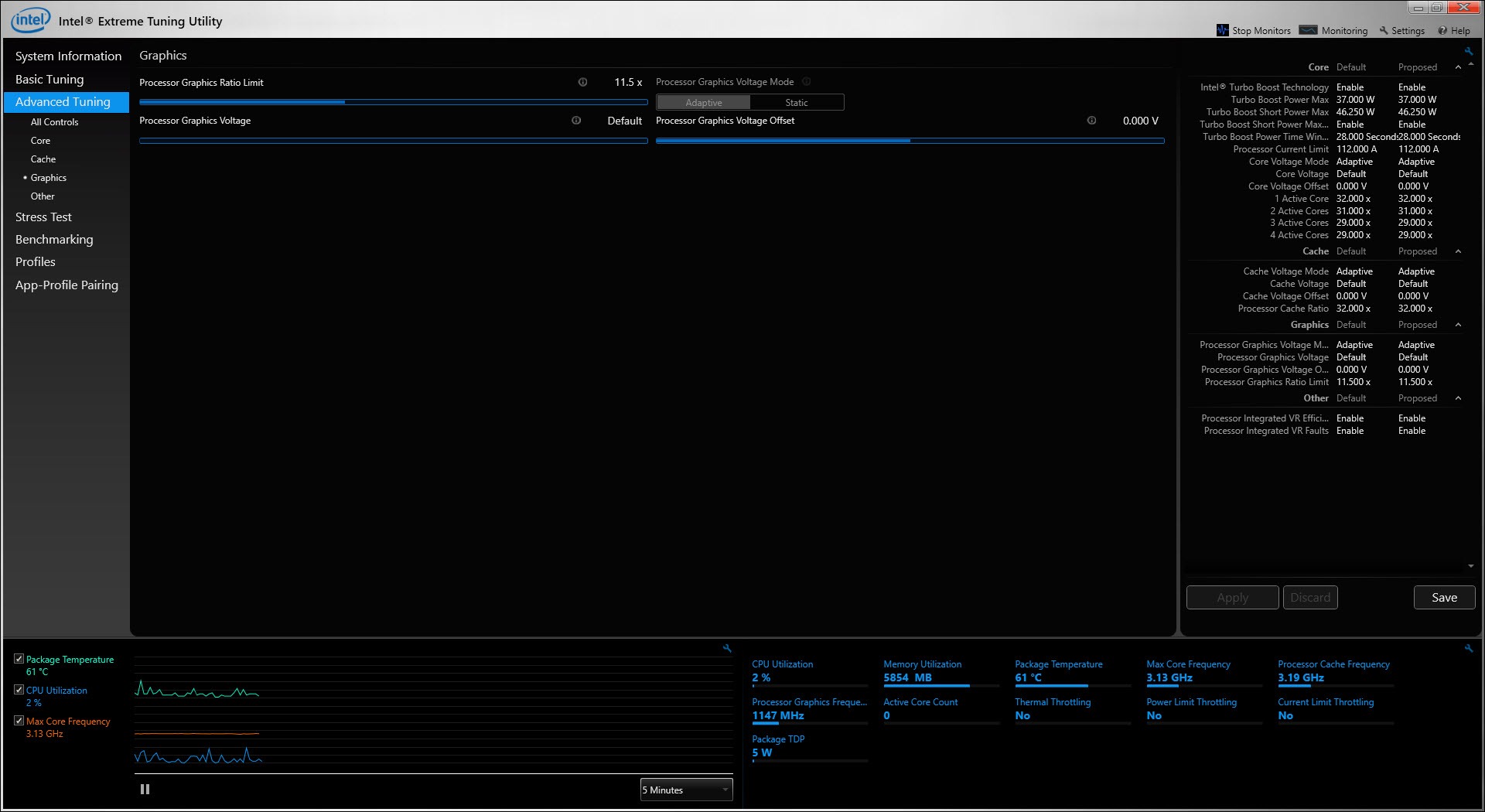
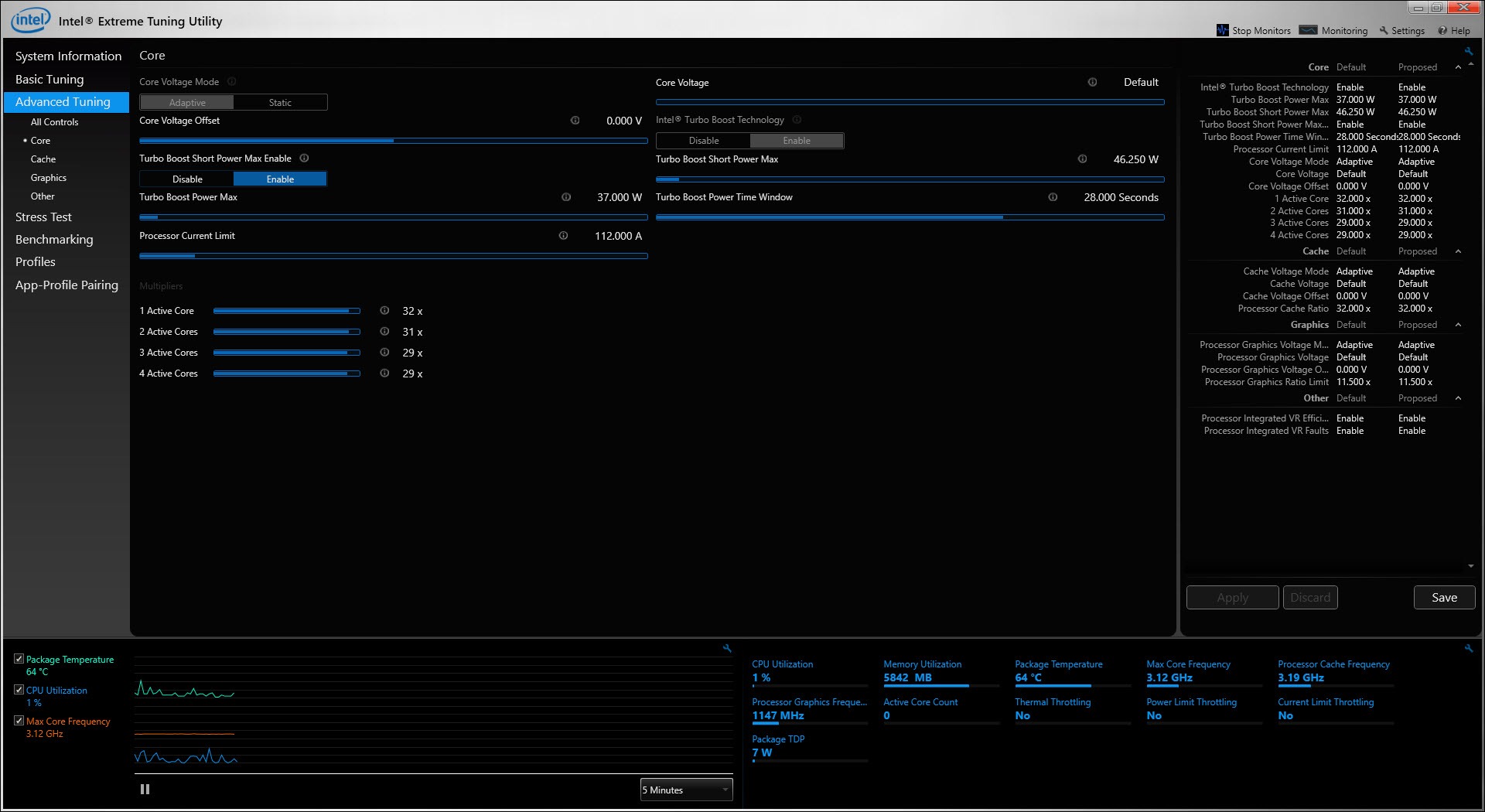
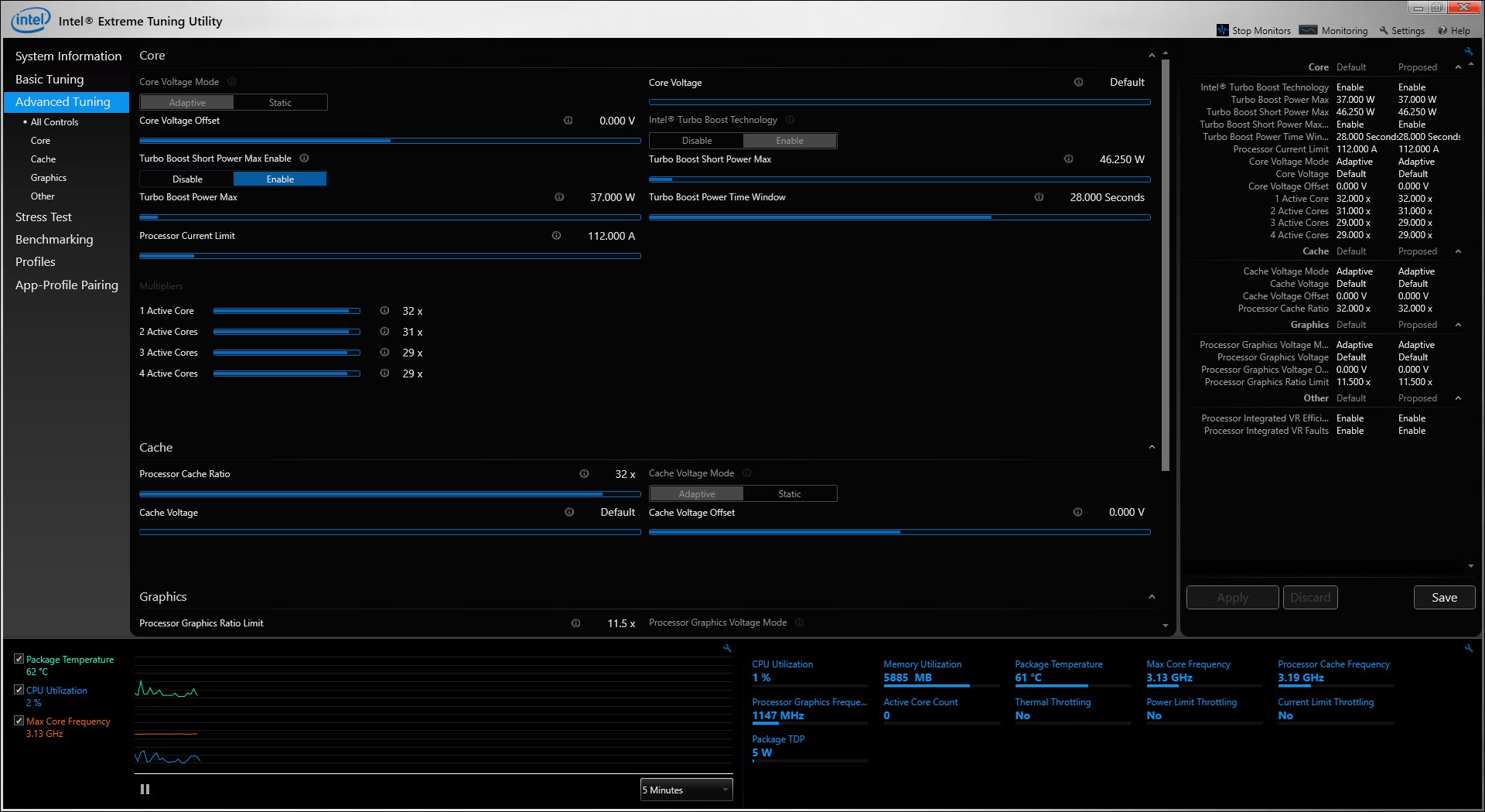
Intel Extreme Tuning Utility shows frequencies, temperatures, power draw and throttling status, with sliders for the values the processor and the board will let you change.
Which values those are is the whole story, and it is decided by your specific hardware rather than by the software.
Undervolting is what people come for
The reasoning behind Intel Extreme Tuning Utility runs against what its name suggests.
A processor that reaches its temperature limit reduces its own speed to survive, which is why a machine can show a high frequency in short bursts and a much lower one during anything sustained. The fans meanwhile run at full speed.
Lowering the voltage slightly means the same work produces less heat. The processor then stays below its limit for longer, holds a higher speed for longer, and the fans stay quieter. Performance goes up rather than down, which is the counter-intuitive part.
That is why forum threads about this software are full of people saying they want to reduce temperatures on a processor that throttles constantly, rather than anybody asking how to overclock.
Why the voltage sliders are greyed out
Here is the Intel Extreme Tuning Utility failure that fills the support discussions, and the cause is documented rather than mysterious.
A vulnerability was found in the mechanism that undervolting tools use to change voltage. The response was to let hardware makers disable that mechanism entirely through firmware, and a great many of them did, including on machines already sold.
So the sliders are greyed out because the capability was removed underneath the software. Reinstalling changes nothing, updating changes nothing, and the answer given on the maker’s own community forum is blunt, which is that preventing undervolting was the chosen solution to the vulnerability.
Establish that before spending an evening on it. The software is working correctly and reporting that the hardware will not permit what you are asking.
Whether your processor can do it at all
The Intel Extreme Tuning Utility pattern is specific enough to be useful, and it is the answer to why one machine works and another does not.
On recent generations, voltage adjustment is permitted only on the unlocked processor variants. Two models in the same family, the same generation and the same laptop range can differ, with one allowing it and one refusing, purely because of which variant it is.
Older generations were mostly permissive and then had the capability removed by firmware updates, so a machine that once worked may not now, and rolling the firmware back is the only route for anybody prepared to attempt it.
On desktops the board matters too. One user found that changing the motherboard restored overclocking access while voltage adjustment stayed blocked, which shows the two are gated separately.
Power limits are not voltage, and often still work
Here is the practical Intel Extreme Tuning Utility answer for anybody whose voltage adjustment is locked, and it is the useful thing this article can offer.
Power limits are a different control. They cap how much the processor is allowed to draw, sustained and in short bursts, and they are frequently still adjustable when voltage is not.
Capping power achieves much of what undervolting was for. Less power means less heat, the temperature limit is reached less often, and the fans stay calmer. The processor gives up some peak performance in exchange, which is the opposite trade from undervolting but the same outcome for temperature.
So somebody who came here to undervolt a throttling machine and found it blocked has a route that usually remains open. It is worth trying before concluding nothing can be done.
Watching whether it worked needs a second opinion, and Core Temp reports per-core temperature and throttling independently of the tool making the changes.
The other tool does not get around it
Being clear about this, because it is the first thing people try.
The alternative the community reaches for uses the same underlying mechanism to change voltage. When firmware disables that mechanism, it is disabled for both, so switching tools does not restore the capability.
ThrottleStop is that alternative, and it is worth having for its own reasons, meaning finer control over power limits and profiles that switch by condition. It is not a way past a hardware block.
Overclocking, for the machines that permit it
The original Intel Extreme Tuning Utility purpose applies to a narrower set of hardware than the name implies.
Real overclocking requires an unlocked processor and a board that permits it, which describes a specific segment of desktop hardware rather than machines generally. On anything else the frequency controls are absent or limited to small adjustments.
Where it does apply, the software includes stress testing and monitoring alongside, so a change can be applied and then held under load to see whether it survives. That combination in one window is the reason it stayed the standard tool for the platform.
The warranty position is straightforward and worth stating. Overclocking is outside what the processor is warranted for, and the protection plans that once covered it are no longer offered.
Conclusion
Intel Extreme Tuning Utility is most useful for the opposite of what its name suggests. Reducing voltage to keep a processor below its temperature limit raises sustained performance and quietens the fans, which is what almost everybody installing it actually wants.
Expect that specific capability to be unavailable. A security fix led hardware makers to disable voltage adjustment broadly, the software reports that honestly by greying the controls out, and no reinstallation or alternative tool restores it. Reach for the power limits instead, since they usually remain open and address the same problem from the other side.
Pros & Cons
- Shows frequency, temperature, power draw and throttling status together
- Undervolting reduces heat and raises sustained performance, where permitted
- Power limits usually remain adjustable even when voltage is locked
- Stress testing and monitoring alongside the controls in one window
- Free, from the same source as the processor
- Voltage adjustment is blocked on most hardware following a security fix
- Which processor variants permit it is inconsistent within the same generation
- Real overclocking needs an unlocked processor and a permitting board
- Switching to another tool does not restore a capability firmware removed
- Overclocking falls outside the processor's warranty
Frequently asked questions
Because a vulnerability was found in the mechanism undervolting uses, and hardware makers were given the means to disable it through firmware. Many did, including on machines already sold, so the capability was removed beneath the software.
On recent generations, only the unlocked variants. Two processors in the same family and the same laptop range can differ, so the specific model decides rather than the generation.
Adjust the power limits instead, which are a separate control and frequently still available. Capping power reduces heat and throttling much as undervolting would, in exchange for some peak performance.
No. The alternatives use the same underlying mechanism, so firmware that disables it disables them equally. They remain useful for power limits and profiles.


